
Ziflow is the leading Lytho alternative for creative collaboration

See why the top agencies and brands are upgrading to Ziflow from Lytho (formerly InMotionNow) for better creative workflow.

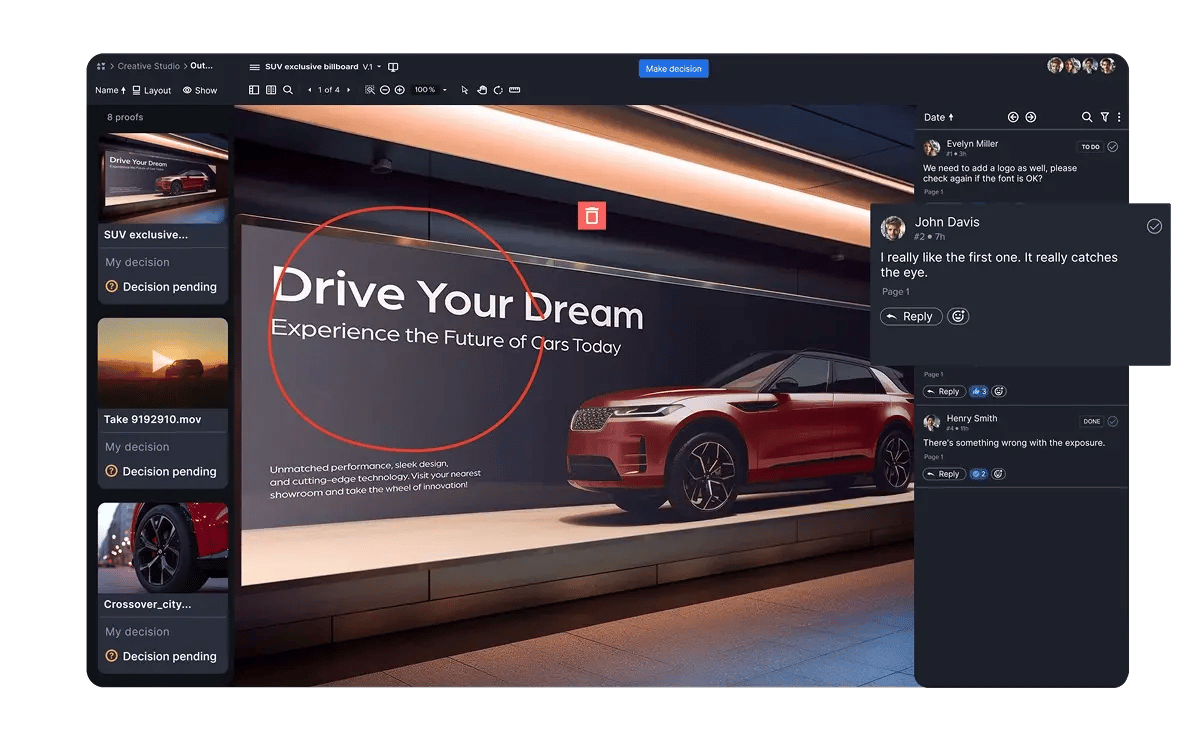
Ziflow user interface app with highlight and markup tool - Drive Your Dream automotive campaign
Online proofing software for marketing teams header background lines

Creative feedback
and approval - but faster

Accelerate your team’s creative workflow to get from design to decision more efficiently than ever before.

All of your creative, one platform

Review creative of all types—from video and image files to websites and PSDs - on one powerful platform.

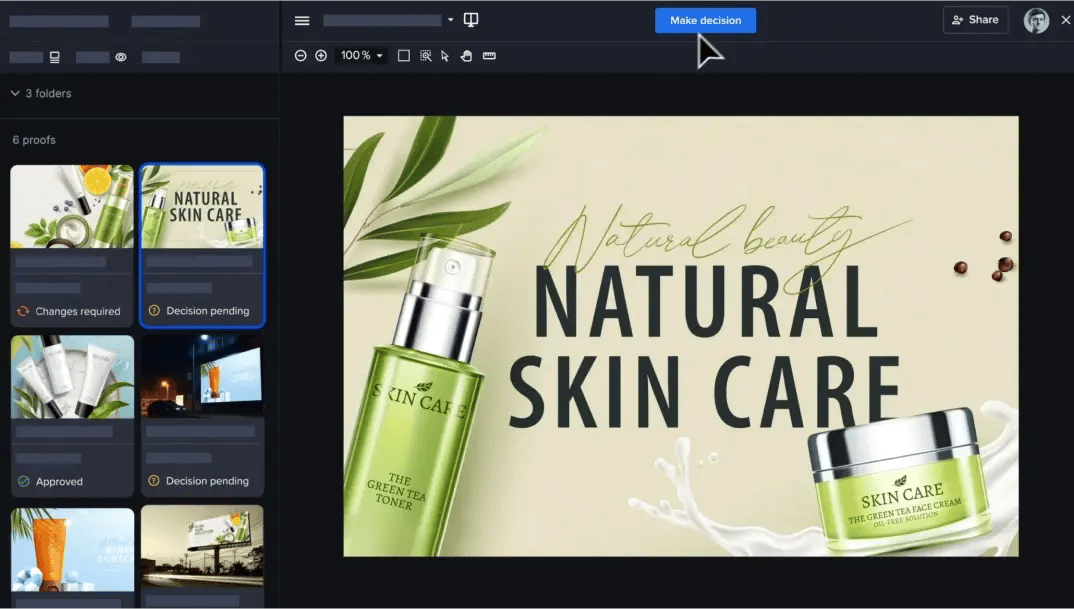
Enterprise - Campaign-level reviews with Ziflow gallery view layout

Version management

Identify and remove review and approval process bottlenecks to raise team efficiency.

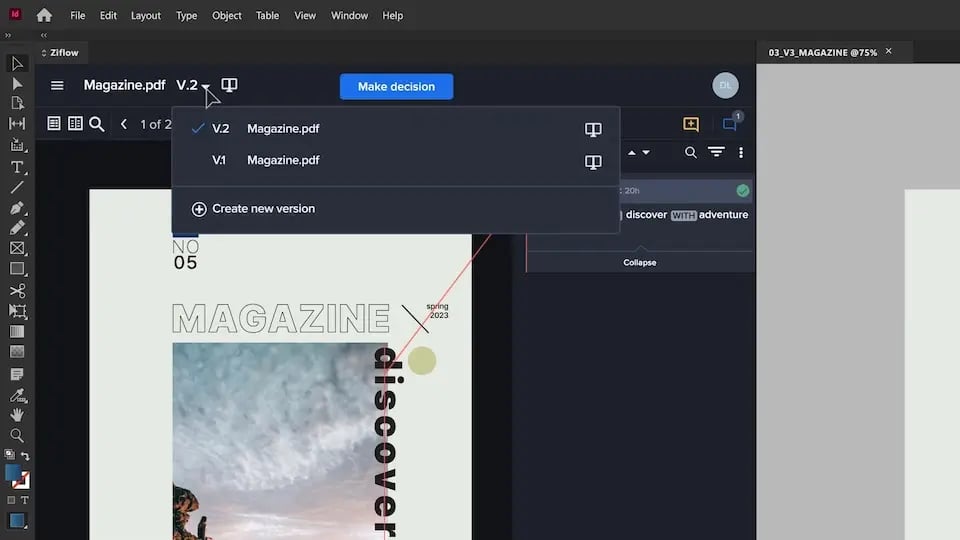
Documents and magazine proofing on print files in Ziflow - Version history selection dropdown

Collaborative discussion

Discussion tools help your team stay accountable and on the same page during asset reviews.

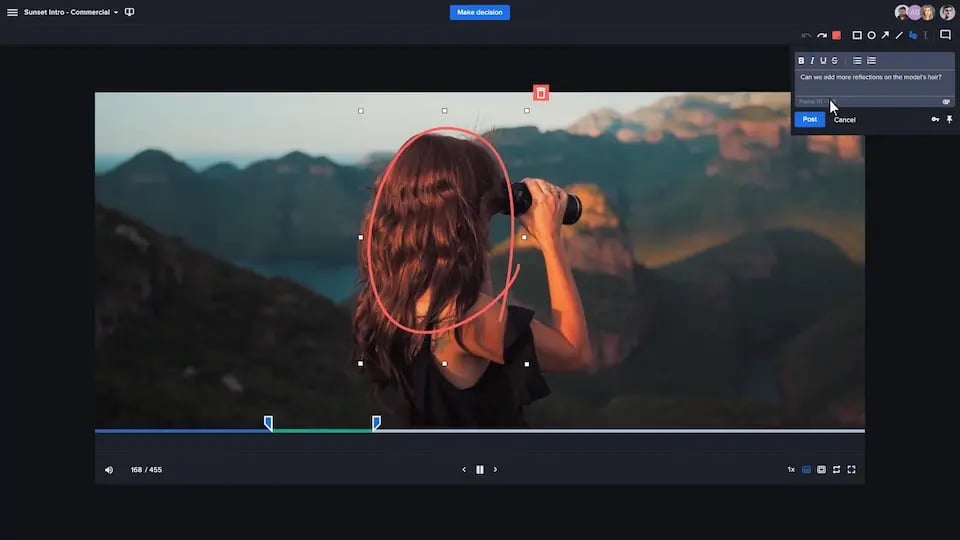
Review and markup Feedback with precision with Ziflow commenting and highlighting tools

Why choose Ziflow over Lytho?

Lytho
rating stars  4.4/5 (1502 reviews)
Reviews (Capterra) Ziflow logo-1
rating stars  4.8/5 (404 reviews)
Asset review tied to DAM objects; no campaign-level grouping or views.
Compare page - X exit red icon - Feature Does not support or missing-2
Multi-asset campaign reviews
Compare table - green check mark icon - feature available Fully supports  best-in-class-1 Supports reviewing multiple asset types—like videos, images, websites, and documents—in a single canvas. Designed to streamline feedback across complex campaigns.
Uses DAM metadata for versioning; proofing doesn't include comparison tools.
Compare table - Exclamation mark icon - Feature Partial or limited support feature
Version management
Compare table - green check mark icon - feature available Fully supports  best-in-class-1 Tracks all versions automatically with visual comparisons and full audit history. Prevents outdated feedback with auto-locking and notifications.
File support is dictated by Lytho's DAM capabilities.
Compare table - Exclamation mark icon - Feature Partial or limited support feature
Media types
Compare table - green check mark icon - feature available Fully supports  best-in-class-1 Supports 1,200+ formats including video, images, web pages, audio, HTML5, and 3D. Enables unified feedback on any type of creative asset.
Built on task-based project logic, not creative approval workflows.
Compare table - Exclamation mark icon - Feature Partial or limited support feature
Workflows
& review stages
Compare table - green check mark icon - feature available Fully supports  best-in-class-1 Offers advanced workflow automation with parallel/sequential stages, logic-based routing, and SLA-based triggers. Scales easily across departments and projects.
Tied to DAM reliability; proofing uptime is not independently measured.
Compare table - Exclamation mark icon - Feature Partial or limited support feature
Reliability (uptime)
Compare table - green check mark icon - feature available Fully supports  best-in-class-1 Delivers 99.99% uptime with a global infrastructure and published SLAs. Designed for high availability across large teams.
Form requests exist but are locked into the Lytho DAM environment. Compare page - X exit red icon - Feature Does not support or missing-2
Intake forms
Compare table - green check mark icon - feature available Fully supports  best-in-class-1 Custom-branded intake forms route uploaded files directly into workflows with required metadata. External and internal users supported.
Reporting is limited to asset usage metrics within DAM, not review outcomes. Compare table - Exclamation mark icon - Feature Partial or limited support feature
Reporting
Compare table - green check mark icon - feature available Fully supports  best-in-class-1 Provides dashboards, usage insights, review analytics, and workflow bottleneck tracking. Ideal for operational reporting and compliance.
Proofing decisions are not tracked for compliance purposes.
Compare page - X exit red icon - Feature Does not support or missing-2
E-signatures
& compliance
Compare table - green check mark icon - feature available Fully supports  best-in-class-1 Supports authenticated e-signatures, decision logs, permission-based access, and full audit trails. Trusted by teams in regulated industries.
Integrations are restricted to the Lytho suite of products.
Compare table - Exclamation mark icon - Feature Partial or limited support feature
Creative & PM integrations
Compare table - green check mark icon - feature available Fully supports  best-in-class-1 Connects directly with Adobe CC, Asana, Monday.com, Wrike, Jira, Slack, Drive, Dropbox, and others. Enables end-to-end creative workflows.
No plugin support; relies on export/import workflow.
Compare page - X exit red icon - Feature Does not support or missing-2
Adobe plugins
Compare table - green check mark icon - feature available Fully supports  best-in-class-1 Native plugins for Photoshop, InDesign, Illustrator, Premiere, and After Effects. Enables reviewers and creatives to stay inside their tools.
Only available as part of Lytho’s broader suite.
Compare page - X exit red icon - Feature Does not support or missing-2
Standalone platform
Compare table - green check mark icon - feature available Fully supports  best-in-class-1 Fully standalone and platform-agnostic; does not require a bundled DAM or PM tool.
Checklists exist within task flows, but not linked directly to proofs. Compare table - Exclamation mark icon - Feature Partial or limited support feature
Checklists
Compare table - green check mark icon - feature available Fully supports  best-in-class-1 Supports reusable, customizable checklists within reviews to ensure consistency and compliance. Ideal for regulated or multi-step teams.
Get Started page testimonial section background lolipops decorative lines
Tery Ann C Sales Operations & Support at Yello Media Group - Get Started Customer testimonial thumbnail

yello media group company logo

"We no longer depend on emails to get approval on content or for any kind of feedback. Everything is now on one platform!"


Terry Ann C.

Sales Operations & Support at Yello Media Group

Ariel B Creative Strategist at Overstock - customer testimony Get Started thumbnail

overstock company logo-1

"The review system is seamless. Its workflow creation is easy to create and use."

Ariel B.

Creative Strategist at Overstock

Ben T VP of Operations at Jellyfish - customer testimony Get Started thumbnail

jellyfish company logo

"The Ziflow team is excellent to work with, quick to respond to new feature requests and the product is very robust."


Ben T.

VP of Operations at Jellyfish.

Alan T, CMO of MAC group - customer testimony Get Started thumbnail

Macgroup company logo

"Before Ziflow, we lost countless hours chasing after people. Now we have all that time to put back into actual marketing products."

Alan T.

CMO of MAC group

Luke Dennis, Head of Film at Linney - customer testimony Get Started thumbnail

Linney vector logo-1

"Our speed to market has been massively improved by this platform. Relationships have been built as the result of being able to interact directly with clients on creative."

Luke Dennis

Head of Film at Linney

Real results to deliver exceptional creative

Centralized feedback and annotations in Ziflow

Consolidate your feedback channels

Improve collaboration by having everyone’s feedback in one place.

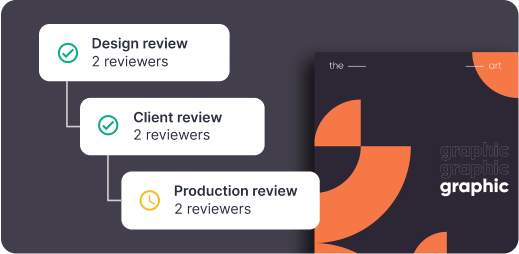
Design review, client review, production review workflow chart process

Automate any workflow

Streamline and standardize review and approval processes for faster project delivery.

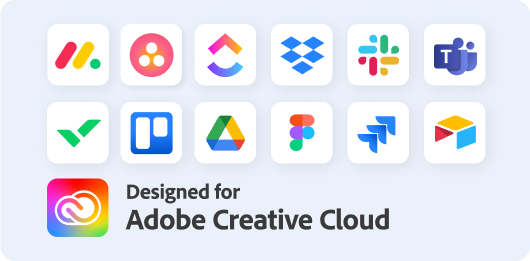
Easily connect your favorite tools and apps - Ziflow integrations apps icons

Easily connect your favorite tools and apps

Work natively with your creative tools, project management and file storage apps.

(function (c, p, d, u, id, i) { id = ''; // Optional Custom ID for user in your system u = 'https://tracking.g2crowd.com/attribution_tracking/conversions/' + c + '.js?p=' + encodeURI(p) + '&e=' + id; i = document.createElement('script'); i.type = 'application/javascript'; i.defer = true; i.src = u; d.getElementsByTagName('head')[0].appendChild(i); }("4187", document.location.href, document));