ZIFLOW FOR PRINTING

Improve accuracy and reduce rework for printed materials

Ziflow’s online proofing tools simplify the review and approval process, allowing print teams to manage feedback efficiently, ensuring error-free, high-quality output for every project.

Precise color accuracy

Ziflow’s color separation tools ensure CMYK and Pantone precision, helping print shops maintain brand color integrity and avoid costly reprints.

Simplified feedback collection

Centralize feedback from clients, designers, and internal teams with Ziflow’s annotation tools and customizable checklists, ensuring clear, actionable comments directly on artwork and layouts.

Minimized version confusion

Track all changes with Ziflow’s version control, so your team and clients can easily review and approve the latest design versions without confusion.

Thunder icon with a shield

REVIEWAI

Higher quality checks. Fewer costly reprints.

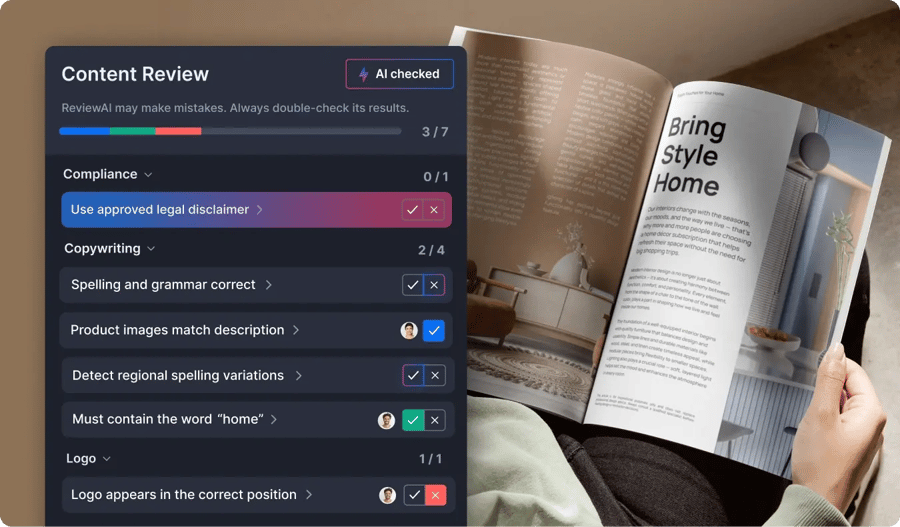
Print production doesn’t leave room for error, and clients want their projects done yesterday. ReviewAI automatically detects issues like outdated logos, missing disclaimers, or layout inconsistencies before materials go to print, so you can deliver quality work at scale.

ReviewAI checklist feature of Ziflow for Print purposes
ReviewAI homepage decorative lines

CUSTOMIZABLE PRINT APPROVAL WORKFLOWS

Streamlined collaboration for internal and client teams

Contract printing projects often require input from clients, designers, and production teams. Ziflow’s platform consolidates all feedback, ensuring a smooth and efficient process from start to final print approval.

Customizable approval workflows-1

Customizable approval workflows

Create workflows tailored for internal review and client sign-off, ensuring that each step is completed by the right people at the right time.

Organized project attachments

Organized project attachments

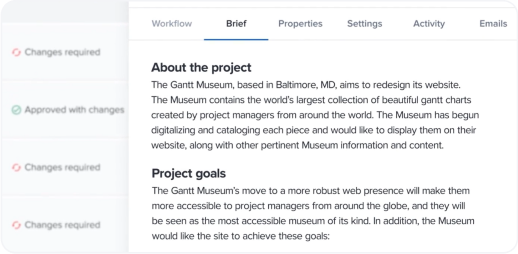
Attach creative briefs, specifications, and other essential documents to each project, keeping all resources accessible and reducing back-and-forth communication.

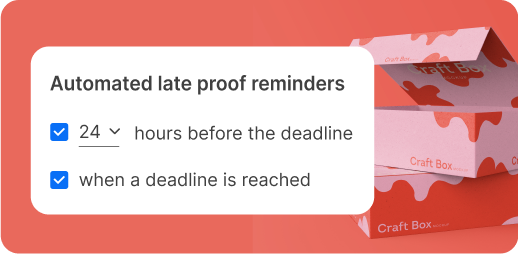
Automated late proof reminders - Digital Advertising with Ziflow

Automated notifications and deadlines

Ziflow’s automated reminders keep reviewers on schedule, helping avoid delays and ensuring projects stay on track.

lolipops black
CUSTOMER STORIES

Real-life stories from teams that let their content flow

Agencies, marketing, and in-house creative teams worldwide use Ziflow to produce outstanding content faster and more efficiently.

How the biggest name in cloud storage uses Ziflow to help produce materials for company events AWS-2

AWS

Streamlined the approval process for high-volume event collateral.


How a multi-national company uses Ziflow to localize their creative assets efficiently-4

Vista

Standardized global localization processes, creating a single source of truth.

How a major film production team uses Ziflow to modernize their process for multimedia production Linney-2

Linney

Delivered video campaigns in 12 hours for McDonald’s and Royal Mail.


Copperwing headquarters located in the nature-2

Copperwing

Enhanced connectivity and efficiency, keeping projects aligned and on-track.

How a major name in healthcare journalism handled a massive increase in creative volume in 2020-3

Everyday Health Group

Alleviated the strain on its team during a period of unexpectedly high volume.

BE PRECISE

Quality control for consistent, on-brand printing

Ziflow’s print review tools enable print companies to manage every detail, helping maintain quality and avoid errors across promotional products, banners, and more.

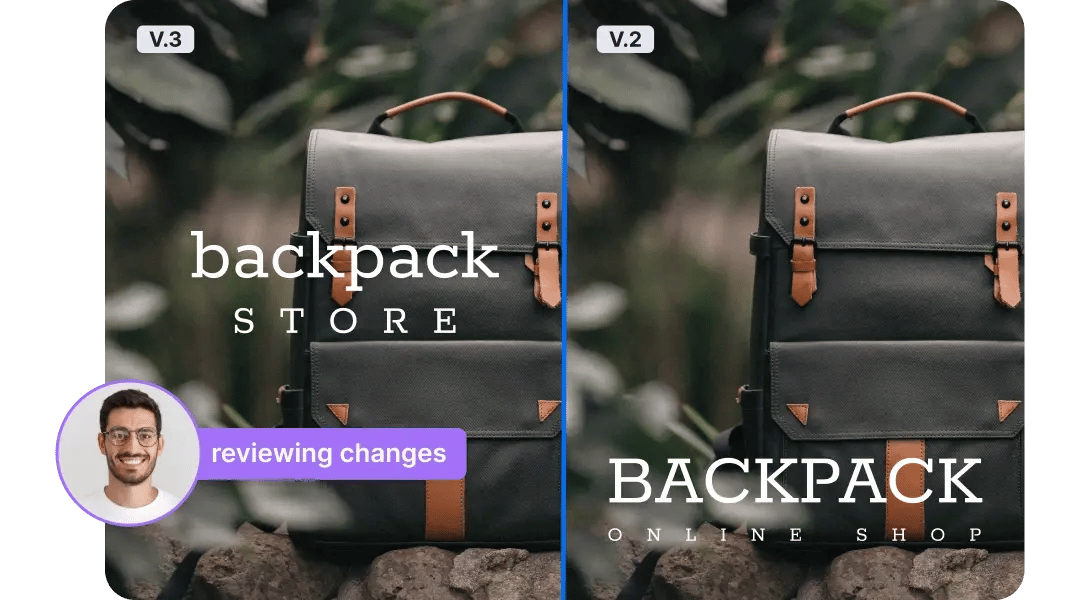
Side-by-side version comparison

Easily compare previous and updated versions to track changes, reduce errors, and ensure consistency across every product line.

Pixel-level version comparison - Stay consistent with Ziflow

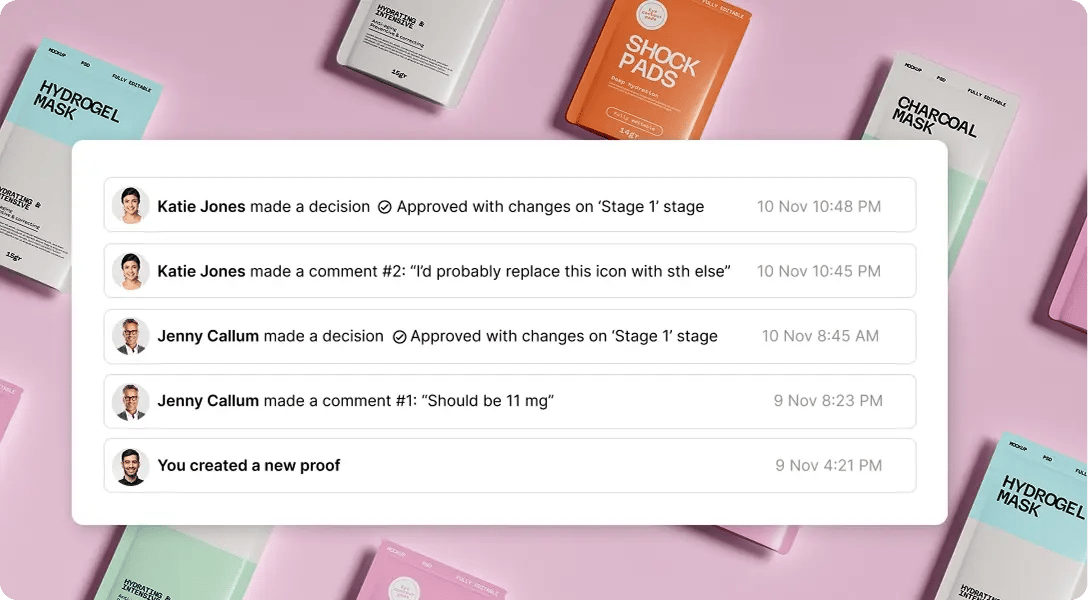
Audit trails for full accountability

Keep a history of all comments, checklists, changes, and approvals, ensuring customer feedback is documented before going to print.

Audit trails for full acountability - keep a shitory of all comments in Ziflow

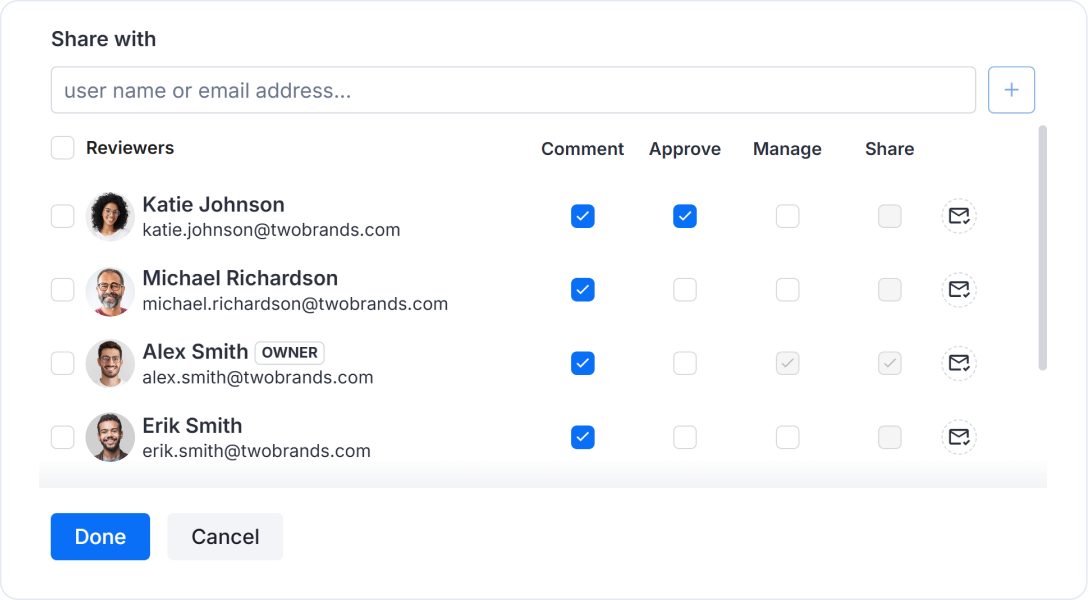
Role-based permissions

Control access to sensitive print assets with role-based permissions, ensuring that only authorized team members and clients can review and approve files.

Permission-based access for secure sensitive healthcare content-1
THIS IS ZIFLOW

Power up your print production workflow

Ziflow’s proofing software provides print shops with the tools to manage client feedback, organize approvals, and ensure high-quality results across every project.

Collaborative viewer user dashboard of Ziflow - Product Overview

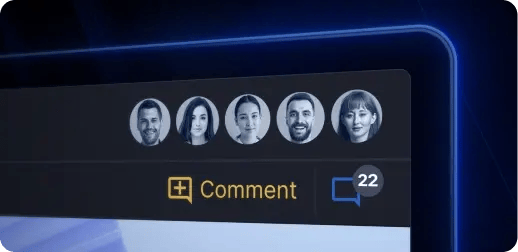
Consolidate

Bring all creative assets, feedback, and approvals into a single platform, streamlining workflows and keeping every project organized and on track.

Centralized collaboration, proof decision makers avatars list - Product Overview of Ziflow

Collaborate

Unify internal teams and external stakeholders with centralized communication, fostering alignment and ensuring seamless feedback loops.

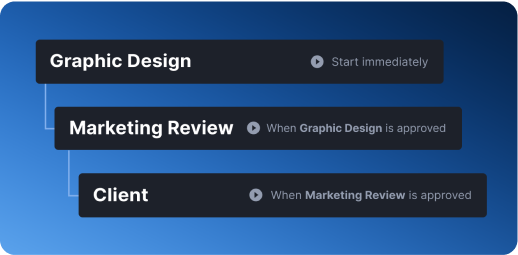
Graphic Design, Marketing Review and Client stages of Ziflow workflows - Product Overview

Orchestrate

Automate workflows to reduce manual tasks, eliminate inefficiencies, and maintain consistency across projects of any size or complexity.

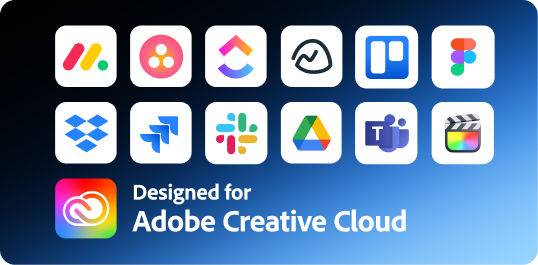
Seamless integrations and adoption of Ziflow - Product Overview

Integrate

Connect Ziflow with your team’s favorite tools—from design software to project management platforms—to create a fully integrated creative ecosystem.

Frequently asked questions

Everything you need to know about using Ziflow for print review and approval.

What is online print proofing software?

Online print proofing software is where your team reviews and approves print files before they hit the press. Instead of marking up a PDF, emailing it back, and hoping the designer opens the right attachment, everyone comments directly on the artwork in one place. Every note is tied to a specific spot on the page. Every version is tracked. And somebody has to actually click "Approved" before the job moves forward.

That last part matters more than it sounds. A reply-all saying "looks good to me" isn't a sign-off. It's a guess you're printing 20,000 copies of.

Which file types can I proof?

Over 1,200 of them, which is a number that sounds made up until you look at a print shop's job queue.

The ones you'll use most:

  • Production files: INDD, AI, PSD, EPS
  • Documents: PDF, DOC/DOCX, XLS/XLSX, PPT/PPTX, RTF, TXT
  • Images: JPEG, PNG, TIFF, BMP, GIF
  • Video and audio: MP4, MOV, AVI, WMV, MP3, WAV
  • Web and rich media: live URLs, static site snapshots, HTML5

No conversion step, no flattening, no "can you resend this as a PDF." Upload the native file and Ziflow renders it. The full searchable list lives in the Help Center.

Does Ziflow support CMYK and Pantone color proofing?

Yes. Color separation is available on Pro and Enterprise plans, so reviewers can isolate individual plates and check CMYK and Pantone values before the file goes to press.

Worth being clear about what this is and isn't: separations let your team catch the problems that cause reprints, like a spot color that should have been a process build, or a black that's registering as rich black when it shouldn't be. It's a check on the file, not a substitute for a calibrated hard proof. Your monitor is still a monitor.

Does Ziflow integrate with Adobe InDesign, Illustrator, and other design tools?

Yes. Ziflow's Adobe Creative Cloud plugins put review and approval inside InDesign, Illustrator, and Photoshop, so designers push a new version and pull feedback without leaving the file they're already working in. The plugins are on Adobe Exchange, and they're included even on the free plan.

Figma too, if part of your work starts there. The plugin turns live Figma files into static, review-ready proofs.

Beyond design tools, Ziflow connects to monday.com, Asana, Jira, ClickUp, Wrike, Trello, Smartsheet, Airtable, Basecamp, Teamwork, Planview AdaptiveWork, and Salesforce on the project side; Dropbox, Google Drive, and SharePoint for storage; Slack and Microsoft Teams for notifications; and Zapier plus a RESTful API for everything else. See the full list.

Can Ziflow handle high proof volumes across multiple print jobs?

Proofs are unlimited on every plan, including the free one. Reviewers are unlimited too. What scales with your plan is storage, users, workflow stages, and templates.

For a shop running dozens of jobs at once, the features that actually save you: bulk proof creation, folders, workflow templates so recurring jobs route themselves, and automated deadline reminders that chase reviewers so your account manager doesn't have to. Enterprise adds unlimited stages and unlimited active templates, which is where most high-volume shops end up.

AWS uses Ziflow for high-volume event collateral. Linney turned around video campaigns for McDonald's and Royal Mail in 12 hours. Volume isn't the problem.

How long does setup take, and can we bring in existing clients and reviewers?

You can sign up free and have a proof out for review the same afternoon. No credit card.

Bringing in clients is the easy part, and this is the thing people get wrong about proofing tools: your reviewers don't need accounts. Not a trial, not a seat, not a license. You send a link, they open it, they comment, they make a decision. Unlimited reviewers on every plan, free included. A user license is only needed for the people creating and managing proofs.

So "we'd have to get 40 clients to sign up for something" isn't a real objection. They just click the link.

Enterprise plans include custom onboarding and training if you're migrating a whole operation and want a hand.

Does Ziflow keep an audit trail for print sign-off?

Yes. Every comment, checklist item, version, and decision is recorded automatically, with a timestamp and a name attached. When a client insists they never approved the version that printed, you don't argue about it. You pull the record.

Audit history depends on your plan: 90 days on Standard, one year on Pro, lifetime on Enterprise, which also adds detailed activity and access logs and electronic signatures.

Reviewers choose from three decisions: Approved, Approved with changes, or Changes required. No ambiguity about what "fine, send it" meant.

Can Ziflow catch errors a human reviewer would miss?

Many of them, yes.

Everyone in print has some version of the same unfortunate story where a job went to press with lorem ipsum still in the sidebar, or a disclaimer that got dropped in v4 and nobody caught until 30,000 units were boxed.

ReviewAI is built for that category of check. It applies automated pass/fail recommendations against your Checklist criteria — current logo, required legal copy, correct layout spec — and flags what doesn't pass (also, its eyes don't get tired).

What it doesn't do is replace your reviewer. Every AI suggestion requires human review before anything moves. Whether the photography is right, whether the color feels off, that stays with your team.

Learn more about ReviewAI →

How much does Ziflow cost, and is there a free trial?

There's a free plan that's free forever: 2 users, 2GB storage, unlimited proofs, unlimited reviewers, and 60 days of review history.

Paid plans, billed annually:

  • Standard — $199/month. 15 users, 1TB, 2 workflow stages
  • Pro — $329/month. 20 users, 2TB, 3 stages, color separation, advanced integrations
  • Enterprise — custom. 25+ users, 4TB+, unlimited stages and templates, ReviewAI, SSO, electronic signatures

Print shops usually want Pro at minimum, since that's where color separation lives.

Free trials don't need a credit card, and there's a 20% discount on Standard and 17.5% on Pro for annual billing. Educational discounts exist too. Check ziflow.com/pricing for current numbers before you budget around them.

Single lolipop background

Let your content flow

Put an end to the review cycle frustrations. Start a free trial of Ziflow without a credit card, and experience creativity without compromise.

Start free trial Get a demo
(function (c, p, d, u, id, i) { id = ''; // Optional Custom ID for user in your system u = 'https://tracking.g2crowd.com/attribution_tracking/conversions/' + c + '.js?p=' + encodeURI(p) + '&e=' + id; i = document.createElement('script'); i.type = 'application/javascript'; i.defer = true; i.src = u; d.getElementsByTagName('head')[0].appendChild(i); }("4187", document.location.href, document));