FOR CREATIVE OPERATIONS

Streamline creative operations and foster innovation

As the backbone of your brand’s creative process, you need your team aligned, productive, and focused on delivering impactful content. Ziflow helps you optimize workflows, simplify feedback, and elevate your creative team’s output—all from a single platform.

PROVEN ROI FOR CREATIVE OPERATIONS LEADERS

Optimize every workflow, amplify every result

Creative operations leaders achieve measurable gains in efficiency and output with Ziflow. Streamline proofing workflows, eliminate unnecessary revisions, and deliver projects faster—while keeping teams focused on producing their best work.

Hierarchical structure icon

59%

time saved managing proofing workflows

Stopwatch timer icon

2.2x

faster campaign delivery & project completion

Stack of files icon

30%

fewer versions needed for final approval

MAKE AN IMPACT

Keep projects on track and aligned with strategy

Ziflow ensures every creative initiative contributes to broader business goals by reducing bottlenecks, improving communication, and delivering actionable insights into project progress.

Streamline approvals

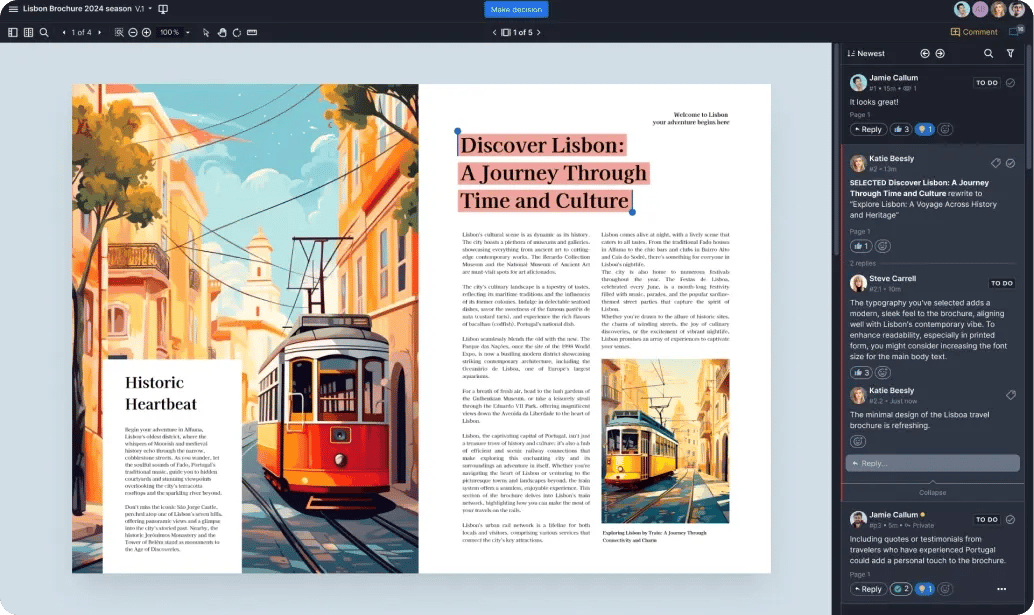
Automated workflows eliminate delays, ensuring the right stakeholders provide timely feedback and approvals to keep projects moving.

Streamline approvals of creative content in Ziflow lines chart visualization-1

Track every step

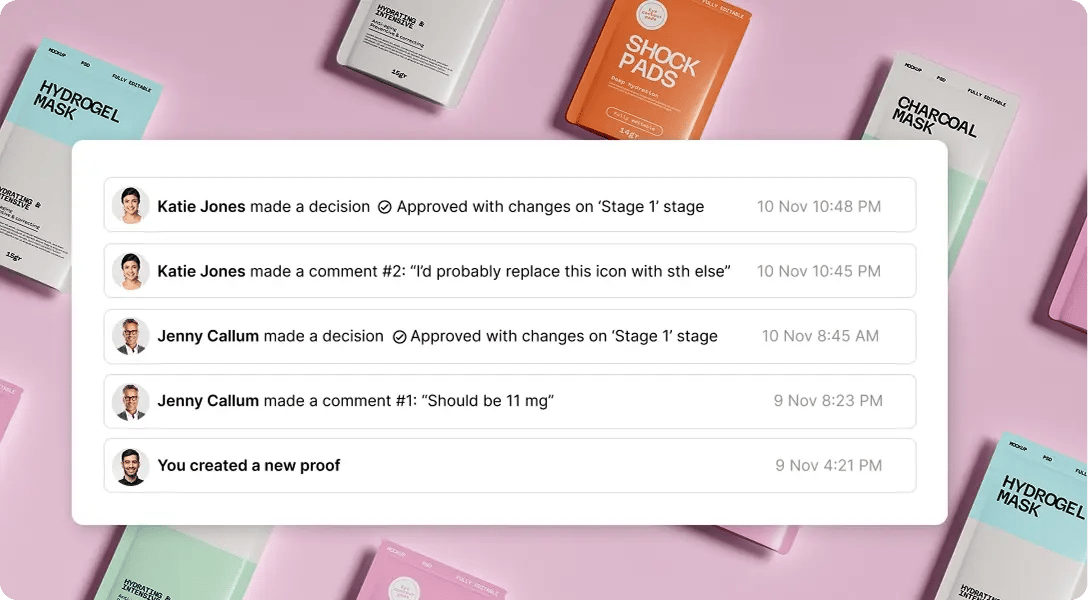
Ziflow provides a clear audit trail for every decision, comment, and revision, giving you confidence in compliance and accountability.

Audit trails for full acountability - keep a shitory of all comments in Ziflow

Deliver on time, every time

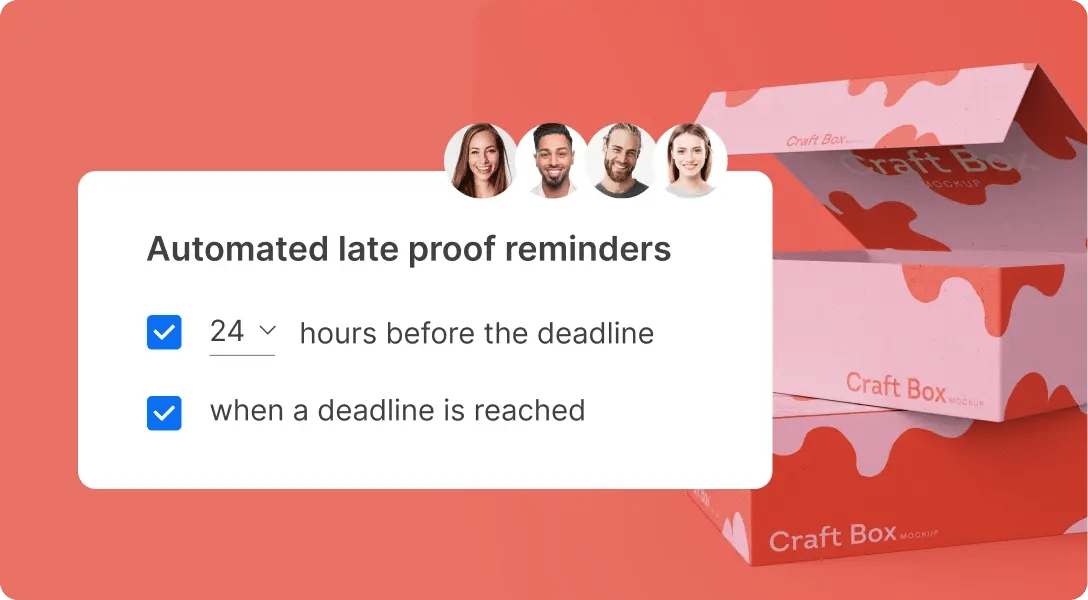
With Ziflow, your team can meet deadlines without compromising on quality, delivering creative that drives results.

Keep projects on track - automated reminders prompt reviewers-1
SEE THE BIG PICTURE

Focus on strategy, not logistics

Stop getting bogged down in the details. Ziflow enables creative operations managers to focus on strategic initiatives that elevate their brand while empowering their teams to execute flawlessly.

Reviewed proof for a company line chart - Manage both processes and people

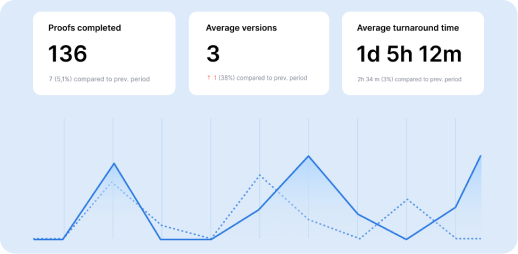
Manage both processes and people

Hard data from detailed feedback and approval metrics reinforce the soft skills you use to resolve frequent holdups caused by specific stakeholders.

Internal business plan content - Align with 
business goals.png.png-1

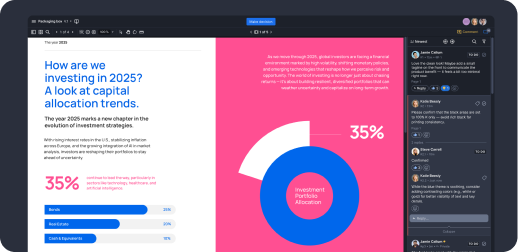
Align with business goals

Ziflow ensures creative projects are tied to larger brand objectives, keeping your team’s work aligned with organizational priorities.

Proof details workflow - Build team 
cohesion.png.png

Build team cohesion

Clear and transparent processes improve collaboration and mitigate office politics, creating a positive and productive team environment.

lolipops black
CUSTOMER STORIES

Real-life stories from teams that let their content flow

Agencies, marketing, and in-house creative teams worldwide use Ziflow to produce outstanding content faster and more efficiently.

How the biggest name in cloud storage uses Ziflow to help produce materials for company events AWS-2

AWS

Streamlined the approval process for high-volume event collateral.


How a multi-national company uses Ziflow to localize their creative assets efficiently-4

Vista

Standardized global localization processes, creating a single source of truth.

How a major film production team uses Ziflow to modernize their process for multimedia production Linney-2

Linney

Delivered video campaigns in 12 hours for McDonald’s and Royal Mail.


Copperwing headquarters located in the nature-2

Copperwing

Enhanced connectivity and efficiency, keeping projects aligned and on-track.

How a major name in healthcare journalism handled a massive increase in creative volume in 2020-3

Everyday Health Group

Alleviated the strain on its team during a period of unexpectedly high volume.

THIS IS ZIFLOW

Optimize your creative operations workflow

Ziflow’s features help you unify feedback, automate approvals, and ensure consistency across every stage of your creative workflow.

Collaborative viewer user dashboard of Ziflow - Product Overview

Consolidate

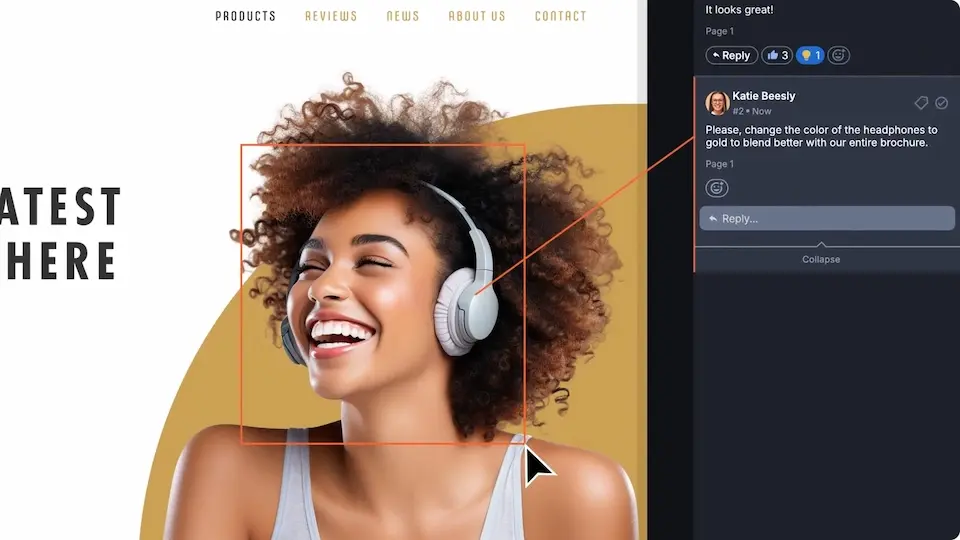
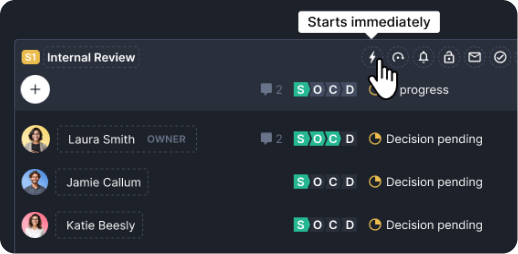
Bring all creative assets, feedback, and approvals into a single platform, streamlining workflows and keeping every project organized and on track.

Centralized collaboration, proof decision makers avatars list - Product Overview of Ziflow

Collaborate

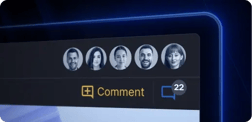
Unify internal teams and external stakeholders with centralized communication, fostering alignment and ensuring seamless feedback loops.

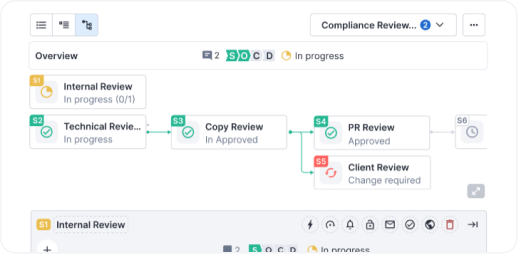
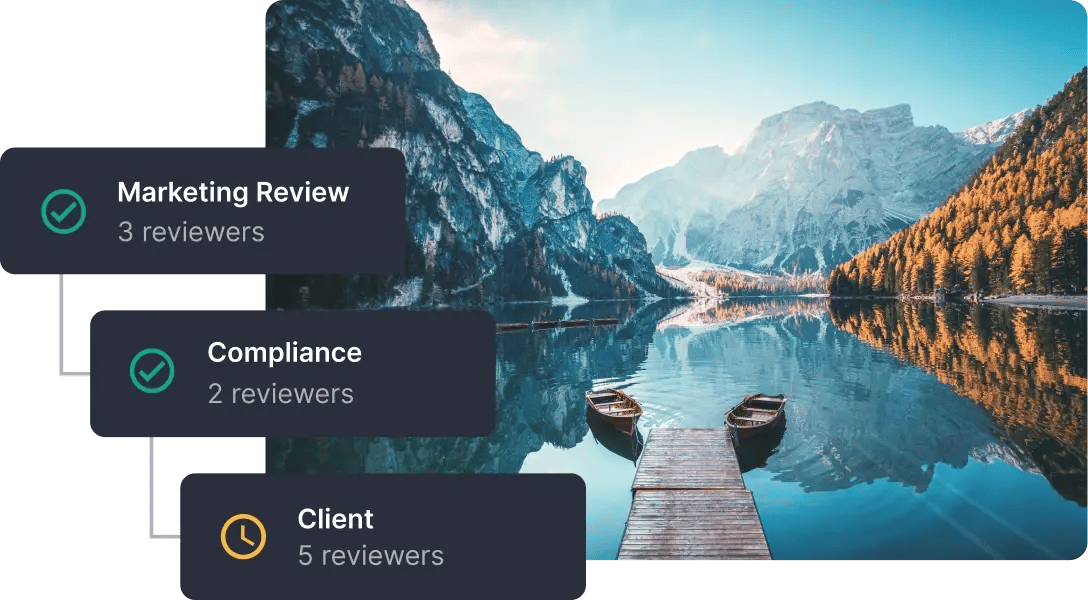
Graphic Design, Marketing Review and Client stages of Ziflow workflows - Product Overview

Orchestrate

Automate workflows to reduce manual tasks, eliminate inefficiencies, and maintain consistency across projects of any size or complexity.

Seamless integrations and adoption of Ziflow - Product Overview

Integrate

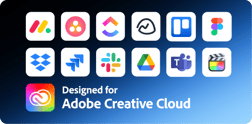
Connect Ziflow with your team’s favorite tools—from design software to project management platforms—to create a fully integrated creative ecosystem.

Frequently asked questions

Everything you need to know about using Ziflow for creative operations review and approval.

What is creative operations software?

Creative operations software handles the part of creative work that isn't creative: intake, routing, chasing reviewers, tracking versions, and proving something got approved.

Somebody on your team is doing all of this right now, manually. They're building the same three-stage review from scratch every time. They're DMing the same legal reviewer for the fourth time this week. They're maintaining a spreadsheet of which version is current. That person was hired to run creative operations, not to be a human notification system.

Creative ops software takes the administrative layer off their plate. The judgment stays with them. The follow-ups don't.

Can Ziflow automate creative approval workflows across teams and external stakeholders?

Yes. You build the workflow once as a template, then every project that fits that shape routes itself.

Stages run sequentially or in parallel. Internal design review, then brand, then legal, then the client. Or all four at once if you're feeling brave. When a stage completes, the next one triggers and the right people get notified. Automated deadline reminders chase reviewers on Enterprise plans, so nobody on your team has to send the "just bumping this" message again.

External stakeholders sit in the same workflow as internal ones. A client is just a reviewer on a stage.

Plan limits: 2 stages on Standard, 3 on Pro, unlimited on Enterprise. Standard and Pro allow one active template at a time; Enterprise removes that cap, which matters once you're running more than a couple of distinct review shapes.

Stage locking prevents changes after sign-off. Once a stage is closed, it's closed.

How does AI improve creative operations?

ReviewAI handles the checks that are tedious, repetitive, and easy for a tired human to miss at 6pm on a Friday. It applies automated pass/fail recommendations against your Checklist criteria, catching things like an outdated logo, a missing disclaimer, or a layout that drifted from spec.

Here's where the line sits: AI does the repetitive checking. Humans do the judgment. Whether the concept works, whether the photography feels right, whether something is technically correct but still off. That's not a checklist item, and Ziflow doesn't pretend it is. Every AI suggestion requires human review and approval before anything moves.

The scope, plainly: ReviewAI is an Enterprise add-on. It works on static images and PDFs up to 10 pages. Not video, not audio. It's opt-in and runs only when you invoke it.

On data: Ziflow never uses your content to train or fine-tune models. Processing happens through zero-retention API calls to enterprise-grade models from OpenAI and Google. Nothing is stored by the providers, nothing is reused. Details on the ReviewAI page.

How does Ziflow handle feedback from external stakeholders like clients or legal?

They click a link in an email. That's the whole thing.

No account, no password, no license, no "please create a login to review this file." Reviewers are unlimited on every plan, free tier included. A user license is only required for people creating and managing proofs, which is your team, not theirs.

This is the objection that kills most proofing rollouts, and it's worth saying directly: you will not have to convince your clients to sign up for your software. External reviewers get the same commenting and markup tools your team has, and their feedback lands in the same place as everyone else's.

For sensitive work, Enterprise adds multi-factor authentication for guest reviewers, so your security team gets what they need without your clients getting a hurdle.

Reviewers choose Approved, Approved with changes, or Changes required. Every decision is timestamped and attributed.

How does Ziflow integrate with my existing creative tech stack?

Ziflow connects to the tools your team already opens every day, in both directions.

Design and editing — Adobe Creative Cloud plugins for InDesign, Illustrator, and Photoshop. Premiere Pro, After Effects, and Final Cut Pro X for frame-accurate video feedback in the timeline. Figma for turning live files into static proofs.

Project management — monday.com, Asana, Jira, ClickUp, Wrike, Trello, Smartsheet, Airtable, Basecamp, Teamwork, Planview AdaptiveWork, Salesforce.

Storage — Dropbox, Google Drive, SharePoint. New files can become proofs automatically; approved assets can route to the right folder on their own.

Notifications — Slack, Microsoft Teams.

Anything else — Zapier connects thousands of apps, and Ziflow's RESTful API extends the process to proprietary tools.

Low-code flows automate the handoffs between Ziflow and connected platforms. Advanced PM integrations and storage connections start at Pro. Full list: ziflow.com/integrations.

Single lolipop background

Let your content flow

Put an end to the review cycle frustrations. Start a free trial of Ziflow without a credit card, and experience creativity without compromise.

Start free trial Get a demo
(function (c, p, d, u, id, i) { id = ''; // Optional Custom ID for user in your system u = 'https://tracking.g2crowd.com/attribution_tracking/conversions/' + c + '.js?p=' + encodeURI(p) + '&e=' + id; i = document.createElement('script'); i.type = 'application/javascript'; i.defer = true; i.src = u; d.getElementsByTagName('head')[0].appendChild(i); }("4187", document.location.href, document));