What is creative collaboration?
Creative collaboration is the way two or more people combine their unique ideas, skills, and perspectives to produce creative work that's greater and meatier than any one person could make by themselves. On a creative team, that means a medley of specialists in a choreographed dance: designers, copywriters, art directors, video editors, and motion designers who build the work, alongside marketers, brand managers, creative operations leaders, project managers, account teams, legal and compliance reviewers, and external clients who shape, approve, and sign off on it.
Out in the wild, creative collaboration can look like making tons of tweaks based on different rounds of feedback until an illustration hits its intended vision, or bouncing copy ideas off a (kind) teammate until something finally sticks. It's the motor behind every campaign, every asset, and every piece of media your team sends out the door, and it's how creative teams produce work that stands out from everything else out there.
What we'll cover
Table of contents
- What is creative collaboration?
- What are the benefits of creative collaboration?
- What are the challenges of creative collaboration?
- What are the best practices for successful creative collaboration?
- Creative collaboration tools: the 4 categories every team needs
- 4 ways Ziflow elevates creative collaboration
- Ready to elevate your creative collaboration?
What are the benefits of creative collaboration?

The benefits of sharing opinions and having productive conversations in creative settings produce better-quality assets, yes, but there are other advantages, too:
Enhanced creativity and innovation
Two people on a creative team may approach the same problem with completely different instincts about the best way to solve it. Working toward a solution that satisfies multiple perspectives forces the team to innovate. It also helps to have multiple creative specialties in the room: experts in copywriting, design, and video production will build a better Instagram ad together than a single generalist with a little knowledge of each.
Increased problem-solving capacity
We solve problems based on our past experiences, so when you have multiple creatives working on a problem, you have more experience to draw on. More perspectives means you're more likely, as a team, to spot the potential downfalls of a solution and adapt before they become real problems. Brainstorming a funny TikTok? A team that spans a few generations will have a better read on what might fall flat with the audience, or what could accidentally offend someone.
Improved learning and skill development
Modern professionals are used to picking up new skills from YouTube and TikTok, but nothing beats good old-fashioned, peer-to-peer knowledge exchange. Working closely together means teammates learn from each other, both the hard skills (video editing, where to find the brand guidelines) and the soft ones (how to read a specific client). The feedback process is invaluable here, giving people the chance to sharpen existing skills and benefiting individual careers and the whole team at once.
Greater project efficiency
Dividing work according to each person's strengths lets teams move through projects much faster than locking everyone into rigid assignments. Say you're producing a video ad for a car dealership and your web designer happens to be great at drawing cars, while your graphic designer isn't. Since there's no web element on this project, it's more efficient to let the web designer handle the car graphic while the graphic designer takes the color palette, layout, and font choices.
What are the challenges of creative collaboration?
Sometimes your team's collaboration is on fire: you're inspired, you get each other, and morale is high. Other times it feels like trying to assemble pieces from a few different puzzles. Collaboration is hard, and most creative teams hit these same snags at some point.
Communication breakdowns
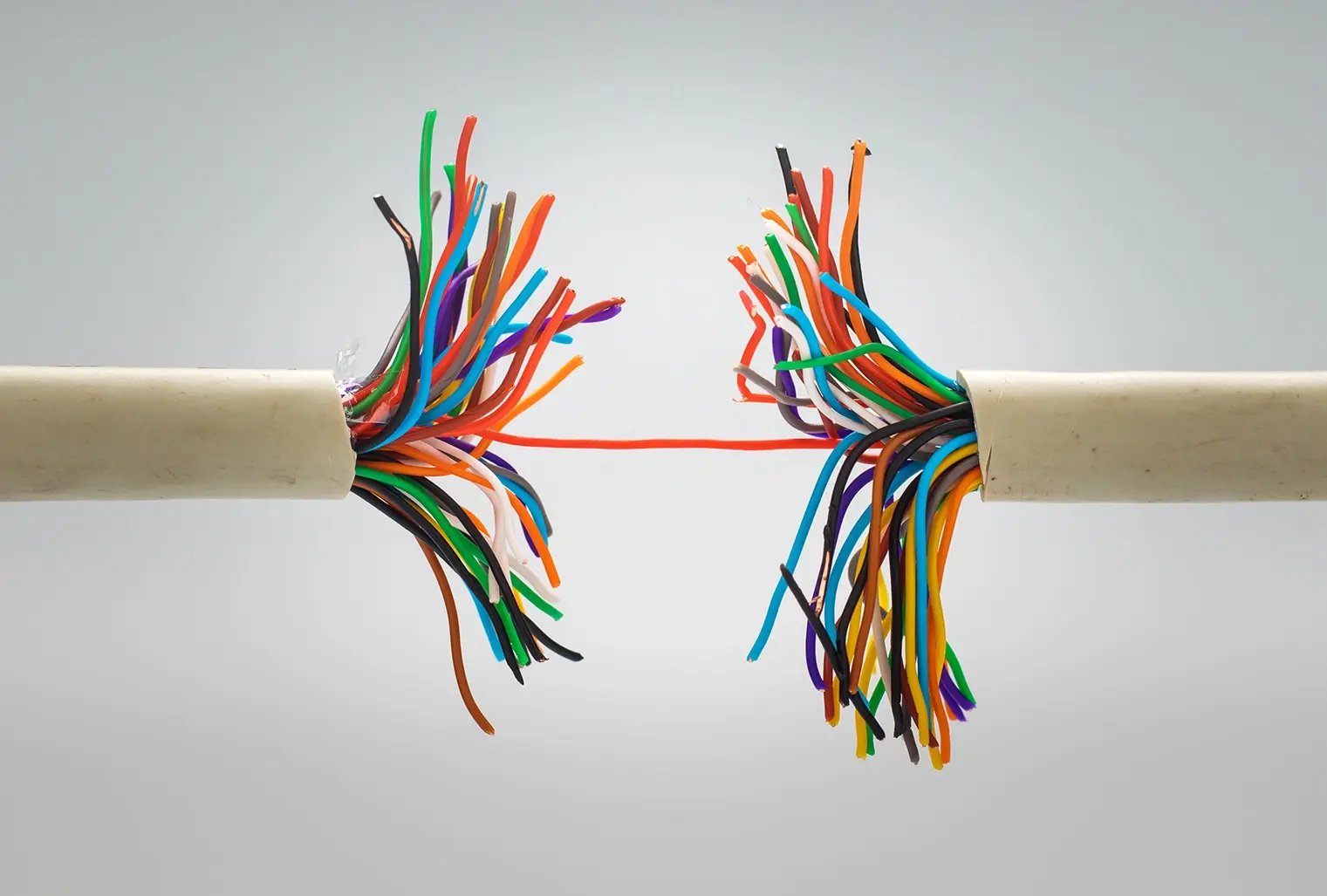
Misunderstandings happen, but sometimes you don't catch one until a teammate has already poured 10 hours into a very detailed illustration. Breakdowns tend to occur when teams don't have a single place to collect feedback, or a shared vocabulary for discussing the work. Decentralized feedback scattered across disconnected email and Slack threads leads to missing context and lost information, which derails projects, delays delivery, and chips away at team morale.
Lack of shared vision and goals
One of the hardest challenges to overcome is when two teammates simply aren't on the same page. When creatives are chasing different goals, they can unintentionally work against each other. Picture two people on an ad campaign for a new toy: if one believes the strategy is to appeal to parents and the other is designing for kids, their creative choices will pull in opposite directions and muddy the message. Deciding the primary audience up front keeps everyone's strategic choices aligned.
Limited resources and time constraints
We'd all love unlimited time to make an asset the best it can be, but that's not the reality of modern creative output. Teams work fast to hit timelines, and priorities can change in an instant. When you're producing Instagram Reels, you're reacting to trends in real time while coordinating video editors, social media managers, and scriptwriters, many of whom are juggling multiple campaigns at once. Tight timelines make every setback or miscommunication twice as frustrating.
Information silos
Siloed information is cited as one of the top barriers to great collaboration. Remote work has made silos more common: it's easy to settle into your own corner, and project management software makes it easy to hand off assets with fewer meetings. That's efficient, but it can also block the information sharing that sparks innovative creative solutions. The good news is that remote work isn't the problem on its own. How teams work remotely is what determines whether collaboration succeeds, and the right tools and processes change everything.
What are the best practices for successful creative collaboration?

To lay the groundwork for effective collaboration, you need a defined common goal and a culture of mutual respect. Here are eight best practices to get your team there.
1. Define goals and roles
To get on the same page, everyone should agree on the collective goal at the start of a project. A brief is a huge help here, laying out shared goals in an easy-to-reference document everyone can access. Briefs define the timeline and stakeholders, including who needs to give feedback, and often link to references or example assets. Defining roles matters just as much: on a video asset, who gathers footage, who edits, and who color-grades? Every creative asset has many moving parts, and clear roles ensure none of them get overlooked.
2. Develop ground rules
Establish how the collaboration will actually work. A team might set guidelines for how to comment on each other's assets inside a collaboration platform, such as:
- Always use annotation tools to show exactly what you're commenting on.
- Make feedback constructive and actionable.
- Describe the problem, not the solution.
- Include positive feedback every round, not just the negatives.
Ground rules help remote teams communicate and clarify what kind of feedback actually makes the work better.
3. Embrace diverse perspectives and ideas
Diverse, inclusive teams drive innovation, but only when team members feel heard and valued enough to share their most original ideas. In creative fields, those unique perspectives are exactly what make your work stand above the competition. Team leads might set up turn-taking during brainstorms or use asynchronous feedback through collaboration software, so everyone gets a say and no single voice dominates the room.
4. Establish clear communication channels
In a remote-first world, we often have more channels than we know what to do with. Make sure your team and stakeholders know how each one should be used. If you use a collaborative proofing tool for creative assets, all feedback on those assets should live in the platform, not in email or Slack. When a client forgets and drops feedback into a Slack message, it's good practice to gently point them back to the right channel.
5. Use the right collaborative tools
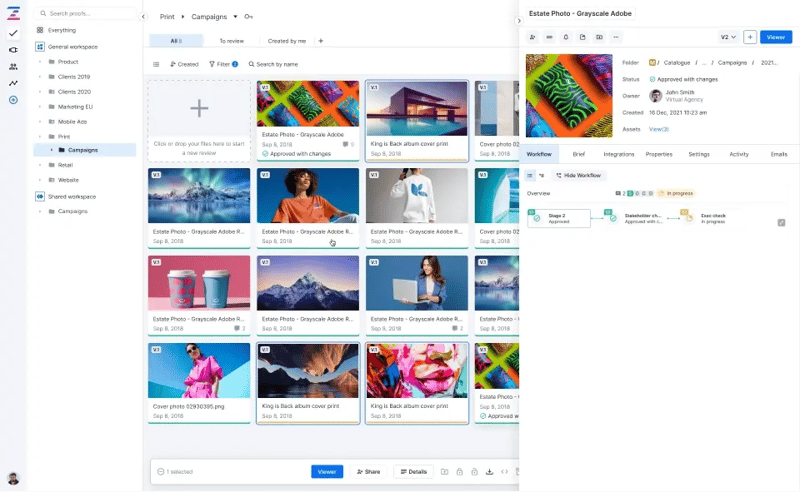
Technology can be a friend in collaboration, streamlining communication and project management. But the wrong tools create more frustration than they solve when they don't match how your team works. Creative teams specifically need tools that centralize creative communication, give visibility into past versions of an asset, and handle a wide range of file types. Before you commit to anything, take advantage of free trials and demos to see what fits.
6. Recognize and celebrate individual and team contributions
Celebrating wins, no matter how small, keeps morale up. It's easy to celebrate the team as a whole, but make a point of acknowledging individuals too. People feel more appreciated when their specific effort gets noticed. Did someone create an incredible graphic or put in extra hours on a last-minute client request? Give kudos where they're due.
7. Provide training and development opportunities
Giving your team room to grow keeps them inspired and motivated. Creative conferences, skill-building classes (an illustrator might want a motion design course), and art-direction training all spark creative energy and help people advance their careers. Send team members to training or events together and it doubles as a bonding experience that strengthens creative rapport.
8. Foster a culture of collaboration
Company culture is built from the top down, and without leadership's buy-in, a positive collaborative culture is hard to sustain. Leaders, from team leads up to the CEO, should model respect for new ideas, give constructive feedback, and make a habit of helping others. When that behavior comes from the top, it sets the example everyone else follows.
Creative collaboration tools: the 4 categories every team needs
There are hundreds of tools for collaborating online, but working together on creative assets calls for purpose-built environments that support every stage of the creative process. These four categories cover what most creative teams need.
1. Collaborative proofing tools
A collaborative proofing tool is a platform where you upload and comment on every type of creative asset, track different versions, manage feedback workflows, and more. In short, these tools are built to streamline the feedback and approval phase of any creative project. The best ones let you draw, annotate, add notes to specific frames of a video, and type comments in context, then automate the workflow so no one has to chase down stakeholders. They also keep the version tracking that teams in regulated industries depend on.
Examples
- Ziflow — an enterprise-grade online proofing platform supporting 1,200+ file types, with in-context markup, automated review workflows, version comparison, and audit trails.
- Filestage and PageProof — other proofing platforms aimed at review-and-approval workflows for creative teams.
2. Brainstorming and ideation tools
Brainstorming tools bring the classic whiteboard into an online environment. The best ones offer plenty of ways to capture ideas (sticky notes, text boxes, emoji stickers) and let teams work synchronously during a video call for real-time, rapid-fire sessions. Many ship with templates for common brainstorming techniques, so your team can jump right in without building structure from scratch.
Examples
- Miro and Mural — infinite-canvas whiteboards with templates for mind maps, retrospectives, and ideation, plus real-time collaboration for distributed teams.
- FigJam — Figma's whiteboard, handy for teams already working inside the Figma ecosystem.
3. Prototyping and design tools
Creative collaboration often runs through a prototype stage, where the concept gets drawn out so everyone aligns before hours go into the final product. Collaborative design is key here, so all stakeholders can approve the direction before designers build the real thing.
Examples
- Adobe Illustrator and Adobe Photoshop — industry-standard tools for taking creative assets from sketch to final draft.
- Procreate — a popular illustration and digital-painting app for concepting and design work on iPad.
4. Wireframing tools
Wireframing tools have become indispensable in a world of digital products. They let teams visualize what an app or website will look like before anyone builds it, aligning stakeholders on structure and flow early, when changes are cheap.
Examples
- Figma — a top-tier option for everything from basic wireframes to interactive prototypes that behave like the real product.
- Balsamiq — a simpler, dedicated low-fidelity wireframing tool for teams that want to stay focused on structure over visual polish.
4 ways Ziflow elevates creative collaboration for marketing teams, creative ops, and agencies
Most creative collaboration breaks down in the same place: the review and approval stage. Ziflow is a dedicated collaborative proofing platform built to fix exactly that, centralizing feedback, automating the busywork, and keeping every stakeholder aligned across 1,200+ file types. Teams on Ziflow report 59% time saved managing proofing workflows, 2.2x faster campaign delivery, and 30% fewer versions needed for final approval. Here's how that plays out for three of the teams that rely on it most.
Ziflow for marketing teams: ship on-brand campaigns faster
Marketing teams use Ziflow to centralize feedback so every reviewer comments and approves directly on a shared asset, instead of scattering notes across email and Slack. Version control and real-time status dashboards keep stakeholders aligned and cut down on last-minute errors, while audit-ready trails, controlled access permissions, and brand-consistency tools (precise color matching and visual accuracy) protect the brand before anything launches. Ziflow connects to the rest of the stack too, with integrations for monday.com, Asana, Jira, Adobe Creative Cloud, and Google Drive.
Ziflow for creative operations: standardize and scale the process
Creative operations leaders use Ziflow to build consistent, repeatable workflows that move every project cleanly through review and approval. Automated routing eliminates manual handoffs and chasing, centralized feedback keeps the team aligned with brand guidelines, and a clear audit trail for every decision, comment, and revision gives ops leaders the accountability and visibility they need. The result is less time lost to logistics and more time spent on the strategic work that actually elevates output.
Ziflow for agencies: deliver flawless client work at scale
Agencies use Ziflow to give the whole team centralized access to every asset, version, comment, and decision across every client and campaign. Satellite accounts and granular client-access controls let teams refine work before clients ever see it, while detailed audit trails hold reviewers accountable for their feedback and version management ensures clients always see the latest approved iteration. With ReviewAI, agencies can automatically check assets against pre-set criteria for brand consistency, layout, and legal copy, so work reaches the client on time and error-free. It's no surprise Ziflow is trusted by agencies like McCann Worldgroup, IPG, Leo Burnett, Publicis Groupe, and Hogarth.
Ready to elevate your creative collaboration?
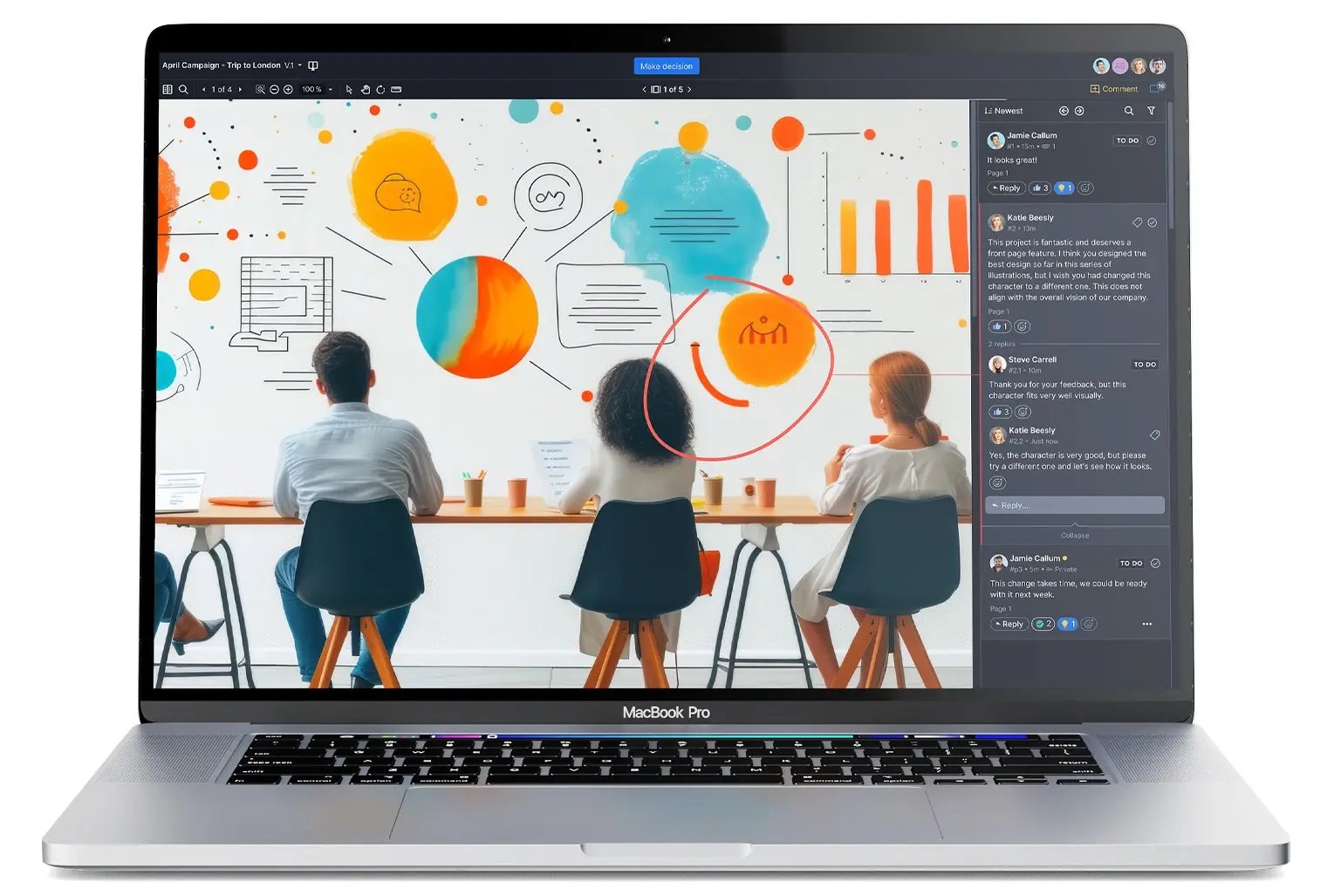
Whatever your team looks like, the feedback stage is where great creative collaboration is won or lost. A dedicated collaborative proofing tool like Ziflow makes giving and acting on feedback as natural as a face-to-face meeting, and automates the assignments so no one's chasing stakeholders at every stage. Book a demo and see how Ziflow can elevate your team's creative collaboration.



With a track record that spans media giants like WarnerMedia, Viacom, and Google, Aaron's expertise shines through in multi-million dollar projects across various mediums, from traditional television to the dynamic realm of YouTube.