Offers frame-accurate video commenting and annotations, but lacks advanced markup for other formats. No measurement tools. 
|
Review and Markup |
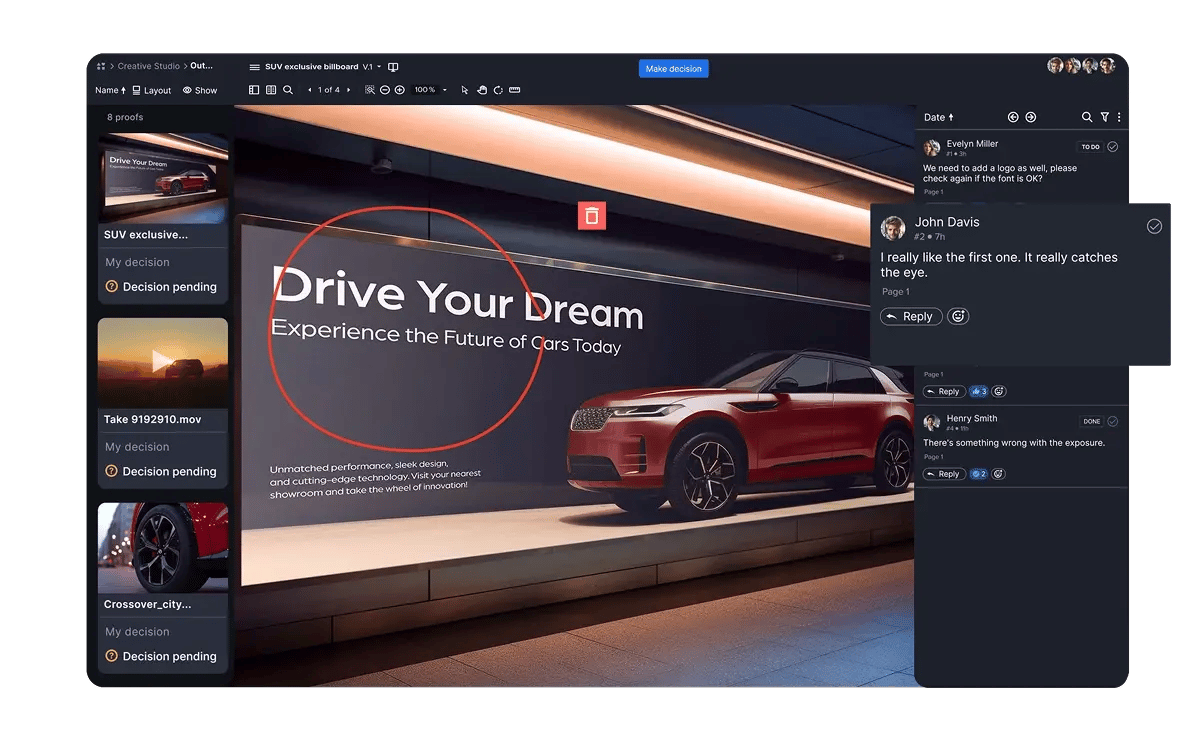
Advanced markup tools including threaded comments, @mentions, frame-specific video review, safe-zone overlays, and version comparison—built to handle every asset type.
|
Focused on video content; does not support combined views for multi-format campaigns. 
|
Multi-Asset Campaign Reviews |
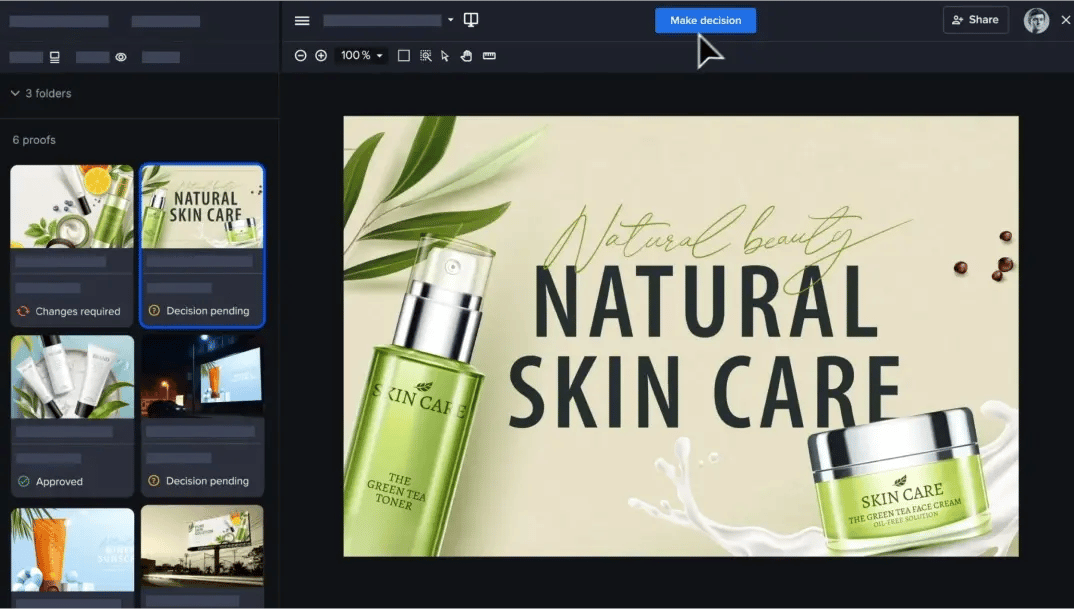
Review any mix of assets in a campaign, including videos, images, websites, and more, in a single proof or individually.
|
No AI-powered review on any asset type. AI is limited to search and video transcription. 
|
AI Review |
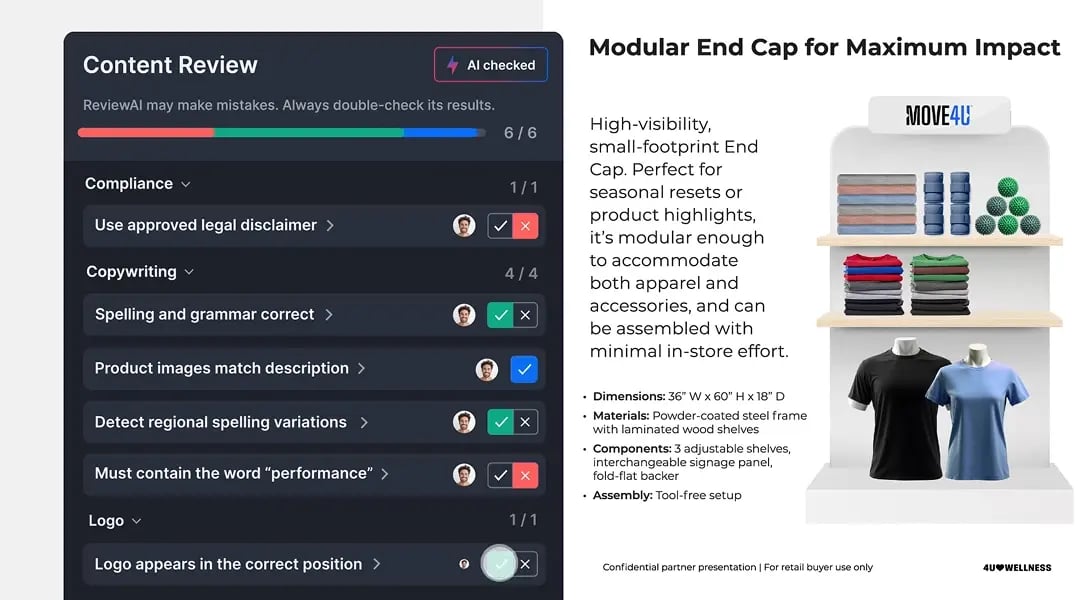
ReviewAI checks proofs against your custom checklists, suggests comments and markups, and provides a pass/fail result with rationale. Improve the accuracy of each check with prompt testing and reliability scores.
|
Offers version stacking for most file types, but only offers side-by-side comparison for images and PDFs of the same size. Older versions aren't auto-locked.
|
Version Management |
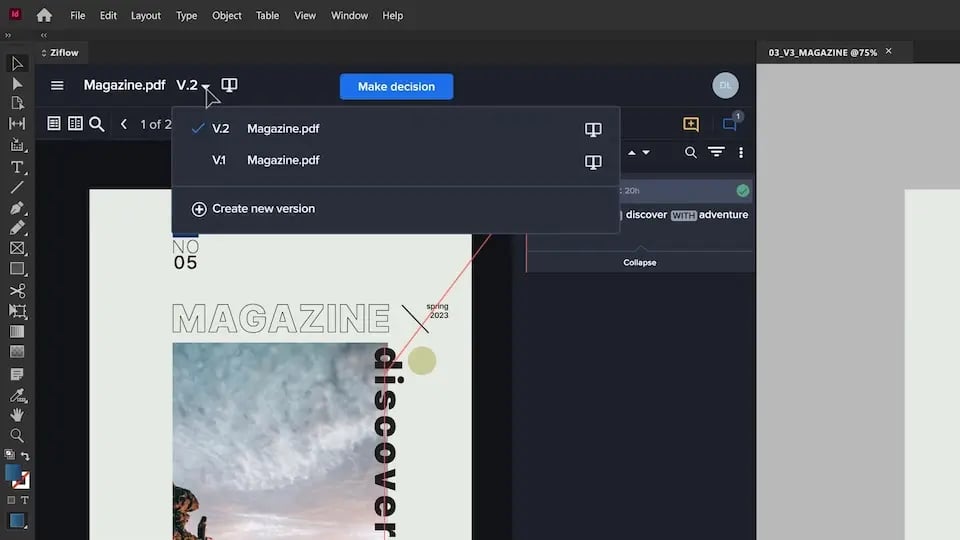
Automatically tracks all versions with visual comparisons and full audit history. Prevents outdated feedback with auto-locking of older versions.
|
Built for video reviews. Supports common file types including images, audio, PDF, and documents. Live website URL review not supported.
|
Media Types |
Supports 1,200+ file types including video, images, live and staged websites, audio, documents, HTML5, and more.
|
No built-in approval routing (e.g., sequential stages, conditional logic, or deadlines). Teams must advance reviews manually.
|
Workflows & Review Stages |
Advanced workflow automation with parallel/sequential stages, logic-based routing, and SLA-based triggers. Scales easily across departments and projects.
|
No public uptime metrics are shared. Published SLA covers support response times, not platform availability.
|
Reliability - Product Uptime |
Delivers 99.99% uptime with a global infrastructure and published SLAs. Designed for high availability across large teams.
|
No native intake forms. External contributors need a paid seat to upload files, which can get expensive quickly at scale.
|
Intake Forms |
Custom-branded intake forms route uploaded files directly into workflows with required metadata. External and internal users supported.
|
No built-in analytics or reporting tools.
|
Reporting |
Built-in dashboard for review analytics and usage insights, plus data export for custom analytics.
|
No e-signatures or approval audit trail. SOC 2 Type 2, ISO 27001, and TPN Gold Shield certified, with Enterprise watermarking, SSO, and DRM.
|
Security & Compliance |
Authenticated e-signatures, credentials verified at signing, with a full audit trail on every proof. SOC 2 and ISO 27001 certified. Used by pharma, medical device and food teams to support their FDA 21 CFR Part 11 compliance.
|
No native embedded PM integrations outside Adobe Workfront. Other PM tools can connect through Zapier or custom API.
|
PM Integrations |
Connects natively to monday.com, ClickUp, Asana, Jira, Wrike, Slack, Teams, and Dropbox, with a direct API for custom integrations. Embedded in Monday.com and ClickUp, so proofs are created and reviewed without switching tabs.
|
Deep Adobe connections, plus Final Cut Pro, Camera to Cloud, and a public API. Integrations center on video and photo production.
|
Creative Integrations |
Connects natively to Adobe Creative Cloud, Figma, and DaVinci Resolve, plus a direct API for custom integrations.
|
Native panels for Premiere Pro and After Effects, plus Photoshop and Lightroom connections. No native plugins for InDesign or Illustrator.
|
Adobe Plugins |
Native plugins for Adobe Creative Cloud suite—InDesign, Photoshop, Illustrator, Premiere Pro, and After Effects—plus Final Cut Pro. Allows creatives to stay inside the tools they use.
|
No checklist functionality.
|
Checklists |
Offers customizable checklists to help reviewers stay consistent and compliant. Assign up to 10 checklists per stage. Offers AI-powered checklists with pass/fail rationale.
|