ZIFLOW FOR VIDEO PRODUCTION TEAMS

Video proofing features built for production teams

Ziflow’s video proofing tools allow production teams to capture exact feedback, compare versions, and ensure content fits every screen.

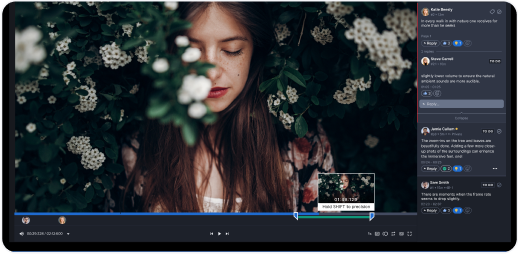
Frame-accurate feedback

Robust feedback tools and customizable checklists enable reviewers to leave comments on specific frames and validate required elements—like legal disclaimers or subtitles—at key timestamps.

Side-by-side version comparison

View different versions together to track changes, and use Ziflow’s auto-compare to highlight differences down to the pixel.

Device-safe reviews

Use video safe zones to preview cut-off points across screen sizes and aspect ratios, ensuring essential content stays visible on any device.

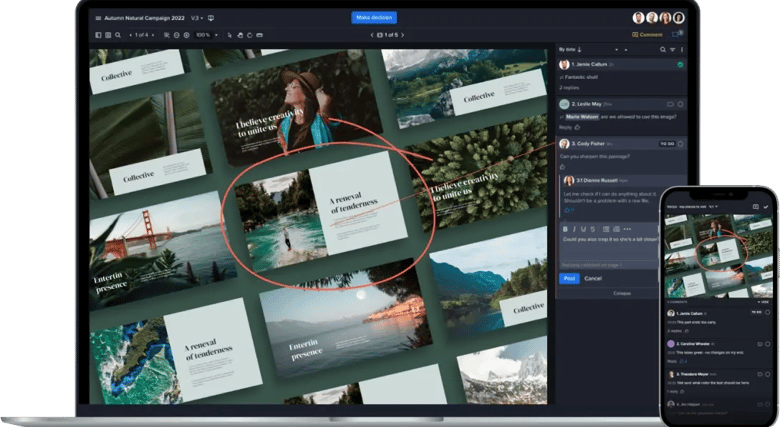
Ziflow UI, markup tool and mobile device next to it

Thunder icon with a shield

REVIEWAI

 Turn a rough cut into a final cut—faster

ReviewAI helps your team speed up video feedback cycles—without compromising quality. Automatically flag missing elements, required callouts, or timing issues, and get AI-suggested comments that align with your review standards.
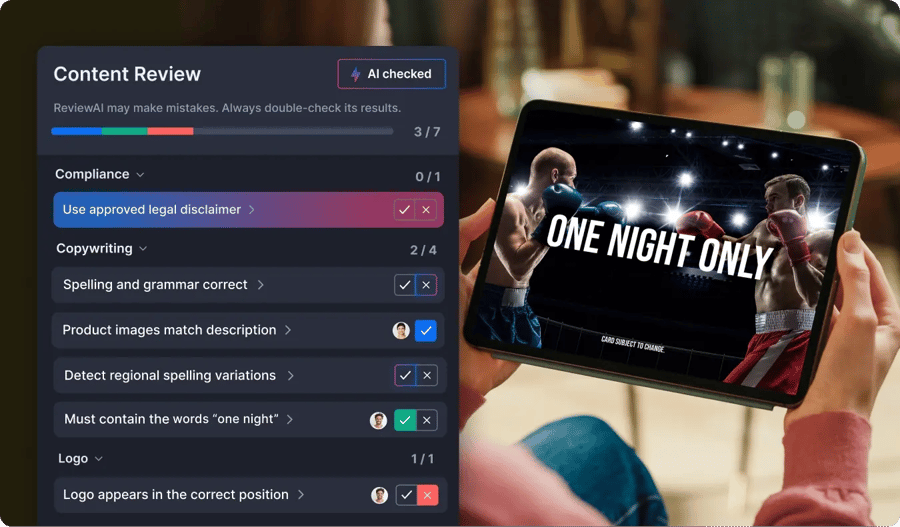

ReviewAI Ziflow checklist feature for Video production companies
ReviewAI homepage decorative lines

REVIEWS WITHOUT LIMITS

Extend and connect your video proofing workflows

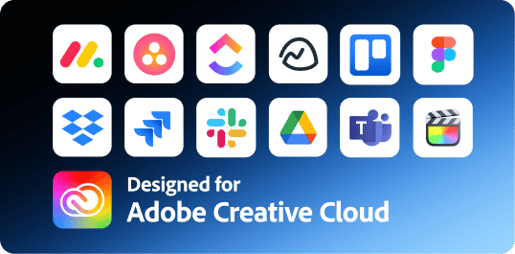
Ziflow integrates seamlessly with the tools your video teams use, connecting workflows and enhancing productivity at every stage of video production.

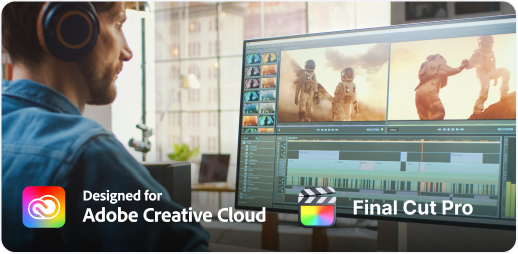
Integrate with creative tools Adobe Creative Cloud and Final Cut Pro-1

Integrate with creative tools

Connect Ziflow to your preferred video editing and creative applications like Adobe Premiere Pro, After Effects, and Final Cut Pro.

Collaborate from any device

Collaborate from any device

Review video content from any web browser on any device, without requiring a separate app, enabling convenient and flexible feedback.

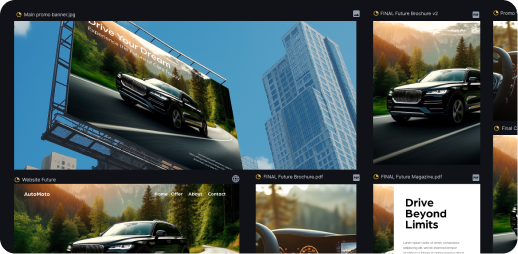
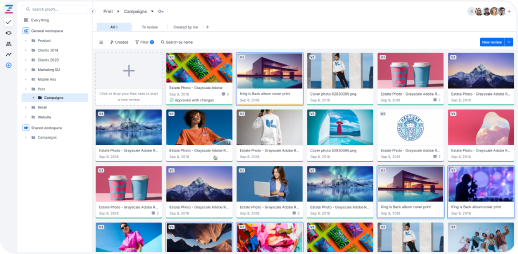
Ziflow gallery view of proofs in a main app dashboard

Safe storage and sharing

Keep all video assets secure and organized with Ziflow’s centralized platform, ensuring that every version and comment is easy to locate and review.

lolipops black
CUSTOMER STORIES

Real-life stories from teams that let their content flow

Agencies, marketing, and in-house creative teams worldwide use Ziflow to produce outstanding content faster and more efficiently.

How the biggest name in cloud storage uses Ziflow to help produce materials for company events AWS-2

AWS

Streamlined the approval process for high-volume event collateral.


How a multi-national company uses Ziflow to localize their creative assets efficiently-4

Vista

Standardized global localization processes, creating a single source of truth.

How a major film production team uses Ziflow to modernize their process for multimedia production Linney-2

Linney

Delivered video campaigns in 12 hours for McDonald’s and Royal Mail.


Copperwing headquarters located in the nature-2

Copperwing

Enhanced connectivity and efficiency, keeping projects aligned and on-track.

How a major name in healthcare journalism handled a massive increase in creative volume in 2020-3

Everyday Health Group

Alleviated the strain on its team during a period of unexpectedly high volume.

THIS IS ZIFLOW

Power up your video production workflow

Ziflow’s unified platform brings all your video reviews, feedback, and approvals together, helping video teams stay organized, efficient, and focused on storytelling.

Collaborative viewer user dashboard of Ziflow - Product Overview

Consolidate

Bring all creative assets, feedback, and approvals into a single platform, streamlining workflows and keeping every project organized and on track.

Centralized collaboration, proof decision makers avatars list - Product Overview of Ziflow

Collaborate

Unify internal teams and external stakeholders with centralized communication, fostering alignment and ensuring seamless feedback loops.

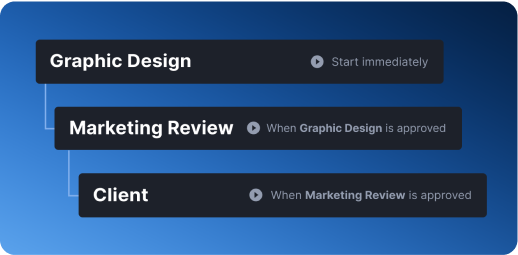
Graphic Design, Marketing Review and Client stages of Ziflow workflows - Product Overview

Orchestrate

Automate workflows to reduce manual tasks, eliminate inefficiencies, and maintain consistency across projects of any size or complexity.

Seamless integrations and adoption of Ziflow - Product Overview

Integrate

Connect Ziflow with your team’s favorite tools—from design software to project management platforms—to create a fully integrated creative ecosystem.

Frequently asked questions

Everything you need to know about using Ziflow for video review and approval.

What is video proofing software?

Video proofing software gives your team one place to review, comment on, and approve video without the endless back-and-forth of email threads and "wait, which version is this?" Reviewers drop frame-accurate comments right on the timeline, so a note lands on the exact second it's about instead of a vague "around the middle." It also tracks versions and approvals cleanly, so nobody's guessing whether they're looking at v2 or v7. Ziflow handles all of this for video, and does the same for images, PDFs, web pages, and audio.

What file and video formats does Ziflow support?

Ziflow supports over 1,200 file types, so whatever your team throws at it will most likely just work. On the video and audio side that covers MP4, MOV, AVI, FLV, WMV, WebM, MPEG, MKV, and OGV, plus MP3, WAV, AAC, and FLAC, and subtitles in .srt and .vtt. Beyond that you can proof images (JPG, PNG, PSD, TIFF), documents (PDF, Word, Excel, PowerPoint), Adobe Creative Cloud files, HTML5 banners, and live or snapshot web pages. If you run into a format that gives you trouble, Ziflow's support team can help you sort it out.

Can clients and external reviewers comment without a Ziflow account?

Yes. You get unlimited reviewers on every plan, and they don't need a paid license to comment, mark up, or approve anything. Reviewers open the proof through a secure link and start giving feedback right away, though depending on your security settings they might verify their email first. A user license is only for the people creating and managing proofs, not the clients and stakeholders reviewing them.

How much does Ziflow's video proofing software cost?

Ziflow has a free forever plan that includes video and audio proofing, unlimited proofs, and unlimited reviewers, so smaller teams can get going without spending a dime. Paid plans billed annually run $199/month for Standard and $329/month for Pro, with each step up adding more users, storage, workflow stages, and integrations. Enterprise is custom-priced for larger orgs that need advanced security, unlimited stages, and features like ReviewAI. And video proofing is baked into every edition, so you're picking a plan around team size and workflow, not paying extra to unlock video.

Does feedback sync back into my video editing tool?

It does, if you're cutting in Adobe Premiere Pro, After Effects, or DaVinci Resolve. With Ziflow's Adobe plugin, clicking a comment on a video proof jumps you straight to the matching timecode in your project, so you land on the exact frame someone flagged. Make your edit, render a new version, and reviewers get pinged about the fresh cut, all without leaving the editing suite. The Final Cut Pro X and DaVinci Resolve plugins also let you pull up proofs and comments right inside the app.

Does Ziflow integrate with Adobe Premiere Pro and After Effects?

Yes, and the plugin is free for both Premiere Pro and After Effects. It lets you render, encode, and share a video proof in a single click, straight from your editing environment, so you skip the whole export-encode-upload-email routine. When feedback comes back, clicking a comment drops you on the exact timecode in your timeline, so you can fix it and push a new version on the spot. Grab it from the Adobe Exchange marketplace or through the Creative Cloud desktop app.

Can I send video proofs straight from Final Cut Pro?

You can, and it works on every Ziflow edition. The Final Cut Pro X plugin lets you push a new proof or version to Ziflow without logging in separately or opening a browser, using Final Cut's built-in share destination. From there you can also open existing proofs to add comments and markup, compare versions, and export feedback, all without leaving Final Cut.

Does Ziflow connect to my project management tool?

Yes, and this is where a lot of teams get their time back. On the Pro and Enterprise plans, Ziflow connects to monday.com, Asana, and Jira, along with ClickUp, Trello, Smartsheet, and more, keeping tasks and proof statuses in sync automatically. Make a decision or leave a comment in Ziflow, and the matching task in your PM tool updates itself, no manual copy-paste required. Running something more custom? Ziflow's REST API and Zapier support let you wire proofing into just about anything in your stack.

Single lolipop background

Let your content flow

Put an end to the review cycle frustrations. Start a free trial of Ziflow without a credit card, and experience creativity without compromise.

Start free trial Get a demo
(function (c, p, d, u, id, i) { id = ''; // Optional Custom ID for user in your system u = 'https://tracking.g2crowd.com/attribution_tracking/conversions/' + c + '.js?p=' + encodeURI(p) + '&e=' + id; i = document.createElement('script'); i.type = 'application/javascript'; i.defer = true; i.src = u; d.getElementsByTagName('head')[0].appendChild(i); }("4187", document.location.href, document));