Any designer who’s emailed back and forth with clients or teammates about changes knows how fast the feedback process turns into a frustrating standstill. Mix in a few Slack threads, PDF comments, shared folders, and the occasional printout, and frustration turns into full-blown exasperation.
To be fair, those tools are great in their own right, but they were never built for collecting feedback on design work. And every piece of design work needs feedback. Gathering it in a regimented way is the difference between an end result your client loves and one that hobbles across the finish line after six rounds of revisions.
Your design team is incredible, and you fought hard for them! And now they're producing creative at an impossible clip because, in today's market, speed is king. Luckily though, you don't have to trade quality or control to keep that pace. The right design feedback tool is how you get the best from your people without the messiness.
Below, we'll cover what a design feedback tool is, the key features to look for, how we picked the tools on this list, and 11 of the best options on the market. Let's get into it!
What we'll cover
Table of contents
- What is a design feedback tool?
- Design feedback tools at a glance
- What to look for in design feedback tools
- The top 11 design feedback tools
- The benefits of using a design feedback tool
- 3 questions to ask before you choose
- 4 tips for finding the right design feedback tool
- Elevate your design feedback process with Ziflow
What is a design feedback tool?
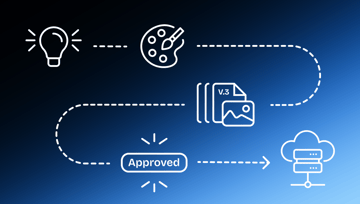
A design feedback tool streamlines the process of reviewing and approving design projects. Think of it as a virtual meeting space where team members and stakeholders share designs, leave feedback, collaborate on that feedback, and track changes from version to version as a project moves forward.
These tools are a lifesaver for any design team, and especially for remote and distributed teams working across time zones. They centralize the entire review and approval process for any design asset and make it easy to collect feedback in one place, capturing every discussion, decision, and revision on every version of every asset across every project.
They also help teams tackle messy internal and external workflows. They encourage transparency and promote accountability, so everyone's input gets folded into the design at the right time, not three days after the file shipped.
How we chose these tools
We didn't pull these names out of a hat or use a psychic… we focused on tools that creative and design teams actually reach for, then weighed them against the criteria that matter most when feedback is on the line. Here's what molded the list:
- Purpose and fit
Whether the tool is built for design feedback specifically, or adapted from a broader use case like whiteboarding or bug tracking. Both can work; you just need to know what you're getting. - Core feedback features
In-context annotation, version control, collaborative review, and approval tracking, the table stakes for any serious review process. - File-type support
How wide a range of assets the tool can handle, from static images to video, web pages, and PDFs. - Collaboration and sharing
How easily internal teammates, external clients, and stakeholders can jump in, ideally without a clunky account-creation step. - G2 ratings
Verified user sentiment from G2, so you're not taking only our word for it. Where a tool isn't listed on G2, we've noted that instead of inventing a number. - Pricing and free trials
Published starting prices and whether you can try before you buy.
And just a quick note on the ratings and prices below: G2 scores and pricing shift over time, but we've used the most recent figures available at the time of writing. Always double-check the vendor's pricing page before you commit.
Design feedback tools at a glance
Here's a side-by-side look at all 11 tools before we dig into each one.
What to look for in design feedback tools
When you're ready to start evaluating tools, these are the features worth weighing:
An intuitive interface
If your team and your stakeholders can't use it, nothing else matters. Look for a tool everyone can pick up regardless of technical skill, with comments, annotations, and markups available directly on the asset. Notifications help too, nudging reviewers when it's their turn so nothing slips through the cracks.
Support for multiple file types
Design projects involve everything from static files to animated GIFs, video, audio, and live web pages. A tool that supports a wide range of media means your team isn't toggling between systems to keep track of files and feedback.
Comprehensive annotation options
Good markup tools let collaborators leave specific, actionable feedback right on the file. Look for true color accuracy, image transparency, pixel-level comparison, and frame-by-frame feedback, so reviewers see exactly what the designer intended.
Robust version control
Managing iterative designs over email is a nightmare. Your tool should make it easy to flip through history, compare assets side by side, and roll back to a previous version when a client decides they liked the old color palette after all.
Centralized collaborative review
Design work involves internal teams, external partners, and clients. A reliable feedback environment kills the endless email chains and messy printouts, keeping every comment, decision, and version in one place for quick reference and faster action.
Feedback and approvals tracking
Your team needs to know exactly where every project stands. Status and approval tracking show which proofs are close to sign-off and which need more work, with a full history of who reviewed and approved each version.
Creative workflow automation
Automation squeezes real efficiency out of review and approval. Look for the ability to set stage-progression triggers that move reviews forward automatically based on review length and reviewer decisions.
Brand and marketing compliance controls
For regulated work, compliance controls help protect against violations by automatically storing comments, versions, decision points, and signatures, making audits far less painful.
Direct integrations with design software
Connecting your feedback environment to the tools your team already uses (think InDesign, Photoshop, Premiere Pro, Dropbox, and Google Drive) keeps everyone working on the most up-to-date files.
Scalability
Your tools should grow with you. Before you commit, make sure the platform can handle increasing volume and complexity without buckling under the load.
The 11 best design feedback tools
Now that you know what to look for and how we built this list, let's get into the tools.
1. Ziflow: Best for comprehensive design review and creative workflow
G2 rating: 4.5
Ziflow is an enterprise-grade design review and approval platform with clients that include Showtime, Toyota, and AWS. With support for over 1,200 file types, it's the best all-in-one space for teams that need to share and collaborate on live websites, PDFs, video, static and rich media, and just about anything else.
Call us biased, but Ziflow shines for teams that want a complete solution rather than a point tool. Numerous design integrations let teams work directly inside InDesign, Premiere Pro, Google Drive, Slack, and Asana, so there's no constant switching between environments. Unlike most design proofing tools, Ziflow also offers robust workflow automation and compliance controls, making it ideal for brands and agencies standardizing high-volume work with a lot of collaborators.
Key features:
- Automated workflow management with routing and notifications
- Real-time collaboration with commenting and annotation
- Customizable review stages and markup tools
- Version control to track changes and compare iterations
- Wide-ranging integrations with design and project management tools
- Advanced reporting and analytics on project progress
- Responsive customer support
2. Miro: Best used for interactive designs
G2 rating: 4.7
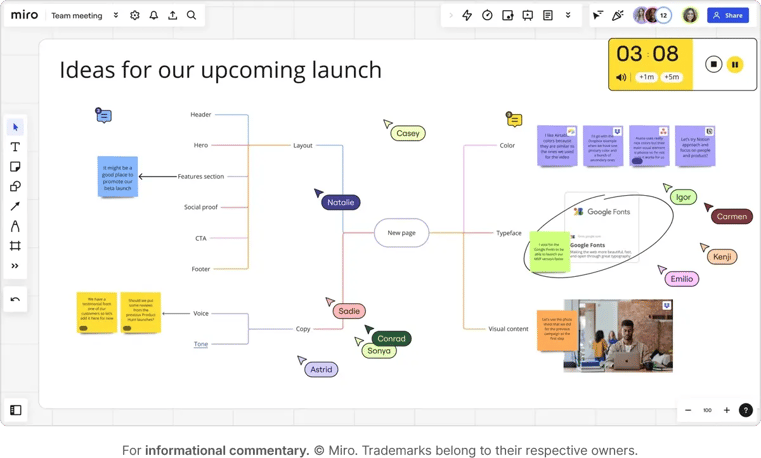
Miro is an online collaborative whiteboard that lets teams work together visually, no matter where they are. It's built for brainstorming, designing, and planning, with real-time collaboration, embedded video calls, and a deep library of integrations.
Key features:
- Infinite digital whiteboard
- Fun, animated reactions
- Real-time collaboration tools
- Interactive widgets and templates
3. zipBoard: Best for web content review and bug tracking
G2 rating: Not rated on G2
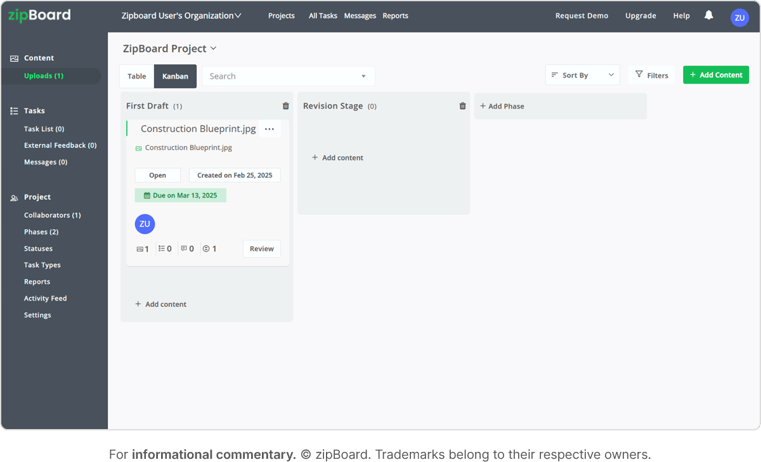
zipBoard is a web-based visual review and bug-tracking tool that streamlines collaboration for developers, testers, and project managers. It handles web pages, courses, videos, HTML, PDFs, and images, making it a strong fit for designers building eLearning content and interactive course materials.
Key features:
- Review for web-based content
- Easy-to-use markup tools
- Customizable branding
- Project time tracking
4. Marker.io: Best for reviewing web pages
G2 rating: 4.5
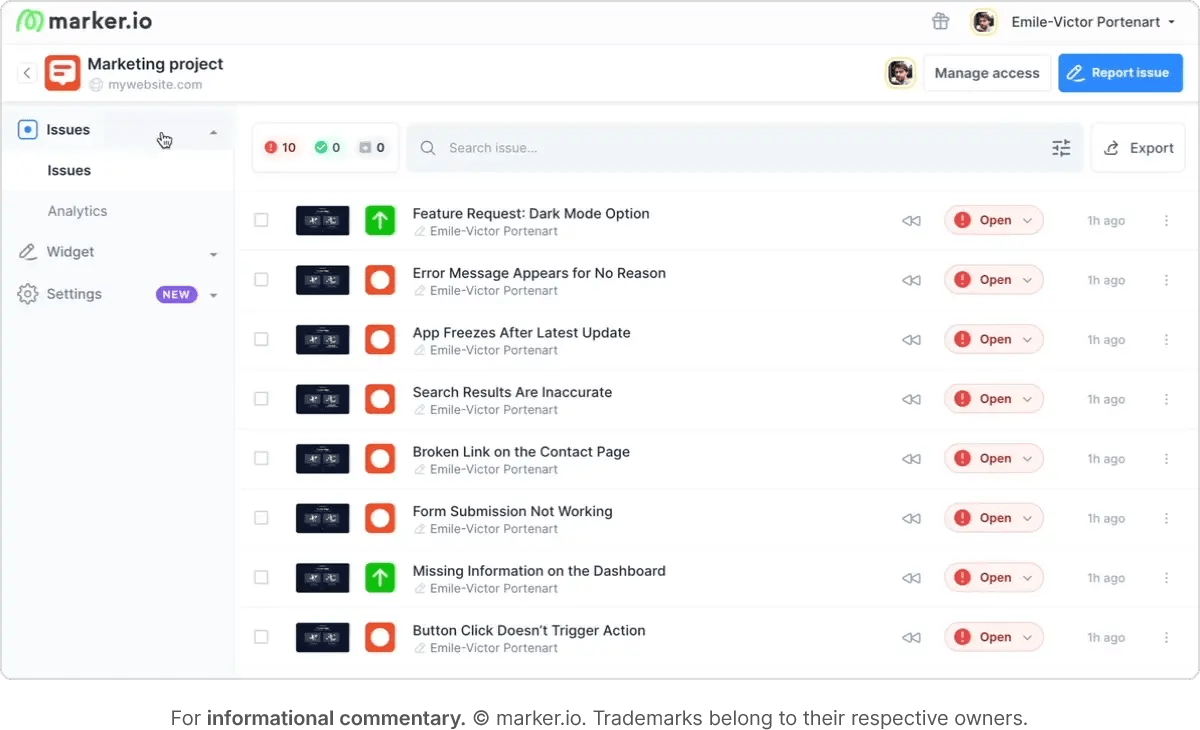
Marker.io is a visual website feedback tool for collecting input from team members, clients, and users. It integrates with popular project management and bug-tracking tools like Jira, GitHub, and Asana.
Key features:
- Visual feedback with annotations
- Detailed bug reports
- 2-way sync with PM tools
- Customizable feedback forms
5. Usersnap: Best for in-app and website feedback
G2 rating: 4.5
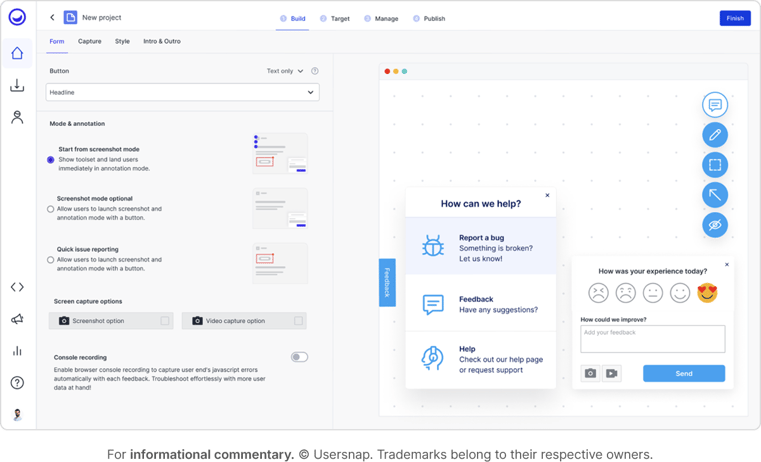
Usersnap helps teams share visual feedback right in the browser using point-and-click annotation tools. It's great for product managers, developers, web designers, and marketers who need to group, upvote, and assign issues quickly.
Key features:
- Screen captures and visual feedback
- Advanced rendering for protected sites
- Draw and pin comments
- Customizable user permissions
- Live chat support
6. DesignDrop: Best for solo designers and freelancers
G2 rating: Not rated on G2
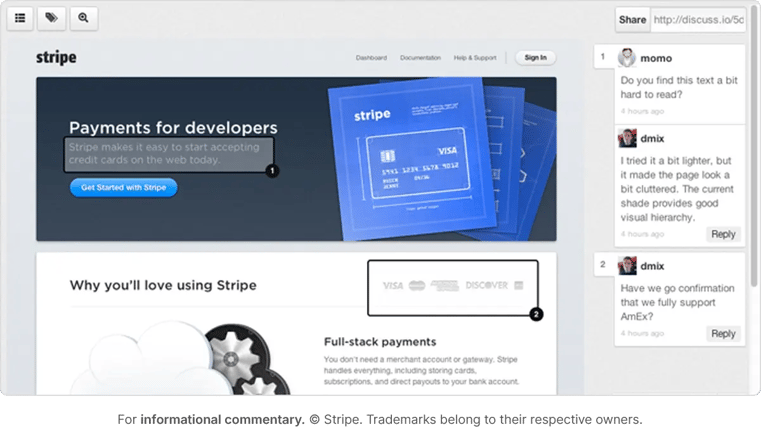
Most graphic designers work solo, and they don't need an enterprise platform. DesignDrop is a user-friendly tool built to help individual designers capture and organize feedback. It only supports JPG and PNG files, but it's a quick, free, and simple way to streamline client feedback.
Key features:
- Visual annotations for feedback
- Short URLs for easy sharing
- Real-time comments
- Simple, lightweight interface
7. Zight: Best for capturing and sharing screen recordings
G2 rating: 4.6
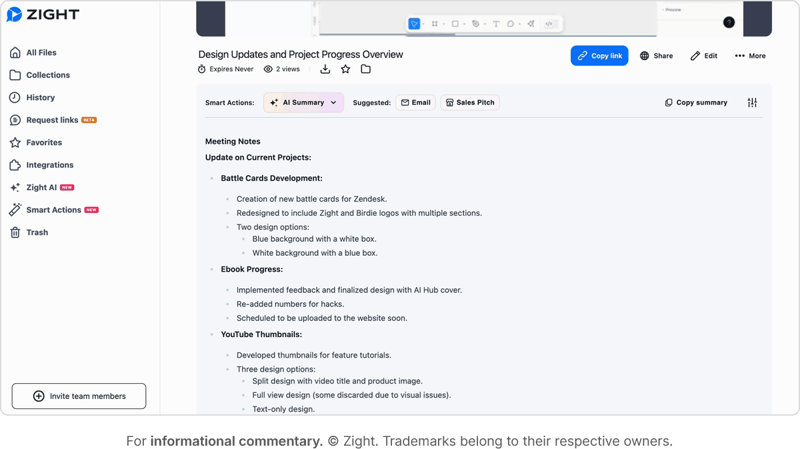
Zight (formerly CloudApp) is an all-in-one screen recording tool. Users can capture and share HD video, GIFs, screencasts, screenshots, and marked-up images instantly through links, making it handy for teams that want to cut down on meetings and long email threads.
Key features:
- AI transcripts and summaries
- Easy webcam recording
- Video editing tools
- Powerful GIF maker
- Multiple layers of security
8. Mockflow: Best for collaboration on UI mockups
G2 rating: 4.6
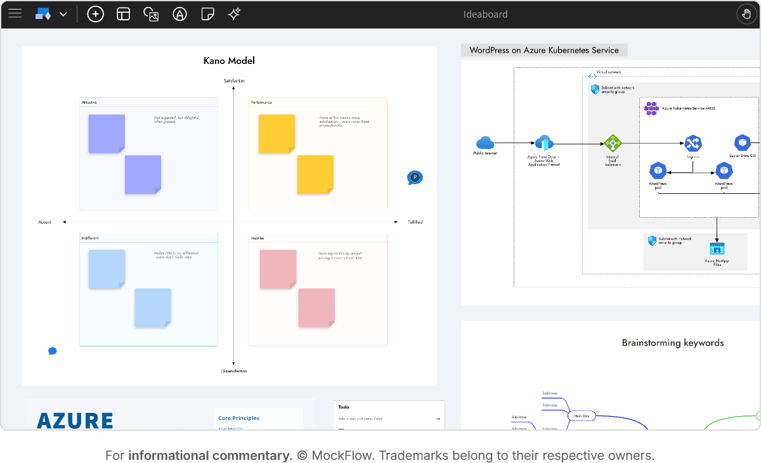
MockFlow is a cloud-based tool for brainstorming user interfaces, including UI mockups, sitemaps, documentation, and design approvals. You can auto-generate design specs from wireframes and draw UI collaboratively with role-based permissions and real-time editing.
Key features:
- Auto-generation of design specs
- Real-time editing
- Annotated comments
- Role-based permissions
9. Figma: Best for collaborative UI/UX design and prototyping
G2 rating: 4.7
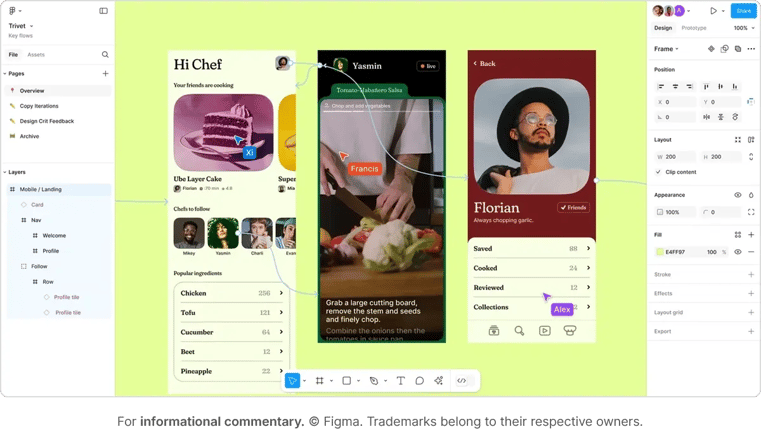
Figma is a multi-functional design tool built for UI/UX design and prototyping. It helps teams create, collaborate, and revise designs in real time, on any device, with full visibility across the whole project.
Key features:
- Real-time editing and commenting
- Version history
- Prototyping capabilities
- Dev Mode to translate design into code
- Scales across design and development
10. BugHerd: Best for website bug tracking
G2 rating: 4.7
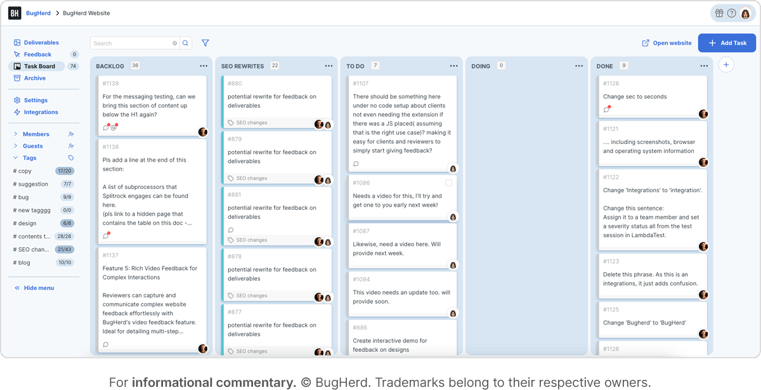
BugHerd is a design feedback and website bug-tracking tool that streamlines identifying, reporting, and managing bugs. Its visual interface lets users flag issues directly on web pages, a favorite among developers, designers, and project managers working on complex sites.
Key features:
- Actionable, replicable visual feedback
- Pinned comments on live pages
- Built-in Kanban board
- Suitable for large, complex websites
11. Droplr: Best for screenshots and screencasts
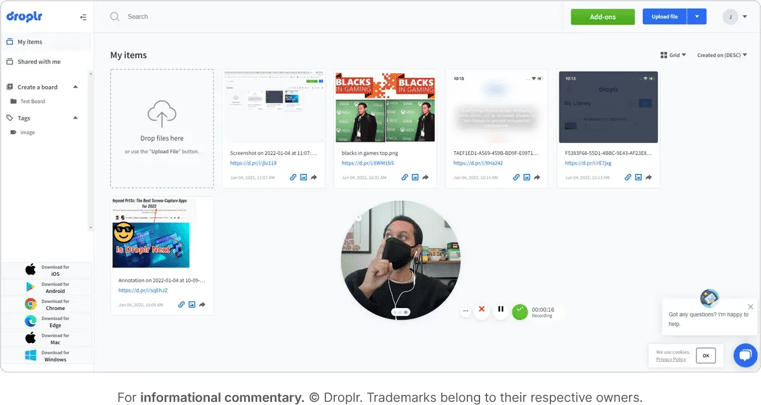
Droplr simplifies capturing, sharing, and collaborating on screenshots and screencasts. It's a solid pick for teams who want to express ideas quickly, whether they're sharing design concepts, giving feedback, or collaborating on a project.
Key features:
- All-in-one screenshot and screen recorder
- Enterprise-level security
- Advanced personalization tools
- Live chat support
The benefits of using a design feedback tool
Now that you've seen the options, here's why pulling feedback into a purpose-built tool pays off. The benefits go well beyond convenience and actually help teams collaborate better, reduce errors, and stay productive throughout the creative process.
Key features:
- Job satisfaction
Never underestimate the power of making your team's lives easier. Centralizing feedback across every version of an asset gives your designers a smoother, less maddening work experience. - Control
You get a better tracking system for notes and assignments, clearer deadlines, fewer errors, and reduced compliance risk, which means more control over the whole review process. - Speed and efficiency
Collect feedback in one hub and your team can act faster, delivering more work with less effort. Fewer versions means less rework and clearer feedback. - Creativity and quality
Less time chasing comments and old versions means more time on the actual creative, so deliverables come out sharper and meet (or beat) your client's brief.
3 questions to ask before you choose
Your design feedback tool needs to fit your projects and your team's workflow. Before you commit, you should probably ask yourself:
- How big is your team, and are they distributed or in-house?
- Do you work across many asset types, or stick to a few specialties?
- What active pain points do you most need the tool to solve?
Thinking through these ahead of time keeps you focused on the right features for your actual use cases instead of a shiny feature list you'll never touch.
4 tips for finding the right tool
- Write a list of features that are essential for your team's design process.
- Weigh things like workflow integration, collaboration, ease of use, and customization.
- Take advantage of free trials to get hands-on with the tool before you buy.
- Get feedback from your team to confirm the tool actually fits how they work.
Elevate your design feedback process with Ziflow
The right design feedback tool enhances collaboration, streamlines workflows, and helps your team do its best work. With powerful features, an intuitive interface, and seamless integrations, Ziflow stands out as a top-tier solution for modern design teams. Your team sees every comment, every piece of feedback, and every version in one place, which speeds up approvals and keeps quality high.
Ready to see it for yourself? Book a demo and experience the Ziflow difference in your team's creative process!

With a track record that spans media giants like WarnerMedia, Viacom, and Google, Aaron's expertise shines through in multi-million dollar projects across various mediums, from traditional television to the dynamic realm of YouTube.