You probably already know your choice of annotation tool for creative projects has a massive impact on workflow efficiency. We’ve made it our mission to extensively research these platforms, and here's what actually matters: the more efficient your annotation tool makes you, the quicker you deliver quality work. Period.
Teams using the right annotation tools consistently cut revision cycles by double-digit percentages. But there’s a danger: if you pick the wrong tool, you'll create more headaches than you started with. The tools that succeed understand creative workflows and make annotation feel as natural as pointing at a printed proof with a red pen; except now everyone has their own pen working simultaneously.
The reality is that image annotation tools have evolved into full-blown collaboration ecosystems that fundamentally change how teams communicate about visual work. We’ve evolved past comments into fully transforming the entire review process.
What we'll cover
Table of contents
- What is image annotation?
- How do creative and marketing professionals use image annotation tools?
- What are the benefits of image annotation tools for creative and marketing teams?
- The top 11 image annotation tools for creative and marketing teams
- How to choose the right image annotation tool
- Easily annotate images and more with Ziflow
What is image annotation?
Image annotation is the practice of adding labels, marks, or metadata to images. Sounds simple enough, but the reality is more nuanced.
There are two types of image annotation
This distinction matters because choosing the wrong type of tool for your needs is like using Photoshop to write a novel. Yes, it’s possible, but it doesn’t really make a lick of sense.
Image annotation for training AI and machine learning models
The first type focuses on data labeling for machine learning. Think bounding boxes around cars for autonomous vehicles, or pixel-perfect segmentation masks for medical imaging. Companies like SuperAnnotate and Labelbox dominate this space. Their tools include features like consensus scoring between multiple annotators and support for formats like COCO and Pascal VOC.
When working with these tools, annotators might spend 30 minutes on a single image, carefully outlining every pixel. The stakes are high: poor annotation quality directly impacts model performance. This process requires extreme precision and consistency across thousands or even millions of images.
Image annotation for creative and marketing professionals
This is where things get interesting for creative teams. Instead of training algorithms, these tools facilitate human collaboration. They transform the review process from bedlam to smooth.
Creative teams struggle with (and loathe) vague feedback via email. Designers receiving comments like "bolder" with zero context. With proper annotation tools, that same feedback becomes a specific mark on the exact element that needs adjustment, often with a discussion thread attached explaining the reasoning. These tools let teams collaborate, annotate images, and get feedback on designs right on the platform.
How do creative and marketing professionals use image annotation tools?
Modern annotation platforms work because they mirror how creatives actually think. You see something that needs changing, you click on it, you explain what needs to happen. No coordinate guessing, no lengthy descriptions, no "see attached PDF with my notes."
These platforms become virtual conference rooms where creative decisions actually get made. Designers upload their work to a centralized platform where creative directors can highlight specific elements needing adjustment, brand managers ensure consistency with guidelines, and clients request changes. And they’re all viewing and annotating the same file simultaneously.
What are the benefits of image annotation tools for creative and marketing teams?
Let's explore what actually happens when teams implement these tools properly.
Clear feedback
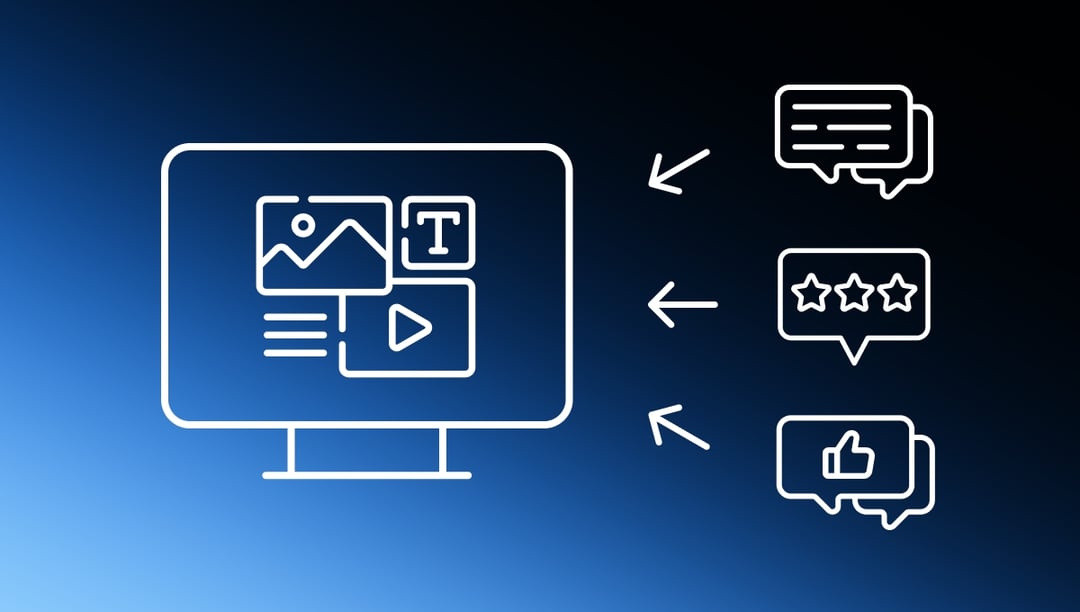
Annotations provide clear, specific feedback that reduces misunderstandings and the need for multiple revisions. Users can leave feedback on particular text, parts of images or designs, and even precise portions of videos, ensuring every team member knows exactly what to work on.
The precision you get from pointing directly at problems eliminates entire conversations. Instead of lengthy explanations trying to describe visual changes through text alone, stakeholders can mark exactly what they mean.
Better collaboration
Whether you're working remotely or in the office, annotation tools allow team members and stakeholders to collaborate in real time. You can review and annotate content, leave a comment for your colleague, and get an instant reply.
Multiple users can simultaneously view and annotate images, providing instant feedback and reducing project turnaround times. This real-time collaboration feature creates a shared understanding that traditional review methods can't match.
Centralized feedback
Poor communication is a driver of employees blowing their deadlines — not skill issues, but communication breakdowns. Annotation tools combat this by creating a single source of truth for all project feedback.
Rather than juggling scattered forms of communication like email, texts, and chat messages, teams can consolidate everything in one location where they can easily track progress and maintain accountability.
Greater efficiency
Traditional markup process involves emailing, waiting for responses, and needless back and forths (which inevitably lead to explanations getting lost in translation). This workflow consumes hours of productive time. Digital annotation compresses this process into minutes.
Teams can drastically cut approval time by switching to digital annotation. That time saved can be redirected toward actual creative work, improving both output quality and team morale.
Improved accuracy
With image annotation, you can provide precise feedback. This level of accuracy in communication minimizes misunderstandings and reduces errors in the revision process. The results speak for themselves: you get a final design that aligns more closely with your vision.
When you can mark exactly what needs changing — down to the pixel if necessary — there's no room for misinterpretation. Designers know exactly what to fix, clients see exactly what they're getting, and everyone has clarity on project requirements.
Fewer emails
Rather than emailing individual team members with feedback, you can comment directly on creative assets and tag relevant parties to alert them to pending actions and annotation tasks. This can speed up the revision process and streamline discussions.
The reduction in email volume is significant. Feedback that once required multiple message threads now lives contextually on the work itself, making it easier to track and reference.
Simpler project management
Image annotation tools often come with project management features. You can track changes, follow up on tasks, and monitor project progress. It's an all-in-one solution that simplifies the entire workflow.
Built-in features like version control, task assignment, and progress tracking mean teams don't need to jump between multiple platforms to manage their creative projects.
The top 11 image annotation tools for creative and marketing teams
After extensive research and analysis of user feedback, here are the tools that actually deliver results.
1. Ziflow
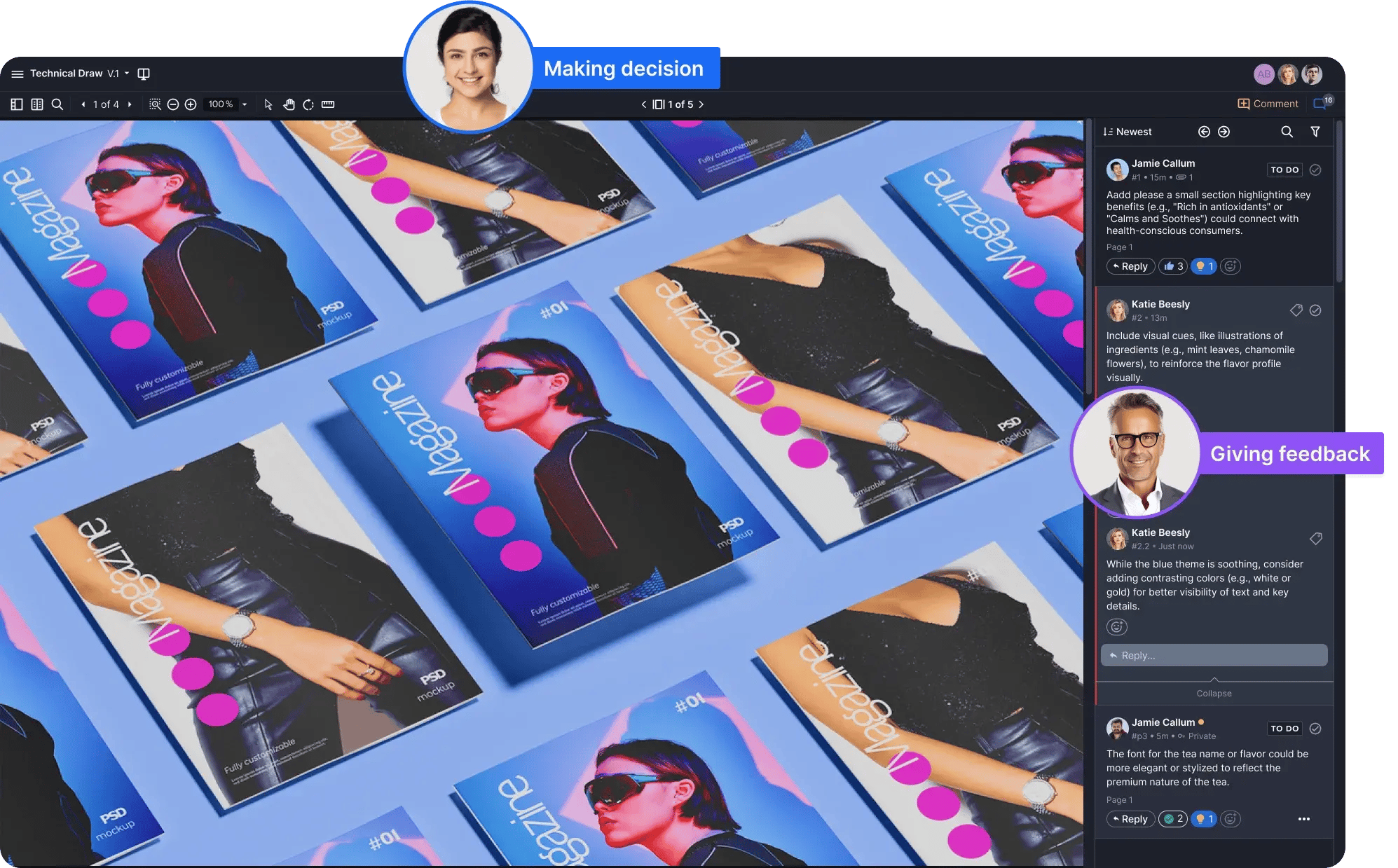
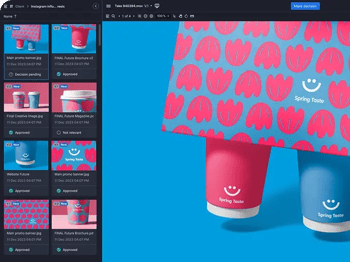
Ziflow dominates enterprise creative operations as a comprehensive online proofing platform. The system handles over 1,200 creative formats — from standard images and PDFs to complex video files, live websites, HTML5 content, and even layered files like PSDs and AI files.
The platform's automated workflow builder allows teams to set up approval chains once, then every project follows that path automatically. The AI-powered compliance checking flags brand guideline violations and regulatory issues before they become problems.
Ziflow's sophisticated annotation capabilities include color-coded markup tools, automated workflows that route content through multi-stage approval processes, and detailed version control with side-by-side comparison capabilities. For regulated industries, the platform offers robust compliance features with detailed audit trails.
Best for: Enterprise teams, agencies managing multiple brands, regulated industries
Key strength: Handles complex workflows without forcing complexity on users
2. Markup Hero
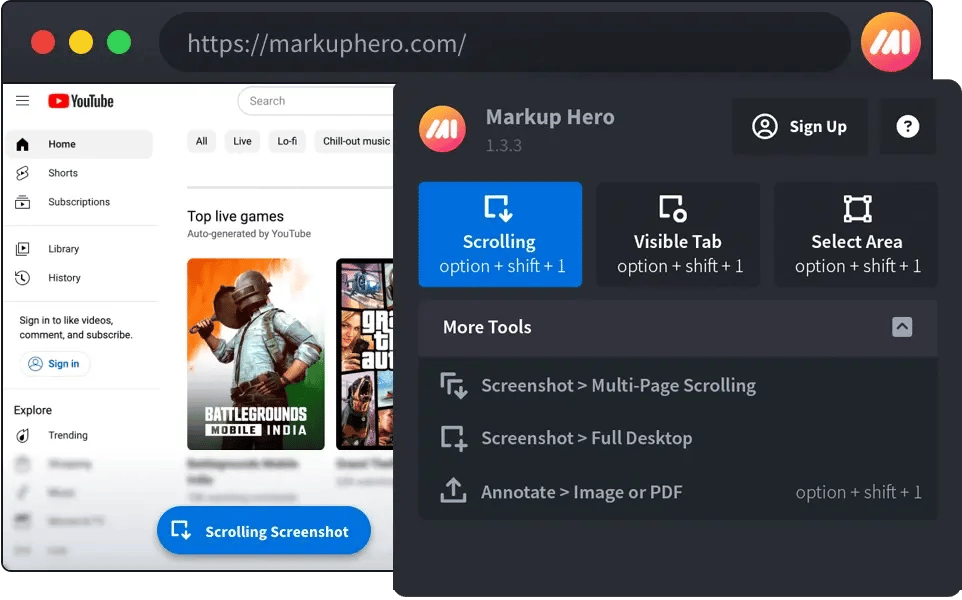
Markup Hero keeps things simple: upload, annotate, share link. The tool has the ability to capture and annotate screenshots, with every annotation automatically saved to a personal workspace with unlimited storage.
Users can annotate screenshots, PDFs, and images using various markup tools including text, arrows, highlights, and shapes. The unlimited storage is legitimate, and the tool handles feedback cycles.
The platform lacks advanced features, and is for freelancers and small teams prioritizing ease of use over complex functionality.
3. Annotely
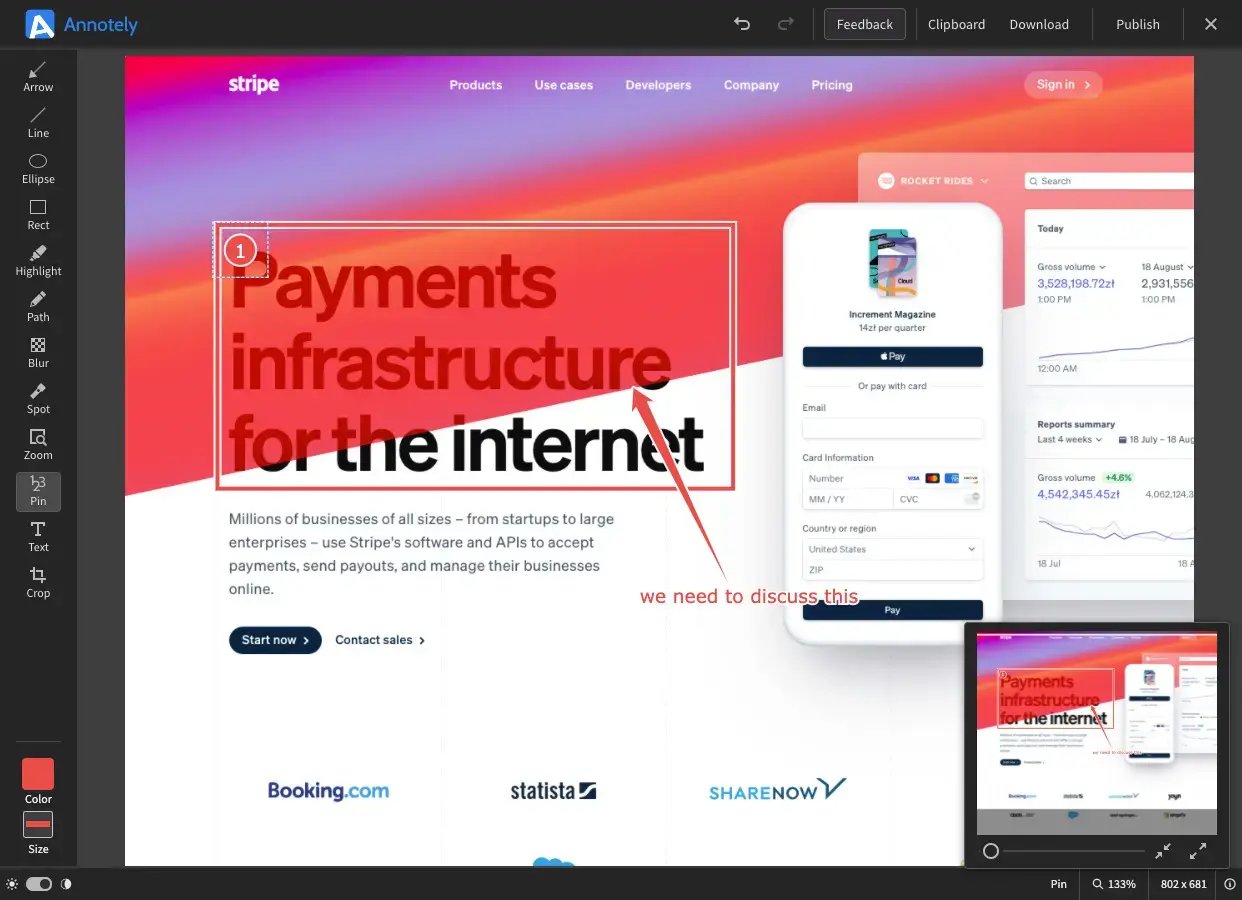
Annotely offers browser-based simplicity with zero installation requirements. The platform operates entirely online without requiring downloads.
The minimalistic interface allows multiple users to annotate images simultaneously while maintaining version control.
For agencies handling confidential work, the privacy focus matters. Unlike other tools, Annotely doesn't analyze uploaded content for "product improvement."
4. GoVisually
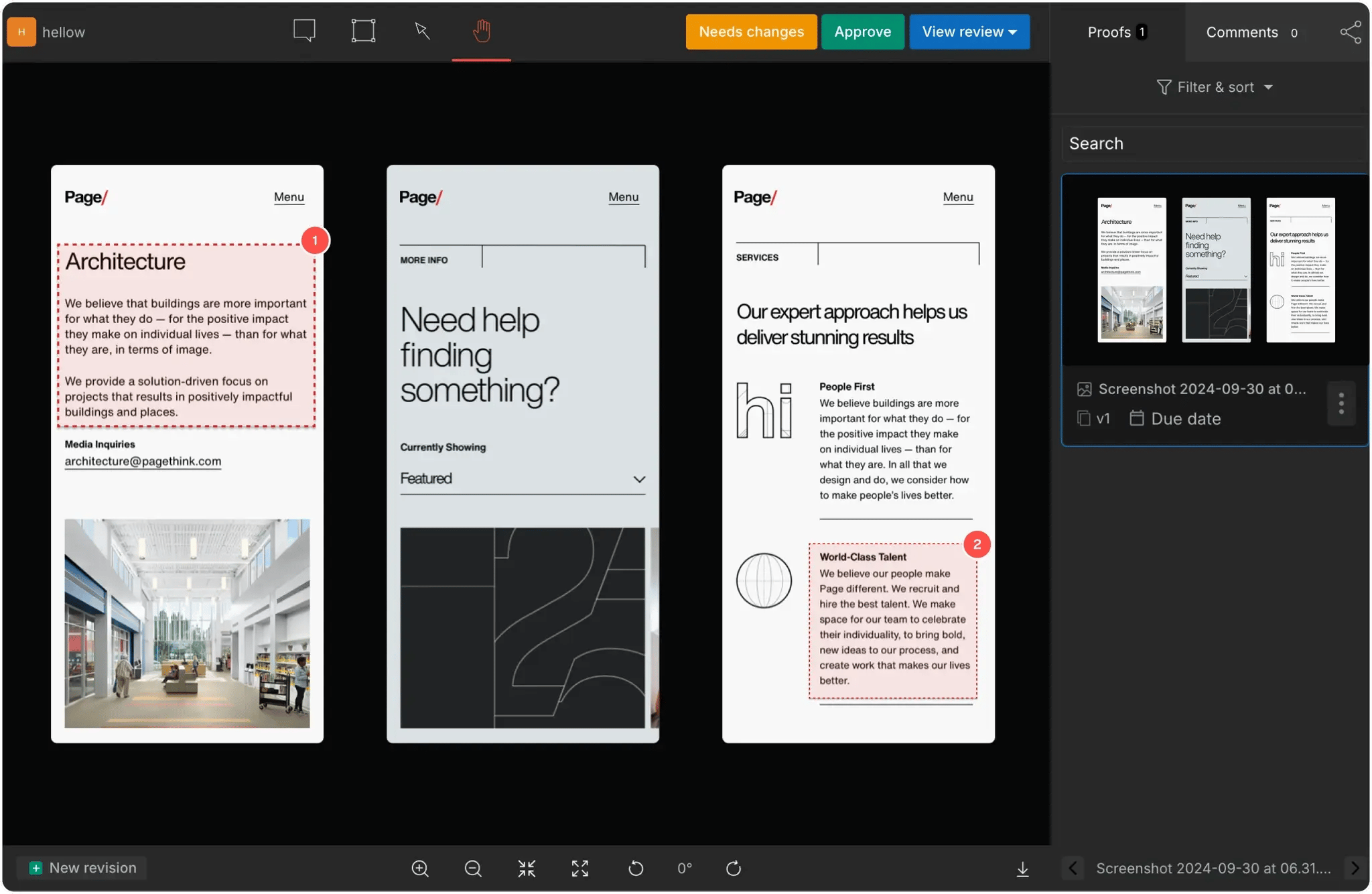
GoVisually maintains a lag-free collaboration interface, and the platform handles multiple simultaneous annotators without slowdown or sync issues.
Teams can annotate on the go without sacrificing functionality. The AI compliance feature is genuinely useful, catching brand guideline violations that human reviewers might miss.
Recent additions include automatic notification digests that prevent feedback overload while ensuring nothing gets missed.
5. Krock.io
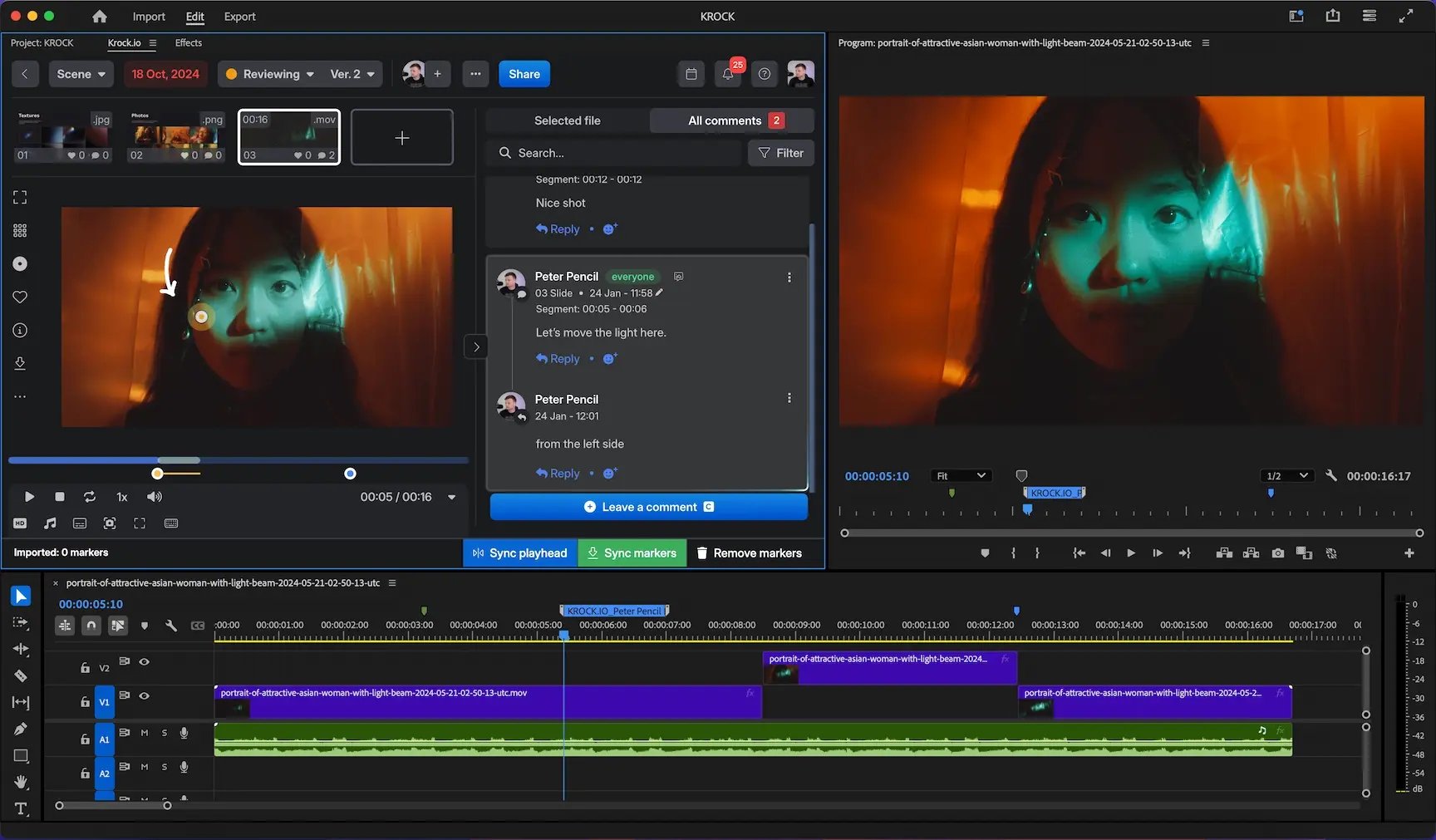
Krock.io specializes in video production workflows. The platform brings together briefing, style frames, and multiple video versions in a single project dashboard.
The timeline-based annotation locks comments to specific frames — essential for motion graphics requiring precise timing. Reviewers scrub to a specific frame, drop a comment, and it stays locked to that exact moment.
Features like automatic timestamping for video feedback and the ability to assign team members to specific project steps with accompanying to-do lists make it particularly effective for managing multi-phase creative projects.
6. Visme
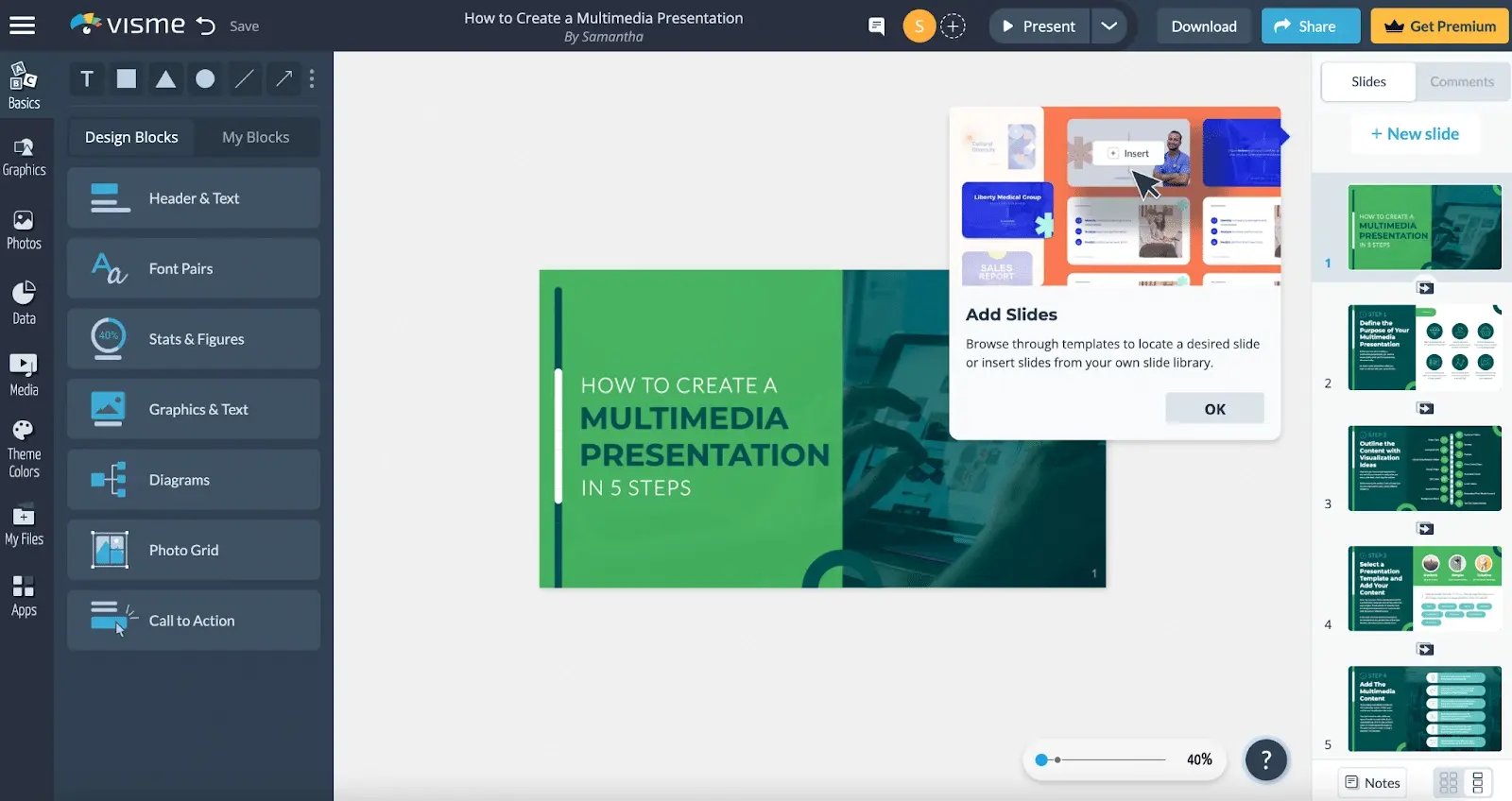
Visme blurs the line between creation and review. Teams can build presentations, infographics, and social media content, then gather feedback all within the same environment.
Team members can suggest copy changes that designers implement immediately. The extensive template library saves time — start from a proven design, customize, get approval, all in one place.
While primarily a content creation platform, Visme's annotation and collaboration features make it valuable for marketing teams who want integrated creation and review capabilities.
7. Markup.io
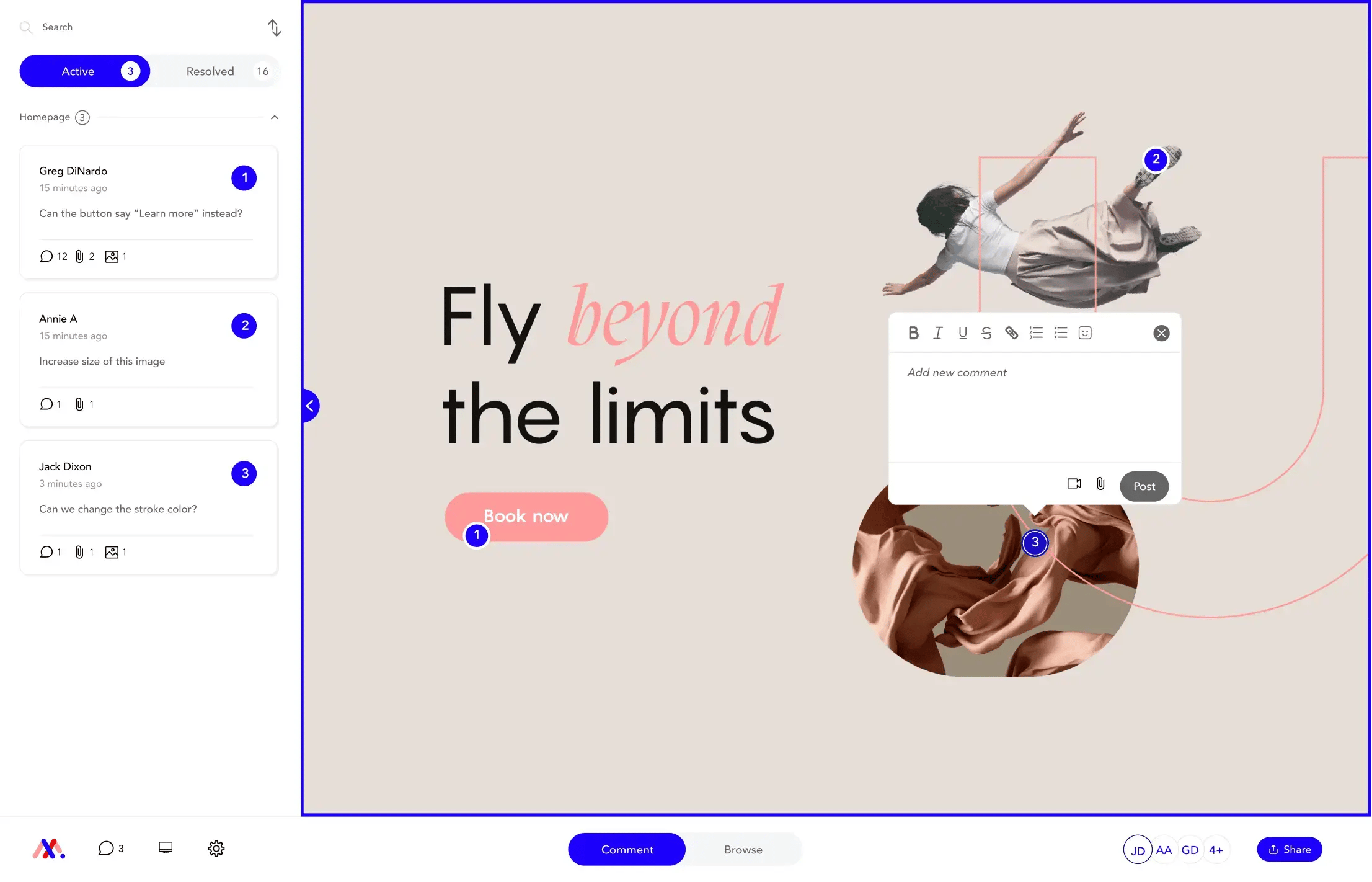
Markup.io supports a wide range of file types through its drag-and-drop attachment system, including various image formats. The 500GB storage on the Pro plan is generous, and the folder organization system actually makes sense for managing multiple projects.
Automatic email notifications keep everyone informed while customizable update preferences prevent notification overload.
8. Pastel
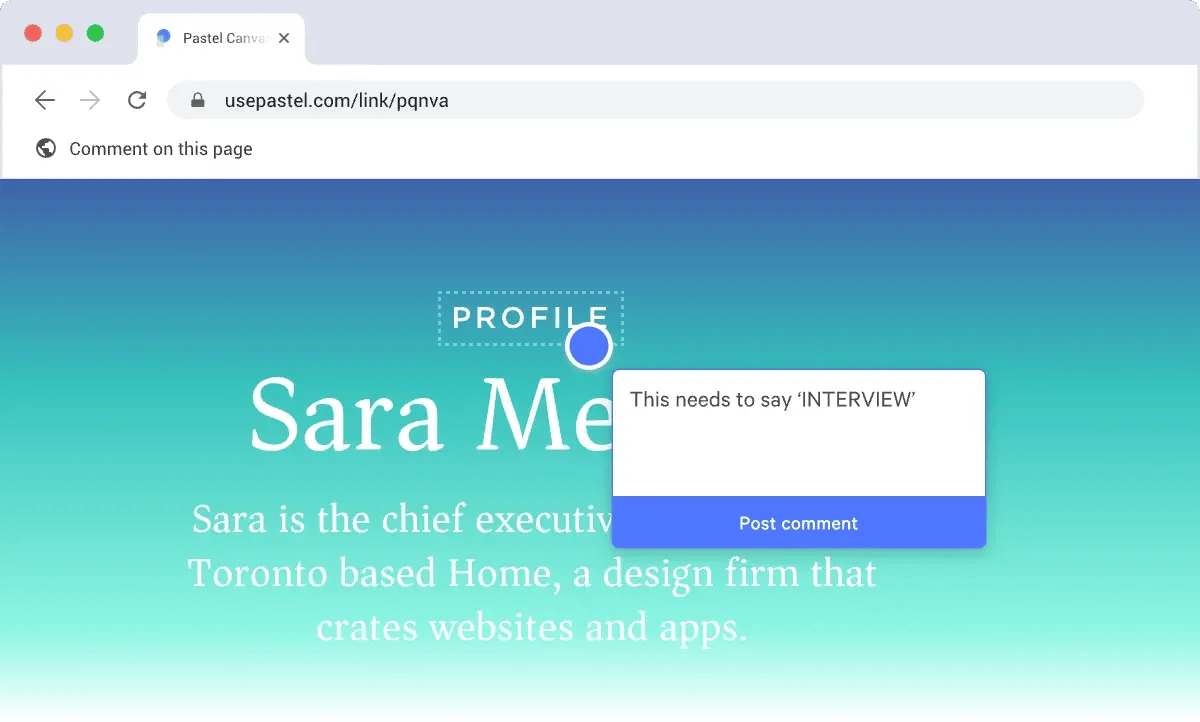
Pastel specializes in live website annotation. Annotations stay precisely where placed, even through page state changes and complex JavaScript interactions.
The before/after toggle shows revision progress to clients. Teams can organize feedback with labels and maintain detailed audit trails for compliance purposes.
The platform turns any website into an interactive canvas for real-time feedback, making it invaluable for web design and development teams.
9. Filestage
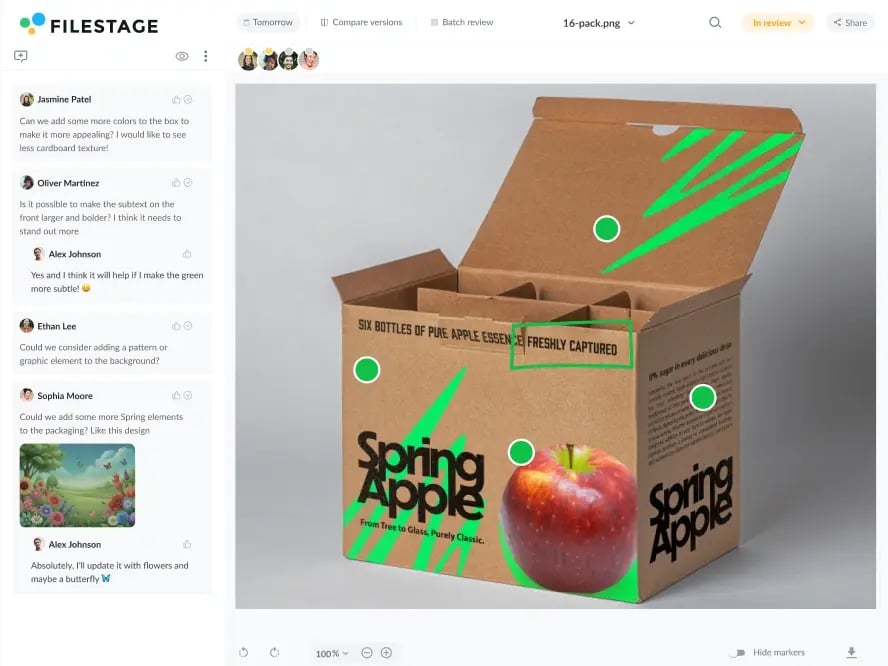
Filestage can manage multi-stage approval processes with different stakeholder groups at each level.
The audit trail is comprehensive — every comment, every version, every decision documented with timestamps. Version comparison is visual, not just listed, so you see exactly what changed between iterations.
The platform can maintain organization across multiple clients or brands, with customizable review steps providing the structure needed for consistency.
10. QuickReviewer
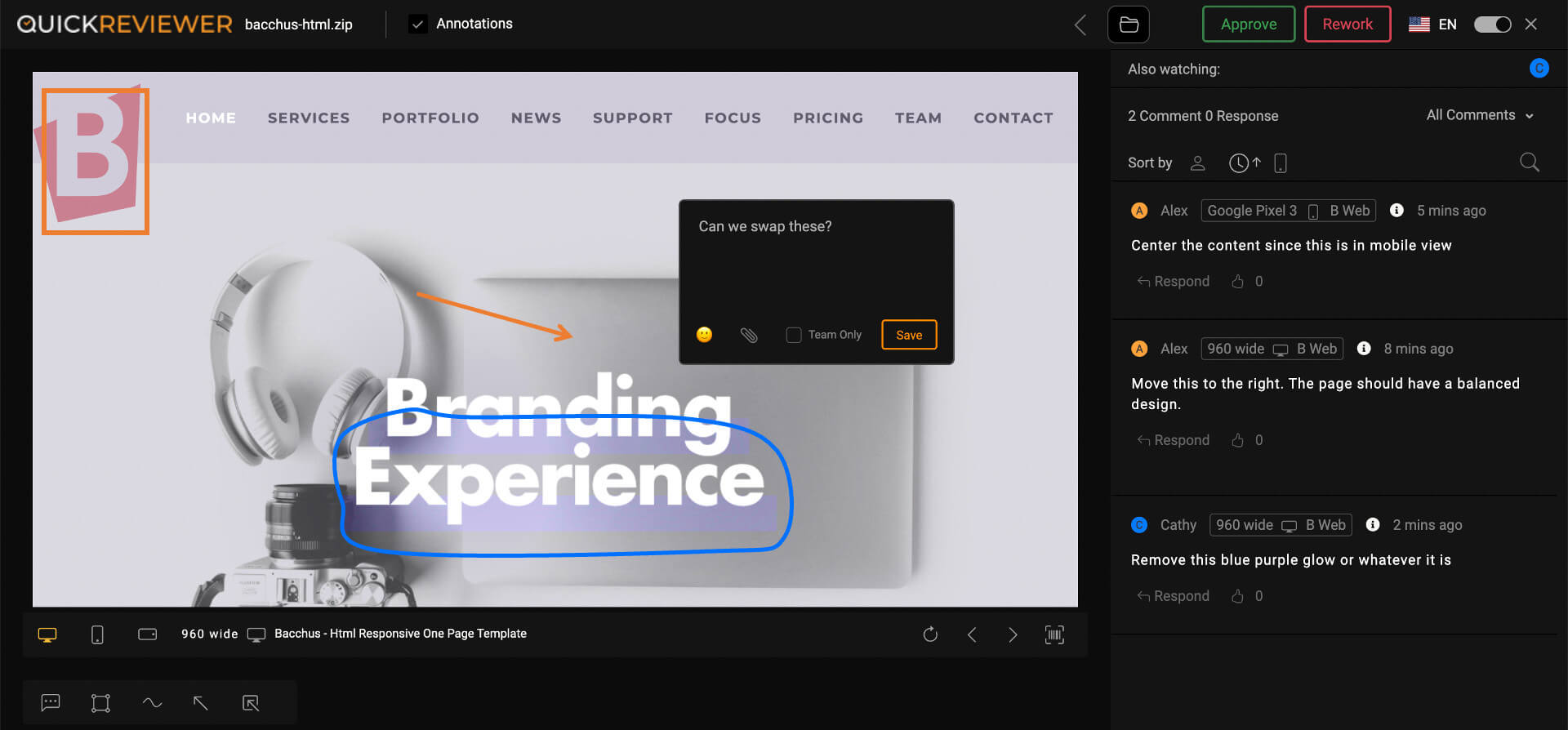
QuickReviewer brings structure to creative review with frame-accurate video annotation and comprehensive project tracking. The dashboard clearly shows where bottlenecks occur in the review process.
The platform handles both internal and external reviews with different permission levels, making it suitable for complex projects involving multiple stakeholder groups. The automatic reminder system keeps projects moving without being annoying.
Project progress tracking gives managers real-time visibility into review status, helping identify issues before they impact deadlines.
Learn more about QuickReviewer
11. Nootiz
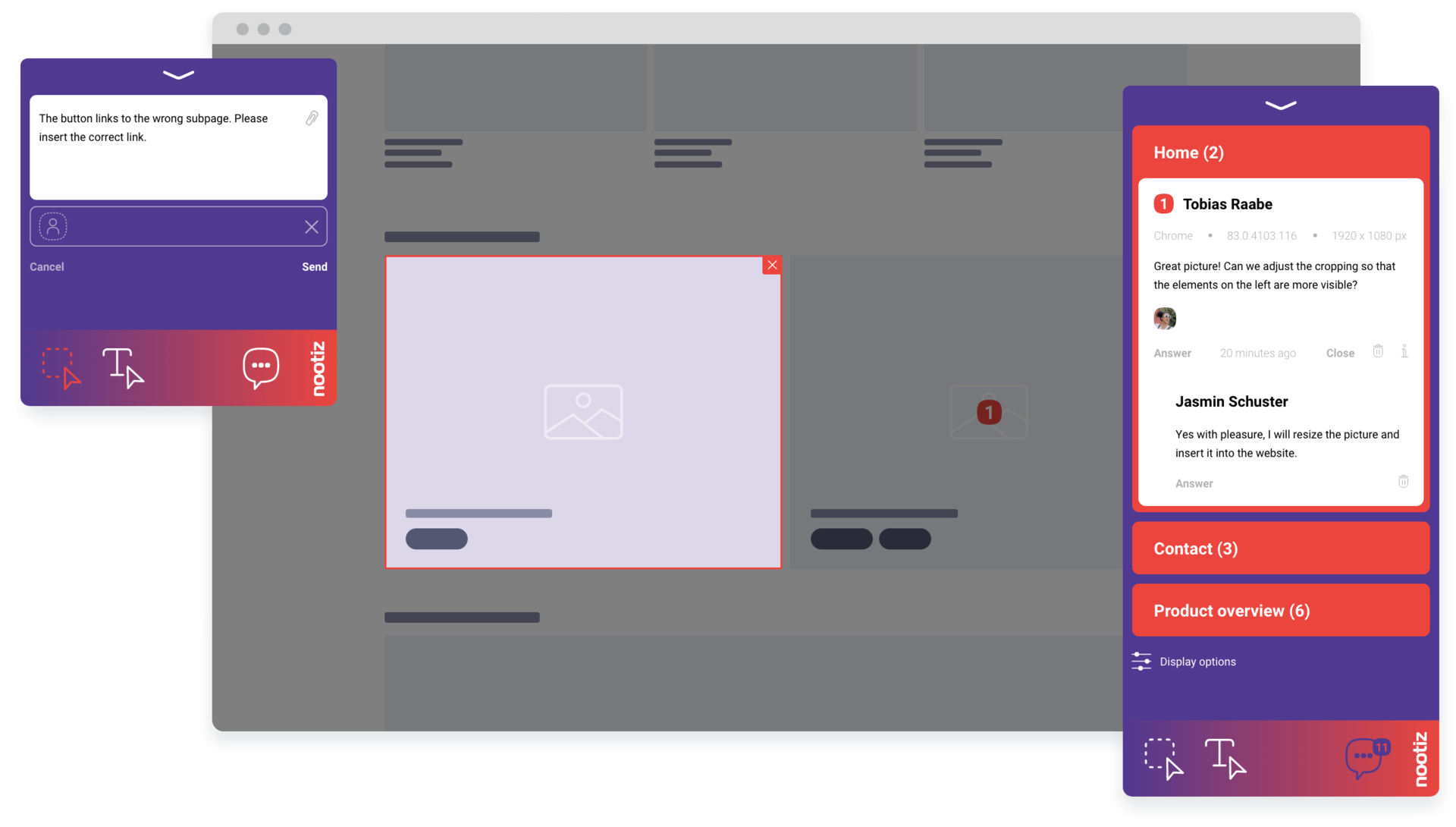
Nootiz offers flexible pricing that scales with actual usage rather than user tiers. The platform handles basic annotation needs competently without overwhelming users with unnecessary features.
Perfect for teams that need annotation occasionally rather than as a daily tool. The pay-as-you-grow model makes it accessible for growing teams who don't want to overcommit to expensive plans.
How to choose the right image annotation tool
After analyzing how teams choose their image annotation tools, here's what we’ve found actually matters:
File format support
The truth is, not just any annotation tool will do. Test with your actual files, not samples. Creative teams work with diverse media assets, from PDFs and images to audio and videos, so it's essential to find a tool that supports numerous file types without requiring constant format conversions. For instance, as we’ve mentioned previously, Ziflow supports over 1,200 file types.
Make sure your tool handles real-world file sizes. Some platforms technically support formats but struggle with large files or complex layered documents.
Tagging and commenting
Collaboration is what makes efficient creative operations, and commenting and tagging features are crucial for collaborative creative work. They allow team members to leave comments, highlight sections, and tag specific areas in designs or documents for focused discussions.
Look for threading capabilities that let discussions branch naturally. The ability to resolve threads independently and reference other comments maintains context across complex discussions.
History tracking and version control
Feedback and iterations are natural parts of the creative process. Your annotation tool should maintain comprehensive records of all edits, comments, and approvals, ensuring everyone works from the latest file version.
Test version control thoroughly — upload multiple versions rapidly and verify you can access specific versions and compare them directly.
Integrations
The more seamlessly your annotation tool connects with your existing tech stack, the more efficient your workflow becomes. List your current tools and check for native integrations.
"Integrates via Zapier" means extra cost and potential failure points. Direct API access matters for custom workflows. Consider the switching cost if a tool locks you into their ecosystem.
Easily annotate images and more with Ziflow
Choosing an annotation tool is about finding what makes your specific team more efficient. Ziflow stands out because it handles enterprise complexity without forcing that complexity on users.
The platform scales from small projects to massive campaigns without workflow changes. It's built for teams who can't afford to compromise on quality or efficiency, providing the infrastructure needed to manage high-volume creative work while maintaining flexibility and security.
Ready to elevate your creative workflow? Eliminate scattered feedback and reduce revision cycles with a platform built specifically for creative teams.
Get a free trial and see if it solves your actual problems. No credit card needed — just immediate access to tools that can transform how your team collaborates.
Because at the end of the day, the best annotation tool is the one your team will actually use. Everything else is just marketing noise.

With a track record that spans media giants like WarnerMedia, Viacom, and Google, Aaron's expertise shines through in multi-million dollar projects across various mediums, from traditional television to the dynamic realm of YouTube.