Creative feedback can be tricky.
Sometimes it’s vague: “Can you make this pop?”
Sometimes it’s inconsistent: one reviewer nitpicks alignment, another overlooks a missing disclaimer.
And sometimes it’s just…not there at all: someone forgets to review the required messaging entirely.
When teams are forced to rely on subjective comments, experience, or “gut feelings”, projects can stall, iterate endlessly, or miss the mark altogether.
That’s where Checklists come in.
Starting today, Ziflow customers on Enterprise plans can add customizable Checklists to any proof, giving reviewers the structure and clarity they need to deliver actionable, objective feedback. And coming soon, Ziflow’s ReviewAI will be able to help you verify that feedback automatically, allowing reviewers to confirm checks in seconds instead of minutes.
What we'll cover
Table of contents
What are Checklists?
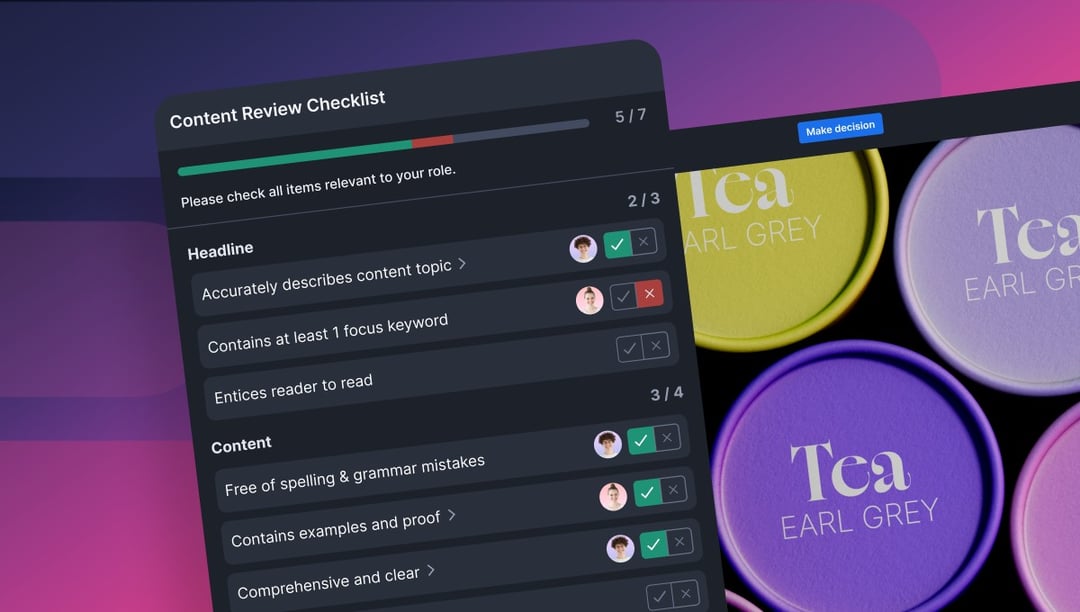
Checklists guide reviewers through a set of pre-defined questions or standards—like “Is the logo formatted correctly?” or “Is the disclaimer language present and written properly?”—so they know exactly what to look for and comment on.
They’re fully integrated into your review workflow, tightly connected to reviewer comments, and visible across proof versions—helping creative teams improve consistency and accountability without slowing things down.
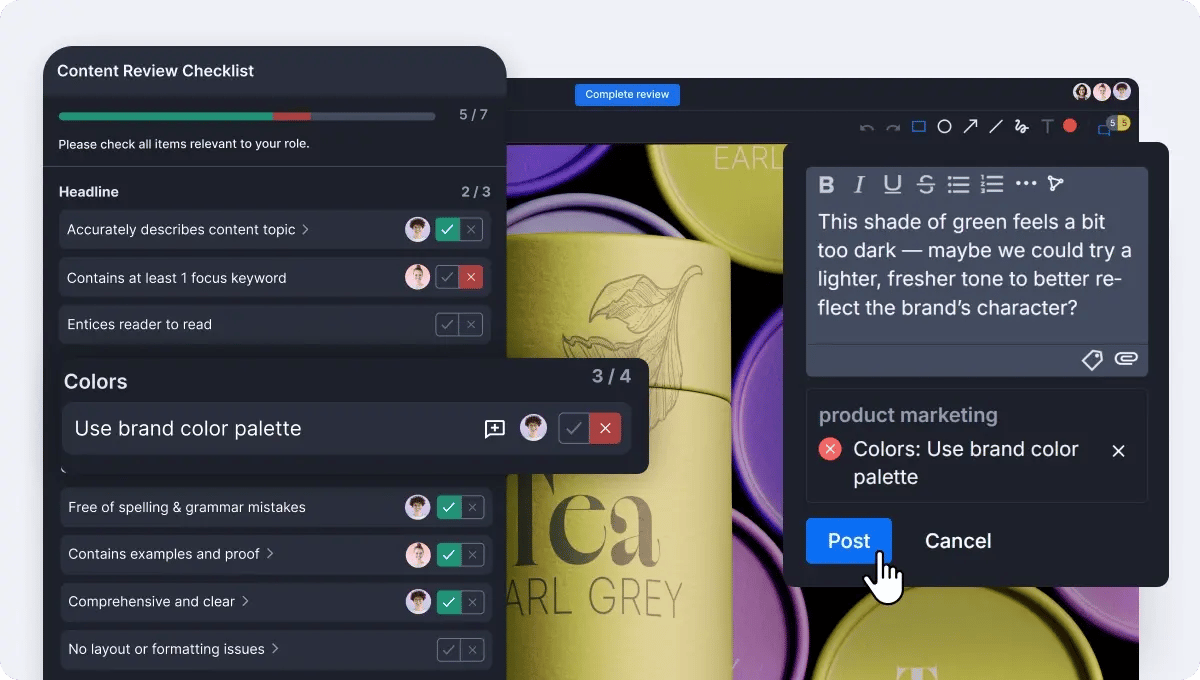
Ziflow’s Checklists are completely customizable, reusable across projects, and support multiple response types. Reviewers can check items off as complete, or, perhaps most importantly, mark items as either Passed or Failed, providing clarity that a standard has or hasn’t been met.
Here’s why: unlike similar features in other platforms, Checklists in Ziflow aren’t just tick-boxes. If a reviewer disagrees that an asset meets the required criteria, they should be able to say as much by clicking “fail”. Leaving a box unchecked to express disagreement looks the same as forgetting to complete the check at all, introducing unnecessary confusion to the process.
Marking a checklist item as “fail” is useful—but knowing why it failed is what drives positive change. That’s why Ziflow lets reviewers directly associate comments with specific checklist items. Unlike other proofing tools, these comment-linked checks provide built-in context, making it easy to understand the rationale behind each pass/fail decision. Even better: you can filter comments by checklist item, so reviewers and project owners can instantly zero in on what needs to change, why it matters, and how to fix it for the next version.
The three big reasons to use Checklists
Checklists improve the way teams review content—no matter what kind of work you produce. They bring clarity to what’s being reviewed, consistency to how feedback is delivered, and traceability to what gets approved.
Add Consistency to creative feedback
Ziflow’s Checklists can bring order and structure to your creative process in the following ways:
- Clear expectations can be set for reviewers
- Feedback can be standardized across teams and projects
- Pass/fail or confirmation criteria means feedback is clear and absolute
- Checklists can be reused across reviews and review stages
Encourage Collaboration on objective criteria:
Checklists focus reviewers on what matters most, while encouraging dialogue when standards aren’t met.
- Checklist items can be tied directly to reviewer comments
- Comments can be filtered by checklist item to understand context
- Checklists can be assigned to individual review stages, so that reviewers can focus their feedback on areas that align with their expertise
Ensure Compliance in a creative review process:
With every individual check recorded automatically in a proof’s activity log, Ziflow’s Checklists can help you meet compliance standards with confidence.
- Create an audit-ready record of every check in your creative reviews
- Ensure every item gets addressed, with no more missed checks
- Accountability will help breed trust with external stakeholders and legal teams
Start using Checklists today
We understand that even teams with the most well-structured creative approval processes may not have codified their specific review criteria. So to help you get started, Ziflow has included Sample Checklists for stages like legal and compliance reviews, brand guideline enforcement, and website QA.
And that’s not all. We’ve made it easy to bring your offline review criteria into Ziflow, simply by copy and pasting. Collaborate with your internal team or frequent creative stakeholders on a set of consistent and verifiable creative checks.
Then, copy those checks—complete with detailed descriptions—right from a Google Sheet or Excel file and paste them directly into Ziflow. Admins can turn collaborative planning into structured checklists in minutes—and roll them out to your whole team without disrupting your process.
Coming soon: ReviewAI for Checklists
Once your checklist criteria is defined, why not let AI handle the first pass?
ReviewAI for Checklists is a revolutionary new feature that’s available to select enterprise customers today, before moving to public preview later this year. Ziflow automatically evaluates checklist items using AI—delivering a pass/fail recommendation, rationale, and suggested changes. Reviewers can simply confirm or override the results, speeding up the entire process while maintaining human oversight.
It’s an intelligent assistant that works with your workflow—not around it.
Try it today: Checklists, now in public preview
Checklists are available today in public preview for all Ziflow customers on an Enterprise plan. For more information on how to use this exciting new feature, click here to read the extensive documentation in our Help Center.
Not using on an Enterprise plan? Talk to us about upgrading to unlock Checklists, plus other advanced features designed for high-performing creative teams.
Whether you’re running a single asset review or managing an entire campaign, Checklists bring order to creative chaos. And we’re excited to see how you’ll use them to scale your own review and approval processes.

Before joining Ziflow, Erik held leadership roles in product marketing at Crayon, USA TODAY NETWORK | LOCALiQ, WordStream (merged with LOCALiQ), and Nanigans (acquired by Sprinklr). Erik's expertise extends to podcasting, public speaking, team building, and process optimization, all geared towards driving business value and enhancing customer relationships.