You may have noticed that Markup.io has had some interesting price changes this year, which has led some to look for alternatives for their creative and marketing teams.
But maybe you're exploring alternatives for other reasons. Maybe you're tired of the single URL workflow that doesn't play nice with Basic Auth staging sites. Or the lack of real-time changes. Or that frustrating absence of integrations with the project management tools you actually use.
Whatever brought you here, you need a visual feedback tool that actually works with your creative workflow, not against it. We've done the legwork to find the best alternatives that offer more flexibility, better features, and integrations that make sense.
What we'll cover
Table of contents
Why teams are searching for Markup.io alternatives
Beyond the price hikes, there are some real workflow issues pushing teams away from Markup.io.
The lack of implementation flexibility hits hard when you're managing multiple projects. You get stuck with a single URL workflow that forces your clients to juggle two different web addresses just to give feedback. Try explaining that to a non-technical stakeholder who already thinks PDFs are complicated.
Mobile testing? Nope, not happening. While your competitors are optimizing for mobile-first experiences, you're stuck with desktop-only feedback options.
Another pain in the side is that there are no real-time changes. Your team makes an update, but clients need to refresh, reload, and sometimes completely restart their browser session to see what changed. That's not really collaboration, it’s more like digital ping-pong.
But perhaps the most frustrating thing is the complete lack of integration with tools your team already uses. No Asana. No Monday.com. No Jira. Your feedback lives in a silo, disconnected from your actual project management workflow. You know what that means: more context switching, more missed comments, more "wait, which version are we on?" conversations.
Key features to look for in a Markup.io alternative
Before we dive into specific tools, let's talk about what actually matters when choosing a feedback platform.
Annotation and visual feedback features
You need something beyond basic pointing and clicking. You need freehand drawing for those "move this whole section here" moments, screenshot captures that actually capture what you're seeing, and video recording for explaining complex animations or user flows. Bonus points if clients can do all this without downloading anything.
Support for websites and live staging environments
The tool should handle your actual workflow. If you're working with staging sites behind Basic Auth (and who isn't?), your feedback tool needs to handle that gracefully. Not with workarounds or browser extensions, but native support that just works.
Guest and client feedback with minimal friction
This is where many tools fail. Your clients shouldn't need a computer science degree to leave feedback. Link sharing should be simple. Guest accounts should be optional, not mandatory. The best tools let clients comment first, sign up never.
Version control and comparison features
Your sanity should be saved when managing multiple rounds of revisions. You need to track what changed between v2 and v3, compare different approaches side by side, and maintain a clear audit trail of who approved what and when.
Deep integrations with PM, design, and dev tools
These aren’t luxury items, they're necessary. Your feedback tool should push comments directly into your project management system, sync with your design tools, and notify developers through their preferred channels. Two-way sync is even better. Change the status in Asana? It updates in your feedback tool automatically.
Pricing and free tier availability
This matters more than ever. You need transparent pricing that scales with your team, not surprise bills that blow up your budget.
The 6 best Markup.io alternatives for creative teams
1. Ziflow
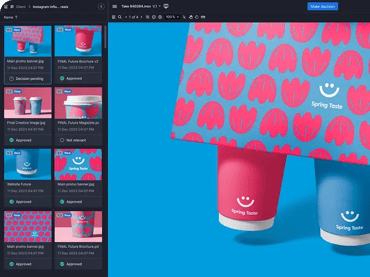
Ziflow handles pretty much every creative file type you can throw at us, from complex video projects to interactive websites.
Our integration game is strong, and we create meaningful connections with the tools you use every day, not just webhook dumps that create more work. Ziflow does pixel-level comparisons for both static and video files. That means you can spot the tiniest changes between versions without squinting at your screen trying to play spot-the-difference.
For agencies and in-house teams managing high volumes of content, Ziflow brings enterprise-level compliance and audit trails without enterprise-level complexity. Every comment, every version, every approval gets tracked automatically. Your legal team will love you. Your creative team won't even notice it's happening.
Best for: Agencies and in-house creative teams who need one platform for all their creative reviews, not a patchwork of different tools.
Pricing: We offer four tiers including a free forever plan. Higher tiers add more users, storage, and automation features to handle even your biggest campaigns.
2. Marker.io
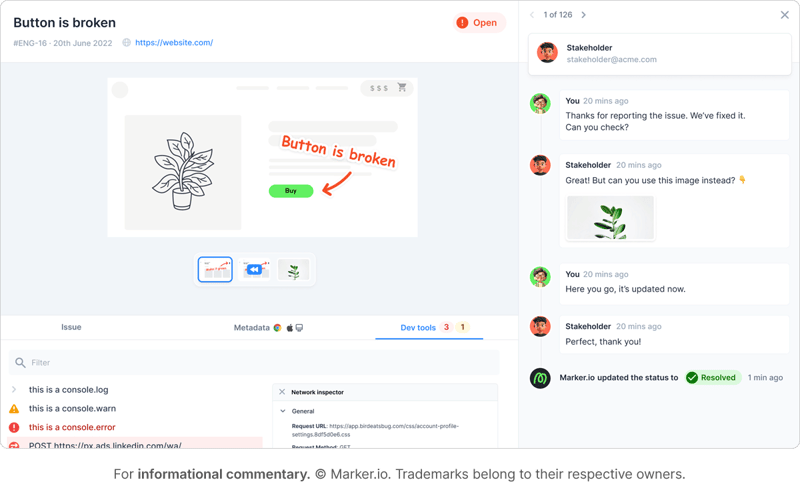
Marker.io shines when you need to capture on-screen issues instantly. Click anywhere on a page, and it automatically grabs all the technical details like URL, browser info, and console logs. Your developers get everything they need to reproduce and fix issues without the usual back-and-forth.
The platform excels at streamlining feedback between teams, especially when you're dealing with product updates or QA cycles. They offer different widget configurations for internal teams versus clients, so your developers can set priorities while clients just focus on reporting issues.
Unfortunately there’s no video feedback option. Sometimes a screenshot just doesn't cut it when you're trying to explain a complex animation issue or user flow problem.
Best for: Product, QA, and design teams working primarily with web environments.
Pricing: Plans start at $39/month for their Starter tier, with a Team plan at $129/month. They also offer a special Agency plan for small digital agencies.
3. Ruttl
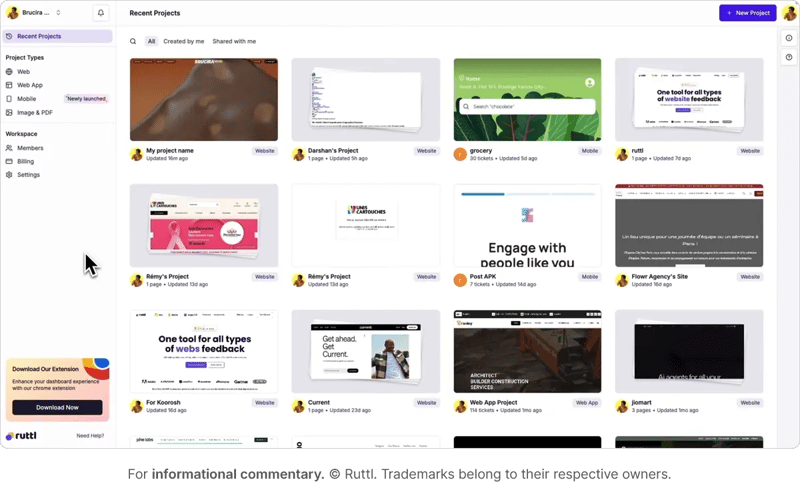
Ruttl lets you pin comments directly on live or staging sites, with built-in version history and side-by-side comparisons. What sets them apart is their project management features built right into the platform. You're not just collecting feedback; you're tracking tasks and managing workflows.
The tool includes some genuinely useful features like the ability to edit CSS directly within the platform. See something that needs tweaking? Change it right there and show exactly what you mean.
Some users report bugs and interface issues though, so definitely test it thoroughly on your own sites during the trial period. The proxy setup can also struggle with sites behind Basic Auth, requiring workarounds that defeat the purpose of having a streamlined tool.
Best for: Designers and developers collaborating on website builds who want project management features included.
Pricing: Their free plan is pretty basic. Premium plans use per-user pricing at $6, $12, or $18 per user monthly, which can add up fast if your whole team needs access.
4. BugSMASH
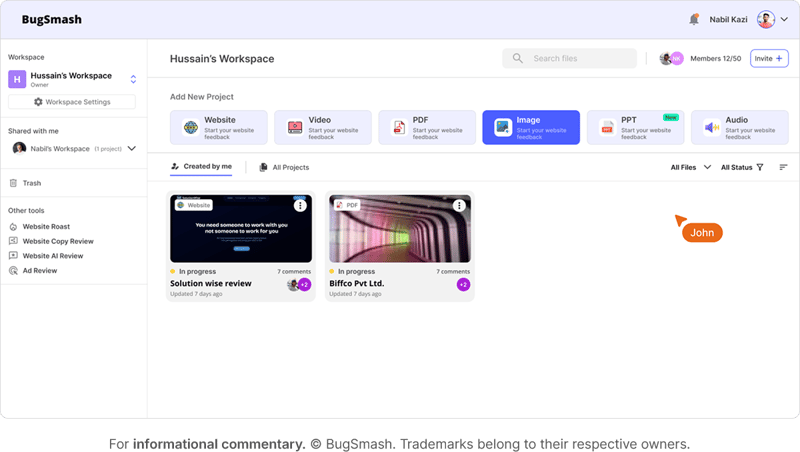
BugSMASH keeps things simple and affordable. It's built for easy annotation on websites and web apps, automatically capturing those technical details developers need.
While it might not have all the bells and whistles of enterprise tools, it does the basics really well. The pricing is refreshingly straightforward, making it accessible for smaller teams who don't need complex workflows.
The tradeoff? Fewer advanced features and integrations compared to other options. But if you're looking for something that just works without breaking the budget, BugSMASH delivers.
Best for: Smaller teams who want to streamline web QA feedback without complexity.
Pricing: BugSMASH offers competitive pricing that undercuts most enterprise tools. Check their site for current rates.
5. GoVisually
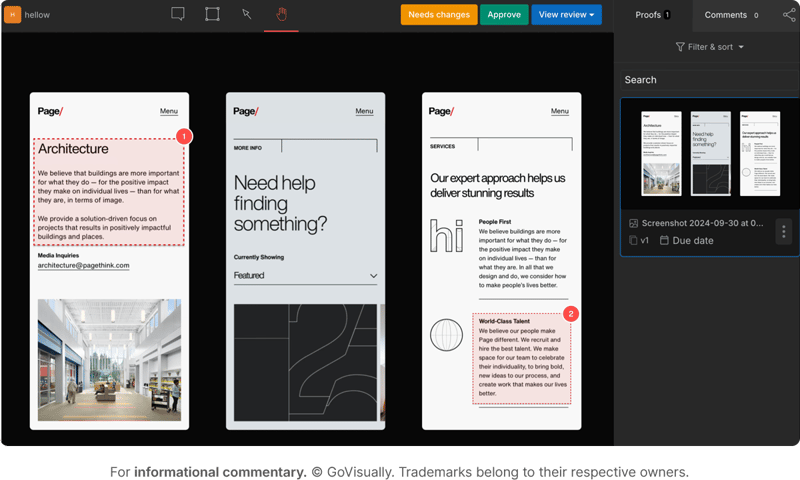
GoVisually brings role-based permissions to the feedback game. Different reviewers get different levels of access, which is perfect when you're juggling multiple stakeholders with varying involvement levels.
The platform includes built-in version tracking and approval workflows, with real-time commenting that speeds up feedback cycles. Marketing teams and agencies love how it handles visual campaigns with multiple assets and reviewers.
Their focus on structured workflows means everything follows a clear path from creation to approval. No more wondering who needs to sign off next or which version is actually final.
Best for: Marketing teams and creative agencies managing visual campaigns with multiple stakeholders.
Pricing: GoVisually uses tiered pricing based on users and projects. Visit their site for detailed pricing information.
6. Pastel
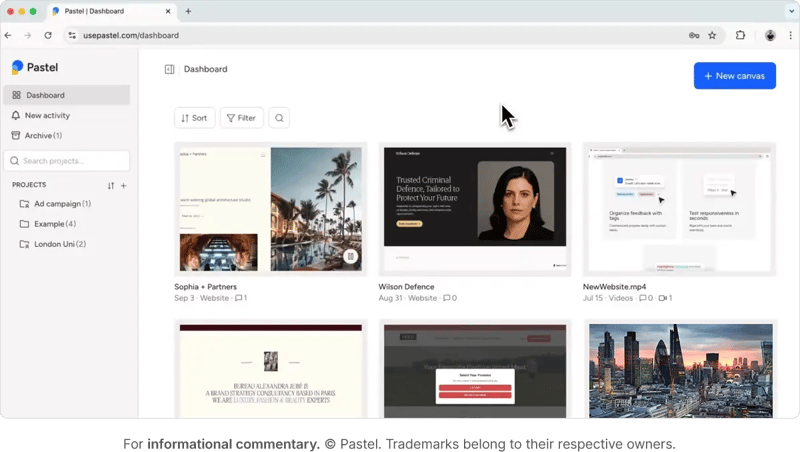
Pastel hits the sweet spot for freelancers and small studios. Share live web pages for feedback without requiring logins. Clients click a link, leave comments, done. No friction, no confusion, no "I can't find the login email" delays.
The interface is lightweight and intuitive with minimal onboarding needed. Your clients won't need a tutorial or training session. They just click and comment.
But here's something that might surprise you: their lower-tier plans come with a 72-hour commenting window. After three days, comments lock. For most agencies, that means jumping straight to their Studio plan at $119/month.
Best for: Freelancers and small studios managing client web projects who can work within time constraints.
Pricing: Free tier available with that 72-hour limitation. Solo plan at $35/month, Studio at $119/month for unlimited commenting windows.
How to choose the best Markup.io alternative for your workflow
Picking the right tool comes down to understanding your actual needs, not just feature shopping.
Content types matter, and if you're only reviewing websites, you might get away with a simpler tool. But if you're juggling video reviews, design mockups, and live sites, you need something comprehensive like Ziflow that handles everything in one place.
Team size and workflow determine your scaling needs, so a freelancer might love Pastel's simplicity, while an enterprise team needs Ziflow's compliance features and unlimited scaling. Think about where you'll be in a year, not just where you are today.
Integrations can make or break your workflow, meaning that feedback tool might look great in the demo, but if it doesn't connect with your project management system, you're just creating another silo. Choose something that fits naturally into your existing stack, not something that requires your team to change how they work.
Improve your visual feedback and collaboration with Ziflow
Markup.io worked well for quick web comments. Until it didn't. Between the price shock and the missing features creative teams actually need, it's time to level up to something built for how you actually work.
These six alternatives each solve different problems. Some excel at web feedback. Others handle multiple file types. A few include project management features. But if you want a single, robust platform that handles all your creative reviews without the juggling act, you know where to find us.
Ziflow supports every file type your team creates. We centralize feedback instead of scattering it across email threads. We scale with your team, not against your budget. Our integrations actually integrate, with two-way sync that keeps everyone on the same page. And we speed up approvals because nobody has time for another round of revisions.

With a track record that spans media giants like WarnerMedia, Viacom, and Google, Aaron's expertise shines through in multi-million dollar projects across various mediums, from traditional television to the dynamic realm of YouTube.