Every product starts its journey on the shelf with a silent pitch… your packaging design. And in a world where a majority of consumers say packaging design software influences their purchasing decisions, getting that design right is essential to your bottom line.
The thing is that creating stellar packaging involves more than just design chops. It requires coordinating feedback from brand managers, legal teams, compliance officers, and external partners, all while racing against tight deadlines and maintaining strict brand guidelines. The right packaging design software transforms this messy process into a streamlined workflow that saves time, reduces errors, and gets products to market faster.
Packaging has gone from a wrapper to a strategic marketing tool that drives profitability. With stakes this high, creative teams need not only basic design tools, but collaborative platforms that bring order to complexity.
What we'll cover
Table of contents
Key features to look for in packaging design software
Not all packaging design software is created equal. The tools that truly move the needle and make your design life easier share several critical capabilities that address the unique challenges of packaging workflows.
Version control and side-by-side comparisons
These are at the top of the list. When you're juggling multiple stakeholders and iterations, knowing which file is the latest version becomes mission-critical. The best software automatically tracks every revision with timestamps and offers pixel-level comparison tools that highlight exactly what changed between versions. This eliminates the dreaded "final_v3_THIS_ONE_USE.pdf" naming convention and ensures everyone reviews the current design.
Support for multiple file types
This is what separates professional tools from amateur ones. Your packaging workflow likely involves AI files from Illustrator, PSDs from Photoshop, PDFs for client review, and increasingly, 3D mockups for realistic visualization. Software that handles 1,200+ file formats — from Adobe Creative Suite files to 3D models to HTML5 banners — keeps your workflow moving without constant file conversions.
Annotation and markup tools
You need these to enable clear feedback and prevent the miscommunications that plague email-based review processes. Frame-accurate commenting, freehand drawing, arrows, and direct text annotations let reviewers pinpoint exactly what needs changing. When stakeholders can drop a comment directly on the design element that needs adjustment rather than describing it in an email or slack thread, revision cycles shrink dramatically.
Integration with project management and creative tools
This completes the picture. The best packaging design software doesn't exist in a vacuum, it connects seamlessly with tools your team already uses. Whether that's Adobe Creative Cloud, Asana, monday.com, Slack, or Dropbox, integrations create a unified ecosystem where designs flow smoothly from creation to approval to production without manual file shuffling.
Main benefits of packaging design software for creative teams
The right software delivers tangible benefits that show up in your timeline, budget, and final product quality.
Clear feedback
When a brand manager emails "the logo feels too small," designers interpret that subjectively. Frame-accurate annotations or visual markup tools remove ambiguity. Reviewers click exactly where they mean, draw what they envision, and leave context-specific comments. This precision prevents the misunderstandings that lead to unnecessary revision rounds. Teams using dedicated proofing software report a massive reduction in turnaround time within just months of implementation.
Faster approvals happen automatically
Instead of manually tracking down stakeholders for sign-off, automated routing sends designs to the right people at the right time. Deadline reminders keep projects moving, and parallel approval paths mean multiple stakeholders can review simultaneously rather than sequentially. The result is creative teams using collaborative proofing platforms see faster campaign delivery and complete more projects with fewer versions.
Brand consistency gets enforced systematically
Packaging must align with exacting brand guidelines. Wrong Pantone colors or off-brand fonts aren't just aesthetic issues, they're business problems. Decision checklists ensure reviewers confirm compliance with brand standards before approval. Centralized asset libraries give everyone access to the latest approved logos, color specs, and templates. This structure reduces brand inconsistencies that damage recognition and trust.
Collaboration becomes frictionless
When everyone — internal teams, clients, external agencies, even print vendors — can review and approve from a single platform, everything runs smoother. No one needs expensive design software licenses just to leave feedback. Unlimited reviewer access means legal can check regulatory compliance, operations can verify SKU information, and marketing can confirm messaging, all in one centralized hub. Real-time comment threads and @mentions keep conversations organized, and everyone stays aligned without endless meeting scheduling.
Top packaging design software tools
Ziflow: The collaborative review powerhouse
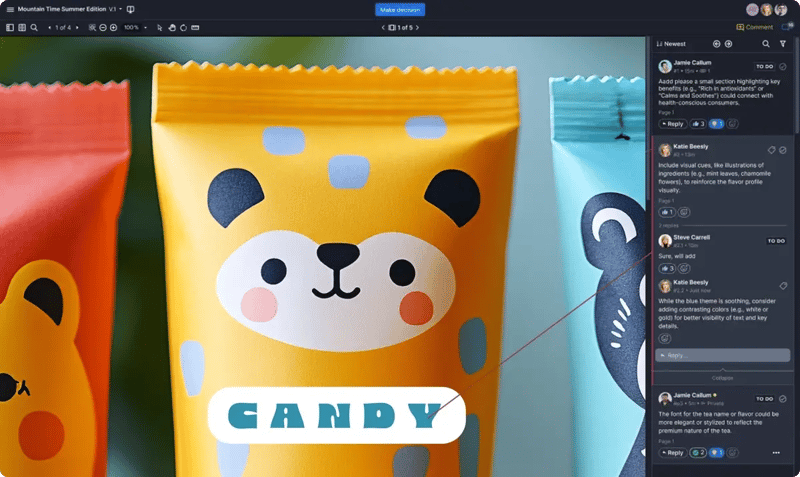
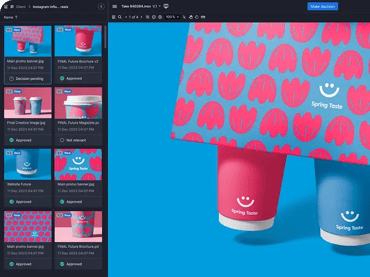
Ziflow is the enterprise-grade solution specifically built for creative teams managing complex packaging workflows from concept to print. It's the centralized hub where designs get reviewed, refined, and approved.
The platform's color separation tool stands out as particularly valuable for packaging work. It measures precise CMYK ink densities, examines Pantone spot colors with accuracy, and toggles visibility of informational color channels like registration marks.
Version comparison capabilities go beyond basic before-and-after views. Ziflow offers side-by-side comparison, overlay mode for pixel-level analysis, and unlimited version storage with clear numbering and timestamps.
What makes Ziflow particularly powerful is its automated workflow management. You can create multi-stage approval processes that route designs through creative review, legal compliance, brand approval, and final sign-off automatically.
Integration capabilities connect Ziflow with the tools packaging teams already use. Adobe Creative Cloud plugins let designers create proofs directly from Illustrator, InDesign, or Photoshop. Project management integrations with Asana, monday.com, Jira, and Trello keep tasks synced. Cloud storage connections to Dropbox, Google Drive, and SharePoint automate file transfers. Slack and Microsoft Teams integrations push real-time notifications to your team's communication channels.
For regulated industries, Ziflow delivers FDA CFR Part 11 compliance support, detailed audit trails capturing every decision and comment, and SOC2 Type II certification.
Pricing starts with a forever-free plan for individuals, scales to Standard ($199/month) and Pro ($329/month) tiers, and extends to custom Enterprise pricing for teams requiring unlimited workflow stages and white-label options. A 14-day free trial requires no credit card.
Adobe Illustrator + InDesign
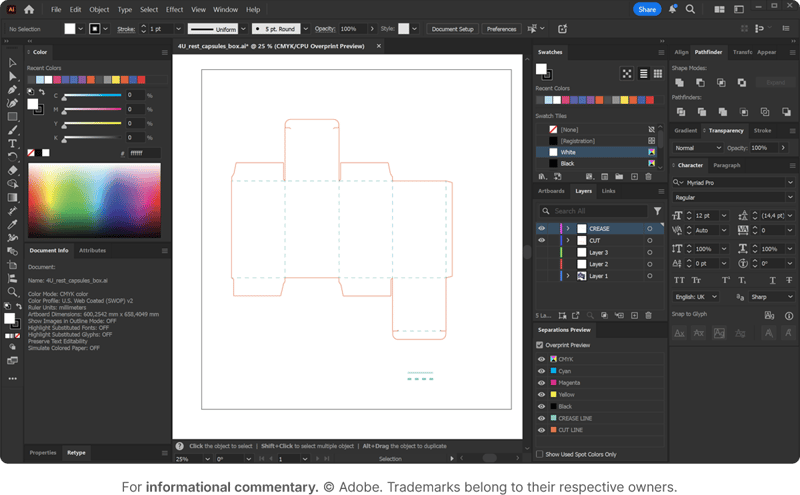
Adobe's tools remain the undisputed standard for actually creating packaging designs. Most commercial printers and packaging manufacturers request files in these formats, and the ecosystem of plugins, training, and vendor support centers on Adobe.
Illustrator excels at vector-based packaging artwork. Its infinitely scalable graphics maintain quality whether you're designing business card packaging or billboard-sized retail displays. The 3D Extrude & Bevel effects let designers create dimensional mockups and map artwork onto realistic package shapes without leaving the application.
InDesign complements Illustrator for multi-panel packaging, product catalogs, and projects requiring sophisticated typography. Its master page templates maintain consistency across product lines, and the Package feature bundles all linked files — fonts, images, graphics — for error-free printer handoffs. Built-in preflight checks catch production errors before files leave your team.
Both applications now include Creative Cloud collaboration features that bring real-time co-editing and commenting to packaging workflows. Share for Review generates version-specific links where stakeholders can pin comments to specific locations, draw shapes for visual context, and reply within threaded discussions.
Pricing for the full Creative Cloud Pro suite runs $69.99/month (or $54.99/month for the Standard plan with limited AI features), making it a significant investment. Single-app subscriptions cost around $21/month per application. Students and teachers qualify for 60% discounts.
Esko Studio
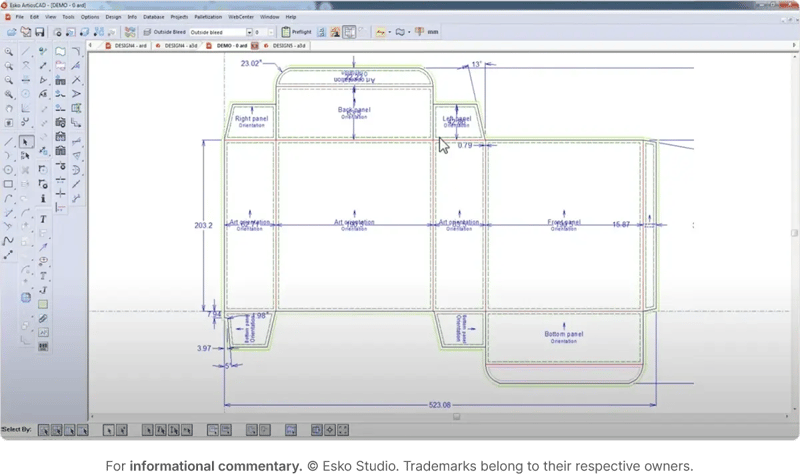
Esko Studio targets professional packaging designers who need photorealistic 3D visualization integrated directly into Adobe Illustrator workflows.
The software's standout feature is its comprehensive finishing effects library. Esko Studio simulates spot UV varnish (both satin and gloss), hot stamp metal foils in multiple colors, cold foils with overprint capability, PANTONE metallics, multi-level embossing and debossing, and even holographic foils.
Store Visualizer builds virtual retail environments so you can see designs on a shelf next to competitive products. This context helps brands make strategic decisions about differentiation and shelf presence before production.
Esko positions itself for enterprise packaging operations and commands premium pricing. A 30-day free trial is available, but specific pricing requires contacting sales. For teams already invested in the Esko ecosystem for prepress and production, Studio integrates seamlessly.
Pacdora
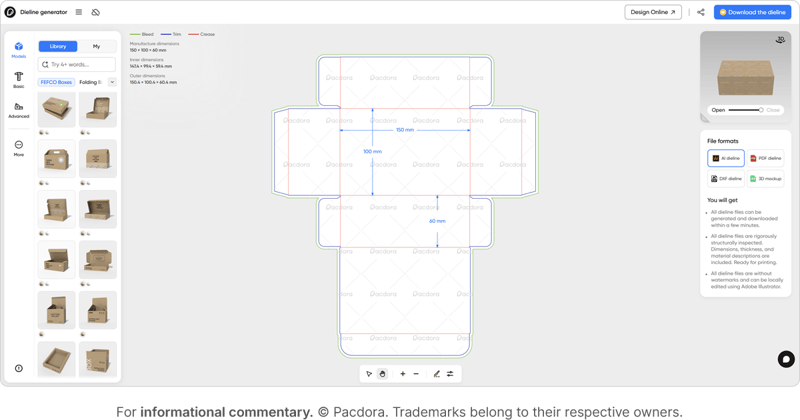
Pacdora combines mockup generation, dieline creation, and 3D visualization in a fully browser-based platform that requires zero software installation. This makes it remarkably accessible — designers can jump in from any device with an internet connection and start creating immediately.
The platform is extraordinarily user-friendly. Its drag-and-drop editor and clean interface let users with no design experience create professional packaging mockups. Upload your design, customize materials and lighting, and export 4K photo-level renderings in under a minute.
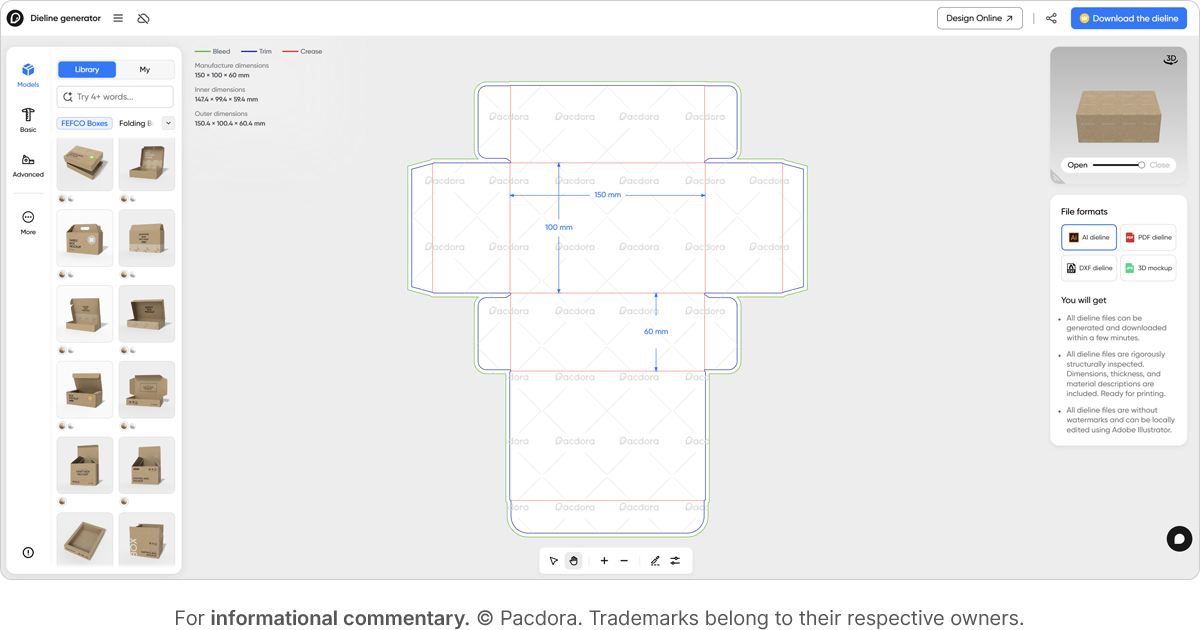
Pacdora's dieline generator provides 3,000+ templates and creates print-ready dielines by simply entering dimensions. Export color-coded files (trim, crease, bleed) in PDF, SVG, AI, or DXF formats ready for printing factories.
For teams needing quick mockups for presentations, client approvals, or e-commerce imagery, Pacdora delivers impressive quality at a fraction of traditional software cost. Pricing starts with a basic free plan, scales to Pro ($29-60/month for commercial use), and extends to Business ($199/month) for resellers. The platform serves over 4 million users globally.
Canva
Canva extends its design-for-everyone philosophy into packaging with dedicated mockup generators and the strongest real-time collaboration features of any option reviewed. Its 5 million premium templates include packaging-specific options for boxes, bottles, bags, and more.
Real-time collaboration lets multiple team members edit packaging mockups simultaneously with live cursors showing who's working where. Comment systems, task assignment, and approval workflows built directly into the platform make it natural for marketing teams to iterate rapidly.
AI-powered tools like Magic Edit, Background Remover, and Magic Expand enhance mockup creation. Remove backgrounds from product shots with one click, generate custom AI backgrounds for packaging photography, or expand images to fit different mockup dimensions.
At $12.99/month for Canva Pro (or $119.99/year) with a 30-day free trial, it's the most affordable premium option. A robust free plan provides 2+ million templates and basic mockup access at no cost. For teams prioritizing collaboration over production-level precision, Canva delivers exceptional value.
How to improve your packaging design workflow with Ziflow
Packaging design isn't getting simpler. Consumer expectations rise, regulatory requirements tighten, and time-to-market pressures intensify. The brands that thrive are those that build workflows capable of handling complexity without sacrificing speed or quality.
Ziflow tackles this challenge by creating a single source of truth for every packaging project. Instead of feedback scattered across email threads, Slack messages, and meeting notes, everything lives in one platform with complete traceability. Automated workflows route designs to the right stakeholders at precisely the right moment.
Ziflow alo maintains brand consistency through structured processes. Decision checklists ensure reviewers confirm compliance with brand guidelines before approval. Audit trails document every decision for regulatory requirements. Color separation tools verify Pantone specifications before files go to press.
Most importantly, Ziflow reduces costly errors by catching mistakes early. Automated compliance checks flag issues before designs enter production. Clear approval chains establish accountability — everyone knows who approved what and when. The result is fewer rushed fixes, emergency reprints, and delayed launches.

With a track record that spans media giants like WarnerMedia, Viacom, and Google, Aaron's expertise shines through in multi-million dollar projects across various mediums, from traditional television to the dynamic realm of YouTube.