Annotation tools have become as important to creative teams as electricity or the internet. When it comes to simplifying feedback and making collaboration smooth and efficient, we just can’t live without them.
There’s something unique to video annotation, though: without the right tools, you're basically trying to describe a moving target while blindfolded. Videos constantly change, frames fly by, and your feedback gets lost somewhere between “make it pop” and “that transition at around 3 seconds needs work.”
But fear not… video annotation transforms this messiness into something pristine. When you can point directly at frame 247 and say "this needs fixing,” suddenly everyone knows exactly what you mean. No more Zoom meetings explaining feedback. No more confused editors guessing what “make it more dynamic” actually means.
What we'll cover
Table of contents
What is video annotation and why it matters
Video annotation means adding comments, notes, or visual markers directly on videos for feedback and collaboration. Think of it as sticky notes for your video files, except these notes know exactly where they belong and never fall off.
Why does this matter for your creative team? Say you're reviewing a 30-second commercial. Your client wants the logo to appear "earlier." Without video annotation, you're stuck writing novels in emails trying to describe which exact millisecond you mean. With video annotation, you click on frame 542, type "logo here," and everyone gets it.
Here's what proper video annotation actually gives you:
- Frame-accurate feedback that eliminates guesswork
- Visual markers that show exactly what needs changing
- Timestamped comments that stay anchored to specific moments
- Collaborative discussions right on the video itself
- Version tracking that shows how feedback gets implemented
- Audit trails documenting every change and decision
The difference between having these capabilities and not having them is the difference between a smooth production pipeline and absolute bedlam. Your video projects involve complex timelines, multiple stakeholders, and increasingly compressed deadlines. Every miscommunication costs time, and time costs money.
Types of video annotation for feedback and review
Not all feedback needs the same approach. Sometimes you need surgical precision on a single frame. Other times you're talking about an entire scene. Understanding these different annotation types helps you communicate more effectively and get better results faster. Here are some of the ways teams actually annotate videos:
Single-frame comments for precise feedback
Leave feedback tied to one exact frame. Perfect for those moments when a graphic appears for just a split second and needs adjusting. You click, comment, and your editor knows exactly which of the 1,800 frames in that minute-long video needs work. This precision matters especially for motion graphics, title cards, or any element that appears briefly. Your feedback becomes surgical rather than scattered.
Range-based comments to capture context across timelines
Some feedback spans sections of your video timeline. Maybe the music feels off for the entire middle segment, or the pacing drags between seconds 15 and 23. Range-based comments let you highlight that entire section and explain what needs changing across those frames. This approach works perfectly for issues like color grading that shifts throughout a scene, audio that needs adjustment across multiple seconds, or pacing problems that affect whole sequences rather than single moments.
Anchored comments for object-specific notes
Sometimes you need feedback to follow something as it moves. That logo sliding across the screen? The talent walking through the shot? Anchored comments attach to specific objects or areas, so your note stays relevant even as elements move through the video. This becomes a must for tracking shots, animated elements, or any dynamic content where static timestamps won't capture the full picture.
Drawings and visual markers for clearer communication
Words fail sometimes (we’d argue more than sometimes). That's when arrows, circles, and highlights save the day. Draw directly on the video to show exactly what you mean. Circle that awkward shadow, arrow to the misaligned text, highlight the area that needs color correction. Visual feedback beats written descriptions every single time.
These markup tools become especially valuable when dealing with composition issues, suggesting crop adjustments, or identifying specific visual elements that need attention.
Best video annotation tools and integrations
Before you start exploring tools, know what you're looking for. Your video annotation platform needs frame-by-frame navigation (obviously), but also version control that actually works and side-by-side comparisons that show what changed. Integration capabilities matter too. If your annotation tool doesn't talk to your editing software or project management platform, you're creating extra work for yourself. The best tools slot into your existing workflow without forcing you to change how you work.
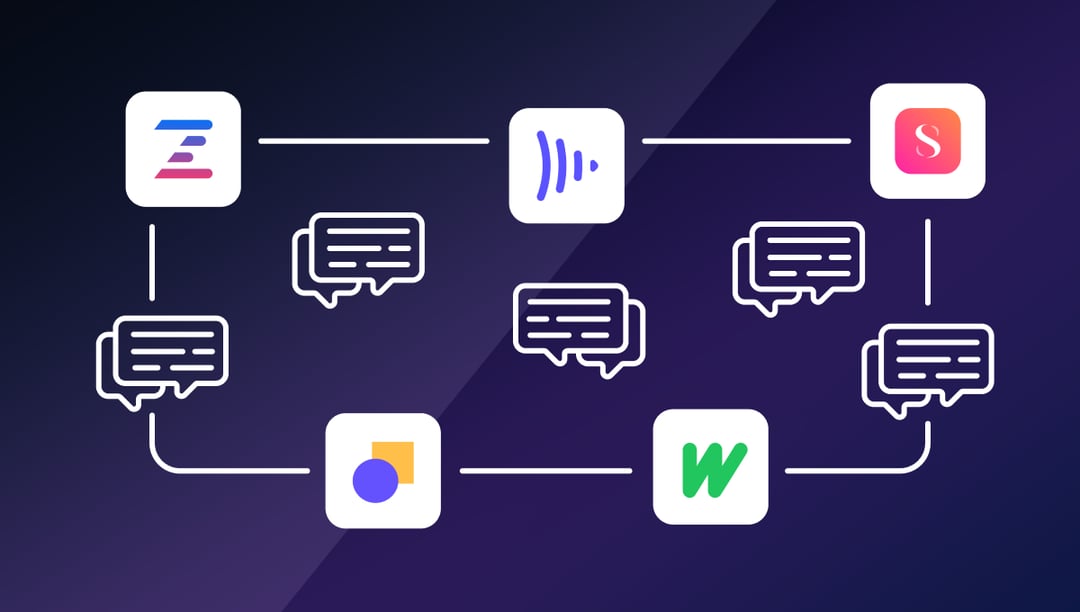
Here are five tools worth your time, starting with the one that actually gets video workflows:
Ziflow
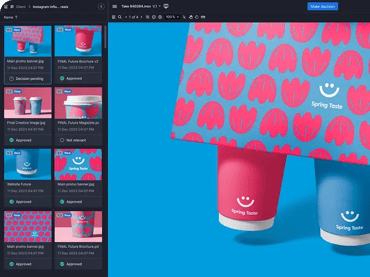
Ziflow gets that video annotation goes way beyond just leaving comments. You're managing complex approval chains, juggling multiple stakeholders, and trying to keep everyone aligned while deadlines breathe down your neck. The platform handles everything from initial rough cuts to final delivery, with features built specifically for how creative teams actually work.
Key features that matter:
- Range-based commenting with millisecond precision that ensures feedback lands exactly where intended
- Version comparison that overlays or displays videos side-by-side, making changes instantly visible
- Automated workflows that route videos to the right reviewers in the right order
- Real-time playback at actual frame rates, not choppy previews that misrepresent your work
- Safe zones showing how videos look across different aspect ratios and platforms
- Integration with Adobe Premiere Pro, After Effects, and your entire creative stack
- Decision checklists that track approval requirements before versions can progress
- Centralized feedback that eliminates scattered email threads and lost comments
2. Frame.io
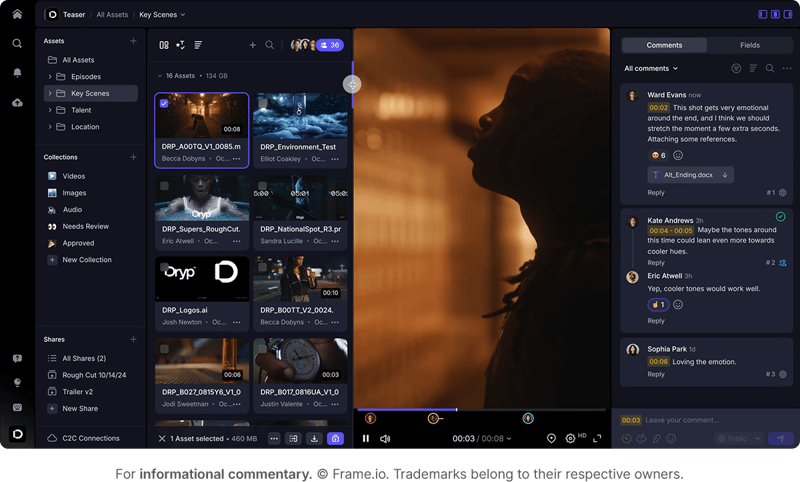
Frame.io focuses specifically on video production teams, with deep integration into editing timelines. The platform excels at connecting editors with reviewers, though teams handling mixed creative assets might find it limiting. Frame.io works particularly well for production houses and video-centric agencies that live in their editing software.
Key features:
- Direct timeline integration with major editing software
- Real-time review and approval workflows
- Frame-accurate commenting capabilities
- Camera-to-cloud capabilities for production teams
- Presentation mode for client reviews
- Transfer acceleration for large files
Wipster
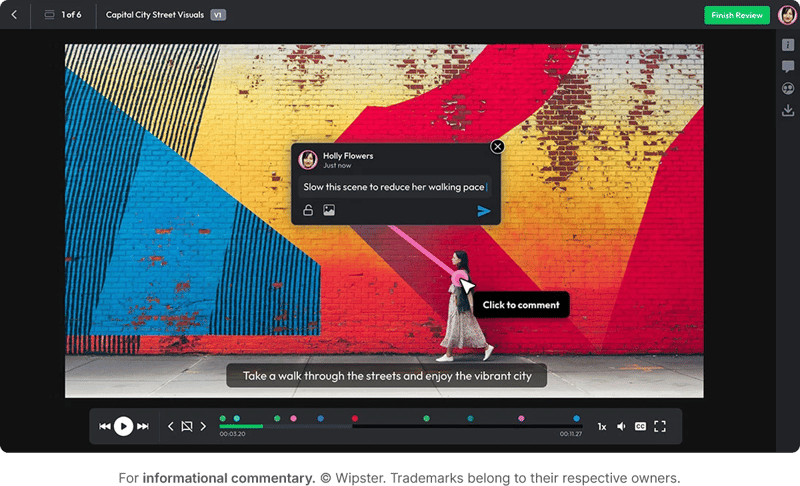
Wipster keeps things simple with free reviewer access and mobile-friendly interfaces. The platform focuses on removing barriers to feedback, making it easy for anyone to jump in and comment. Good for teams that need basic video feedback without complexity or when working with clients who resist learning new tools.
Key features:
- Time-stamped comments for precise feedback
- Version control systems to track changes
- Unlimited reviewer access without additional costs
- Mobile optimization for on-the-go reviews
- Integration with popular editing platforms
- Automated transcoding for consistent playback
Ruttl
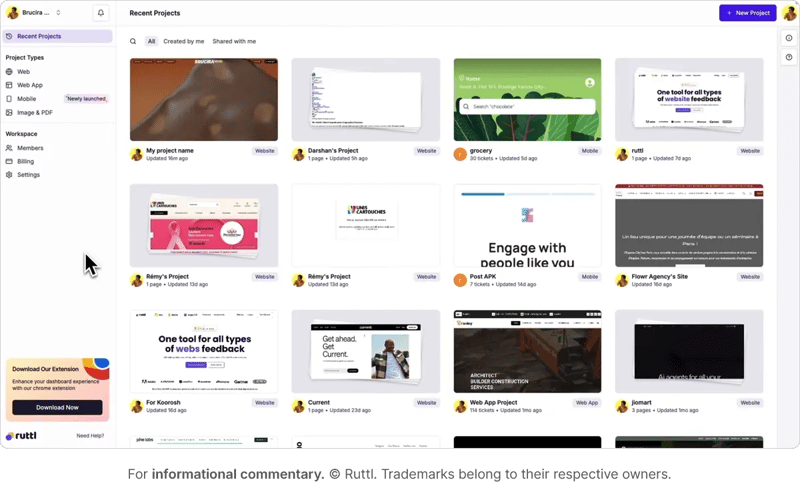
Ruttl combines video annotation with website and design feedback tools. The platform offers a unified solution for teams working across multiple content types. Solid choice if you need one platform for various creative assets rather than separate tools for each media type.
Key features:
- In-app screen recording for additional context
- Real-time collaboration chat for instant discussions
- Thread-based comment management for organized feedback
- Multi-format support across video, web, and design files
- Live editing mode for immediate implementation
- Project organization with folder structures
SuperAnnotate
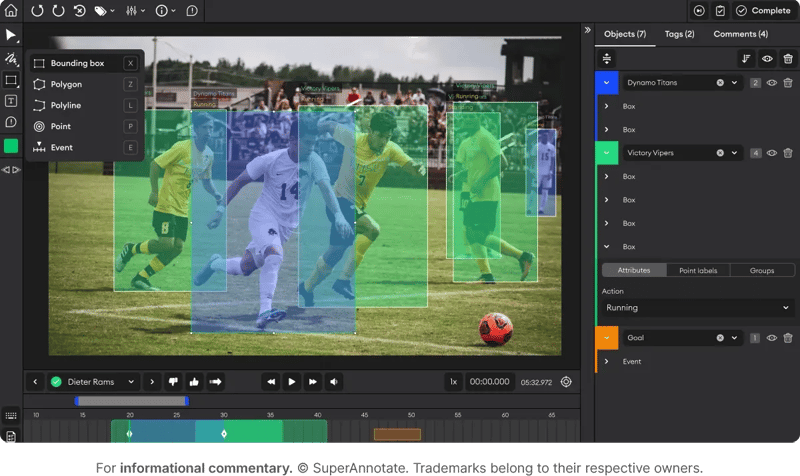
SuperAnnotate targets AI and machine learning teams more than creative workflows. The platform includes interpolation features for object tracking and data labeling capabilities. While powerful for technical applications, it might be overkill for standard creative review processes.
Key features:
- AI-powered interpolation for efficient annotation
- Object tracking capabilities across frames
- Data labeling focus for machine learning projects
- Enterprise security features for sensitive content
- Quality assurance workflows for accuracy
- Python SDK for custom integrations
Benefits of using video annotation tools
Let's talk about what video annotation actually does for your workflow, because the benefits go quite a few steps above "leaving better comments." These tools fundamentally change how teams collaborate on video content.
Clarity: Everyone knows exactly what needs fixing
When someone says "fix the transition," they can point to frames 1,247 through 1,289. Your editor sees exactly what transition, exactly when it happens, and exactly how long the problematic section runs. This clarity extends beyond just identifying problems. Reviewers can specify exactly how they want something changed, reference specific frames for comparison, and ensure their vision translates directly to the edit.
Efficiency: Kiss those email chains goodbye
Remember searching through 47 emails to find that one piece of feedback about the opening sequence? Video annotation keeps everything on the actual video. All comments, all versions, all discussions live in one place. You save hours every week just from not playing email archaeology. This centralization also means new team members can jump into projects and immediately understand the feedback history.
Accuracy: Small details don't disappear
Frame-by-frame commenting catches issues that would otherwise slip through. That single frame where the color shifts? The micro-stutter at second 23? These tiny problems that tank video quality get caught because reviewers can pause, mark, and move on without losing their place. Professional video work demands this level of precision, and video annotation tools deliver it consistently.
Accountability: Track who said what and when
Every comment has a name and timestamp. You know who requested that change, when they asked for it, and whether it's been addressed. No more "I never said that" or "That wasn't in my feedback" discussions. The proof lives right there on the video. This accountability extends to approval processes too. When someone signs off on a version, that decision gets documented. If questions arise later, you have a complete audit trail showing exactly what was approved and by whom.
Scalability: Handle multiple videos without melting down
Working on a campaign with 15 different video formats? Video annotation scales with you. It’s the same review process, same feedback system, whether you're handling one video or one hundred. Your process stays consistent even as project complexity grows. Teams can develop standard workflows that apply across all projects, ensuring quality and efficiency regardless of scale.
Collaboration: Break down geographic barriers
Remote teams, international clients, freelance editors scattered across time zones… modern video production rarely happens in one room. Video annotation tools create a virtual collaboration space where location becomes irrelevant. Everyone accesses the same version, sees the same comments, and works from the same source of truth.
How the right technology elevates video annotation and collaboration
We know that video annotation streamlines collaboration and speeds up creative production. But not all platforms understand what creative teams actually need.
Ziflow stands out because we built our platform around real creative workflows. Range-based comments with frame accuracy? Yep. Version comparison that shows exactly what changed? Got it. Real-time collaboration where everyone sees updates instantly? Obviously.
But one of the biggest things that matters is the seamless integrations with your existing tools. Your editors stay in Premiere Pro while seeing feedback directly on their timeline. Project managers track progress in Asana while videos move through approval stages automatically. Designers grab approved videos from your DAM without wondering if they have the right version.
The platform also handles the complexity that comes with enterprise-scale operations. Multiple approval stages, conditional routing based on content type, automated notifications when reviews are needed… all the orchestration that keeps projects moving without manual intervention. Your team focuses on creativity while Ziflow manages the logistics.

With a track record that spans media giants like WarnerMedia, Viacom, and Google, Aaron's expertise shines through in multi-million dollar projects across various mediums, from traditional television to the dynamic realm of YouTube.