What we'll cover
Ziflow vs. Adobe Acrobat: Which review tool is best for creative teams?
When creative teams start formalizing their review process, Adobe Acrobat is often the first tool they turn to. It’s already installed on most company laptops. It’s trusted. And for reviewing PDFs, it seems like the logical choice. You can drop a comment, highlight a section, even add a digital signature if needed. For teams reviewing one or two static documents at a time, that might feel like enough.
Over time, Acrobat becomes the default proofing tool, not because it was built for creative review, but because it’s there. It’s accessible, familiar, and doesn’t require a new tool budget.
As teams grow and campaigns become more complex, Acrobat’s limitations begin to show. There’s no workflow automation. No version control. No way to manage feedback across different file types like video, HTML5, or live websites. There’s no audit trail for approvals, no reviewer permissions, and no integrations with your project management tools. It wasn’t built to support creative operations at scale.
That’s where Ziflow comes in. It offers all the collaboration teams love about Acrobat, but built for everything you produce and everyone who needs to review it. If Acrobat is your team's default, Ziflow is the deliberate upgrade for creative speed, consistency, and control. Ziflow even integrates with the other Adobe Creative Cloud tools you also use.
Where Adobe Acrobat falls short in creative review and approval
Limited to static PDFs
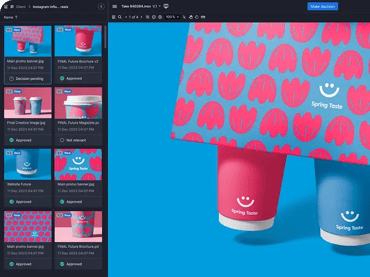
Acrobat works well for reviewing static documents, but creative teams today work across a variety of formats like videos, images, HTML5, live websites, social ads, and more. Ziflow supports over 1,200 file types, so your entire campaign, from landing pages to product videos, can be reviewed in one place.
No version management
Tracking feedback across multiple PDF versions in Acrobat is messy and error-prone. Comments don’t carry over, and it’s easy to lose track of which version is current. Ziflow automatically stacks versions, compares them side-by-side, and keeps a full audit trail of every change, so you never lose context.
Feedback is fragmented
Acrobat doesn’t offer threaded discussions, @mentions, or approval decision logs. Comments can quickly become isolated and hard to track, especially in team environments. Ziflow centralizes feedback, supports real-time collaboration, and makes it easy to resolve comments with full transparency.
No workflow automation
There’s no way to route content through reviewers in a structured order using Acrobat. Every step is manual, from sharing files to chasing approvals. Ziflow enables automated, multi-stage review workflows with deadline triggers, conditional logic, and role-based access to streamline the entire review process.
Lacks reporting and insights
With Acrobat, there’s no visibility into review progress or bottlenecks. You can’t see who’s holding things up or whether an asset has been approved. Ziflow provides dashboards and reporting that show exactly where things stand, helping teams move faster and stay aligned.
No compliance or audit trails
If your creative work needs to be auditable, especially for regulated industries, Acrobat doesn’t cut it. Ziflow includes SOC 2 compliance, secure e-signatures, detailed activity logs, and permission controls to ensure your process holds up under scrutiny.
No integrations with project management tools
Acrobat doesn’t integrate with project management tools like monday.com, Asana, or Jira, so approvals stay siloed from project tracking. Ziflow integrates natively with your existing stack, ensuring proof status and tasks stay in sync automatically.
What Ziflow customers are saying
“We used shared Adobe PDFs for a while since it was essentially free (all our users are either on the creative suite or have acrobat). However, the limitations of not being on a platform designed for proofing were drastic. Using Ziflow has improved the organization and speed of proofing.”
Read more of Josh’s review here.
“We compared multiple software providers and this was the best. It had solutions that we did not even know we needed! It was also great to see this for all file formats being available. We use it for website proofing, ads proofing and even PDF proofing. Multiple workflows and people can be setup.”
Read more Ziflow reviews on TrustRadius.
“Our creative workflow has really been transformed by Ziflow! As a team with a steady flow of projects, we were in need of a tool that could smooth out our review and approval processes, and Ziflow has worked beautifully for us. The platform is remarkably user-friendly and clear to navigate. Even our less tech-inclined team members have found it simple to operate, which has cut our onboarding time down to almost nothing.
Ziflow has a complete set of features that serve all our needs. It has what we need for version control. It has what we need for automated workflows.”
Read more Ziflow reviews on G2.
FAQs about Ziflow vs. Adobe Acrobat for online proofing
Can Ziflow replace Adobe Acrobat for PDF review?
Yes. Ziflow includes full markup capabilities for PDFs, including highlights, shapes, and comments but also adds version control, workflow automation, and audit trails that Acrobat lacks. Plus, it works with every other file type your team uses.
Why do creative teams outgrow Adobe Acrobat for proofing?
Acrobat is fine for simple feedback on static PDFs. But when teams start working with multiple reviewers, versioned assets, and more complex formats like video or HTML5, Acrobat becomes too limited. Ziflow fills that gap with structured, automated review workflows across all asset types.
Does Ziflow support file types other than PDFs?
Ziflow supports over 1,200 file formats, including video, images, live websites, PSDs, and even 3D. It’s designed to be a single platform for reviewing all creative content, not just documents.
What makes Ziflow better than Acrobat for managing feedback?
With Acrobat, feedback lives in comments on individual files. Ziflow centralizes all comments across versions, supports threaded replies and @mentions, and tracks approvals with full visibility, making collaboration easier for teams and stakeholders.
Final Verdict: Ziflow vs. Adobe Acrobat for creative review and approval
Acrobat is a PDF tool. Ziflow is a full creative review platform. If your team’s output spans video, web, and design and if your workflows demand speed, consistency, and control, Ziflow is the better tool for the job.