Need a website annotation tool? Ziflow leads for teams needing full review workflows and enterprise-grade proofing. Marker.io is good for dev-focused bug tracking with deep PM integrations. Markup Hero is a budget-friendly option at $4/month. Skip to the comparison table for a quick overview, or read on for the full breakdown.
If you've ever received feedback like "can you make that section... better?" while pointing vaguely at a screen share, you understand why website annotation tools exist. These platforms let stakeholders click directly on a live site and leave specific, contextual feedback that designers and developers can actually act on.
The problem is that not all annotation tools are created equal. Some excel at simple markup but fall apart when you need approval workflows. Others integrate beautifully with Jira but cost more than your entire tool stack combined. In this guide, we'll compare 10 popular options with honest pros and cons to help you find the right fit.
What we'll cover
Table of contents
What to Look for in a Website Annotation Tool
Before looking into specific tools, here's what actually matters:
Must-Have Features
Live website annotation is table stakes. Beyond that, look for comment threading (so conversations stay organized), version tracking (so you know which iteration you're reviewing), and unlimited reviewers without per-seat charges eating your budget.
Integration Needs
Where does your team already live? If you're running projects in Asana, Monday.com, or Jira, you'll want a tool that syncs feedback directly into your existing workflow. Otherwise, you're stuck manually copying comments between platforms.
Team Size Considerations
Solo freelancers have different needs than enterprise teams with 50 stakeholders. Some tools charge per user, which gets expensive fast. Others offer unlimited reviewers but limit active projects. Match the pricing model to how your team actually works.
Pricing Models
Pay attention to per-user vs. flat-rate structures. A tool at $25/month for unlimited users is very different from $25/month per seat. Also check whether "free" plans have limits that make them unusable for real work.
1. Ziflow
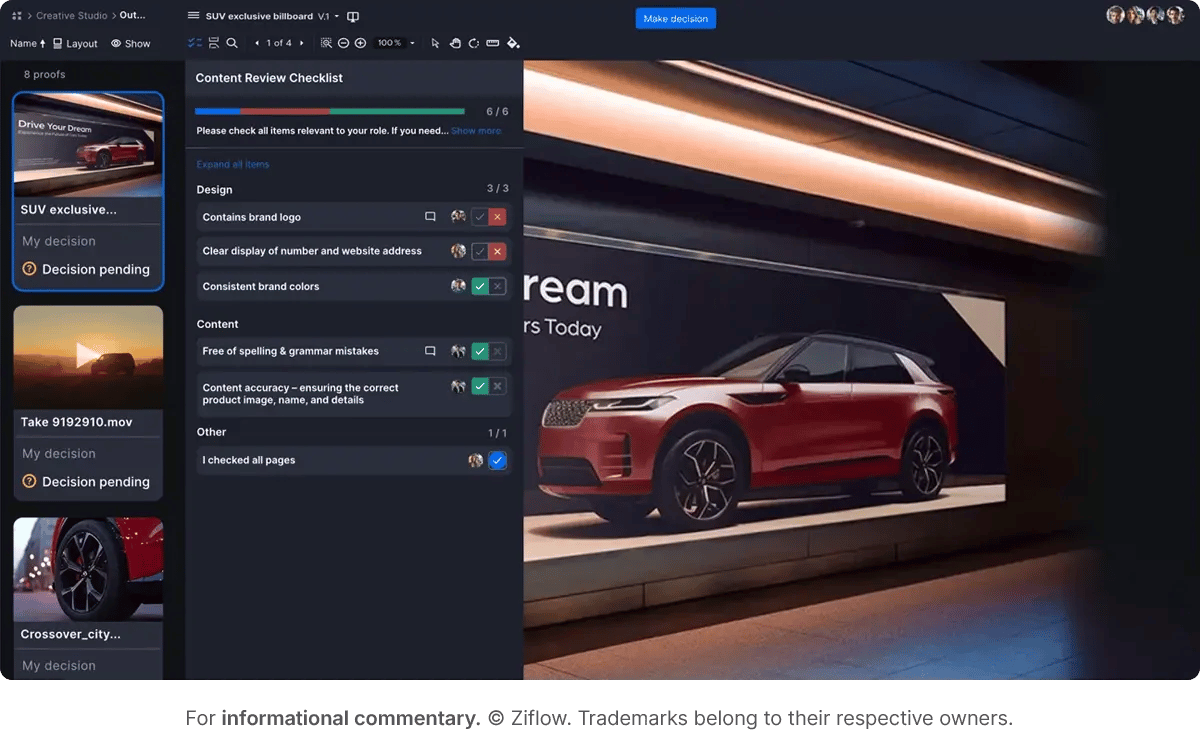
Ziflow is a comprehensive proofing platform built for creative teams who need more than basic annotation. While many tools stop at "click and comment," Ziflow handles the entire review and approval workflow, from initial upload through final sign-off.
The platform supports live website proofing (paste your staging URL and go), but it really shines when you need structured approval processes. Automated workflows route proofs to the right reviewers in the right order. Version management lets you compare iterations side by side. And real-time collaboration means multiple stakeholders can review simultaneously without stepping on each other's toes.
Key features
- Live website proofing via URL
- Side-by-side version comparison
- Automated approval workflows with customizable routing
- Real-time collaboration with threaded comments
- Comprehensive markup tools including text, shapes, and stamps
- Integration with Adobe Creative Cloud, Figma, and major PM tools
Pros
- Enterprise-grade workflow automation that scales with complex approval chains
- Supports 1,200+ file types beyond just websites (PDFs, videos, images, HTML emails)
- Unlimited reviewers on all plans keep costs predictable
- Robust version control prevents the "which file is final?" chaos
Cons
- More feature-rich than teams with simple feedback needs may require
- Learning curve for setting up advanced automated workflows
Best For: Creative and marketing teams running complex approval processes with multiple stakeholders, agencies managing client feedback across campaigns, and enterprise organizations that need structured review workflows with audit trails.
Pricing: Free plan available for small teams. Paid plans scale based on features and user needs, with enterprise options for larger organizations.
2. Markup.io
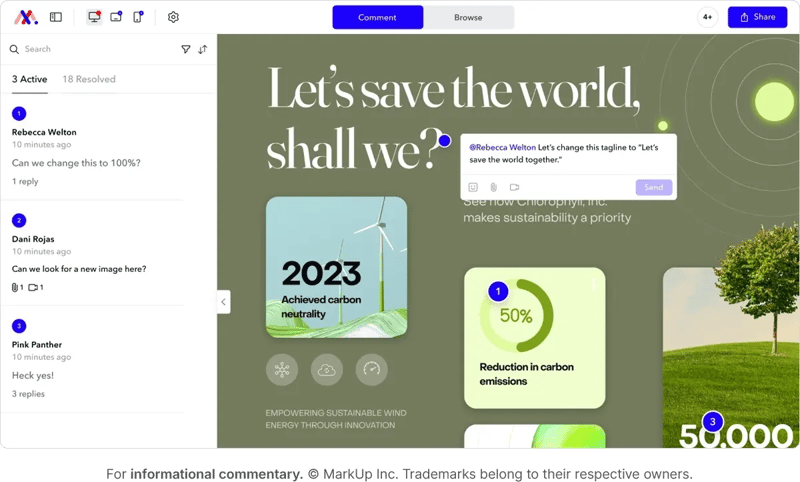
Markup.io built its reputation as a simple, accessible website annotation tool. Paste a URL, click anywhere, leave a comment. The straightforward approach earned it a loyal following among freelancers and small agencies.
Then came January 2025.
Markup.io raised its prices from $29/month to $79/month and eliminated its free plan entirely. The 172% price hike sparked significant backlash from users who felt abandoned after years of helping build the platform's user base. If you're evaluating Markup.io today, you're evaluating a very different value proposition than what existed a year ago.
Key features
- URL-based annotation on live websites
- Comment threading for organized feedback
- Chrome extension for quick markup creation
- Support for 30+ file types including images, PDFs, and videos
Pros
- Clean, intuitive interface with minimal learning curve
- Real-time collaboration features work smoothly
- SOC-II compliant for enterprise security requirements
Cons
- Recent 172% price increase alienated much of the user base
- Free plan eliminated entirely in 2025
- Limited project management integrations compared to competitors
- No .fig file support (Figma users must export to PDF)
Best For: Teams already committed to Markup.io who find the $79/month price point acceptable for their workflow. New users should carefully evaluate alternatives before committing.
Pricing: Pro plan at $79/month (or $49/month billed annually). Free plan discontinued. Enterprise pricing available.
3. Diigo
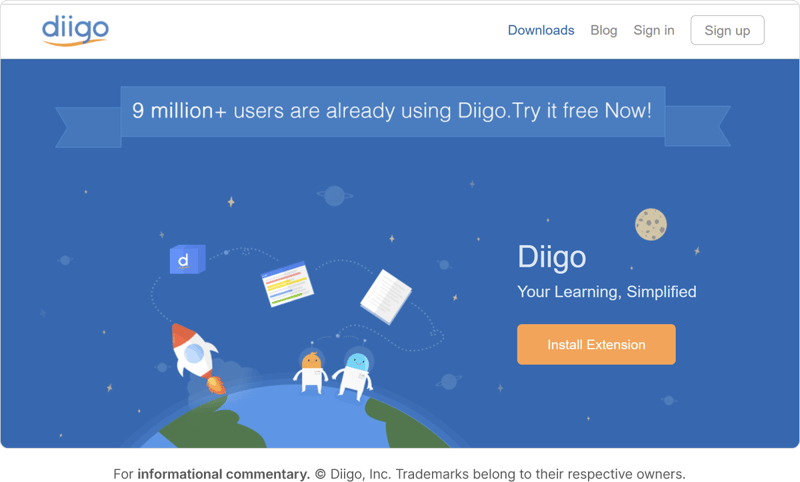
Diigo approaches web annotation from a different angle. Originally built for researchers and educators, it focuses on bookmarking, highlighting, and organizing web content rather than collaborative design feedback.
Key features
- Web page highlighting and annotation
- Bookmarking with organizational tags
- Group collaboration for shared annotations
- Archive snapshots that preserve content even if pages change
Pros
- Excellent for research and content curation workflows
- Strong organizational features with tagging and collections
- Archive feature captures page state for future reference
Cons
- Not designed for design/development feedback workflows
- Mobile experience has reported issues
- Lacks approval workflows and version control
Best For: Research teams, educators, and content strategists who need to annotate and organize web resources. Not ideal for design feedback or QA.
Pricing: Free plan available. Premium at $40/year.
4. GoVisually
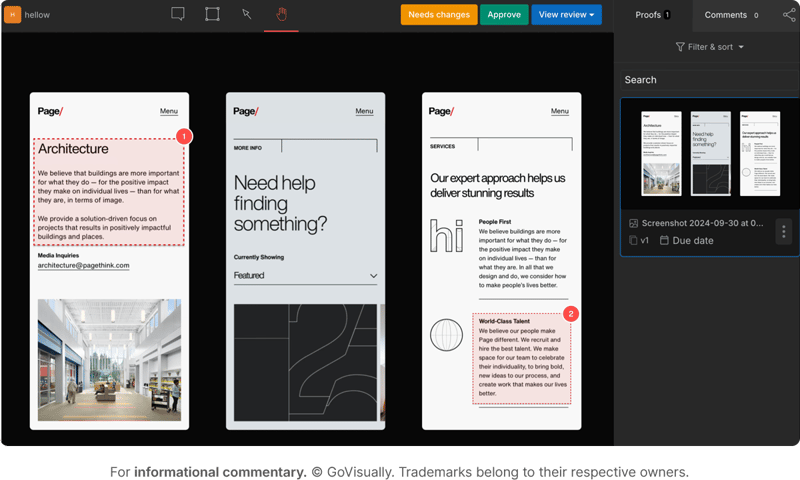
GoVisually positions itself as a proofing tool for creative teams, with strong support for visual feedback on images, PDFs, and videos. Its Adobe Creative Cloud integration lets designers receive feedback directly within Photoshop, Illustrator, and InDesign.
Key features
- Visual annotation on images, PDFs, and video files
- Adobe Creative Cloud integration
- Task assignment from feedback comments
- Version control with revision history
- Slack and Zapier integrations
Pros
- Strong Adobe integration keeps designers in native tools
- Affordable pricing for small teams
- Clean UI that's easy for non-technical stakeholders
Cons
- Website annotation is secondary to static file proofing
- PDF rendering converts to images (no text search)
- Limited advanced workflow automation
Best For: Design teams working primarily with static assets who need straightforward proofing. Strong choice for packaging and print workflows.
Pricing: Starts around $20/month per user. 7-day free trial available.
5. Marker.io
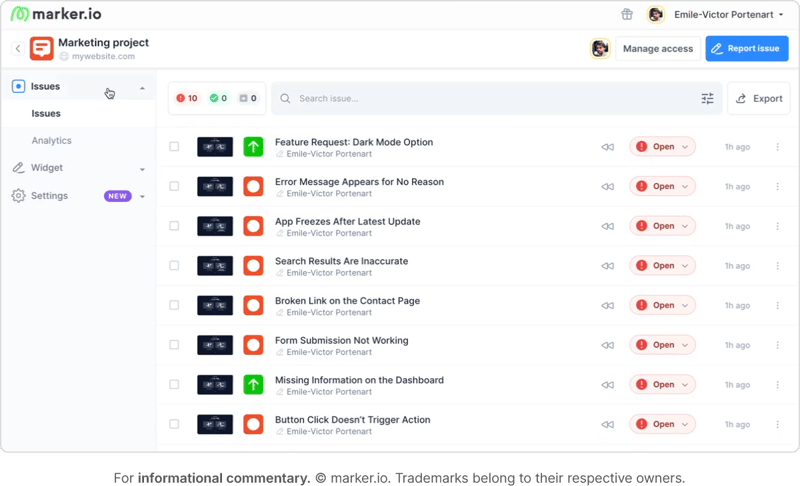
Marker.io takes a developer-centric approach to website feedback. Rather than focusing on design review, it's built for bug tracking and QA workflows. Reports automatically capture technical metadata (browser, OS, screen size, console logs) that developers need to reproduce issues.
The deep integrations with Jira, Trello, Asana, and GitHub mean feedback flows directly into your existing issue tracker. No more manually copying bug descriptions between platforms.
Key features
- Screenshot annotation with automatic technical metadata
- Session replay (captures last 2.5 minutes before bug report)
- Console log and network request capture
- Two-way sync with major project management tools
- Chrome extension and embeddable widget options
Pros
- Excellent technical metadata capture for bug reproduction
- Deep PM tool integrations with true two-way sync
- Session replay helps developers understand user context
- White-label options available for agencies
Cons
- Recent pricing restructuring moved key features (like 2-way sync) to higher tiers
- Limited to visual bugs, not feature requests or general feedback
- No roadmap, voting, or strategic planning features
- Pricing has increased significantly for full functionality
Best For: Development teams and QA testers who need detailed bug reports with technical context. Agencies managing client websites who want feedback flowing directly into project management tools.
Pricing: Starts at $39/month for Starter plan. Team plan at $149/month for full features including 2-way sync. 15-day free trial.
6. Pastel
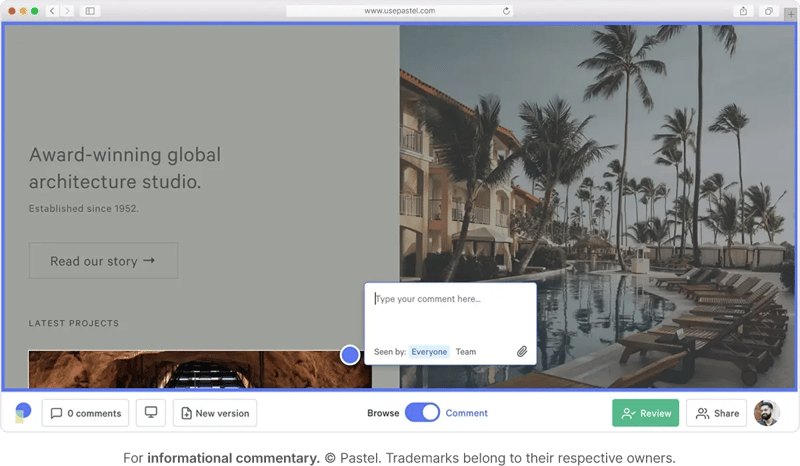
Pastel keeps things simple with a "canvas" approach to website feedback. Enter a URL, share the resulting canvas link, and anyone can click to leave comments without creating an account. The low friction makes it easy to get feedback from clients who aren't technically inclined.
The tool focuses exclusively on website feedback rather than trying to support every file type. This specialization keeps the interface clean but limits flexibility if your workflow includes other asset types.
Key Features
- Live website annotation via shareable canvas links
- No account required for reviewers
- Comment export to Trello, Asana, Jira, and Monday.com
- Responsive preview mode for different screen sizes
Pros
- Extremely low friction for client adoption
- Clean, modern interface
- Works with password-protected staging sites
- No reviewer accounts needed
Cons
- Limited to website feedback only (no image, PDF, or video support)
- No built-in approval workflows
- Some users report occasional buggy behavior
- Canvas limitations on lower tiers
Best For: Web designers and agencies who need a simple way to collect client feedback on websites without technical barriers. Works well when clients struggle with more complex tools.
Pricing: Free plan (1 active canvas). Pro plan at $49/month. Team plans available for larger groups.
7. Markup Hero
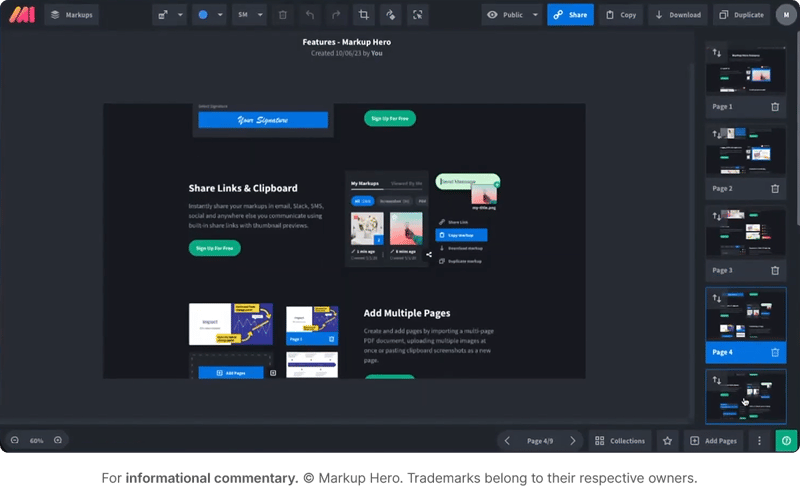
Markup Hero started as a screenshot tool and expanded into document and webpage annotation. It offers a generous free tier and stays affordable even at paid levels, making it attractive for budget-conscious teams.
The trade-off is feature depth. Markup Hero handles basic annotation well but lacks the workflow automation, approval processes, and deep integrations that larger teams require.
Key Features
- Screenshot, PDF, and webpage annotation
- Easy sharing with public links
- Annotation tools including text, arrows, shapes, and highlights
- History tracking for all markups
Pros
- Extremely affordable (free tier + $4/month paid)
- Simple interface with minimal learning curve
- Works across screenshots, PDFs, and webpages
- Good for quick, informal feedback
Cons
- Limited collaboration features for team workflows
- No approval workflows or version control
- Basic integrations compared to purpose-built tools
- Better for quick markup than structured review processes
Best For: Individuals and small teams who need affordable, basic annotation without workflow complexity. Good for quick feedback sharing but not enterprise-ready.
Pricing: Free plan available. Premium starts at $4/month per user.
8. Zoho Annotator
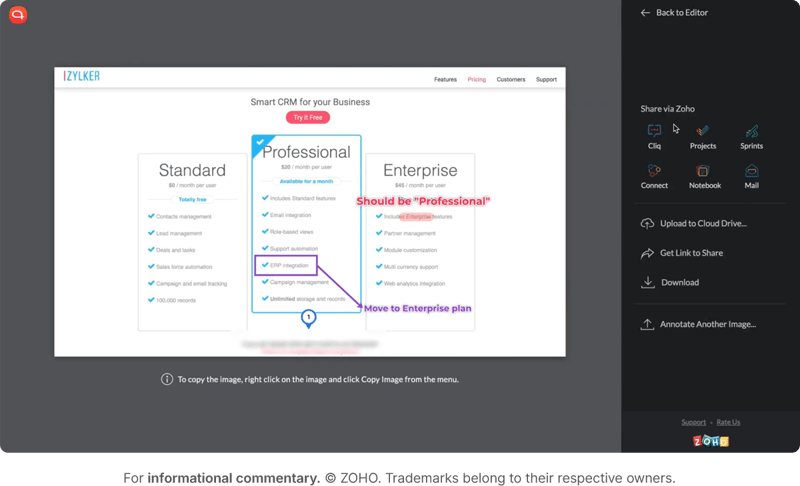
Zoho Annotator exists primarily as a Chrome extension for teams invested in the Zoho ecosystem. If you're using Zoho Projects or other Zoho tools, integration makes sense. Otherwise, it's a hard sell.
Key Features
- Chrome extension for in-browser annotation
- Blur tool for sensitive information
- Integration with Zoho suite products
Pros
- Free for Zoho users
- Simple Chrome extension interface
- Privacy blur feature is unique
Cons
- Limited functionality compared to dedicated tools
- Primarily useful only within Zoho ecosystem
- Lacks enterprise-grade features
Best For: Teams already using Zoho products who need basic annotation without adding another vendor.
Pricing: Free as part of Zoho suite.
9. Fusebase (formerly Nimbus)
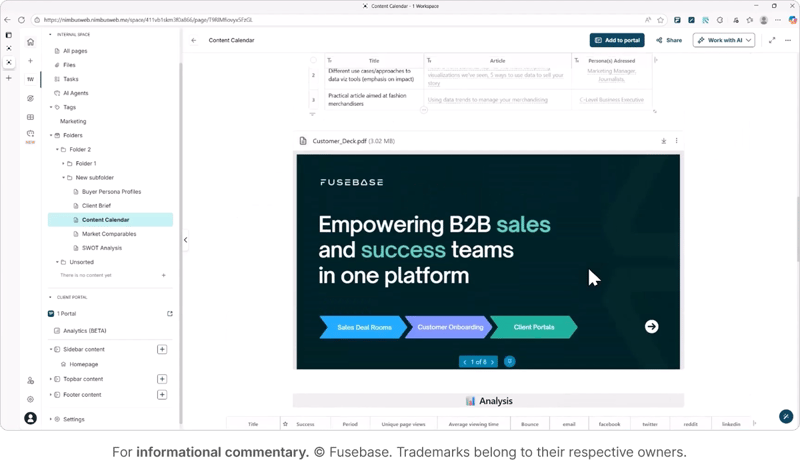
Fusebase (rebranded from Nimbus) positions itself as a client collaboration platform combining web clipping, annotation, and document management into a broader workspace solution.
Key Features
- Web clipping with annotation
- Organizational folders and workspaces
- Client portal capabilities
- Cross-platform support (web, desktop, mobile)
Pros
- Broader collaboration features beyond annotation
- Client portal functionality for agencies
- Cross-platform availability
Cons
- Learning curve for the full platform
- Some users report speed issues
- Annotation is part of a larger system rather than the focus
Best For: Agencies wanting a combined client portal and collaboration platform. Less ideal for focused design feedback workflows.
Pricing: Free plan available. Premium starts at $9/month.
10. Monosnap
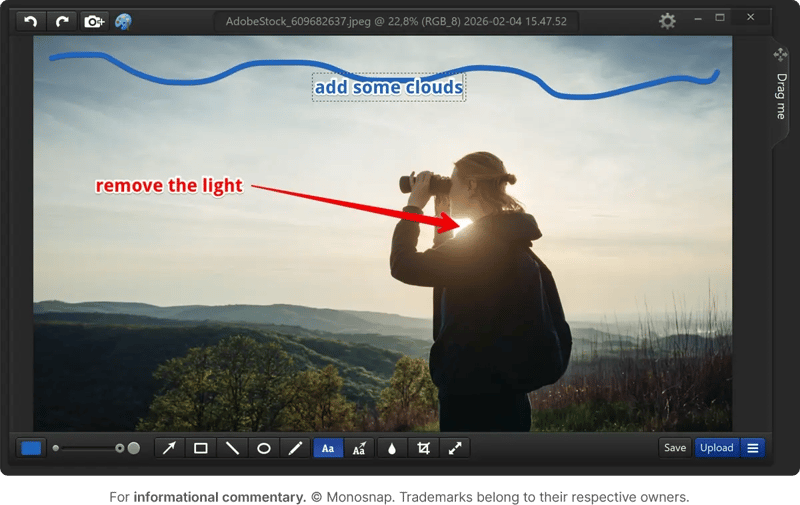
Monosnap is a screenshot and screen recording tool with annotation features. Fast and lightweight, it's perfect for quick captures but not designed for collaborative review workflows.
Key Features
- Screenshot capture and annotation
- Screen recording with markup
- Cloud storage integration
- Basic annotation tools (text, arrows, shapes)
Pros
- Fast and lightweight
- Good for quick screenshots and recordings
- Affordable pricing
Cons
- Not built for collaborative review workflows
- No live website annotation
- Better for capture than structured feedback
Best For: Individuals needing quick screenshot capture and basic markup. Not suitable for team-based website review processes.
Pricing: Free version available. Pro starts at $3/month per user.
Comparison Table
|
Tool
|
Best For
|
Key Strength
|
Starting Price
|
Free Plan?
|
| Ziflow | Enterprise creative teams | Full approval workflows | Free tier available | Yes |
| Markup.io | Simple annotation | Clean interface | $79/month | No |
| Diigo | Research teams | Organization & archiving | $40/year | Yes |
| GoVisually | Design teams | Adobe integration | ~$20/month/user | Trial only |
| Marker.io | Dev teams & QA | Bug tracking + metadata | $39/month | Trial only |
| Pastel | Client feedback | Low friction | $49/month | Yes (limited) |
| Markup Hero | Budget-conscious | Affordability | $4/month | Yes |
| Zoho Annotator | Zoho users | Ecosystem integration | Free (with Zoho) | Yes |
| Fusebase | Agency portals | Broader collaboration | $9/month | Yes |
| Monosnap | Quick screenshots | Speed & simplicity | $3/month | Yes |
How to Choose the Right Tool for Your Team
Freelancer or small agency with simple needs: Start with Pastel or Markup Hero. Both offer low-friction experiences. Pastel is better for website-specific feedback; Markup Hero handles more file types at lower cost.
Development team focused on bug tracking: Marker.io's technical metadata capture and PM integrations make it the clear choice. Automatic console logs and session replay save debugging time.
Complex approval workflows with multiple stakeholders: Ziflow handles enterprise-scale creative review with automated routing, version control, and audit trails.
Budget is the primary constraint: Markup Hero at $4/month or Diigo at $40/year offer the most affordable options. You're trading workflow features for cost savings.
Already committed to a software ecosystem: Zoho Annotator for Zoho shops. GoVisually for Adobe Creative Cloud teams.
Centralize Your Website Proofing with Ziflow
Choosing the right website annotation tool can transform how your team handles feedback. No more hunting through email threads. No more "which version is this?" confusion. No more wondering whether stakeholders actually reviewed what you sent.
Ziflow brings all of that together: live website proofing, automated approval workflows, version comparison, and integrations with the tools your team already uses. Whether you're a growing agency or an enterprise marketing team, structured proofing processes mean less chaos and faster delivery.

With a track record that spans media giants like WarnerMedia, Viacom, and Google, Aaron's expertise shines through in multi-million dollar projects across various mediums, from traditional television to the dynamic realm of YouTube.