Your creative team is moving quickly, launching campaigns across multiple channels, collaborating across time zones, and continually evolving your brand.
But without strong brand asset governance, things can quickly go off track. Inconsistent usage, outdated files, and version confusion can erode the very brand you’re working to build.
That’s where brand asset management systems come in. These tools centralize and govern your brand assets, allowing your team to produce and grow without sacrificing consistency.
In this article, you’ll learn what a brand asset management system is, what features matter, how it supports brand governance at scale, and how to succeed in implementing one.
What we'll cover
Table of contents
- What is a brand asset management system?
- What makes an effective brand asset management system?
- Why use a brand asset management system?
- How to successfully implement a brand asset management system
- How is AI improving brand asset management systems?
- Bring clarity, control, and consistency to your brand
What is a brand asset management system?
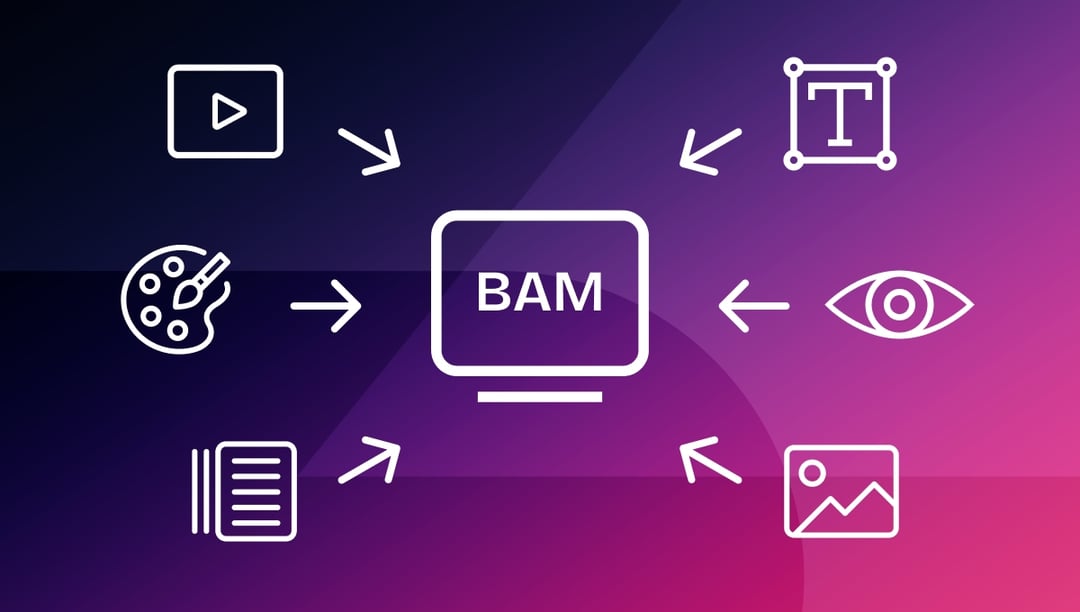
A brand asset management (BAM) system is a centralized platform that helps you organize, store, govern, and distribute your brand’s creative assets, such as logos, templates, product images, typography files, signature videos, and more.
What makes an effective brand asset management system?
A brand asset management system makes it easy to find, use, govern, and route your brand assets from start to finish, across teams, tools, and time zones. Here are six features to look for:
1. Centralized, cloud-based access
Brand governance starts with having a single repository of brand assets. When your team, whether in-house, remote, or external, works from a centralized asset library, you eliminate the guesswork and the stress of finding and using the right asset.
Your brand asset management system should provide a cloud-based hub where each person on the team has fast, secure access to exactly the right file. This way, your teams can execute faster and make fewer mistakes.
2. Use metadata tagging to find brand assets faster
Your brand asset management system should allow you to tag your assets with metadata that makes it more intuitive and easier to search for and find. For example, Ziflow lets you tag assets with custom metadata, like:
- Usage rights
- Region rights
- Campaigns
- File type
Need the French version of your Q3 product banner? You can find it in seconds. With organized metadata, your team spends less time searching and more time creating.
3. Control who can use your brand assets and how
Granular permissions help you control who uses a certain asset, and when and how they can use these assets. For example, you can give legal teams access to audits and compliance records, restrict assets by geography, and ensure external teams can only access approved marketing collateral.
Permission control helps you reduce the risk of off-brand execution and protect your creative assets, all without slowing your team down.
4. Embedded brand guidelines and asset enforcement
A PDF with your brand guidelines is a good place to start, but it won’t help you enforce them during execution. Governing your brand requires you to enforce the brand guidelines in real time, where work happens.
With Ziflow, you can embed brand rules directly into your asset workflows, meaning every asset must meet your brand standards and approval requirements before you can move it forward in the process. For example, you can lock templates to keep layouts consistent, display inline style guidance during proofing, and flag and remove outdated versions.
This enforcement makes it impossible to go off-brand in the first place, helping your brand stay consistent and trustworthy.
5. Track asset versions and approvals with full audit trails
Version confusion can create duplicate work, waste resources, and derail campaigns if left unchecked.
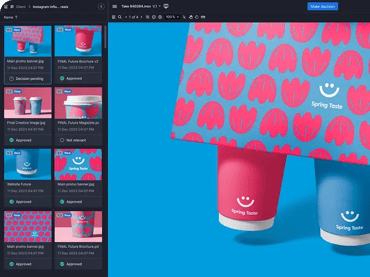
You can set your brand asset management system to keep a full version history of every asset, showing who made changes and when. This gives you a complete audit trail, making it easy to track approvals, roll back changes, and maintain brand integrity across teams and campaigns.
With Ziflow, reviewers always see which version is current and, if someone tries to review or approve an outdated file (for example, by using an old link or email), Ziflow automatically notifies them and redirects them to the latest version in the proof viewer, before they do any more unnecessary work.
This level of traceability is essential for distributed teams, concurrent campaigns, and cross-functional reviews and approvals.
6. Creative and publishing integrations
If your brand asset management system is disconnected from the rest of your creative stack, your asset updates get lost, creative reviews stall, and teams waste time switching between platforms just to stay aligned.
Your brand asset management system needs to work with your existing tech stack. For example, Ziflow connects directly to the tools your teams already rely on:
- Adobe Creative Cloud: Your designers can pull in approved templates or logos from Ziflow without leaving InDesign or Photoshop.
- Google Drive, Dropbox, OneDrive: You can sync approved assets across cloud storage in real time.
- CMS platforms like WordPress: Marketers can integrate Ziflow into publishing workflows to move final assets into their content library.
- Slack and Microsoft Teams: Automated workflows notify reviewers the moment assets are ready for feedback.
These integrations turn your brand asset management system from a storage solution into a true command center for brand assets and content publishing.
Why use a brand asset management system?
There’s a lot to gain from using a brand asset management system. Let’s take a closer look.
1. Save effort and go to market faster
Hunting down the “final” versions of approved assets wastes time, creates confusion, and can lead to costly mistakes. Brand asset management systems give everyone, across every team and location, instant access to pre-approved assets.
When everyone uses the same system and has access to the right assets, you can eliminate redundant work and bring clarity and confidence to the creative and production workflow, leading to quicker launches, easier collaborations, and smoother handoffs.
2. Promote brand consistency and protect customer trust
Without a centralized system to manage creative assets, someone will likely end up using the wrong logo in a published file, an outdated font in customer-facing communications, or an off-brand image in a social campaign.
Inconsistent branding can appear unprofessional, confuse customers, weaken recognition, and chip away at buyer trust.
A brand asset management system helps your team deliver a consistent brand experience regardless of who’s creating content. It standardizes execution, reinforces guidelines, and ensures that you publish the appropriate asset every time.
The result? Fewer costly mistakes and a stronger brand your customers can rely on.
3. Simplify compliance and control usage rights
Trying to manage licensing rules, expiration dates, and regional restrictions through scattered spreadsheets, Slack threads, and email chains? That’s how marketing compliance mistakes happen, and how your teams can lose hours of productive time chasing down audit documentation.
A brand asset management system brings order to the compliance chaos. You can store rights-managed content with embedded usage details, set automatic expiration dates, and restrict asset usage by region. Need proof that an asset was pulled before a license expired? You can find every asset’s audit trail in your brand asset management system.
A good brand asset management system can help you cut down on compliance risk and give you the confidence that every asset in the market meets your brand and compliance requirements.
How to successfully implement a brand asset management system
Getting a brand asset management system in place is one thing, but getting the most out of it is another. Here’s how to set it up for long-term success.
1. Audit your brand assets before you implement
Successful centralization depends on clean, organized, current, and useful data.
So, before you implement a brand asset management system, take inventory of your current asset ecosystem: What assets do you have? Where are they stored? Who’s using them, and how?
When documenting your assets, remove duplicates, and archive outdated files and all other assets that no longer meet current brand guidelines.
When your assets are audit-ready, your brand asset management rollout becomes a launchpad, not a landfill. You’ll see faster user adoption, clearer governance, and a quicker return on your investment.
If you skip the audit, you risk turning your brand asset management system into just another storage location.
2. Define governance policies and design clear workflows
Brand asset governance refers to the processes and rules you use to control how your brand is presented, and just as importantly, how those rules are enforced. Without strong governance, even the best-designed assets can be misused or repurposed inappropriately or untimely.
Start with the basics:
- Who’s responsible for each asset?
- Who reviews assets for brand accuracy, compliance, or licensing?
- Who approves assets?
- Who archives outdated or expired assets?
With Ziflow, you can automate governance and build workflows that mirror your processes. Reviewers can also give precise feedback in context, directly on the asset, and see exactly how each piece is compliant with brand standards.
Instead of chasing down approvals or second-guessing what’s final, a brand asset management system lets your team work from a single, governed process. The result: assets move faster, reviews stay on track, and your brand shows up exactly how it should, everywhere it appears.
3. Train and onboard your users
The value of the system you use is entirely dependent on whether your team uses it, uses it correctly and to its full potential, and sees and feels the value in it. That’s why training isn’t optional.
Choose a training format and medium that works best for your team and ensure that the goal of training is to make the system feel like a time-saver, not a roadblock. Ziflow’s easy and intuitive interface helps you lower the learning curve and accelerate your return on investment.
4. Tag assets and use metadata from the start
Properly tagged assets are discoverable, which is why the best brand asset management systems make it easy to search for and find an asset. But that can only work if you structure your metadata in a way that reflects how your team works and searches.
Start by defining key tags for your brand assets, like campaign name, product line, usage rights, and language, then create naming conventions to make searching for assets even easier.
Ziflow reinforces taxonomy during the lifecycle of the creative process, and you can apply metadata and organize files during proofing.
How is AI improving brand asset management systems?
AI automates routine tasks like tagging for search and archive, flagging and removing expired content from circulation, recommending context-appropriate assets, and even detecting asset inconsistencies. This reduces the manual workload on your team and ensures that your brand assets stay current, compliant, and easy to find.
For example, during the review process, ZiflowAI can contrast assets against your brand asset rules, such as colors, typography, imagery, disclaimers, and language, as well as flag non-compliant elements. Having ZiflowAI is like having a quality controller and a guideline enforcer on your team.
Bring clarity, control, and consistency to your brand
From centralizing your brand assets to streamlining how they’re reviewed, approved, and published, Ziflow helps you close the gaps between brand governance and creative execution. You’ll work faster, stay on-message, and keep every campaign aligned, no matter how many teams or touchpoints you manage.

With a track record that spans media giants like WarnerMedia, Viacom, and Google, Aaron's expertise shines through in multi-million dollar projects across various mediums, from traditional television to the dynamic realm of YouTube.