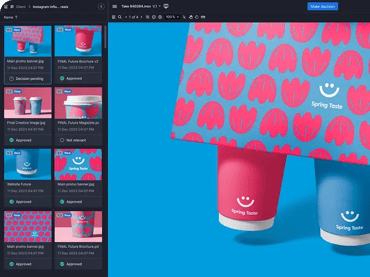
Managing creative projects can be difficult, even with countless communication platforms at our fingertips. Feedback loops and version control issues often slow progress, while stalled approvals can bring production to a standstill. Creative workflow automation tools help ease these challenges by streamlining production, keeping work moving, and allowing teams to focus on execution so campaigns reach the market faster.
In this guide, we’ll explore the top creative workflow automation tools, highlight their key features, and explain which teams each platform is ideally suited to support.
What we'll cover
Table of contents
Benefits of creative workflow automation tools for marketing and design
Creative workflow automation tools are designed to make work easier while saving time and improving collaboration. Instead of spending hours on administrative tasks or chasing approvals, teams can focus on what really matters: high-value creative work. Some of the benefits of creative workflow automation tools include:
- Fewer manual touchpoints: Manual processes, like sending emails for approvals or tracking versions in spreadsheets, slow projects down and leave room for mistakes. Automation takes over these repetitive tasks so the team can focus on producing creative work.
- Clearer accountability: With workflow automation, responsibilities are defined and visible. Each task has an owner, deadlines are tracked, and approvals follow structured paths. Everyone knows who is responsible for what, reducing confusion and unnecessary back-and-forth.
- Faster approvals and review cycles: Integrated proofing tools and automated reminders help teams get feedback quickly. This keeps projects moving without long delays. helping campaigns move from concept to launch faster.
- Improved version control: Creative projects often have multiple revisions across different assets. Workflow automation tools keep track of versions and make it easy to see what has changed, reducing errors and confusion.
- Better collaboration across teams and tools: Marketing and design projects often span multiple platforms and departments. Workflow automation tools centralize communication, feedback, and files so teams can collaborate efficiently without losing context.
- More time for creativity: Teams can dedicate more energy to ideation, design, and strategy by removing administrative overhead. Streamlined creative operations reduce repetitive tasks and open up more opportunities for fresh ideas and innovation.
What to look for in creative workflow automation tools for teams
With so many options available, it can be difficult to choose the right platform. When evaluating creative workflow automation tools, consider the following factors:
- Proofing and version control capabilities: A tool with proofing functionality and clear version control ensures that everyone is working from the correct files and that feedback is accurately tracked throughout multiple revisions.
- Task automation: Look for platforms that can automate repetitive tasks such as status updates, reminders, or task assignments. Automation not only saves time but also reduces the chance of human error.
- Collaboration features: Choose tools that allow teams to discuss projects directly within the platform, rather than relying solely on email threads. Features like shared checklists, real-time chat, and threaded comments keep communication organized.
- Integration with existing tools: Creative teams often work across multiple platforms including design software tools, cloud storage, and project management systems. Integration capabilities allow tools to fit seamlessly into existing workflows without creating silos.
- Customizable workflows: Platforms that allow custom workflows, approval routing, and dashboards can better match your team’s needs, whether it’s an agency juggling multiple clients or an in-house marketing department.
- Reporting and analytics: Insights into project timelines, team performance, and bottlenecks are essential for scaling production. Tools with reporting and analytics features help teams identify areas for improvement and make data-driven decisions.
- Scalability: A tool that works well for a small creative team should also accommodate more complex projects or additional team members as your workload increases.
Keeping these criteria in mind helps teams select creative workflow automation tools that streamline current projects while supporting long-term productivity and growth.
1. Ziflow
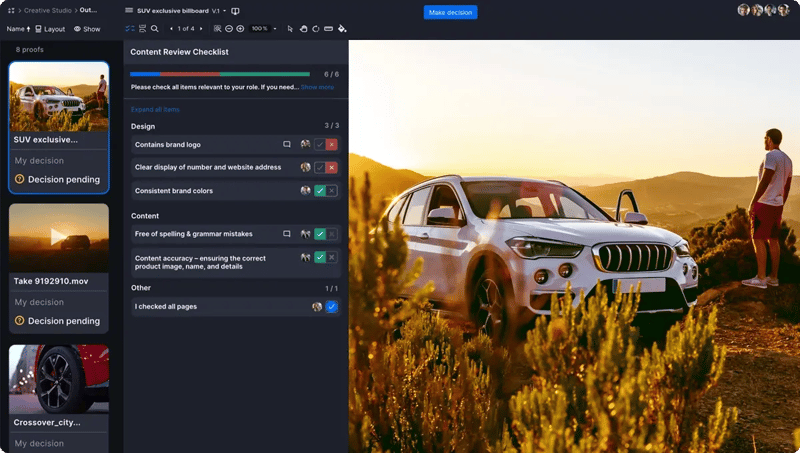
Ziflow is a leading platform specifically built for creative workflow automation. It offers powerful proofing capabilities, task automation, and integrations that help teams manage complex review cycles without friction. Ziflow is designed to reduce manual touchpoints, streamline feedback, and give teams more control over every stage of the creative process.
Key strengths:
- Online proofing with version control and annotation tools
- Automated review cycles and approval reminders
- Integrations with Adobe Creative Cloud, Slack, and project management platforms
- Reporting and analytics to track project progress
- Ideal for: Agencies handling multiple client projects and in-house creative departments
2. Asana
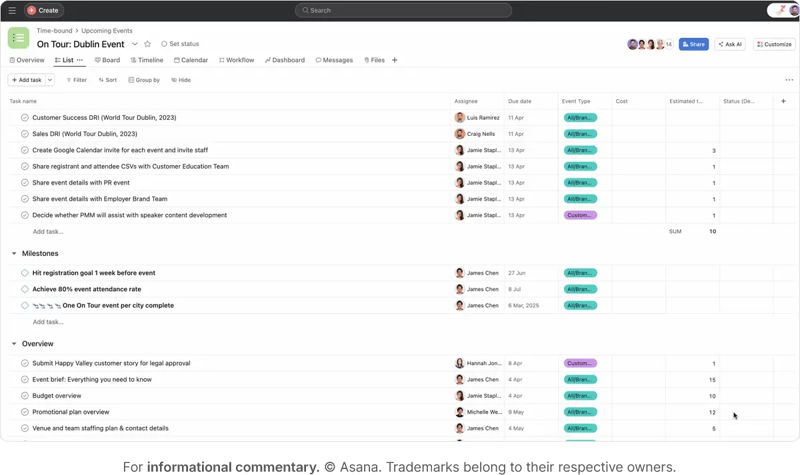
Asana is a versatile project management platform that helps teams organize projects, track deadlines, and automate repetitive tasks. Marketing and design teams can streamline approval processes, centralize feedback, and manage cross-functional work more efficiently.
Key strengths:
- Custom task templates and automated workflows
- Timeline and board views for visualizing projects
- Collaboration features for comments, attachments, and notifications
- Integrations with file storage and communication apps
- Ideal for: Teams seeking an easy-to-use platform for managing creative projects across departments or clients.
3. Wrike
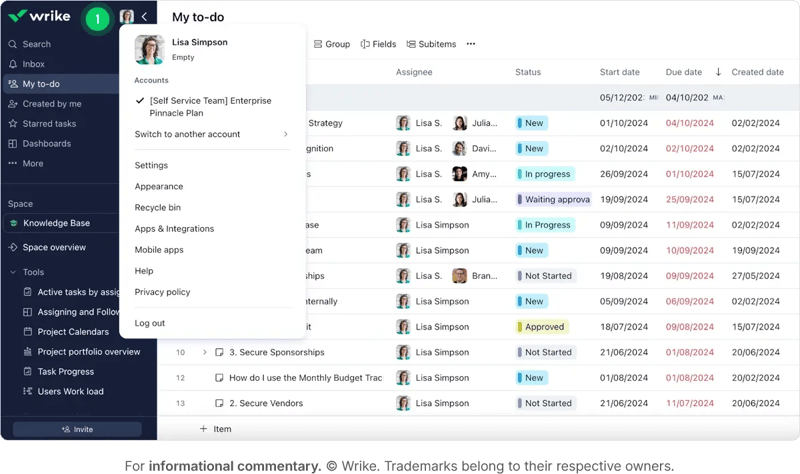
Wrike is a flexible solution designed for teams that need collaboration across complex creative projects. Its automation and proofing features ensure that feedback is captured and acted on efficiently. Wrike allows creative teams to manage multiple revisions, track approvals, and generate real-time progress reports, keeping projects on schedule.
Key strengths:
- Request forms and automated assignment rules
- Visual workflows and dashboards for transparency
- Proofing tools for images, videos, and documents
- Integration with popular marketing and design software
- Ideal for: Creative departments or agencies managing large-scale campaigns with multiple stakeholders
4. monday.com
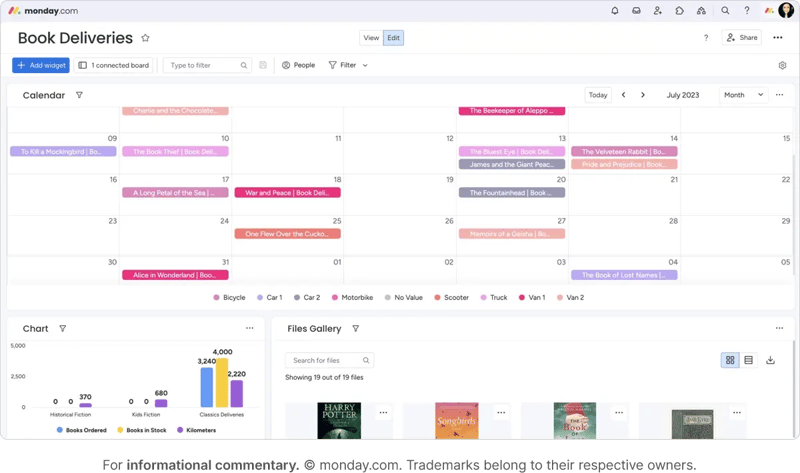
monday.com is a visual project management platform that helps creative teams organize tasks, track timelines, and manage assets in one place. Its automation features cut down on repetitive work, while collaboration tools keep feedback centralized across departments or remote teams.
Key strengths:
- Customizable boards, dashboards, and templates
- Automation for notifications, status changes, and task assignments
- Collaboration tools for comments, file attachments, and shared updates
- Integration with design, marketing, and cloud storage platforms
- Ideal for: Teams that need a flexible, visual tool to track projects and workflows across departments
5. Adobe Workfront
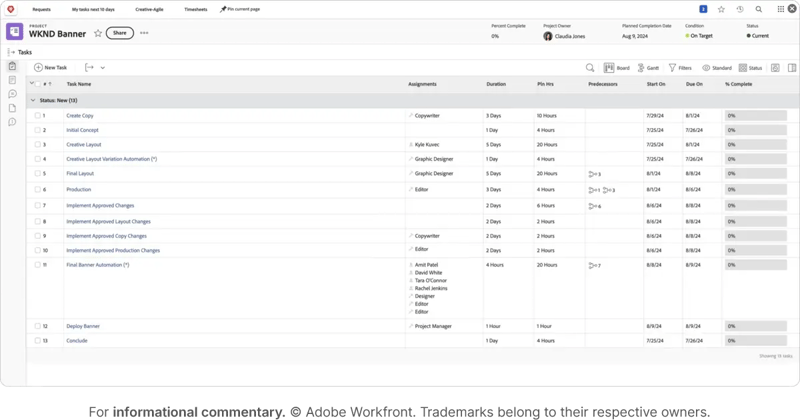
Adobe Workfront is built for enterprise-level creative operations. It helps large teams reduce administrative work, manage approvals, and maintain compliance across complex campaigns. Workfront excels in organizations that require coordination across multiple stakeholders and departments.
Key strengths:
- End-to-end workflow management
- Automated approval routing and review tracking
- Detailed reporting and analytics for performance measurement
- Easy integration with Adobe Creative Cloud and other enterprise systems
- Ideal for: Large marketing teams or agencies managing complex campaigns, especially those already using Adobe Creative Cloud for their creative projects.
6. Trello
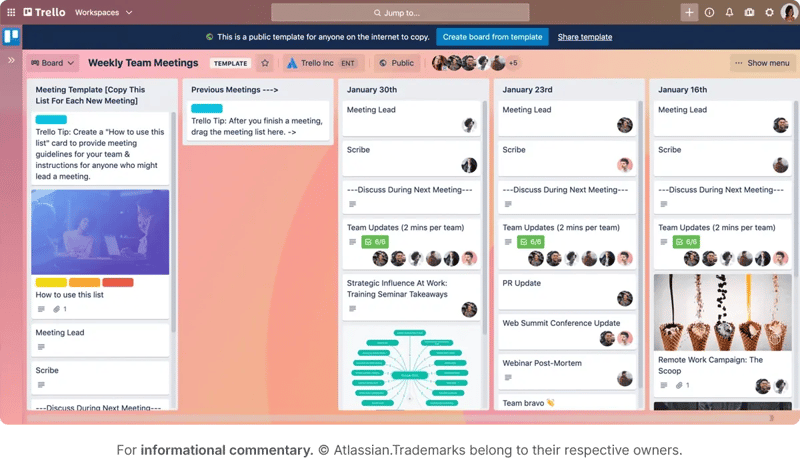
Trello is a visual, card-based platform that helps creative teams organize tasks and track project progress. Power-Ups extend its functionality with automation, file attachments, and cross-platform integrations, keeping workflows streamlined and flexible. Trello is ideal for teams looking for a lightweight, adaptable solution.
Key strengths:
- Visual boards for task organization and tracking
- No-code automation using Butler for repetitive actions
- Collaboration through comments, attachments, and checklists
- Integration with apps like Slack, Google Drive, and Dropbox
- Ideal for: Small to mid-sized creative teams that want a straightforward, flexible task management tool
Why Ziflow leads among creative workflow automation tools
Across marketing and design teams, creative workflow automation tools help reduce bottlenecks, improve collaboration, and accelerate project delivery. Each tool offers their own strengths, but Ziflow stands out as a purpose-built solution designed specifically for creative teams.
Ziflow combines advanced proofing capabilities, task automation, and integrations with design and project management systems to handle even the most complex review cycles. Teams gain clearer accountability through centralized feedback and version tracking. Automated workflows reduce delays and create space to focus on impactful creative tasks.
FAQ
What are creative workflow automation tools?
Creative workflow automation tools are platforms that help marketing and design teams streamline projects, manage approvals, and reduce delays by automating repetitive tasks.
How do workflow automation tools improve collaboration in creative teams?
They centralize communication, feedback, and file sharing so all stakeholders can review and approve creative assets in one place, eliminating scattered emails and lost context.
What features should I look for in creative workflow automation software?
Key features include proofing and version control, task automation, customizable workflows, integrations with design software, collaboration tools, and analytics for tracking performance.
Can workflow automation tools integrate with Adobe Creative Cloud and other design platforms?
Yes. Many tools integrate with Adobe Creative Cloud, project management platforms, cloud storage, and communication apps, ensuring teams can work within their existing tech stack.
How do these tools speed up the approval process?
Automated reminders, structured approval routing, and online proofing tools reduce bottlenecks by ensuring reviewers provide timely feedback and sign-offs.
Are workflow automation tools suitable for agencies and in-house marketing teams?
Both agencies and in-house teams benefit. Agencies gain transparent client approval cycles, while in-house teams align cross-departmental stakeholders and leadership more efficiently.
Do workflow automation tools work for video, design, and multi-format creative assets?
Yes. Many platforms support proofing for images, documents, video, and interactive files, allowing creative teams to manage multi-format campaigns in one system.
How secure are creative workflow automation platforms?
Enterprise-grade tools include encryption, access controls, and compliance features, making them safe for industries with strict data or regulatory requirements.
Can workflow automation scale for enterprise marketing operations?
Yes. Platforms are designed to scale from small creative teams to global enterprises, supporting more users, more complex workflows, and advanced reporting.
How much do creative workflow automation tools cost?
Pricing varies by features and team size. Some offer free or entry-level tiers for small teams, while enterprise plans provide advanced automation, integrations, and compliance options.
What ROI can marketing and design teams expect from workflow automation?
PROI comes from reduced project delays, fewer revision cycles, faster campaign launches, and improved collaboration, allowing teams to produce more without expanding headcount.
Which industries benefit most from creative workflow automation?
Agencies, consumer brands, healthcare, finance, and enterprise marketing departments all use workflow automation to manage complex review cycles and maintain compliance.

With a track record that spans media giants like WarnerMedia, Viacom, and Google, Aaron's expertise shines through in multi-million dollar projects across various mediums, from traditional television to the dynamic realm of YouTube.