Video has become a central part of creative campaigns.
From brand ads and social content to training videos and corporate presentations, marketing and production teams rely on high-quality visuals to engage audiences. Yet while creating video has never been easier, reviewing and approving it can still be a major hurdle. Long email chains, unclear comments, and scattered revisions often slow projects down and create frustration, even for teams with strong project management systems in place.
The best video review software tools for creative teams in 2026 are Ziflow (enterprise-grade video proofing with automated workflows), Frame.io (Adobe-integrated post-production review), Wipster (simple review for small teams), Vimeo (hosting plus lightweight review), Filestage (multi-asset approval), and GoProof (Adobe-connected agency proofing). Below, we compare all 6 across features, pricing, and fit — including our methodology and third-party review data.
Dedicated video review software solves these challenges by centralizing collaboration.
Teams can collect straightforward, time-stamped feedback, manage version control, and move projects through approvals with less back-and-forth.
In this guide, we’ll explore six of the best video review software options, compare their features, and highlight how they address common pain points in the review process.
What we'll cover
Table of contents
Why creative teams need video review software
Traditional review workflows are often fragmented. A typical process might involve exporting drafts, emailing large files, waiting for stakeholders to download them, and then collecting vague notes like “fix the part in the middle.” Without a unified system, this manual approach becomes inefficient and prone to errors. Some common challenges with a traditional review process include:
- Unclear feedback: Notes often arrive in scattered channels such as email, chat, or text messages. Without time-stamped context, it’s difficult to connect feedback to the exact moments in the video.
- Missed edits: Without a centralized system, there’s no reliable way to confirm that every comment has been addressed. Important revisions can easily go unnoticed, creating rework later.
- Slow turnaround times: Sharing large files by email and waiting for replies can drag projects out for days. Even a small delay compounds across the entire workflow process.
- Version confusion: Teams frequently lose track of which file is the most current or struggle to compare edits across different drafts, slowing approvals and increasing the risk of outdated versions circulating.
Video review software eliminates these issues by consolidating every stage of feedback, discussion, and approval in one place. Features like frame-accurate commenting, automated task tracking, and secure file sharing keep projects moving smoothly, supporting a more efficient video production workflow.
The 6 best video review software tools for faster approvals
How we evaluated these tools
Our team evaluated video review platforms across multiple dimensions, some of which are frame-accurate annotation depth, workflow automation and approval capabilities, version control and comparison features, integration ecosystem (particularly Adobe Creative Cloud), enterprise security and compliance, and value for price. We considered third-party review data from G2 and Gartner Peer Insights, conducted hands-on testing of each platform's video review features, and consulted user feedback from industry communities including Reddit's r/videography and r/vfx. We have also consulted our own sales and customer notes to understand what real users care about in video proofing tools.
Disclosure: Ziflow is our product and is included in this comparison. We've applied the same evaluation criteria to all tools listed and included honest assessments of each, including our own. We encourage you to verify our findings using independent review platforms like G2 and Gartner Peer Insights.
1. Ziflow: Enterprise-ready video review software
Ziflow G2 Rating: 4.5/5 with 937 reviews
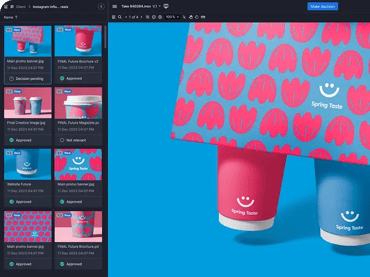
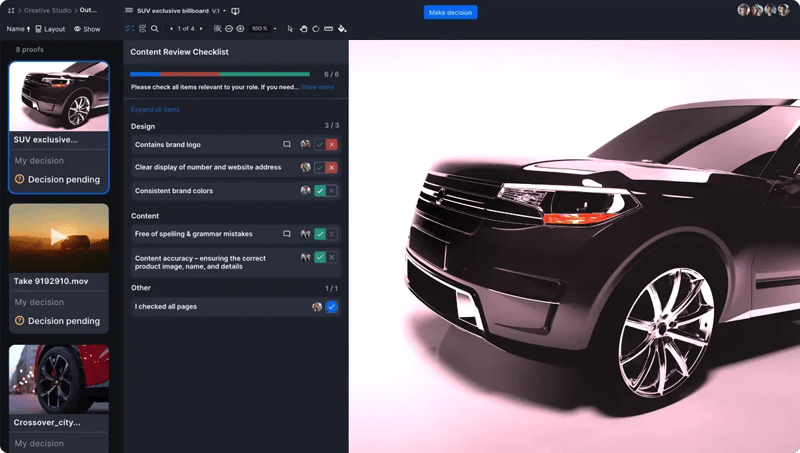
Ziflow is a comprehensive solution for creative teams managing high volumes of video projects. Instead of juggling feedback across scattered channels, teams can keep the entire review cycle in one platform, from the first draft to final approval. With collaboration features and deep integrations into the broader creative stack, Ziflow helps agencies, brands, and production teams keep projects moving quickly while maintaining full visibility and control.
"Streamlined Video Reviews with Automated Workflows - I like that Ziflow organizes different versions of the same video in the same proof, which is especially useful. The automated delivery, or workflows, are a huge time saver for me. I don't have to send any emails or continuously monitor my inbox. Once something is approved, it is automatically delivered to the next group of reviewers. We switched from FrameIO because we liked the automated workflow capability in Ziflow. This feature cuts down on my time significantly."
Review from Ariel H, Video Editor on G2.
Key strengths:
- Frame-accurate markup and annotation tools
- Automated approval workflows to streamline processes
- Side-by-side version comparison for easier review
- Enterprise-level security and compliance
- Integrations with Adobe Creative Cloud, Slack, Dropbox, Asana, and more
What to Watch Out For:
- Enterprise pricing positions Ziflow above tools like Wipster and Vimeo, which may not suit freelancers or very small teams
- The feature depth — multi-stage workflows, compliance tracking, audit trails — can be more than teams with simple review needs require
- While integrations are broad, native editing-tool integration is not as deep as Frame.io's Premiere Pro connection
Good for: Agencies, studios, and in-house marketing teams that handle high volumes of video projects and need a scalable, secure, and fully integrated review platform.
2. Frame.io: Adobe-integrated video review platform
Frame.io G2 Rating: 4.5/5 with 190 reviews
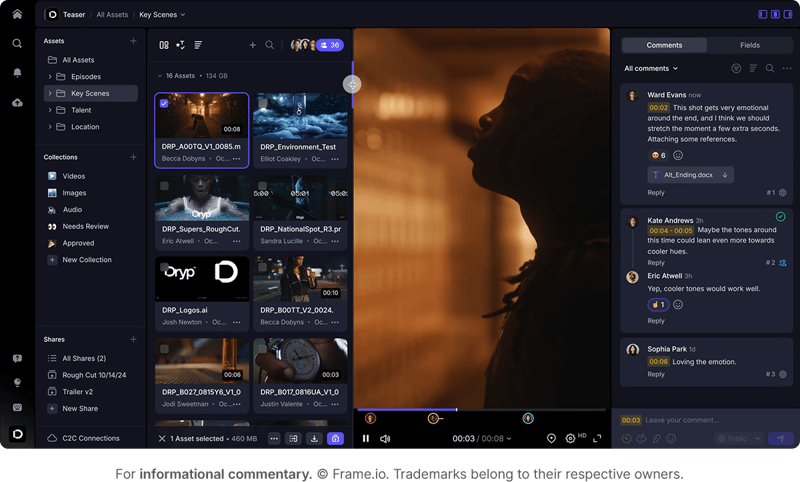
Frame.io has become a staple in professional post-production, particularly after joining Adobe’s Creative Cloud ecosystem. The platform handles the speed and precision required in editing workflows, allowing teams to share high-resolution drafts and capture frame-accurate input. Cloud storage and smooth upload technology help editors and collaborators stay connected no matter where they’re working.
"Being deep with the Adobe ecosystem, having Frame.io provides a new option to optimize our workflows."
Key strengths:
- Accelerated file transfer for large projects
- Customizable workspaces with layered folder organization
- Version stacking to compare edits side by side
- Built-in integrations with Adobe Premiere Pro and After Effects
What to Watch Out For:
- Pricing has increased since the Adobe acquisition, and some users report the free tier is more limited than before
- Strongest in post-production workflows; teams reviewing non-video assets (PDFs, designs, documents) may need a separate tool
- The Adobe ecosystem lock-in is a consideration for teams using Final Cut Pro, DaVinci Resolve, or other non-Adobe editors
Good for: Post-production teams and editors who already rely heavily on Adobe Creative Cloud and need a review process that integrates directly with their editing tools.
3. Wipster: Simple video review software for small teams
Wipster G2 Rating: 4.7/5 with 50 reviews
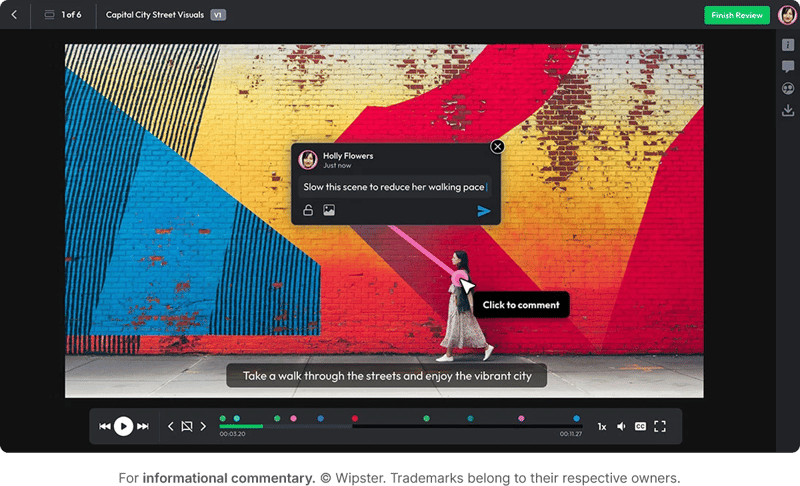
Wipster focuses on accessibility and ease of use, offering a review experience that doesn’t overwhelm smaller creative teams. Its clean interface makes it simple for stakeholders to add comments directly on video frames, while built-in approval stages keep projects moving forward. Integrations with commonly used creative tools help balance functionality with simplicity, without the learning curve of enterprise solutions.
"It's an easy way to share and collaborate on a video with freelancers on UpWork. I love being able to leave notes/feedback on the video at specific time markers and on specific areas of the video."
Review from Jonathan D. on G2.
Key strengths:
- Mobile-friendly and easy-to-use interface; feedback can become tasks
- Frame-accurate commenting and annotations
- Version control for easy comparison
- Integrations with Final Cut Pro, Adobe, and other creative tools
Good for: Freelancers, boutique agencies, and smaller teams that want straightforward video review without the complexity of enterprise-level platforms.
4. Vimeo: Video hosting and review in one platform
Vimeo G2 Rating: 4.3/5 with 720 reviews
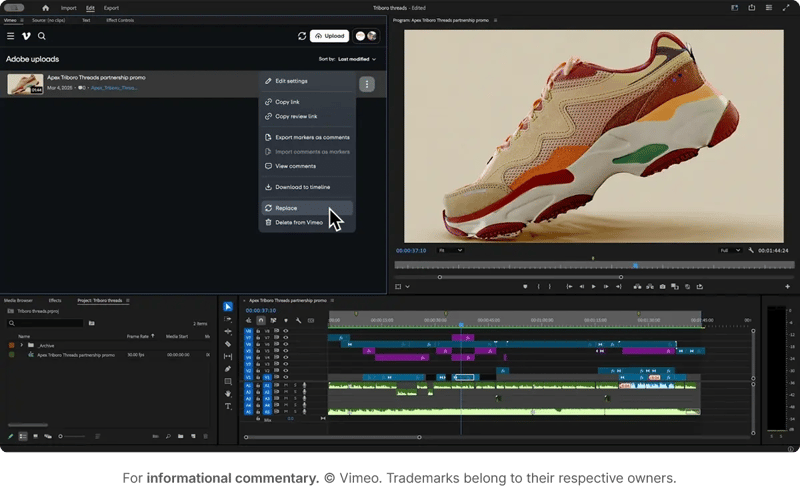
Beyond its reputation as a video hosting service, Vimeo has steadily expanded its collaboration features to support the review process. Teams can protect works-in-progress with passwords, gather feedback directly on the timeline, and manage revisions all within one familiar platform. For organizations already distributing content on Vimeo, adding review features makes the transition between creation and publishing seamless.
"A creator friendly platform for premium video delivery! I like the upgraded review tools that allow time-coded feedback and easier version tracking."
Key strengths:
- Password-protected sharing and secure links
- Time-stamped commenting and approvals
- Hosting and distribution on the same platform
- Branding and customization options for client-facing work
What to Watch Out For:
- Review and collaboration features are secondary to hosting — teams needing advanced markup or multi-stage approvals may find them limited
- Not a dedicated proofing tool; lacks frame-accurate annotation depth compared to Ziflow, Frame.io, or Wipster
- Video review features are only available on higher-tier plans, which are primarily priced for hosting and distribution
Good for: Marketing teams and creative groups that already use Vimeo for hosting and want to add lightweight review and collaboration without adopting a separate tool.
5. Filestage: Multi-asset video review and approval software
Filestage G2 Rating: 4.36/5 with 242 reviews
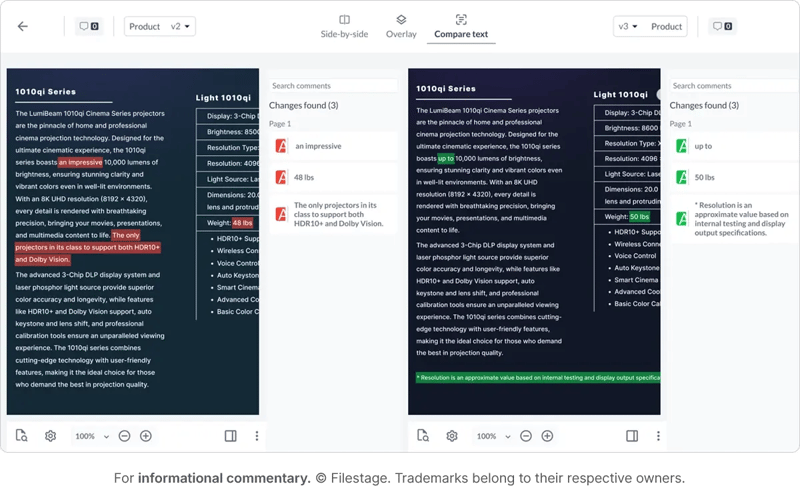
Filestage is built for versatility, making it a solid choice for teams reviewing multiple types of creative assets in addition to video. Its workflows are designed to simplify sign-offs, with straightforward approval stages and automatic due date reminders to keep projects organized. External stakeholders can provide feedback without setting up accounts, simplifying client collaboration while upholding compliance and security standards.
"I like how the client can mark timestamps and give feedback at that mark. Notes without timestamps can be confusing so that's a huge help. On other platforms, its just allows for general notes."
Review from freelance animator Lamont W. on G2.
Key strengths:
- Multi-asset review across video, images, and documents
- Clear approval stages for tracking sign-offs
- File versioning to keep revisions organized
- Compliance and security features for regulated industries
Good for: Agencies and organizations that need to manage feedback across different media formats and want an easy way to involve external stakeholders without creating login barriers.
6. GoProof: Adobe-connected video review software
GoProof G2 Rating: 4.36/5 with 15 reviews
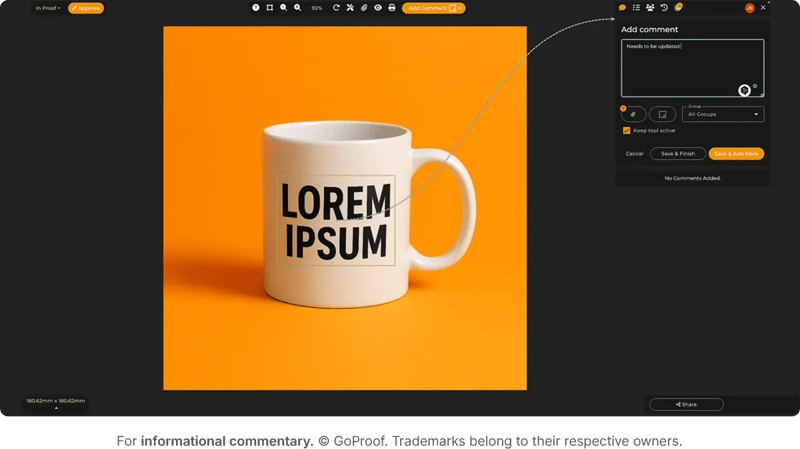
GoProof was created with creative agencies in mind, connecting directly to applications like Photoshop, InDesign, and Premiere Pro. These integrations remove the need to export files before sending them for review. Teams can route proofs through approval workflows, capture detailed feedback, and maintain security while working inside the tools they already use every day.
"Managing deisngers, video editors and copywrites are a task. But with Goproof, it is easy! I Mean seriously. We get to steamline our tasks without making a mess.. the designers can do their designs, get approval, make changes according to the feedback.. same goes to copy and videos"
Review from Athira at Digital Labds on G2.
Key strengths:
- Deep integration with Adobe Creative Cloud
- Proof routing and multi-stage approval workflows
- Custom configuration with expert onboarding
- Real-time collaboration with clients and teams
Good for: Creative agencies that rely on Adobe tools for most of their production work and want to minimize steps between editing and feedback.
Comparison table: Best video review software tools
Use cases for video review software
Different types of creative teams can benefit from video review software. Here are a few examples:
- Agencies: Agencies manage multiple client accounts and campaigns at once. Video review platforms keep revisions in one place and make video proofing more efficient, so feedback doesn’t get lost across channels.
- In-house brand teams: Marketing departments often juggle campaigns across social, web, and paid media. Video review tools help them align messaging across channels, maintain brand consistency, and shorten turnaround times when launching campaigns.
- Cross-functional collaboration: Large organizations need input from multiple stakeholders outside of marketing, such as legal, compliance, or executive teams. Review software ensures feedback from these groups is documented and integrated into the production process without slowing everything down.
Consolidating all feedback in one platform eliminates the inefficiencies of email-based loops and helps teams deliver polished final content faster.
How to choose the right video review tool
The right platform depends on your team's workflow and scale. Teams deeply embedded in Adobe Creative Cloud may benefit most from Frame.io or GoProof's native integrations. Smaller teams and freelancers may prefer Wipster's simplicity. Organizations reviewing multiple content types beyond video should consider Filestage. Teams with complex multi-stage approval processes and enterprise security requirements should evaluate Ziflow. We recommend trialing 2–3 tools with a real project before committing.
FAQ
What is video review software?
Video review software is a platform that centralizes feedback, approvals, and version control for video projects. Instead of relying on email chains or scattered comments, teams can collaborate in one place with frame-accurate annotations and clear approval workflows.
Who should use video review software?
Agencies, in-house marketing teams, production studios, and freelancers all benefit from video review platforms. Any creative group that manages video projects and needs organized, time-stamped feedback can use review tools to reduce bottlenecks and keep projects on track.
How does video review software improve collaboration?
These platforms consolidate feedback from multiple stakeholders into one system. Instead of juggling notes from email, chat, and text, teams get clear, time-coded comments directly on the video timeline, making edits faster and more accurate.
Can clients or external stakeholders use video review tools without accounts?
Yes, many platforms such as Filestage and Vimeo allow external collaborators to leave feedback without creating accounts. This makes client collaboration simple and secure while maintaining version control.
What features should I look for in video review software?
Look for frame-accurate commenting, approval stages, version comparison, secure sharing, and integrations with your existing creative tools. These features ensure a streamlined review and approval process.
Is video review software secure for enterprise use?
Yes, leading platforms like Ziflow and Frame.io include enterprise-grade security and compliance features. This protects creative assets and ensures approvals meet organizational or regulatory standards.
How is video review software different from project management tools?
Project management software tracks tasks and deadlines, but it doesn’t provide frame-accurate video feedback. Video review platforms specialize in creative collaboration, ensuring edits are tied directly to the correct moment in the video.

With a track record that spans media giants like WarnerMedia, Viacom, and Google, Aaron's expertise shines through in multi-million dollar projects across various mediums, from traditional television to the dynamic realm of YouTube.