Here’s our unvarnished view — managing creative projects with traditional project management software is like trying to paint an oil portrait with a broom. Creative project management software gets this, providing tools built specifically for the dynamic complexity of visual content creation.
Your team does more than check off tasks. You're navigating feedback rounds, juggling file versions, and somehow trying to get five stakeholders to agree on a shade of blue. Standard PM tools? They'll track your timeline just fine, but they'll leave you buried in email feedback and wondering which version of that video edit was actually approved.
What we'll cover
Table of contents
What makes creative project management software different?
Creative work is messy. You know this. Traditional project management assumes you know exactly where you're going and how you'll get there. Creative projects are more like jazz improvisation with deadlines.
When you're managing a video campaign for example, you're not just tracking tasks. You're dealing with subjective feedback (“it feels slow”), multiple file versions (final_client_v3_rough.mp4), and approval chains that would make Kafka proud. One design might go through ten revision rounds, each generating dozens of comments that somehow need to be consolidated and actioned.
The features that actually matter for creative teams include:
- Visual proofing and versioning that lets you see exactly what changed between versions and prevents that nightmare where the client reviews last week's version.
- Automated review workflows that route work to the right people at the right time.
- Native creative tool integrations so designers don't have to break their flow to update project status.
- And flexible, visual workflows because creative teams think in boards and timelines, not task lists.
These aren't nice-to-haves — they're the difference between shipping great work on time and getting lost in endless revision loops.
Top creative project management software for visual workflows
1. Ziflow
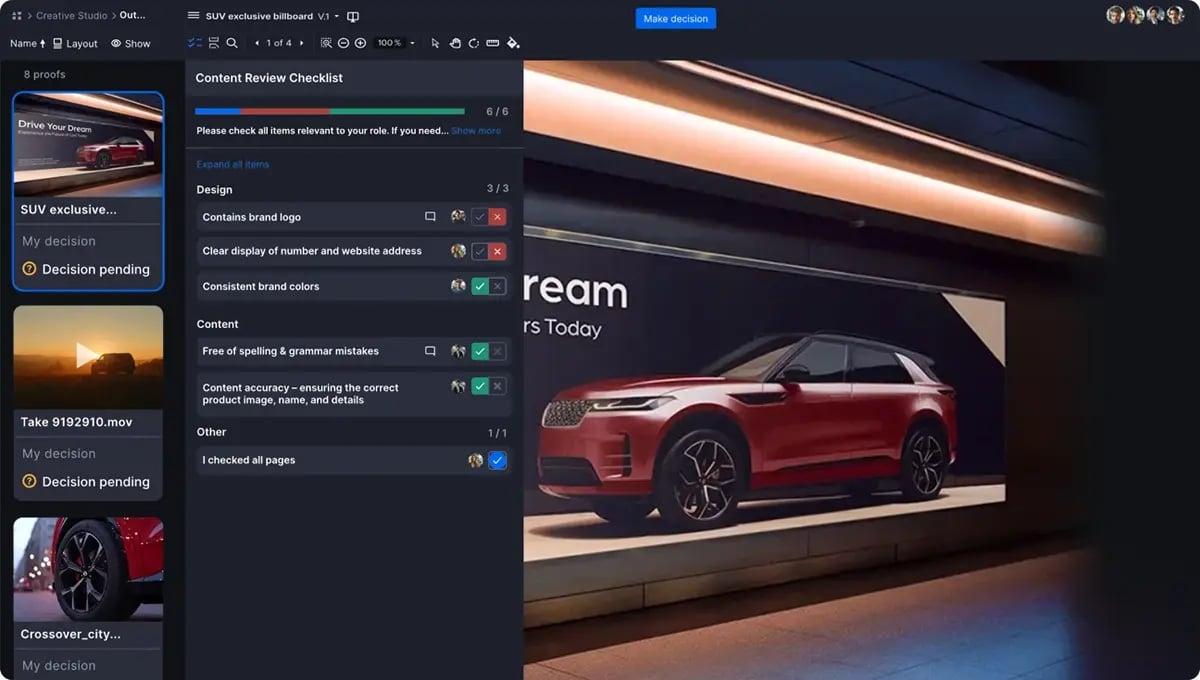
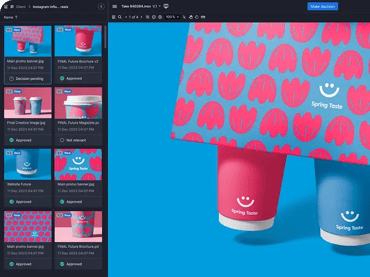
Ziflow perfects the most challenging part of creative workflows — getting work reviewed and approved. While your project management tool handles tasks and deadlines, Ziflow ensures the actual creative work moves through review without the usual bottlenecks.
The platform handles over 1,200 file types and uses automated workflows with conditional logic to route work based on decisions. Frame-accurate video feedback and pixel-perfect markup tools mean feedback is actually actionable. Oh… did we mention Ziflow integrates with tools like Asana and monday.com, automatically updating task statuses based on approval decisions? I guess we just did.
Best for: Agencies and brands needing enterprise-grade proofing alongside their existing PM tools.
2. monday.com
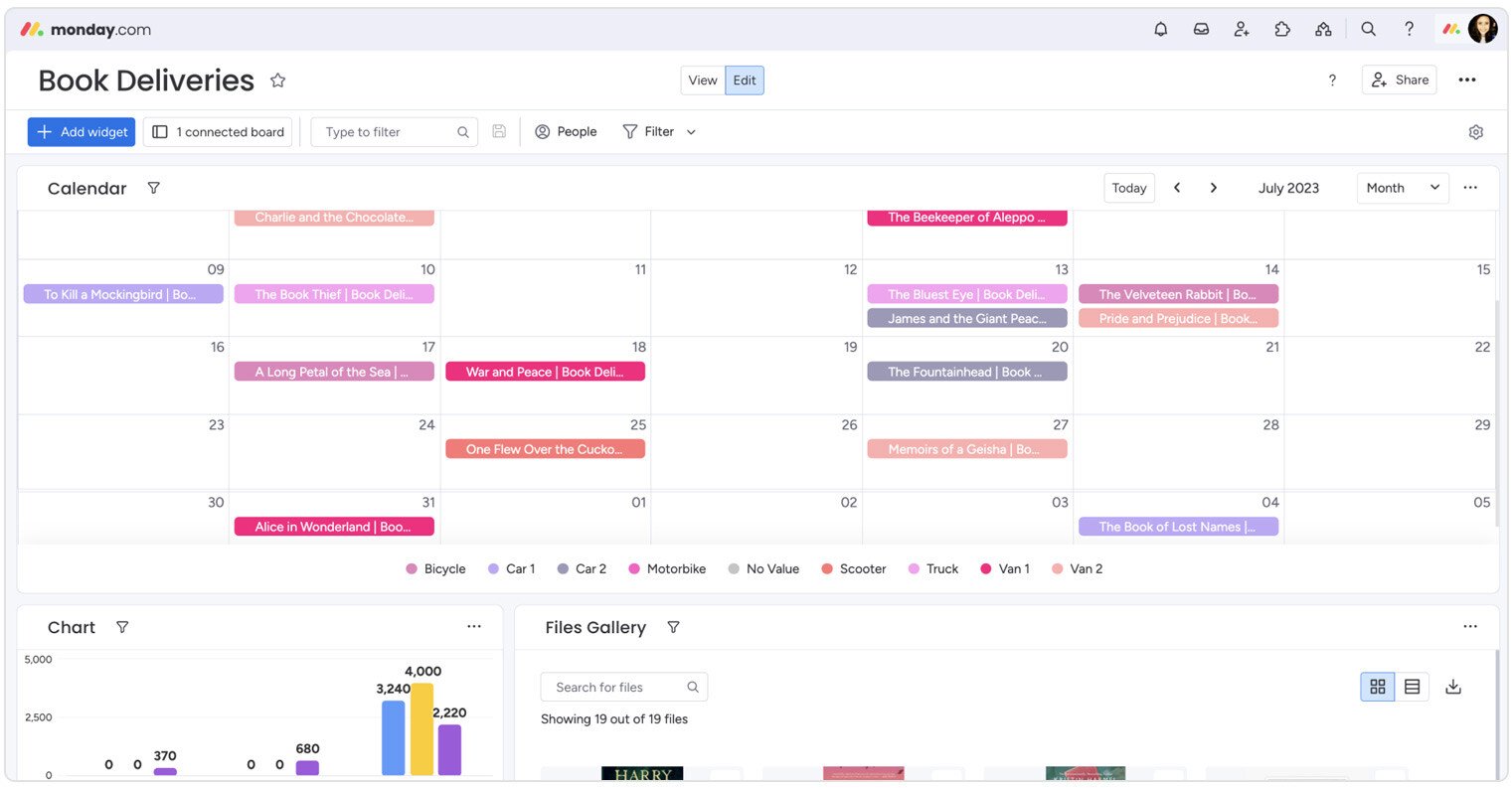
monday.com wins hearts with its visual-first approach. Those colorful boards make it easy to see project status instantly. Multiple views (calendar for content teams, timeline for campaigns, workload for resource management) mean everyone works how they prefer.
The automation features eliminate busywork, and custom forms capture project requirements upfront. Just know that for heavy visual assets, you'll likely need additional proofing tools.
Best for: Campaign-focused teams wanting visual planning that's easy to adopt.
3. ClickUp
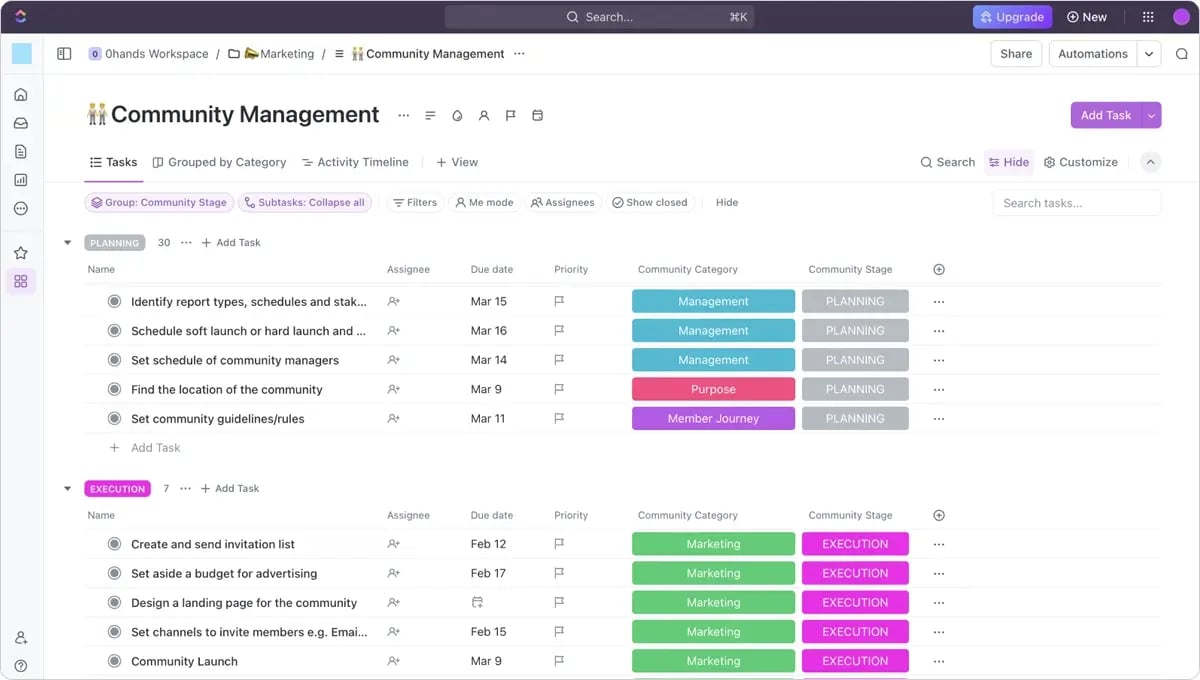
ClickUp calls itself the "everything app for work," and they mean it. With 15+ different views and endless customization options, creative teams can build exactly the workflow they need. Built-in proofing tools, an AI assistant that generates creative briefs, and enough automation to make your head spin.
The downside? All that flexibility means a steep learning curve. Teams often spend weeks setting it up before seeing value.
Best for: Teams that want maximum flexibility and have time to invest in configuration.
4. Wrike
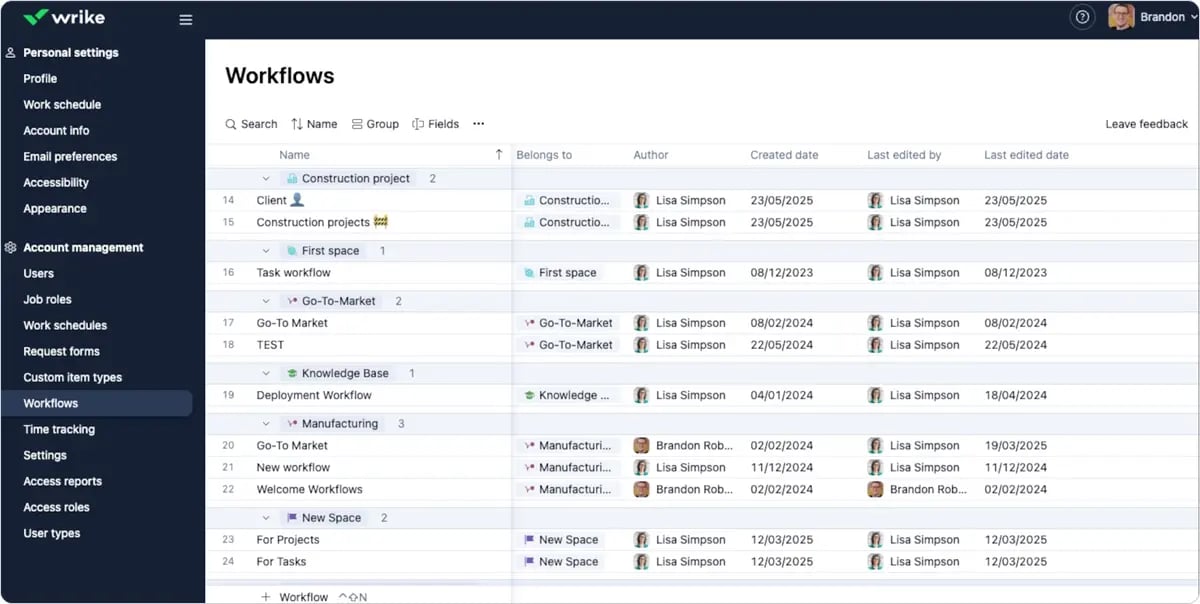
Wrike goes all-in on enterprise features. Custom request forms, Gantt charts, resource management — it's built for complexity. Wrike Proof adds visual feedback capabilities, though it costs extra.
The platform handles multi-phase campaigns with dozens of stakeholders, but that power requires serious investment in training and setup.
Best for: Large teams with complex workflows and resources for training.
5. Trello (with Power-Ups)
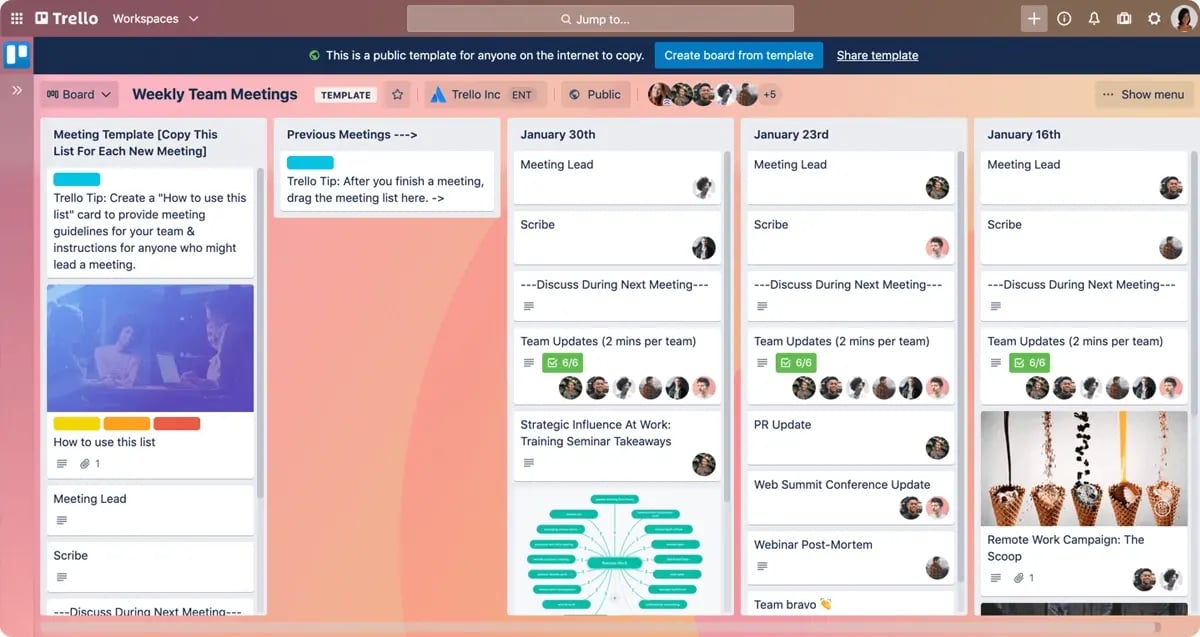
Trello keeps it simple with visual Kanban boards. Cards move through columns, and everyone instantly sees where things stand. Power-Ups add functionality — calendars, custom fields, automation — transforming basic boards into creative project management tools.
The simplicity that makes it loveable also limits it. Advanced features require multiple Power-Ups that quickly get expensive.
Best for: Small teams valuing simplicity over advanced features.
6. Jira
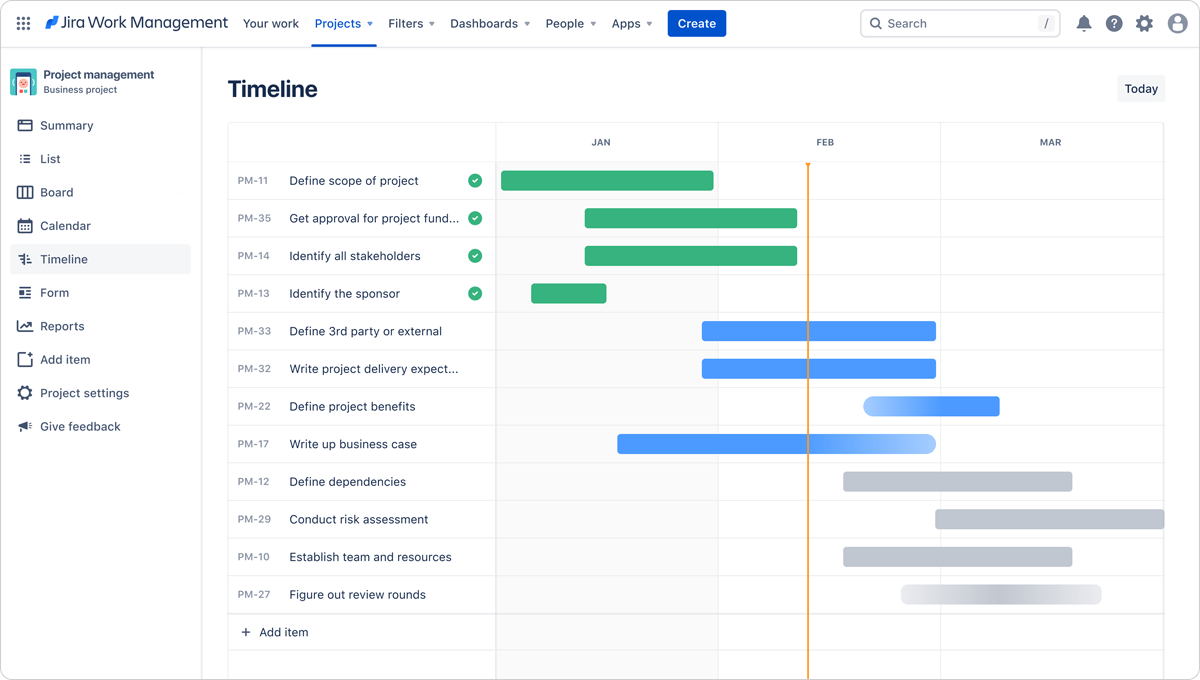
Jira brings agile methodologies to creative work. Sprint management and issue tracking work surprisingly well for content teams with regular publishing cycles. Custom workflows handle complex approval processes, and robust reporting helps teams become more predictable.
But Jira's development roots show. The interface is functional, not beautiful, and creative teams often find the terminology off-putting.
Best for: Creative teams using agile or working closely with developers.
7. Airtable
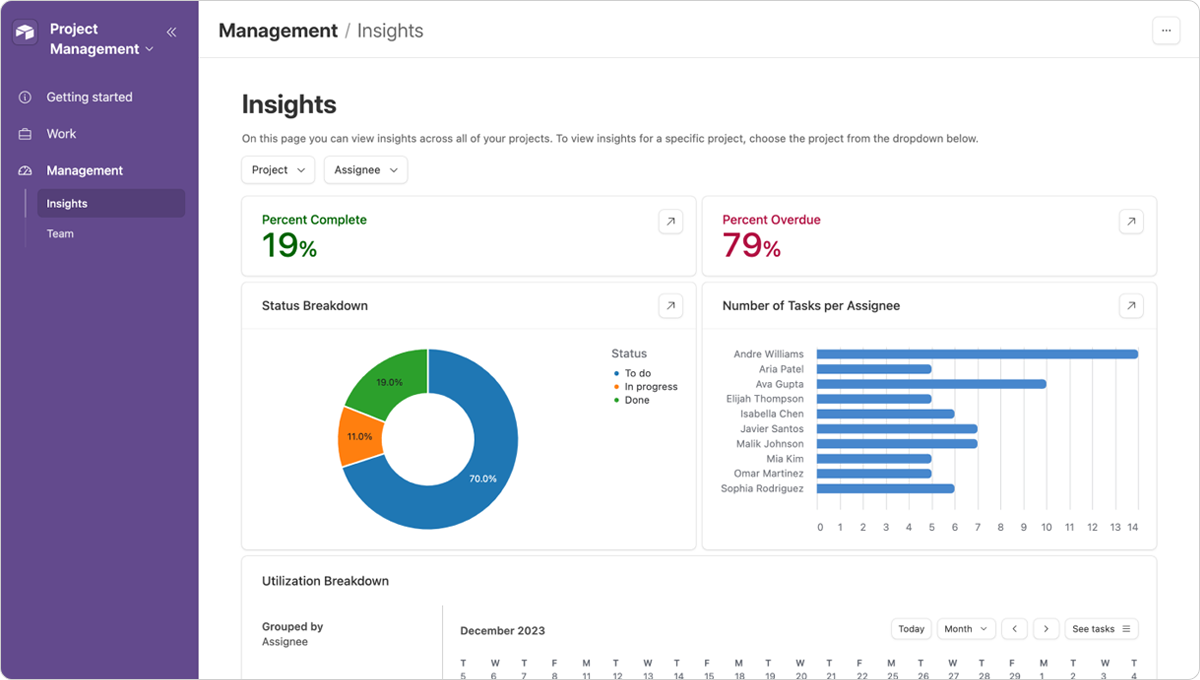
Airtable makes spreadsheets beautiful and powerful. This database-meets-project-management approach works brilliantly for managing content libraries and production pipelines. Multiple views let teams interact with data their way — grid, calendar, gallery, or Kanban.
It excels at managing content at scale but lacks built-in proofing and traditional PM features like Gantt charts.
Best for: Teams managing high volumes of content needing flexible database capabilities.
How to choose the right software for visual content management
When you’re looking for creative project management software, you aren’t searching for the "best" tool — you’re looking for what works for your specific workflow challenges. Start with your biggest pain point. Approvals taking forever? You need strong proofing. Can't track feedback? Prioritize version control and centralized commenting.
Consider your team's reality. That powerful platform means nothing if your designers find it intimidating. And don't forget integrations. Your PM software should enhance your existing toolkit, not replace it.
Essential features checklist
The capabilities that separate good tools from great ones:
Task management that gets creative work — Handle non-linear projects, dependent tasks, and templates for regular content.
Real proofing and approval workflows — Consolidate feedback, track versions, and provide clear approval paths. Email chains don't cut it.
Version control that actually works — Track not just what changed, but why, with comparison tools and restoration options.
Reporting that matters — Beyond time tracking, measure revision cycles and approval times to improve processes.
Streamline your visual workflows with Ziflow
The best creative teams don't rely on one tool for everything, they build connected ecosystems where each platform excels at its purpose. While project management software handles planning, Ziflow eliminates the review and approval bottlenecks that derail creative projects.
By automating workflows and centralizing feedback, Ziflow enhances your existing tools rather than replacing them, keeping projects moving forward without the usual bottlenecks.
Ready to optimize your creative workflows? Start your free trial of Ziflow today and see how streamlined project management empowers your team.
FAQ
What is creative project management?
A workflow approach that organizes creative production while preserving flexibility for innovation, balancing structure with the iterative nature of creative work.
What is creative project management software?
Software designed for creative teams combining project tracking with visual asset management, feedback collection, version control, and specialized approval processes.
How does it support visual content workflows?
Provides visual boards, enables markup on creative files, tracks versions with comparison tools, and automates asset movement through review stages.
What creative project management features should I look for?
Visual workflow options, integrated proofing tools, version control with comparison, resource management, and creative software integrations.

With a track record that spans media giants like WarnerMedia, Viacom, and Google, Aaron's expertise shines through in multi-million dollar projects across various mediums, from traditional television to the dynamic realm of YouTube.