For UI and UX designers, Figma is the go-to tool for building functional and can’t-look-away digital assets. It’s a versatile platform that you can use to create everything from website templates to app prototypes to virtual presentations.
One reason why Figma has become so popular among designers is its wide range of plugins. These design tools help Figma users maximize their design capabilities and create more efficiently.
With so many plugin options available, it might seem impossible to narrow down the options and figure out what works best for your team. But never fear — here are 10 of the best plugins to supercharge your Figma projects.
What we'll cover
Table of contents
1. Ziflow
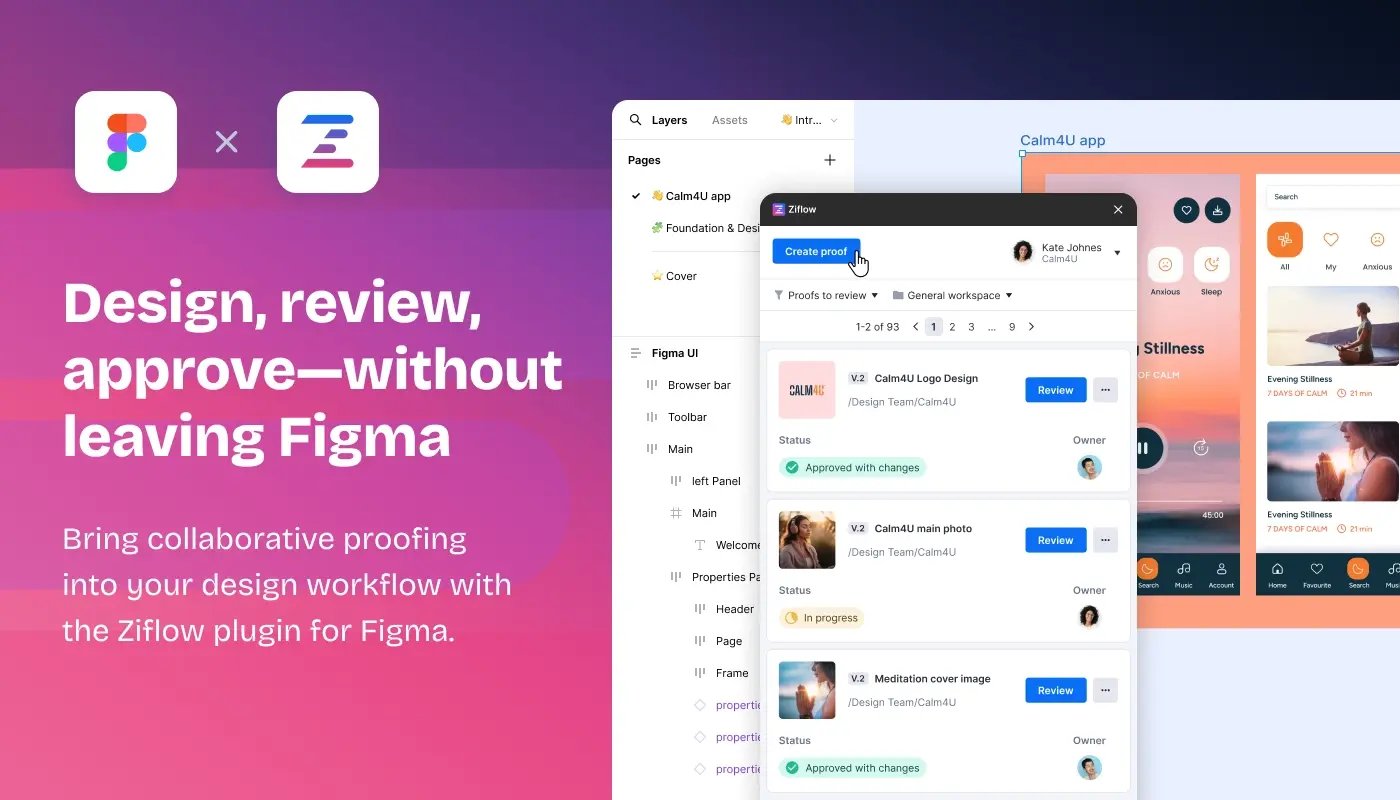
Figma's great for iterating on designs, but formal reviews can get messy. The Ziflow Figma plugin transforms your live designs into static, version-controlled proofs that stakeholders can review without accidentally commenting on yesterday's (or tomorrow's) version. This is particularly crucial when you need structured approvals at scale.
Key features
- Direct proof creation: Turn any Figma frame or canvas into a review-ready proof without leaving your design workspace. No more exporting files or managing screenshots.
- Version tracking that actually works: Each proof is locked in time with clear version history, so you'll always know exactly what stakeholders reviewed and approved (not what changed five minutes after they looked at it).
- Review without the headaches: Stakeholders get a dedicated review environment with pinpoint annotations and threaded discussions. No Figma logins required, no confusion about which comment goes where.
2. Wireframe
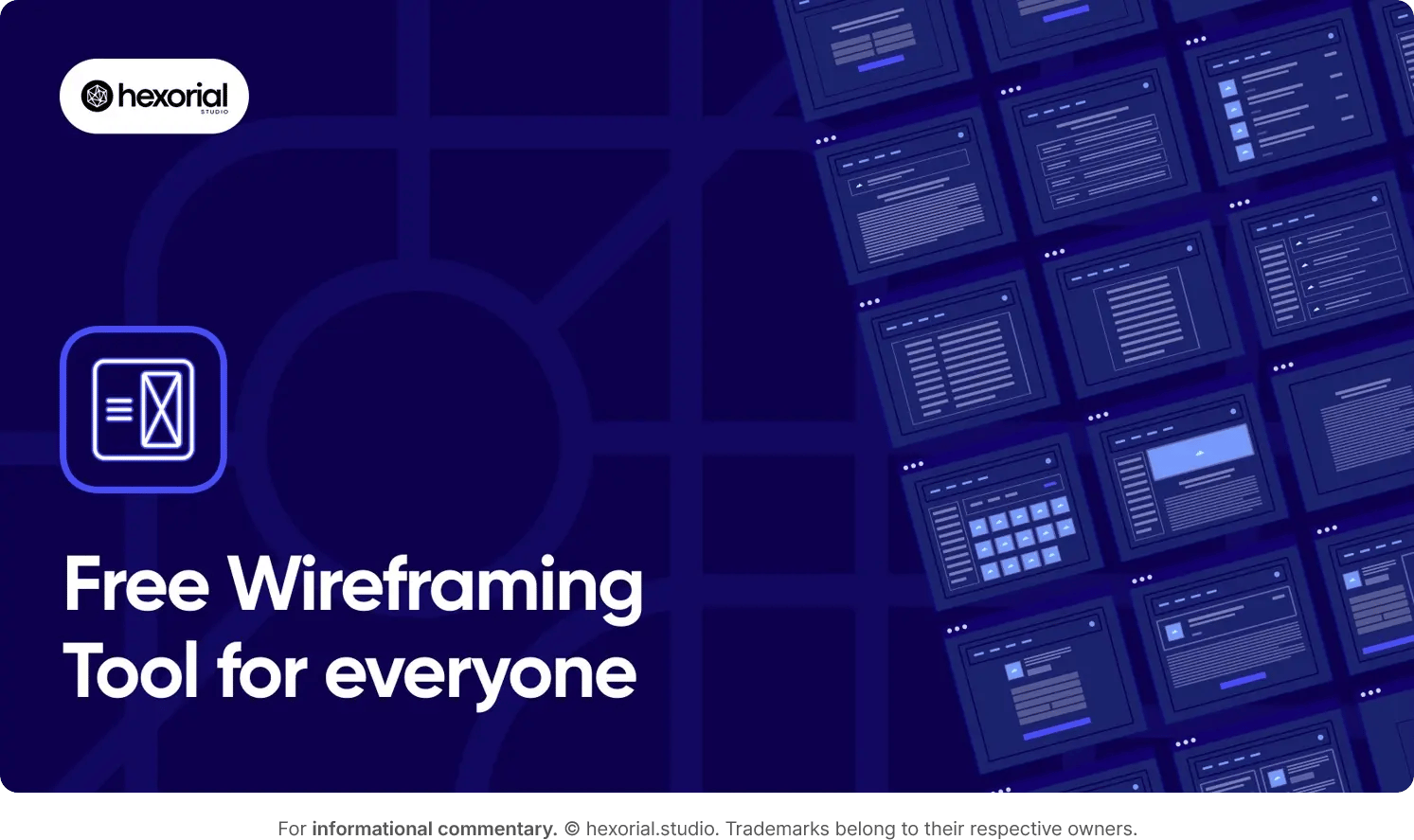
Creating wireframes is a crucial step in the design process when building a new website or app. The Wireframe Figma plugin has a huge library of wireframe templates and pre-built user flows so you don’t have to start from scratch with each project. This is particularly helpful for creating new wireframes at scale.
Key features
- Custom build graphics: Wireframe offers a library of over 350 graphic elements, all of which are free to use under a Creative Commons license.
- SVG files: All files are stored in SVG format, making them easy to edit later on in the design process.
- Drag-and-drop: This intuitive functionality streamlines the design process and makes it more accessible.
3 Stark
Accessibility testing is a must before launching a new website or app. Eight percent of the U.S. population alone is vision-impaired, and it’s critical for your platform to be inclusive.
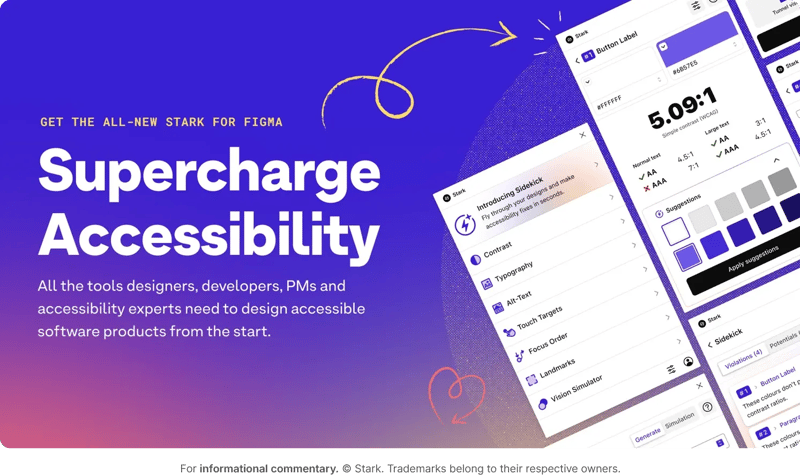
The Stark plugin is a collection of tools that test and verify your product’s accessibility level before it goes live. This way, you can make informed changes to the design elements and create a better user experience for all.
Key features
- Auto scan: Stark scans your Figma designs and provides automated accessibility suggestions.
- Vision simulator: This feature simulates what your designs will look like to people with different types of vision.
- Contrast checker: Ensure that your site’s contrast meets accessibility standards, and choose from helpful color suggestions.
- Alt-text annotations: Stark provides recommendations for alt-text that are accessibility- and SEO-friendly.
- Touch targets: You can easily ensure that the touch targets in your mobile pages are large enough for everyone to navigate.
4. Mockup
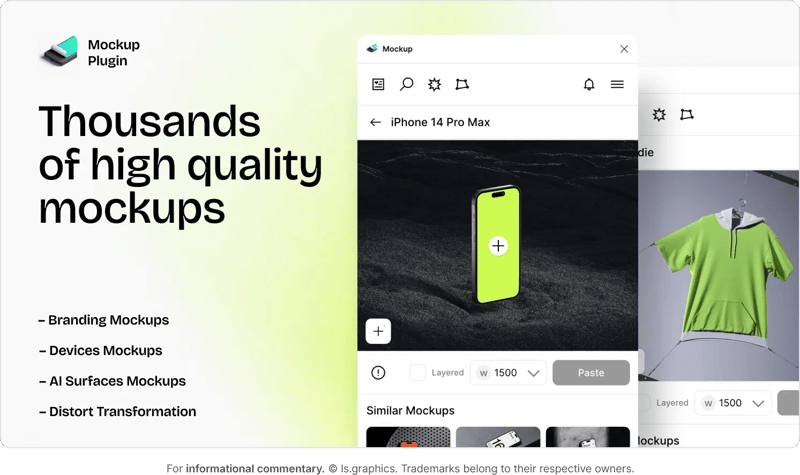
Adding mockups to your website is an easy way to show off your product’s design. The Mockup plugin makes it easy to create aesthetically pleasing device, product, and branding mockups. With this plugin, there’s no need to conduct time-consuming product photo shoots without building your own mockups from scratch.
Key features
- Realistic device and product mockups: Show off your brand assets on devices like smartphones or laptops, or add them to T-shirts and other products.
- AI-powered surface mockups: Put your desired logo or text on a variety of different surfaces for more visual interest.
- Edit existing mockups: Make changes to your existing mockups directly in Figma.
5. Illustrations
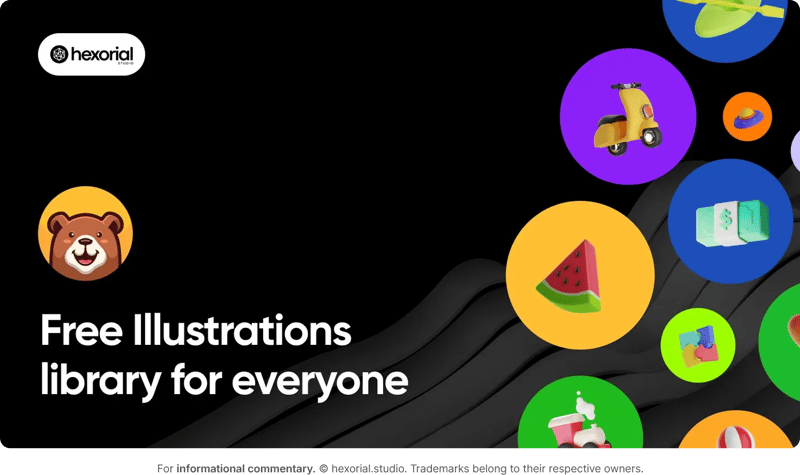
The Ilustrations plugin has a large library of detailed, high-quality illustrations to use in your designs. This is very convenient for teams that don’t have in-house access to custom illustrations. All illustrations are free to use under a Creative Commons license, and the photo library is updated frequently.
Key features
- Large illustration library: This plugin grants you access to hundreds of illustrations, with new ones added regularly.
- Free to use: All illustrations are free to use, so there are no copyright concerns to worry about.
- Drag-and-drop: Add the illustrations to your design with a single click, and use Figma’s drag-and-drop interface to adjust them quickly.
6. Colormate
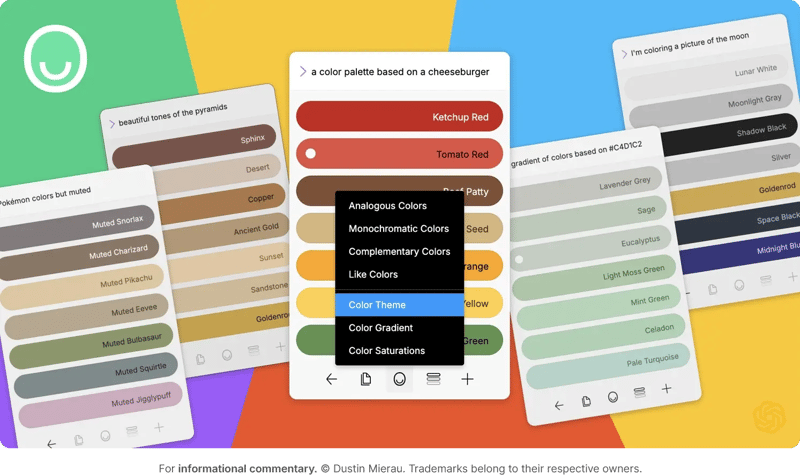
Colormate helps you create and select color palettes for your Figma design projects. Up to 90% of a consumer’s first impression is determined by color, so the palette you choose can have a major impact on the overall success of your website.
Rather than hand-selecting each color, you can use Colormate to automatically create a palette that reflects your preferences. This plugin also uses AI to generate color palettes based on specific concepts, memories, or feelings, which helps you create palettes that suit the spirit of your design.
Key features
- AI-generated custom color palettes: Colormate’s AI technology can create unique custom color palettes based on your AI prompts.
- Find specific colors: If you’re looking for a very specific color, Colormate’s search feature can help you find it. The plugin can also assist you with monochromatic, complementary, and analogous color combinations.
- Pull colors from specific images: Select colors from images you already have and add them to your Figma design palettes.
7. Icons8
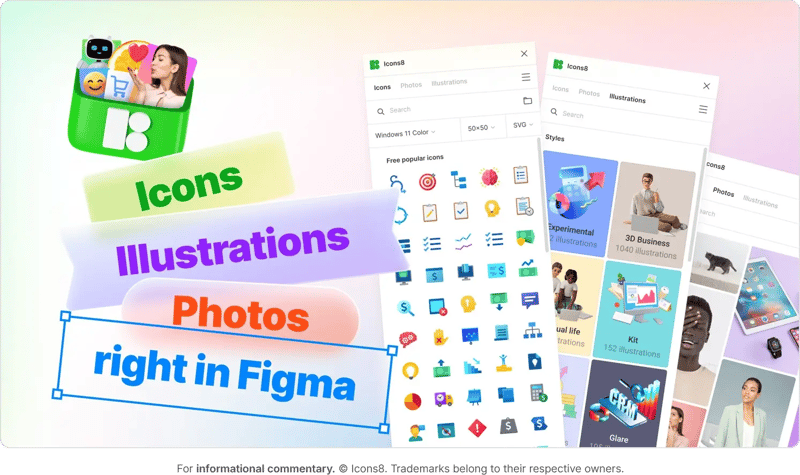
Icons8 has a vast library of graphics to add to your UX and UI designs in Figma. Users can choose from a wide range of free icons, photos, and illustrations. With so many graphic elements at your fingertips, this app speeds up your design workflow to help you create high-quality assets more quickly.
Key features
- Large graphic library: There are over 1.5 million graphics to choose from, with plenty of new options added on a regular basis.
- Detailed search: Sort graphics by type, style, or keyword to find what you’re looking for quickly.
- Free and paid options: The Icons8 Figma plugin has a wide range of free graphics to choose from, with even more options available for paid users.
8. LottieFiles
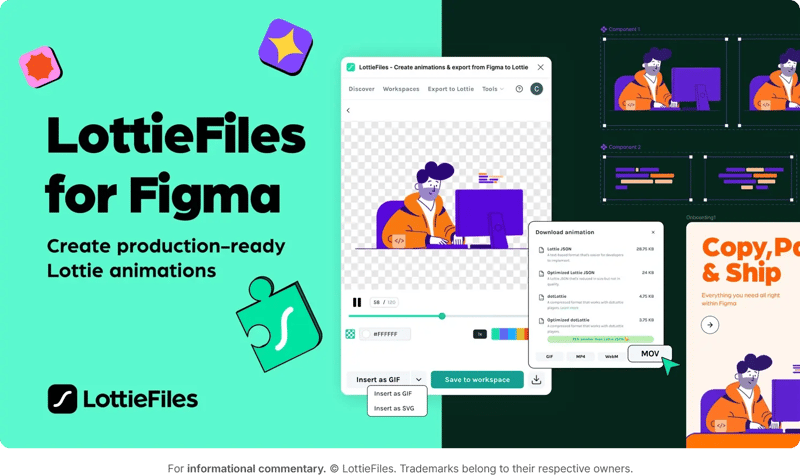
The LottieFiles plugin makes it easy to add animations to your Figma files, even if you don’t have an in-house animation team. Users can add pre-made Lottie animations to their designs or use a built-in AI generator to create custom options. Animations are available in both GIF and SVG formats, so you can choose the one that best suits your designs.
Key features
- Animation library: Users can choose from an extensive library of more than 500,000 premade animations.
- Unique personalization options: You can make your Lottie animations more unique with LottieFiles’ custom color, movement, and layout options.
- Custom vectors: If you want to create a completely unique animation, you can use LottieFiles’ AI technology to make custom animated vectors.
9. Colorsinspo
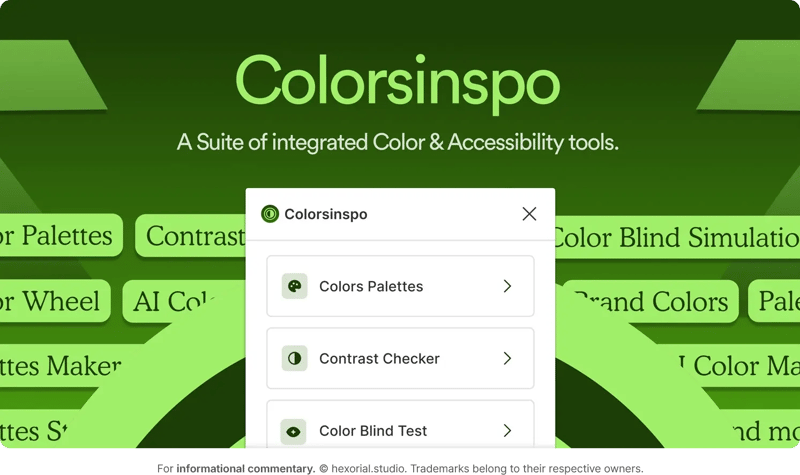
Colorsinspo is a simple but powerful Figma plugin that helps UI/UX designers build cohesive color palettes quickly and easily. You can choose from pre-built color palettes or create your own with Colorsinspo’s library of solid color options and gradients!
In addition to color palettes, this plugin offers a variety of accessibility features, including a contrast checker and a color-blind test, which help ensure that your designs are inclusive and considerate.
Key features
- Custom color options: Find solids, gradients, and full color palettes for your Figma documents.
- Accessibility features: Ensure that your color palette meets crucial accessibility standards with contrast and color blind testing.
- AI palette generator: Use generative AI to create new, unique palettes based on your prompts.
10. Unsplash
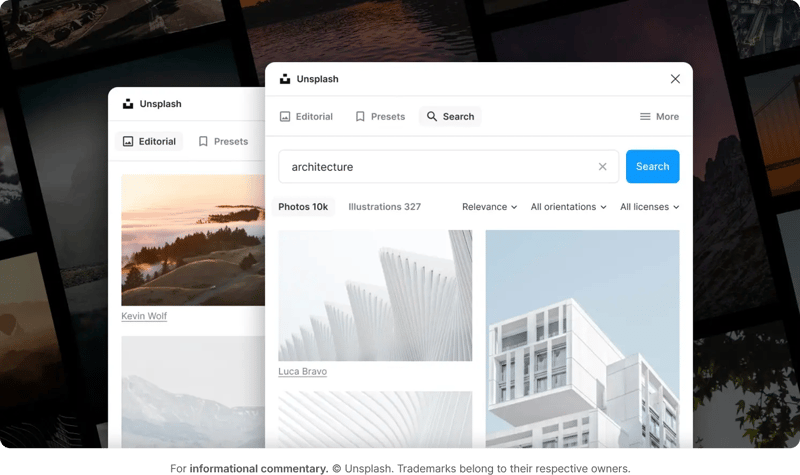
Web design often requires high-quality photos. However, you might not have the time (or resources) to conduct full-scale photo shoots. After all, the average product photography shoot can cost over $10,000, which may be an unrealistic budget for many growing brands.
Unsplash can help you cut back on these steep photography expenses. Unsplash’s library of stunning stock photos is available for commercial use. Plus, the Unsplash Figma plugin makes it easy to search for photos and add them to your design files with just a few clicks!
Key features
- Free and premium photo options: Choose from a wide range of free photos or subscribe to Unsplash+ for access to an extended image library.
- Editorial style: Many photos on Unsplash are taken by professional photographers, resulting in an aesthetically pleasing and elevated look.
- In-app searches: With the Unsplash plugin, you can search for photos directly while creating with Figma.
How Ziflow's Figma plugin transforms design reviews
Here’s a handy saying to remember: Design happens in Figma. Decisions happen in Ziflow.
We all know that Figma's brilliant for rapid design iteration, but when you share a live file for feedback you're asking for trouble. The design keeps changing while reviewers are commenting, and nobody knows which version they're looking at. Comments quickly pile up across threads with zero audit trail. And good luck figuring out who actually approved what.
Ziflow's Figma plugin solves this messy free-for-all by turning your live designs into static, review-ready proofs. They’re snapshots locked in time so everyone's reviewing the same thing.
Why Ziflow works so well with Figma
Create proofs without leaving Figma: Turn your designs into reviewable proofs with a few clicks. No exports, no screenshots, no context switching. Stay in your creative zone while Ziflow handles the review logistics.
Version control that makes sense: Upload new versions directly from the plugin and keep feedback tied to each iteration. You'll always know what was reviewed, who approved it, and when decisions happened.
Feedback where it belongs: Unlike scattered Figma comments or those email threads from hell, Ziflow is one of the best design feedback tools that gives reviewers a purpose-built space for markup and annotations… without touching your live design files.
One platform for everything: Your Figma designs are just part of the story. Ziflow brings together reviews for videos, PDFs, websites, packaging. Everything flows through the same structured approval process.
Stakeholder-friendly, designer-approved: Reviewers don't need Figma logins or training. They get a simple interface they already understand, while you get contextual feedback that's actually actionable.
Enterprise-ready security: The same SOC 2 Type II and ISO 27001 protection Ziflow's known for, now for your Figma reviews.
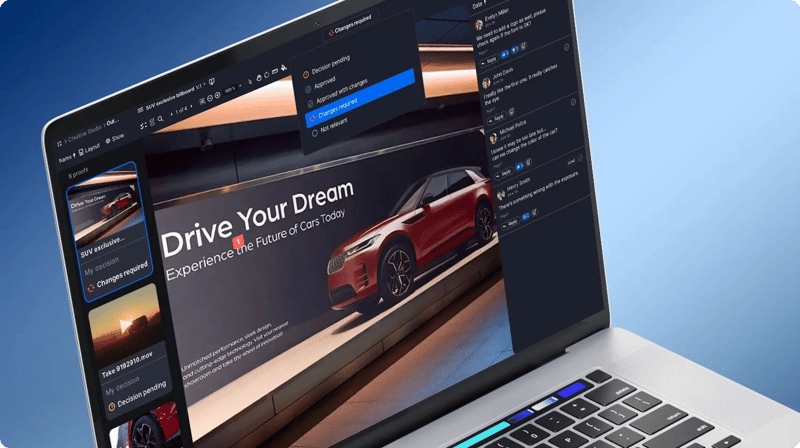
Elevate creative approval on your Figma designs with Ziflow
By taking advantage of Figma’s extensive plugin library, designers can work more efficiently without sacrificing quality. With Ziflow, you can streamline the entire creative approval process, getting the feedback and approval you need all in the same platform.

With a track record that spans media giants like WarnerMedia, Viacom, and Google, Aaron's expertise shines through in multi-million dollar projects across various mediums, from traditional television to the dynamic realm of YouTube.