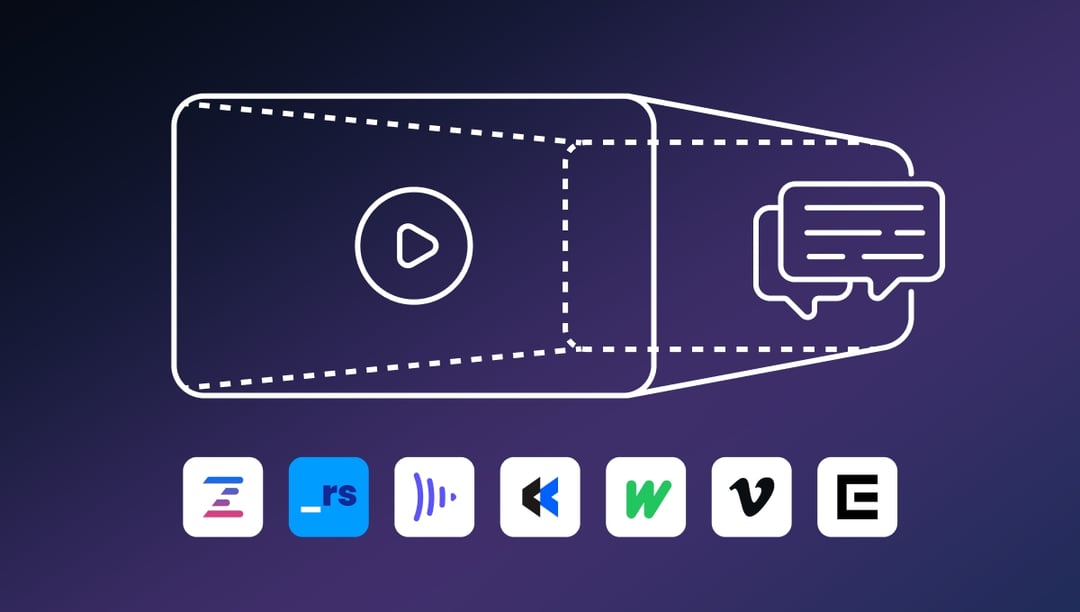
This article covers 7 video review tools that help creative teams gather feedback, speed up the approval process, and eliminate scattered comments across email, Slack, and spreadsheets. You'll learn how video feedback software centralizes timestamped comments, improves collaboration with client feedback, and helps teams reach final approval faster. We break down key features, pricing, and who each review platform is best suited for.
We know that 54% of consumers are actively seeking more video content from the companies they follow, and nearly nine in ten marketers are producing video as a core marketing channel.
Something we also know? Reviewing and approving video is time-consuming, complex, and can quickly get out of hand, especially with a bunch of stakeholders giving their two cents.
Unlike written copy or static images, video requires precise feedback on every frame, and managing this through traditional workflows can be a logistical nightmare.
So how can you ensure a smooth and efficient review process?
By using the best video review tools. These tools are designed to streamline the collaborative video review and approval process by consolidating feedback, enhancing collaboration, and speeding up iteration cycles.
In this article, we'll cover the benefits of video feedback tools, how they eliminate scattered comments and speed up your approval process, and break down the 7 best video review software options for your team.
What we'll cover
Table of contents
How video feedback tools eliminate scattered comments and speed up approvals
Video feedback tools offer several key advantages that can transform your team's workflow. Here's how they help you gather feedback more effectively and reach final approval faster:
Centralized video feedback
Work with video long enough, and you'll discover the pain of scattered feedback. One of the biggest benefits of video review software is the ability to centralize comments and annotations in one place. It keeps you from chasing client feedback across various platforms, and your team can access everything they need within a single review platform.
For example, these tools allow teams to upload videos and collect feedback directly on the platform, making it easier to keep track of all comments and suggestions. You save time and reduce the risk of overlooking important feedback.
Improved team collaboration
Remote work and creation is here to stay, and seamless collaboration is more important than ever. Video feedback tools facilitate communication among reviewers, no matter where they log in.
The right video feedback platform enables real-time collaboration, allowing team members to discuss changes and make decisions quickly. This opens up a number of possibilities. Want to hire a perfect video editor in Poland for your U.S. company? No problem. You can work across different time zones and ensure that everyone stays on the same page.
Enhanced clarity with timestamped comments
There are few things more frustrating when working on video projects than unclear feedback. What do you mean "this doesn't work?" Doesn't work how?
Video feedback tools allow reviewers to pinpoint specific moments in the video and provide time-coded comments. This level of detail helps avoid misunderstandings and ensures that everyone is aligned on the necessary changes.
We're talking about features like frame-accurate comments that make it easy for editors to understand exactly what needs to be adjusted. When reviewers can leave feedback directly on specific frames, you get actionable insights instead of vague suggestions.
Faster iteration cycles to final approval
If you want your video done yesterday, you need clear and organized feedback. Video review software helps speed up the revision process. With all comments and suggestions in one place, your creative team can quickly address issues and move on to the next iteration.
Where does this shine? Fast-paced environments where deadlines are tight. These tools are designed to streamline the review process, allowing teams to complete revisions more efficiently and reduce the time to final approval.
The 7 best video review tools for faster approval
There are a lot of video feedback tools on the market, and it's a chore to choose the right one for your team. That's why we've put together a list of the top 7 tools that can help you streamline your video review and approval process:
1. Ziflow
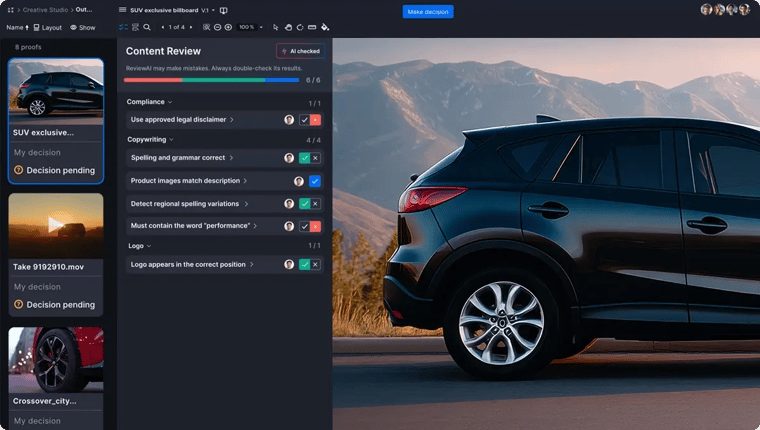
Ziflow is a powerful online proofing tool designed for creative and marketing teams. It supports a wide range of media types, including video, and offers a robust set of features for collecting and managing feedback.
Call us biased, but we think Ziflow is ideal for teams that need a comprehensive video feedback solution with advanced collaboration features. Our intuitive interface and extensive integration options make it a great choice for organizations of all sizes looking to gather feedback and speed up their approval process.
Key features:
- Range-based comments with frame accuracy for precise feedback
- Version comparison to easily track changes between iterations
- Automated workflows to streamline the review process
- Integration with popular project management tools like Asana and Trello
- Secure sharing options with password protection and expiration dates
- Support for multiple file formats
Pricing: Ziflow offers a range of pricing plans, including a free version. Paid plans start at $199 per month for unlimited proofs, and there are enterprise plans available.
2. ReviewStudio
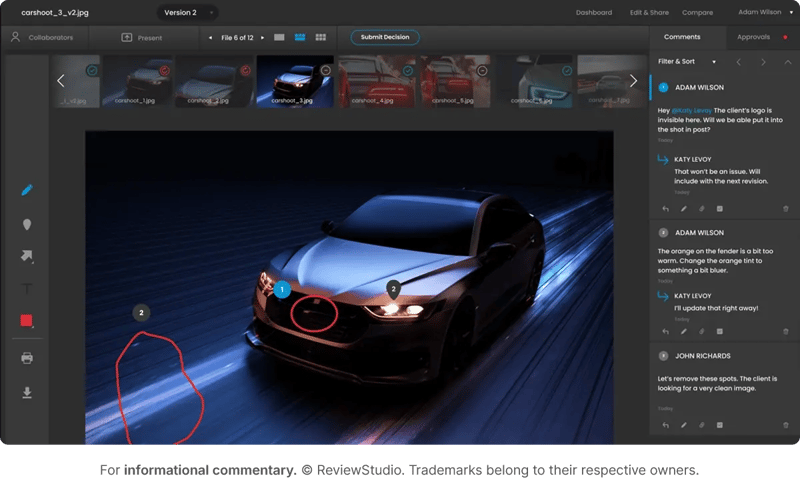
ReviewStudio is a collaborative video review and approval tool that focuses on simplicity and ease of use.
Its goal is to make video feedback straightforward, with decent features for commenting, managing tasks, comparing versions, and a dab of automated workflow. It's mostly geared toward small and mid-sized businesses looking for review software without enterprise complexity.
Key features:
- Frame-accurate commenting for video reviews
- Real-time collaboration with team members
- Visual markups and annotations
- Project management integration with tools like Slack and Jira
Pricing: ReviewStudio offers a range of pricing plans starting at $12 per user per month, with limited reviews and storage on lower-tier plans.
3. Frame.io
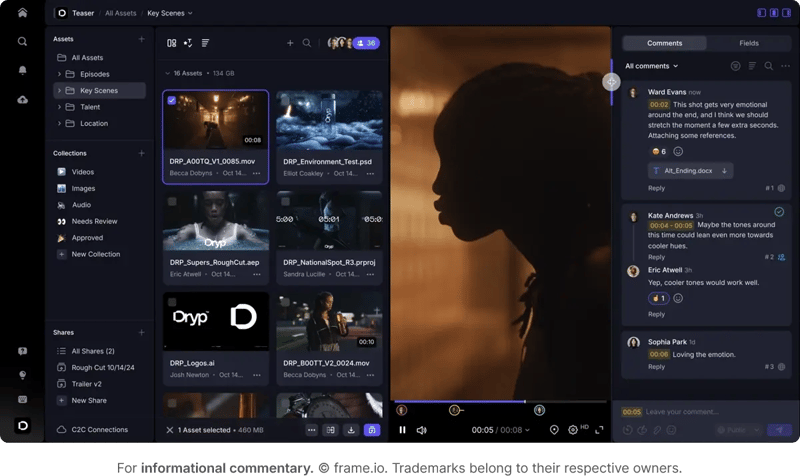
Frame.io is a popular video collaboration platform that integrates well with leading video editing software like Adobe Premiere Pro and Final Cut Pro. It's designed for video production teams that require advanced feedback and collaboration tools.
Frame.io is usually for professional video editors and production teams that need a straightforward integration with their existing workflows to provide feedback directly in their editing environment.
Key features:
- Real-time collaboration with frame-accurate comments
- Integration with video editing software for a streamlined workflow
- Secure file sharing with customizable permissions
- Version history and comparison tools
Pricing: Frame.io offers a free plan with limited features, while paid plans start at $15 per user for up to 5 users. Enterprise plans are available for larger teams.
4. Dropbox Replay
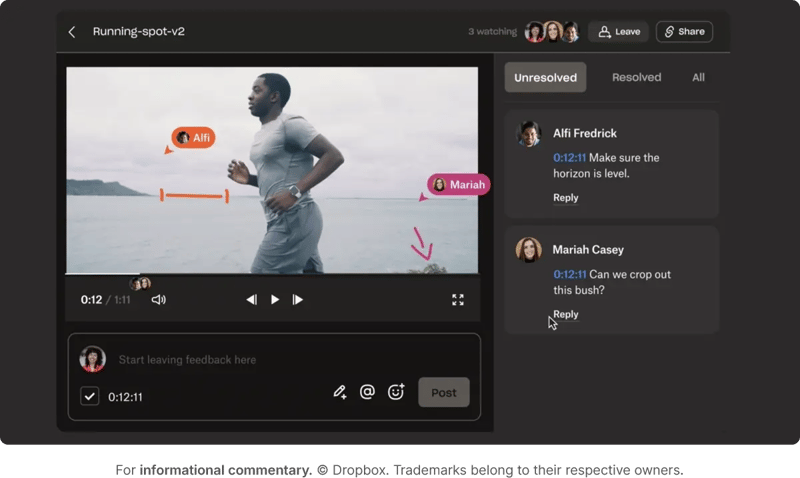
Dropbox Replay is a video review tool that integrates with Dropbox's file storage and sharing capabilities. It's designed to simplify the feedback process for teams that already use Dropbox for their file management.
Dropbox Replay is a good option for teams that want to keep their video review process within the Dropbox ecosystem and gather feedback without switching platforms.
Key features:
- Frame-accurate commenting and annotations
- Integration with Dropbox for seamless file management
- Secure sharing with password protection and expiration dates
- "Sync-to-frame" feature in your video editor of choice
Pricing: Dropbox Replay is available as an add-on to Dropbox Essential plans, starting at $16.58 per user per month.
5. Wipster
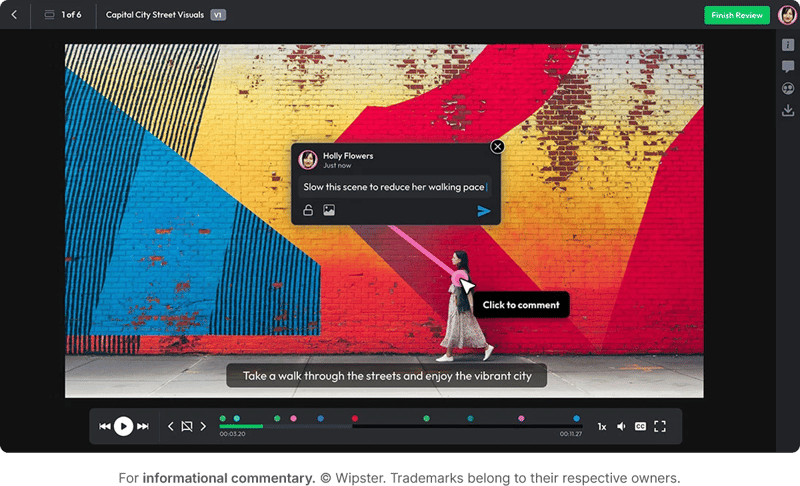
Wipster is a video review and approval platform that focuses on simplicity and speed. It's designed for creative teams that need a quick and easy way to collect client feedback on video projects.
Wipster is ideal for small to medium-sized teams that need a user-friendly, no-frills tool for video feedback without the complexity of enterprise-level review platforms.
Key features:
- Frame-accurate comments and annotations
- Simple and intuitive interface
- Integration with popular project management tools
- Real-time collaboration with team members
Pricing: Wipster offers a free plan with limited features, with paid plans starting at $19.95 per user per month.
6. Vimeo
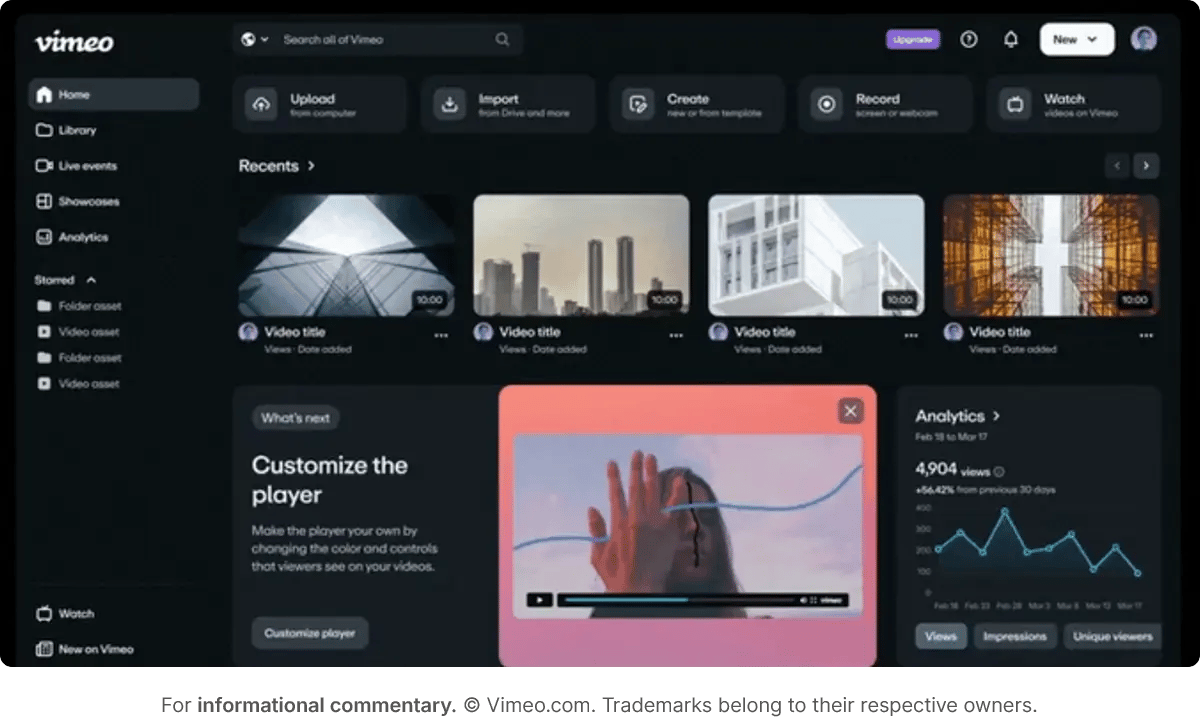
In the world of video hosting, you know there are two big names: YouTube and Vimeo. The latter is well-known for its video hosting and streaming capabilities, but it also offers robust video review tools. Vimeo's review tools are integrated directly into the platform, making it easy for teams to collect feedback on their video projects.
Vimeo is a decent choice for teams that already use Vimeo for video hosting and want to streamline their feedback process without adopting a separate review platform.
Key features:
- Frame-accurate comments and annotations
- Private video sharing with customizable privacy settings
- Integration with video editing software
- Enables Slack notifications for comments
Pricing: Vimeo offers a range of pricing plans, with video review tools available on Pro plans and above, starting at $12 per month for one seat.
7. Evercast
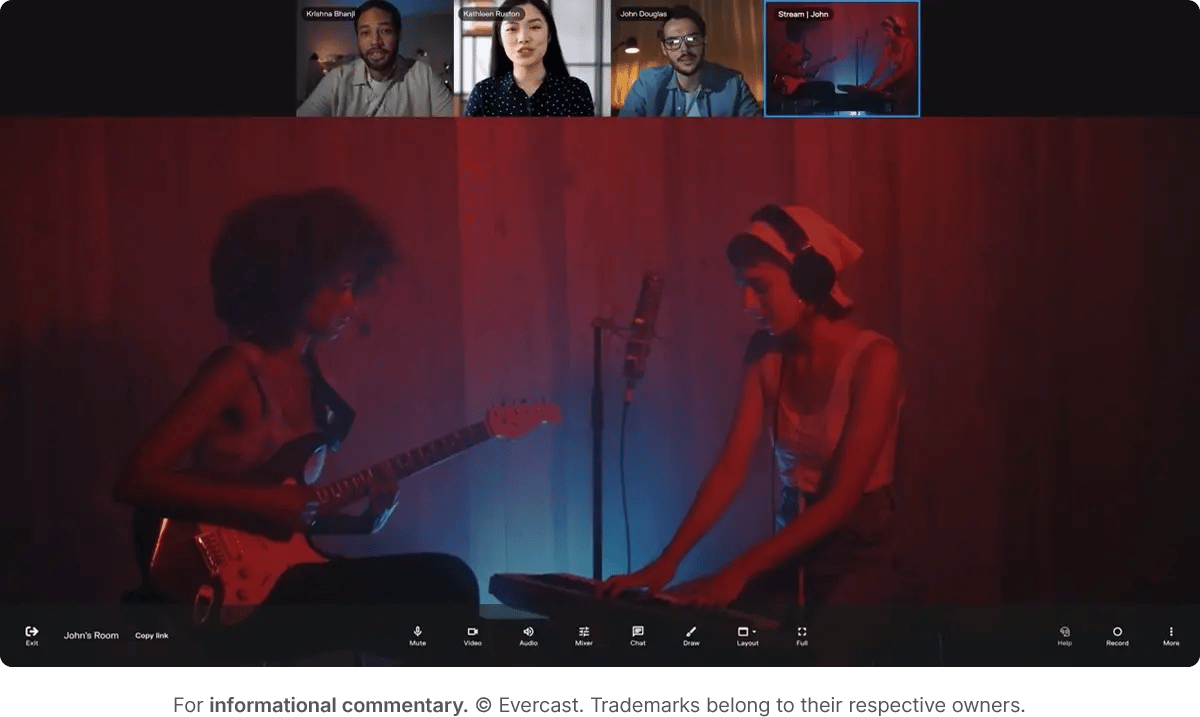
Evercast is a high-end video collaboration platform designed for professional video production teams. It offers a range of features for real-time collaboration, including live video streaming and frame-accurate comments.
Evercast is geared toward large production teams that require a comprehensive tool for remote collaboration and giving feedback in real time.
Key features:
- Real-time video streaming with low latency
- 24/7 white glove tech support
- Secure sharing with customizable permissions
- Integration with video editing software
Pricing: Evercast offers custom pricing based on team size and feature requirements. Their pricing is also dictated by the industry in which you work.
FAQ
What is video feedback software and why do teams need it?
Video feedback software is a platform that allows teams to review video content and leave time-coded comments directly on specific frames or moments. Instead of sending feedback through email, Slack, or spreadsheets where comments get scattered and lost, these tools centralize all feedback in one place. Teams need video feedback software because traditional methods create confusion, slow down revisions, and increase the risk of missing critical notes. When reviewers can pinpoint exact timestamps and add visual annotations, editors understand exactly what needs to change without back-and-forth clarification.
How do video review tools actually speed up the approval process?
Video review tools speed up approvals by eliminating the time wasted on unclear feedback and endless email chains. When reviewers can drop frame-accurate comments directly on the video, editors immediately understand what needs fixing and where. Most tools also include version comparison features so teams can see exactly what changed between iterations without watching the entire video again. Automated workflows route videos to the right stakeholders at the right time, and notification systems keep everyone informed without manual follow-up. The result is fewer revision rounds and faster time to final approval.
What features should I look for when choosing video feedback software?
Look for frame-accurate commenting so reviewers can pinpoint specific moments rather than vague timestamps. Version control and comparison features help track changes across iterations. Integration with your existing tools like Slack, Adobe Premiere, or project management platforms keeps workflows smooth. Secure sharing options with password protection and expiration dates protect sensitive content. Real-time collaboration features let teams discuss changes as they happen. Finally, check if the platform supports your file formats and offers enough storage for your video projects.
Can video feedback tools integrate with editing software like Adobe Premiere or Final Cut Pro?
Yes, many video feedback tools integrate directly with popular editing software. Frame.io, for example, syncs with Adobe Premiere Pro and Final Cut Pro so editors can see comments directly in their timeline without switching platforms. Ziflow integrates with Adobe Creative Cloud to streamline the handoff between review and editing. These integrations allow editors to jump to the exact frame mentioned in feedback and make changes without exporting, uploading, or manually matching timestamps. The level of integration varies by tool, so check compatibility with your specific editing software before committing.
How much does video review software typically cost?
Video review software pricing varies widely based on features and team size. Basic plans start around $12-15 per user per month for tools like ReviewStudio and Vimeo, which offer essential feedback features with storage limits. Mid-tier options like Frame.io offer more advanced collaboration features and integrations. Ziflow offers plans starting at $199 per month for unlimited proofs. Enterprise plans with unlimited storage, advanced security, and dedicated support typically require custom pricing. Many platforms offer free trials or limited free plans so you can test before committing. Factor in your team size, monthly video volume, and required integrations when budgeting.
Eliminate scattered feedback and speed up your video approvals with Ziflow
If your video feedback is buried in email threads, Slack messages, and spreadsheets, you're losing time on every project. When stakeholders can't leave feedback directly on specific frames, you end up with vague comments that lead to more revision rounds and missed deadlines.
Each of the tools listed above offers unique features and benefits, but if you're looking for a comprehensive solution that combines ease of use with powerful features, Ziflow is worth a look.
With Ziflow, you can centralize video feedback, gather precise timestamped comments, improve collaboration with client feedback, and speed up your approval process, all within a single review platform.

With a track record that spans media giants like WarnerMedia, Viacom, and Google, Aaron's expertise shines through in multi-million dollar projects across various mediums, from traditional television to the dynamic realm of YouTube.