Finding the best AI for graphic design has become a creative arms race. You may have even experienced firsthand how AI has changed the way creative teams produce, manage, and approve work.
Which leads to the main question:
What is the best AI for graphic design, and how can my team implement it?
The short answer is there’s no “one” program for everyone. A freelance illustrator will prioritize different features than an in-house marketing team, producing hundreds of deliverables each quarter.
The array of AI tools today has created a competition for your team’s attention and usage. They all promise the most efficient process and streamlined workflow.
In this guide, we’ll break down the most valuable AI tools in use today, focusing on where they excel, how you can integrate them into your workflows, and where your human insight will still be essential.
What we'll cover
Table of contents
An overview of the best AI for graphic design
The six AI tools listed below range in capability.
While each tool has its strengths, the key is understanding where it fits in your creative process. Some platforms excel at generating original concepts, while others focus on automating repetitive tasks or ensuring every asset meets brand standards before it goes live.
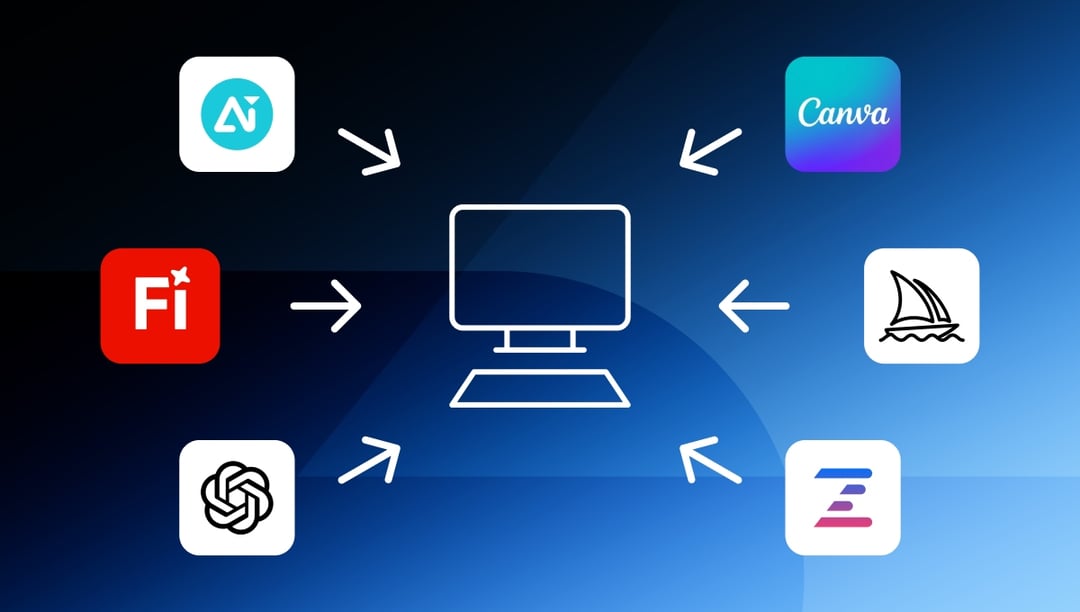
Below is a snapshot of what we’ve identified as the six leading best AI for graphic design platforms.
Beyond the chart, each tool has an analysis outlining its core strengths, ideal use cases, and how it can integrate into a professional design workflow.
|
Tool
|
Best for
|
Key strengths
|
Where it fits in your workflow
|
| Adobe Firefly | Designers working inside Creative Cloud | Text-to-image, Generative Fill, vector recolor, text effects | Concept exploration, rapid edits, variant testing |
| Canva AI | Marketing and social teams | Magic Resize, Brand Kit, AI templates, quick exports | Campaign-ready assets at volume |
| Midjourney | Highly stylized concepts and mood boards | Distinctive, art-forward outputs, strong prompt depth | Early-phase direction, visual language exploration |
| DALL·E | Fast, flexible image creation | Inpainting, outpainting, promptable variations | Placeholders, quick comps, background extensions |
| Designs.ai | Multi-brand and multi-market production | Logo/video/design makers, auto sizing, templating | Cross-market rollouts, identity kits, repeatable sets |
| Ziflow AI | Creative project governance | AI-assisted review, brand/legal compliance, version control | Final-stage asset approval, multi-stakeholder feedback |
Choosing the right AI for your creative process depends on more than features. The best fit will align with your team’s skill set, existing tools, and the demands of your production schedule. In the sections that follow, we’ll take a closer look at each platform, exploring where it performs best, what limitations to keep in mind, and how to get the most value from it.
Adobe Firefly is the first we’ll take a closer look at.
The 6 best AI for graphic design workflows
To help you decide which AI program is the most relevant to your team and production process, we’ve laid out the best AI for graphic design below.
Each is broken down into an overview, what types of content each creates, how each program functions within small and large teams, and where the AI could fit into your workflow.
Adobe Firefly
Adobe Firefly is Adobe’s integrated AI suite built directly into Creative Cloud applications like Photoshop, Illustrator, and Adobe Express. For creative professionals, this means AI is no longer a separate tool you have to export to.
That’s the largest benefit and reason Firefly is one of the best AI for graphic design.
Firefly is embedded into the platforms you already use daily. Firefly’s features are designed to support professional design standards, making it easier to experiment with new ideas, refine concepts, and produce final assets without disrupting established workflows.
Unlike standalone AI generators that require you to start from scratch in a new environment, Firefly works within your existing file formats, layer structures, and brand asset libraries. That native integration is key for design teams who can’t afford to waste time converting files or reapplying brand settings after the fact.
Generative design
Firefly has two unique generation features:
- Text to Image allows designers to produce high-quality imagery from simple prompts.
- Generative Fill extends or modifies images with remarkable precision
These capabilities are ideal for early-stage concepting, visual brainstorming, and filling gaps in layouts without sourcing stock photography.
Brand templating
Specifically in Illustrator, Firefly’s Generative Recolor makes it possible to instantly apply new color palettes to vector graphics. For brand teams, this means rapid adaptation of creative for seasonal campaigns, regional markets, or special editions without rebuilding from scratch.
Because these changes are non-destructive, original brand colors can be restored at any point. This is a critical safeguard for teams managing strict brand guidelines.
Layout automation
While Firefly isn’t a dedicated layout automation tool like Canva AI, it still speeds up repetitive refinement tasks. Features like Text Effects can apply complex, textured, or stylized treatments to headlines and titles in seconds, helping designers iterate through multiple design directions faster than manual methods.
Firefly’s integration with Creative Cloud ensures that layouts remain consistent across different file formats, preserving typography, alignment, and spacing without requiring post-export adjustments.
Creative collaboration
Firefly’s native environment within Creative Cloud makes it easy to share working files with other designers, art directors, and stakeholders. Because AI-generated edits remain in layered formats, collaborators can see exactly how an asset evolved, make refinements, and revert changes without starting over.
How Firefly helps teams
For solo designers: Firefly serves as both an idea accelerator and a precision editing tool. It’s perfect for freelancers who need to turn around high-quality work quickly without sacrificing creative control.
For large teams: Firefly ensures every design variation is created within brand parameters, integrates directly into existing workflows, and produces layered files that can be reviewed, approved, and archived with full version control.
Best for
Adobe Firefly is the best AI for graphic design teams already embedded in the Creative Cloud ecosystem. Its AI tools are optimized for professionals who value precision, brand alignment, and seamless integration over quick novelty.
Where it fits in the workflow
Firefly is most effective in the concept exploration and refinement phases of design. Early in a project, it accelerates ideation by producing multiple creative variations from a single prompt. As the project moves toward production, Firefly’s generative tools help refine details, adapt designs for different formats, and keep everything aligned with brand standards.
Canva AI
Canva has consistently been a hot topic in the graphic design world. Canva AI continues that trend.
Canva AI is one of the best AI for graphic design because it combines ease of use with powerful automation tools. This allows teams to create professional-quality assets without advanced design training.
Canva’s interface makes it accessible from anywhere, with drag-and-drop simplicity that shortens the learning curve. AI features are seamlessly integrated into the existing platform, allowing users to speed up content creation while maintaining full-size brand packages with a multitude of assets ready to go.
Generative design
Canva AI offers several generative features that streamline content creation:
- Magic Edit allows users to replace or add elements to an image based on a text prompt, functioning much like inpainting in more advanced design software.
- AI template recommendations suggest layouts and design elements based on the project type, helping users move from concept to execution faster.
These tools allow marketers and non-designers to produce high-quality creative without needing to start from a blank canvas. This separates Canva out as especially useful for small teams without a dedicated design department.
Brand templating
The Brand Kit stores a company’s colors, logos, and fonts, ensuring every asset aligns with established brand standards.
These assets can be generated from scratch or adapted from a template.
When combined with AI-driven design suggestions, the Brand Kit helps maintain consistency across campaigns while giving creators the freedom to experiment within approved parameters.
Layout automation
Canva’s Magic Resize feature is one of its most valuable AI-powered capabilities. With a single click, it adapts a design to multiple formats.
This includes resizing a social media post into a presentation slide, an email header, and a print flyer, while keeping the visual hierarchy intact. This drastically reduces the time needed to prepare assets for multi-channel campaigns.
Additional automation tools, like the Background Remover, make quick work of cleaning up images without exporting them to another platform.
Creative collaboration
Canva’s cloud-based environment allows multiple stakeholders to work on the same design in real time, regardless of location. AI-assisted elements, like automated resizing or smart layout adjustments, ensure that even when multiple people contribute, the end result remains visually consistent.
How Canva AI helps teams
For solo designers: Canva AI is a fast, intuitive way to produce client-ready assets without spending hours on repetitive resizing or layout adjustments. It’s especially useful for freelancers managing multiple brands and formats.
For large teams: Canva’s AI tools, combined with its collaboration features, allow marketing departments to scale creative production without overloading a small design staff. Multi-brand organizations can store brand kits for each identity, helping output stay consistent and compliant.
Best for
Canva AI is best for marketing teams, small businesses, and content creators who prioritize speed and scalability. Its AI tools are ideal for organizations that need to produce large volumes of campaign assets while maintaining brand alignment.
Where it fits in the workflow
Canva AI is most effective in the production and deployment stages of a campaign. It can be used for initial concepting, but its real value lies in turning approved creative into multiple formats.
Midjourney
Midjourney is one of the most recognized names in AI-generated imagery.
It’s one of the best AI for graphic design because of its ability to create highly detailed, stylistically diverse visuals from simple text prompts.
Its independence from any single platform is both a strength and a limitation. It allows for incredible creative freedom with minimal constraints. But it also requires exporting images to another program for final adjustments, brand application, or integration into larger campaigns.
Generative design
Midjourney’s core strength is in text-to-image generation. Users can guide outputs with:
- Natural language prompts
- Style modifiers
- Aspect ratios
These result in visuals that range from hyper-realistic to surreal and abstract.
Its rendering engine produces fine detail and rich textures, making it especially popular for concept art, mood boards, and visual experimentation.
Advanced prompt engineering allows designers to specify composition, lighting, color grading, and even camera angles, giving an unusual degree of control compared to many consumer AI art tools.
Brand templating
Midjourney does not offer native brand templating tools, which means designers must apply logos, brand colors, and typography in another program like Photoshop or Illustrator. However, its style consistency features can help maintain a coherent look across multiple images in a campaign.
For teams with well-defined brand guidelines, this can be workable, but it does add an extra production step.
Layout automation
Midjourney is not designed for layout automation in the traditional sense. It focuses entirely on generating standalone visuals rather than multi-format adaptations.
Designers often use Midjourney-generated imagery as the foundation for layouts created in other tools, where they can be resized, combined with text, and adapted for specific formats.
Creative collaboration
Teams can share prompts, view each other’s outputs, and iterate together in real time. However, this environment lacks the structured approval workflows of professional design platforms, so integration with a review tool like Ziflow is essential for formal creative production.
How Midjourney helps teams
For solo designers: Midjourney is a powerful brainstorming partner, capable of rapidly producing visual concepts for pitches, personal projects, or freelance work.
For large teams: Midjourney works best as an early-stage ideation tool, feeding a larger creative process where brand compliance and multi-format production happen in other platforms.
Best for
Midjourney is best for creative professionals who need high-quality concept art, stylistic exploration, or unique visual assets that push beyond stock imagery.
Where it fits in the workflow
Midjourney is most effective in the concept and inspiration stages. It can help establish a visual direction quickly, but most outputs will require further refinement in tools that support branding, typography, and structured layout design.
DALL·E
DALL·E is a text-to-image AI tool that specializes in generating creative, high-quality visuals from natural language prompts.
It’s developed by OpenAI and integrates closely with ChatGPT for users on the Pro plan. This makes it possible to ideate, refine, and produce imagery without leaving the conversations your team is having with ChatGPT.
DALL·E stands out for its inpainting and outpainting capabilities, allowing users to edit specific sections of an image or expand beyond its original boundaries with seamless blending.
While not tied to a design suite like Adobe Firefly, its outputs can be exported into professional design software for further refinement.
Generative design
DALL·E’s generative engine responds well to descriptive prompts, producing images with solid composition and detail. It’s particularly effective for storytelling-driven visuals, conceptual illustrations, and imaginative scenes that may not exist in real life:
- The inpainting feature lets you replace or modify parts of an image with new elements while preserving lighting and perspective.
- Outpainting extends an image beyond its original crop, enabling creative reframing or panoramic expansions without distorting the scene.
Brand templating
Like Midjourney, DALL·E lacks built-in brand templating tools. Applying logos, brand fonts, and color schemes must be done in a separate platform.
However, DALL·E’s ability to follow stylistic cues in prompts can help approximate brand-aligned outputs, especially if you reference existing brand photography or campaign elements in your prompt descriptions.
Layout automation
DALL·E does not provide native layout automation. But designers can create assets that are closer to final dimensions for social posts, ads, or hero banners. This can reduce cropping and formatting work later in the process.
Creative collaboration
DALL·E’s integration with ChatGPT allows for a conversational collaboration process. Teams can iterate on image ideas, adjust prompts, and review outputs in real time during brainstorming sessions.
How DALL·E helps teams
For solo designers: DALL·E is an accessible, quick-turn tool for generating concept art, campaign ideas, or supplemental imagery when stock photography falls short.
For large teams: DALL·E works well for rapid prototyping of creative concepts that can later be adapted into polished, brand-compliant assets by the design team.
Best for
DALL·E is one of the best AI for graphic design teams or individuals who need quick, imaginative visuals without committing to a standalone AI art platform. Its ChatGPT integration makes it especially useful for early-stage ideation alongside copywriting and concept development.
Where it fits in the workflow
DALL·E is most effective in the ideation and rough concepting phases, where speed and variety are more important than final polish. It serves as a springboard for creative thinking, with outputs to be refined in other professional design tools.
Designs.ai
Designs.ai is an AI-powered creative platform designed for businesses and marketing teams that need to produce a wide range of content types quickly.
The AI covers multiple media formats, including graphics, videos, logos, and voiceovers. This makes it a versatile choice for multi-channel campaigns.
Its browser-based interface is easy to use, requiring no advanced design skills. For teams working under tight deadlines, Designs.ai helps with faster production cycles without jumping between multiple platforms.
Generative design
Designs.ai has a few programs to work with:
- Graphicmaker and Logomaker produce custom logos and design assets from text prompts or questionnaire inputs.
- Designmaker generates ready-to-use marketing materials from a single set of brand inputs.
All three of these separate Designs.ai as the best AI for graphic design teams needing regular brand creative.
Brand templating
The platform allows users to upload brand assets and guidelines, ensuring that AI-generated designs adhere to established colors, fonts, and visual styles. Once brand settings are stored, they can be applied across different content types, keeping campaign materials cohesive.
This multi-asset consistency is a major time-saver for businesses that need their visuals to remain recognizable across channels.
Layout automation
Designs.ai includes pre-built templates for a variety of formats, which can be automatically adapted to fit different sizes and channels. For example, a design created for Instagram can be quickly reformatted for LinkedIn, YouTube thumbnails, or print flyers without starting over.
While not as advanced in layout automation as Canva’s Magic Resize, it offers enough flexibility to handle most marketing needs without significant manual adjustment.
Creative collaboration
Because Designs.ai is entirely cloud-based, teams can access and edit projects from anywhere. Assets are stored in a centralized workspace, making it easier to share drafts, gather feedback, and finalize creative in one location.
How Designs.ai helps teams
For solo designers: Designs.ai can act as a personal creative assistant, producing initial drafts and ideas that can be polished in other design software.
For large teams: It’s a scalable way to maintain brand consistency across a variety of asset types without overburdening design staff.
Best for
Designs.ai is best for marketing teams, startups, and small businesses that want a single platform to handle multiple creative needs, without requiring deep technical expertise.
Where it fits in the workflow
Designs.ai is most effective in the production stage, especially when multiple content formats are needed for a campaign launch. Consolidating creative tools into one platform helps teams produce assets faster while staying on brand.
Ziflow
Ziflow is the definitive creative workflow and review platform that ensures AI-generated assets meet brand, quality, and compliance standards before they go live.
AI tools like Firefly, Canva AI, and Midjourney accelerate content creation. Ziflow steps in to handle the equally critical side of creative production: version control, stakeholder collaboration, and automated compliance checks.
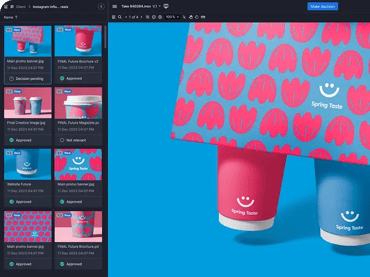
By integrating with leading design and content tools, Ziflow gives creative teams a centralized space to review, comment, and approve any asset without losing track of revisions or approvals.
Generative design
Ziflow enhances the generative process by making it review-friendly. Assets from AI tools can be uploaded directly into Ziflow for comparison against brand guidelines, project briefs, and compliance requirements. This keeps the creative potential balanced with professional oversight.
Brand templating
Uploaded assets can be checked against stored brand guidelines. Colors, logos, typography, and imagery remain consistent across campaigns.
This is particularly valuable when AI tools produce high-quality visuals that still need to be verified for brand fit before deployment.
Layout automation
Features like automated checklists, AI-powered content compliance scanning, and version comparison tools drastically reduce the manual effort of catching inconsistencies or errors across multiple design formats.
For teams adapting creative into dozens of formats, this means approvals can happen in parallel instead of sequentially, keeping production moving quickly.
Creative collaboration
This is Ziflow’s strongest area. Multiple stakeholders, from designers to marketers to legal reviewers, can collaborate in real time on any file type, including images, PDFs, videos, and web banners.
Annotating directly on the asset removes ambiguity from feedback and shortens revision cycles.
Integrations with cloud storage, project management platforms, and design tools ensure assets flow seamlessly from creation to approval without redundant file handling.
How Ziflow helps teams
For solo designers: Ziflow AI provides a professional framework for managing client feedback, ensuring that revisions are documented, approved, and archived.
For large teams: It becomes the operational hub for managing high-volume creative output, especially when AI tools are used to scale asset production across multiple campaigns and brands.
Best for
Ziflow AI is best for creative teams that want to harness the speed of AI-generated content without sacrificing brand integrity, compliance, or collaborative efficiency.
Where it fits in the workflow
Ziflow is most effective and the best AI for graphic design in the review and approval stages. It acts as the checkpoint between AI creation and final delivery. The online proofing platform makes sure every asset meets the same standards for the entire team, across all workflows.
Why even the best AI for graphic design needs a human touch
AI tools have advanced rapidly, but they’re not a replacement for human creative judgment.
Platforms like Adobe Firefly, Canva AI, Midjourney, and DALL·E can generate impressive visuals in seconds. But they operate based on prompts, algorithms, and training data. What they can’t fully replicate is the nuanced understanding of brand identity, campaign strategy, and stakeholder priorities that comes from an experienced creative team.
Brand compliance
A slightly off-color, an outdated logo variation, or typography that isn’t part of the approved set can weaken brand recognition. Without a human-led review process, these inconsistencies can slip through, especially at scale.
Stakeholder feedback
Stakeholders bring perspectives that AI can’t anticipate, from cultural sensitivity to campaign timing considerations.
Cross-functional approvals
In larger organizations, creative assets pass through multiple departments: marketing, product, legal, and compliance. These departments each give their approval before going live.
AI can accelerate production, but these checkpoints are still critical.
Building efficient workflows around AI outputs
So what’s the balance between AI production and human teams?
That line depends on your team and industry.
This is where platforms like Ziflow become essential to getting results and maintaining your brand.
Ziflow brings together AI automation with client proofing software in a structured creative workflow. That means:
- Centralizing asset reviews so all feedback and revisions happen in one place.
- Automating compliance checks to catch brand or legal issues early.
- Tracking version history so teams can compare edits and revert if needed.
- Setting parallel review stages so multiple stakeholders can approve assets simultaneously rather than one after the other.
Ziflow provides the oversight and process discipline to ensure that AI-driven speed doesn’t come at the cost of brand consistency, quality, or compliance. By combining AI’s generative capabilities with human-guided review and approval, teams can produce high volumes of creative with confidence.
Bridge your workflows and AI designs together with Ziflow
The right AI tools can supercharge your creative output. Ziflow connects the speed of AI-generated design with the precision of professional creative workflows.
From automated compliance checks to real-time collaboration and version control, Ziflow ensures every asset is reviewed, approved, and ready for launch. Seamless integrations mean you can keep working in your favorite tools while centralizing all feedback and approvals in one place.
FAQ
How does Ziflow work with AI design tools?
Ziflow integrates seamlessly with AI platforms by acting as the centralized review and approval hub. You can upload AI-generated assets directly into Ziflow, run automated compliance checks, collect stakeholder feedback in real time, and track every version until final approval.
Why should I use Ziflow for AI-generated creative?
AI can produce designs quickly, but it doesn’t guarantee brand compliance, quality control, or stakeholder alignment. Ziflow ensures that every AI-generated asset is reviewed against brand guidelines, approved by the right people, and archived with a complete version history.
How do I make sure AI-generated designs follow brand guidelines?
How do I make sure AI-generated designs follow brand guidelines? Use brand templating features in tools like Canva AI or Adobe Firefly, and implement a centralized review process with platforms like Ziflow. This ensures every asset is checked against approved colors, fonts, and imagery before it’s published.
Which AI tool is best for small teams or solo designers?
For quick, high-quality results without a steep learning curve, Canva AI is a great option. It offers AI-powered resizing, templates, and background removal that help small teams create professional assets efficiently.
Start by identifying where AI can save you time: ideation, resizing, or image enhancement. Then, use a review platform like Ziflow to connect those AI-generated assets into your feedback and approval process, keeping everything organized and brand-safe.

With a track record that spans media giants like WarnerMedia, Viacom, and Google, Aaron's expertise shines through in multi-million dollar projects across various mediums, from traditional television to the dynamic realm of YouTube.