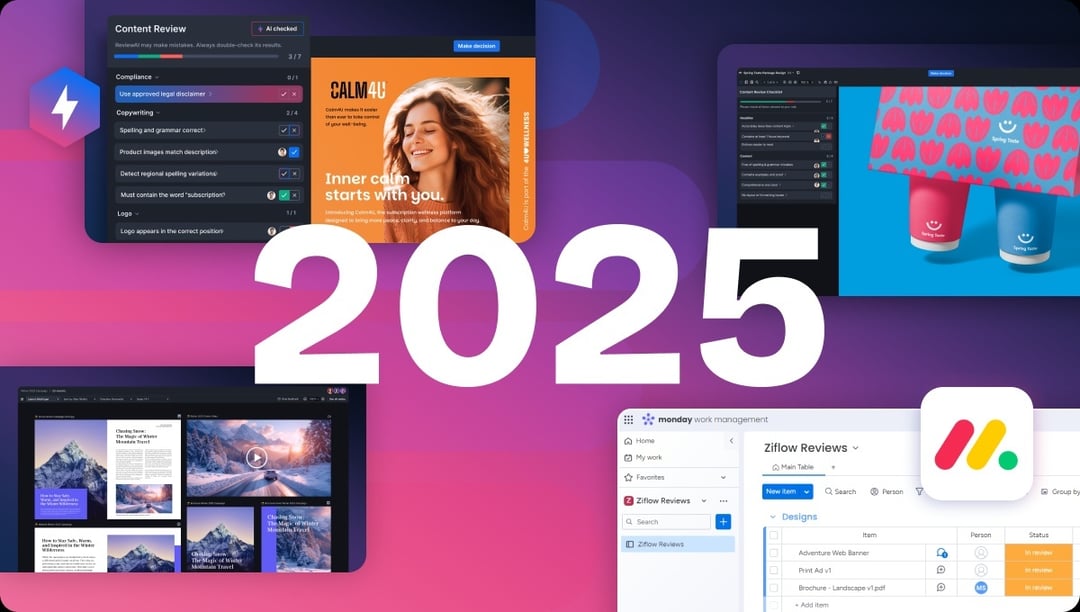
2025 was a defining year for Ziflow. We helped marketing and creative teams review faster, collaborate smarter, and unlock entirely new possibilities through intelligent automation. It was also the year we launched ReviewAI, our automation engine for creative review and approval, marking a major leap forward in the evolution of online proofing.
It was a great year for Ziflow’s customers as well, as they reviewed more than 6.5 million proofs in 2025, bringing together 150,000+ stakeholders across internal and external teams. In fact, if you wanted to fit every creative asset they reviewed on a single drive, you’d need more than 500 terabytes of storage. That’s an astonishing amount of creative collaboration.
From Winter’s first wave of features to Autumn’s final flourish, here’s a look back at some of the biggest feature releases from 2025: new capabilities that transformed how teams standardize their processes, route content for approval, and tap into AI-driven review intelligence.
What we'll cover
Table of contents
Highlights from Winter 2025:
Visual workflows, native integrations, and seamless setup
We kicked off 2025 by focusing on clarity, consistency, and control. The updates we launched in the Winter introduced a new visual interface for creative review and deepened our integrations with tools like monday.com, Jira, Asana, ClickUp, and more. It was all about making collaborative proofing feel frictionless, familiar, and essential to your creative process.
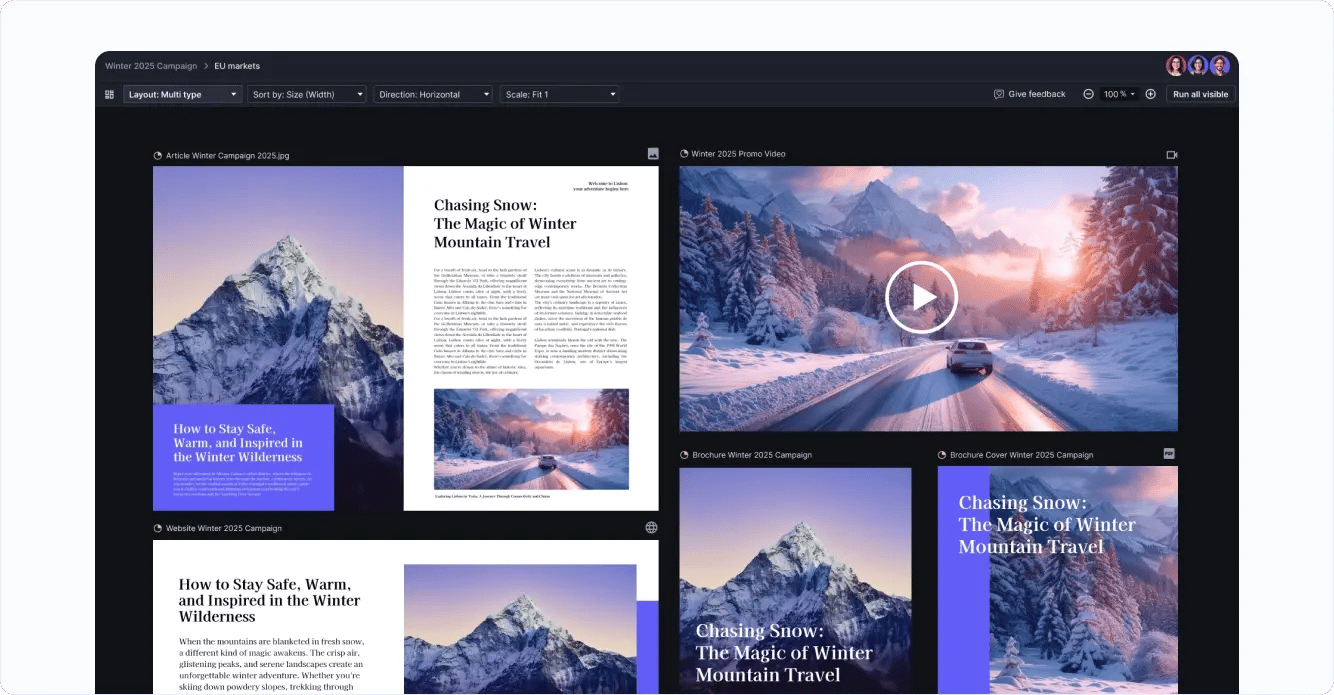
Canvas View: a new way to see everything and approve anything
Canvas View reimagined the way creative teams engage with proofs, offering a visual workspace to see, organize, and navigate even the most complex campaign-level reviews or arrays of assets. With drag-and-drop controls, preset situational views, and real-time visibility into proof progression, Canvas View made it easier than ever to conduct creative reviews at scale.
Our seamless collaborative proofing experience for monday.com
Ziflow’s native in-app widget, Proofs Gallery board view, and Proofs Board brought the entire proofing process inside monday.com. Users could create and review proofs, leave feedback, and track progress, all without switching tools. This update deepened our partnership with monday.com and cemented Ziflow’s role as its official online proofing add-on.
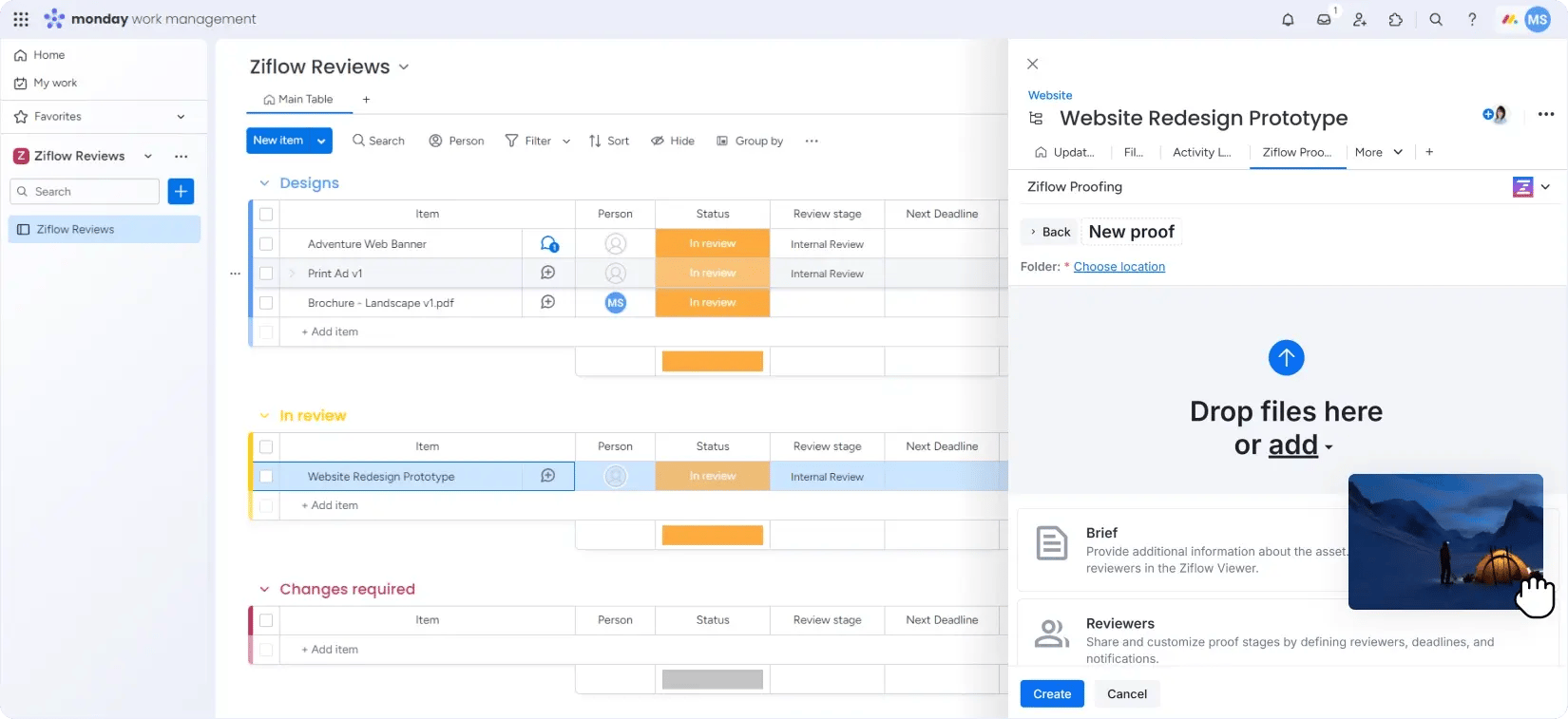
Easily connect a proof to an item in your project management tool
We also updated our Integrations panel to streamline the proof creation flow. Users can now simply copy and paste a task’s URL into the panel when creating a proof, creating a faster, more consistent way to link proofs to items in Asana, Clickup, monday.com, Jira, Basecamp, Wrike, or Trello.
Highlights from Spring 2025:
Proofing standardization, process visibility, and reporting flexibility
In the Spring, we turned our attention to the systems that support creative quality. Ziflow introduced powerful tools to bring structure and repeatability to every review. Paired with new data export and customization capabilities, these releases helped teams align stakeholders, track performance, and build more accountability into their approval processes.
Checklists: clearer, more consistent creative reviews
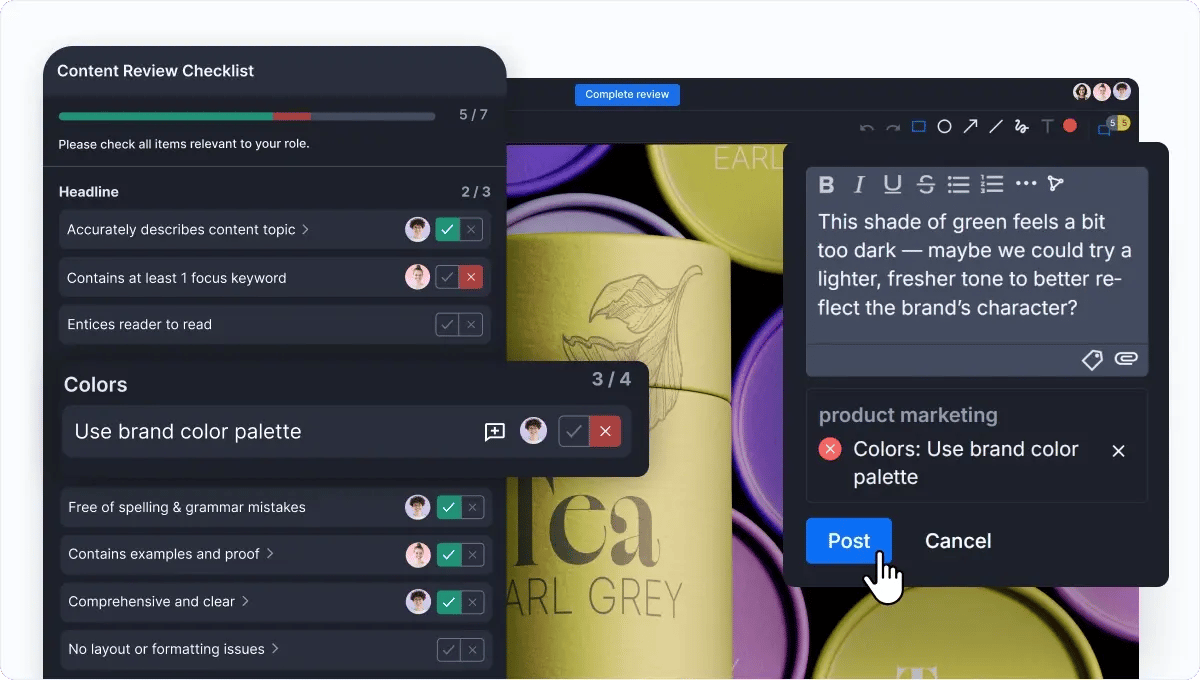
With the launch of Checklists, Ziflow introduced a whole new layer of quality control for creative work. Checklists made it easy to define repeatable review criteria—whether for brand, legal, accessibility, or internal QA—and ensure nothing got missed during proofing. Flexible enough for any use case, Checklists brought clarity, accountability, and structure to your review process.
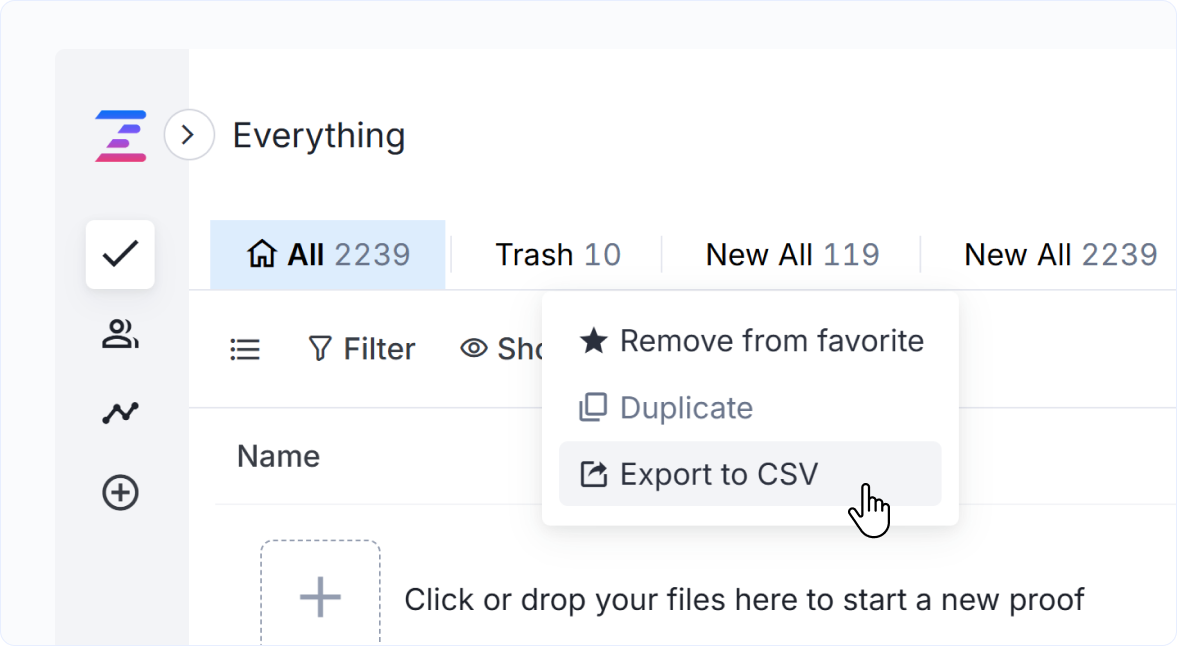
Export Proof Data to CSV: analyze your team’s progress
Need to deliver status updates to leadership or audit your team’s proofing activity? With the ability to export Proof Data to CSV—including comments, stages, and reviewers—admins and managers could quickly compile reports using spreadsheet tools or external BI platforms. Whether for compliance, reporting, or collaboration, analyzing data captured inside Ziflow became easier than ever.
Other key features from Spring of 2025:
Adding private replies to public comments helped users restrict visibility to certain comments to allow internal conversations to occur within the same discussion thread.
The look of your review environment can be tailored for better visual clarity and accessibility with our Proof Viewer background color customization feature, perfect for reviewing assets with transparent backgrounds like PNGs or SVGs.
Highlights from Autumn 2025:
AI-powered intelligence, creation-to-review workflows, and proofing anywhere
You saw it teased in the Winter, explored in the Spring, and delivered in the Fall: the first wave of Ziflow’s ReviewAI features, ushering in a new era of intelligent, automated creative reviews. From mobile tools to plugin enhancements, Autumn focused on faster review cycles and more actionable feedback—wherever and however teams work.
ReviewAI for Checklists: Smarter reviews. Faster approvals.
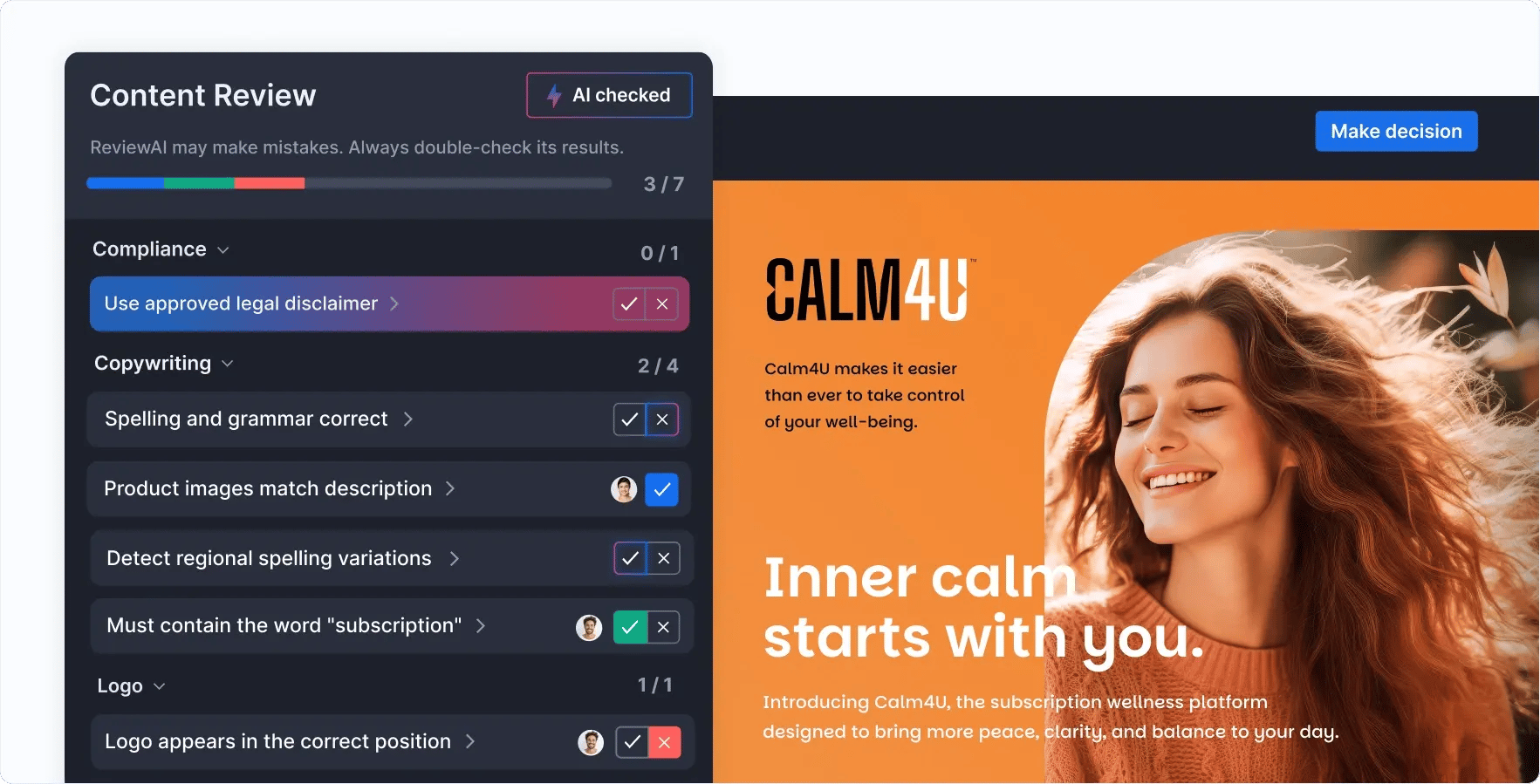
The first surfaced capability powered by our new ReviewAI engine, ReviewAI for Checklists, brought intelligent automation to the most objective parts of the review process. Teams could invoke AI to evaluate checklist items—like mandatory creative elements or legal language—and receive suggested outcomes with rationale and confidence scoring. With human oversight built in, this feature helped teams handle repetitive QA checks without compromising control.
ReviewAI for Checklists is available in public preview as a paid add-on for customers on Enterprise plans. To learn more about introductory pricing for ReviewAI, contact your Ziflow Customer Success Manager.
Figma plugin: now in public preview
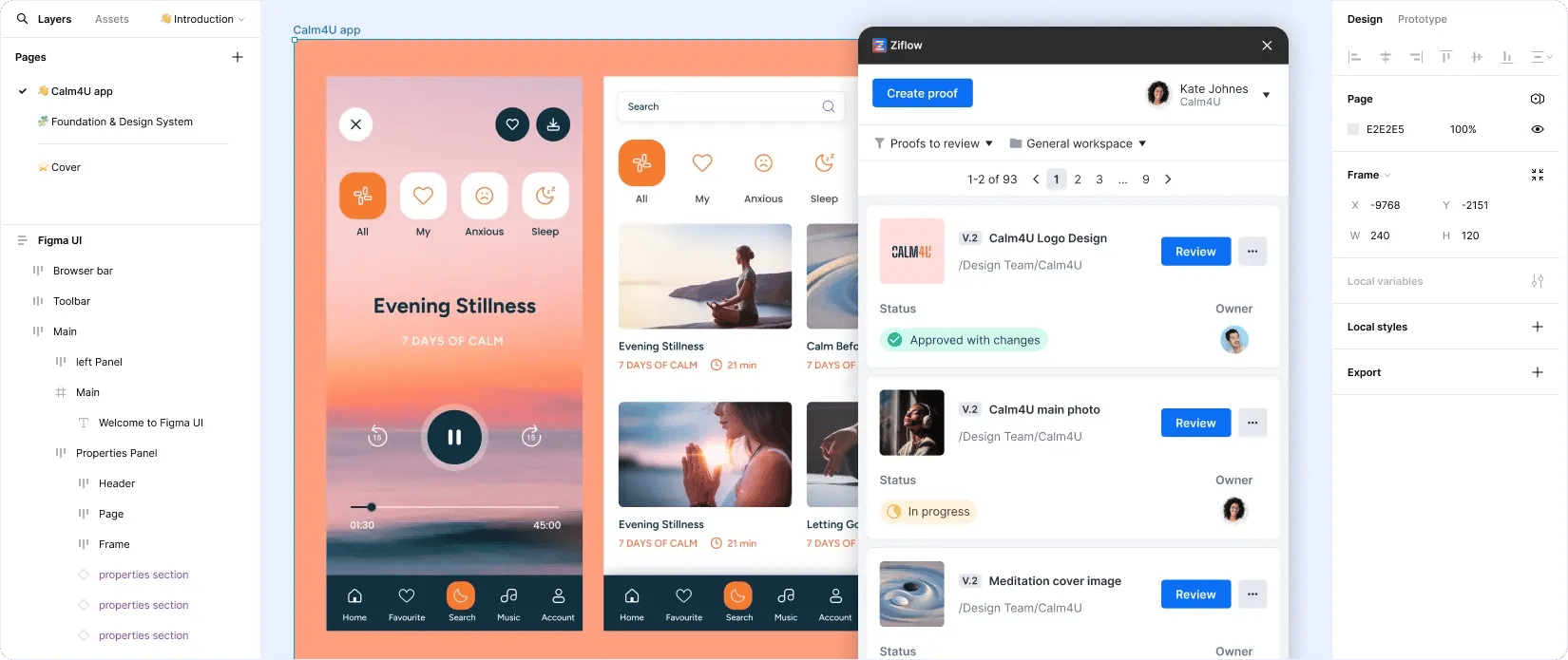
Our official Figma plugin allowed design teams to push work into Ziflow directly from the Figma canvas. With support for creating new proofs or versions, either as PNGs (for flattened images) or as PDFs (with selectable text for markup), Figma teams could bridge the gap between creation and collaboration, all without disrupting their flow.
Import Comments from PDFs: now in public preview
Some teams still receive annotated PDFs outside of Ziflow, often via Adobe Acrobat. To support this workflow, we introduced the ability to import embedded PDF comments directly into Ziflow. This functionality converts Acrobat annotations into native Ziflow comments, preserving markup and visibility while eliminating the need for manual copying. It’s a big step toward more centralized, streamlined reviews, with more updates to follow in 2026.
Other key features from Autumn of 2025:
We revamped our rich text editor throughout the platform, but the efforts were felt most acutely when creating and displaying a Proof Brief. Copy/pasting text with rich formatting will no longer appear discolored or misaligned in Proof Viewer.
We made some small but important improvements to the mobile version of Proof Viewer, enhancing our on-the-go proofing experience with support for Checklists and a more intuitive interface.
We also added a “Changes required” filter to our creative plugins—including Final Cut Pro X, Figma, and Adobe Creative Cloud—to make it easier for designers to identify proofs that required their immediate attention.
Here’s to an amazing 2026
Our team is already hard at work on what’s next, and 2026 will be another massive year for brands and agencies who use Ziflow for creative reviews. Next year, you’ll see new capabilities like in-viewer font and barcode inspection tools for brand and compliance reviews. And we’ll be extending our ReviewAI capabilities to automatically verify changes that were suggested in prior versions of an asset.
But that’s only a glimpse of what’s in store. Our roadmap is packed with features designed to bring deeper intelligence, clarity, and confidence to your review process.
To every customer who shared feedback, joined a webinar, or helped shape a feature—thank you. At Ziflow, the customer is our hero, and we can’t do this work without you.
In 2026, we’re doubling down on our mission to make collaborative proofing smarter, faster, and more seamless.
Until next year: Let your content flow.

Before joining Ziflow, Erik held leadership roles in product marketing at Crayon, USA TODAY NETWORK | LOCALiQ, WordStream (merged with LOCALiQ), and Nanigans (acquired by Sprinklr). Erik's expertise extends to podcasting, public speaking, team building, and process optimization, all geared towards driving business value and enhancing customer relationships.