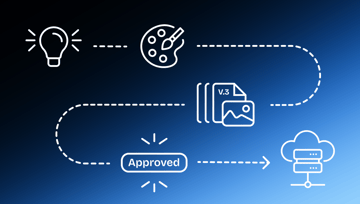
The demand for high-quality creative content is insatiable. Brands need to produce content to stay relevant to their customers. As the number of channels increases and the shelf life of content decreases, creative and marketing teams are under pressure to deliver ever-higher volumes of high-quality content in less time.
But between long email threads, swapping creative assets for approval, chat messages buried in your notifications, or weekly meetings with crowded agendas, how are creative teams supposed to stay agile without seeing quality dips?
Online proofing is the solution you’ve been waiting for. Losing feedback notes and missing deadlines are a thing of the past when you add online proofing tools to your creative workflows.
What we'll cover
Table of contents
What is online proofing?
Online proofing is the process of sharing assets for feedback and approval using online proofing software. This software consolidates feedback into a centralized software solution where all team members and stakeholders can review, approve, and leave feedback on creative assets.
Think of all the ways you typically gather feedback. Jotting down notes during a meeting? Slack or Microsoft Teams convos? Multiple hundred-something emails-long threads?
With online proofing, feedback lives in one place, so you won’t have to dig through old conversations to find what you’re looking for.
Marketing teams will streamline their processes with the right proofing solution. Share and provide feedback on marketing assets, communicate directly on the creative collateral, and maintain version and comment histories for accountability — all inside your online proofing software.
Guide to online proofing software
Online proofing software vs. traditional methods (like email or Slack)
Online proofing applications are far more seamless than traditional feedback methods. Common traditional methods for receiving feedback include shared Dropbox folders, email, printouts, Slack, or Microsoft Teams.
When using online proofing software, feedback is provided directly on the content being reviewed. The benefits of online proofing include:
- Greater clarity and visibility into the review and approval process
- Improved status tracking
- Better collection of feedback and collaboration
- Stronger version control and version comparisons
Who uses online proofing software?
Creative and marketing teams, both in-house and at agencies, use online proofing software to streamline the review and approval process for creative content.
This includes everything from PDFs and packaging to social media and video content. All kinds of file formats can be used in online proofing software.
Agencies and their brand clients use the system collaboratively, sharing and collecting feedback in one central location. Attempting to do this over email could quickly lead to miscommunication and missed deadlines — particularly for remote and hybrid teams who need tools that support both synchronous and asynchronous communication.
From small, specialized teams to the largest global organizations, companies of all sizes benefit from online proofing software.
The more content produced, the more people involved in the approval process, and the more compliance in place, the greater the benefits of online proofing.

Why implement an online proofing software?
Outdated traditional proofing methods slow your team down. They’re clunky, inefficient, and a bottleneck for your workflows. When you switch to online proofing software, you’ll transform your error-prone process into a streamlined machine.
Cost savings
Switching to online proofing software correlates to tangible cost savings.
Personnel is one of the largest expenses any creative team has. Creative teams can easily spend hundreds of thousands of dollars on personnel, from full-time employees to contractors. With more effective workflows, you’ll be able to tackle revisions quicker and easier, and your project pipeline will be simpler to manage. That means your team’s need for external freelancers will also dwindle (translating to even greater savings on resources).
You’ll also decrease the amount of rework required to finish a project. If you’re at an agency, you can take on more clients, bringing in more revenue. Fewer errors mean less money wasted on printing mishaps or low-quality digital assets.
Control over high volumes of content
If you’re juggling massive amounts of content without a centralized platform for feedback, you’re begging for a migraine. The best online proofing tools support teams by preventing bottlenecks that lead to delays.
How? Automation features.
By automating your review process, the next stakeholder can be automatically pinged when it’s their turn to review. They can even get reminders as deadlines approach.
Automation keeps everything on track. The right people will see each asset at the right time. This ensures higher quality content even at scale.
Coordination among numerous collaborators
Whether you work with a large team, several stakeholders, or multiple clients, online proofing is a must. It’s imperative to have everyone on the same page. Otherwise, you’re stepping on each other's toes, work gets muddled, and tensions rise.
Dynamic proofing methods keep things running smoothly. Built-in markup tools make it obvious what needs to change, and conversation history means you won’t waste time going back and forth. Creative work is completed faster and with less friction.
Faster review and approval processes
Online proofing speeds up the review and approval timeline by streamlining your workflow. Gone are the days of pinging your colleagues or clients about their notes. Instead, designate key stakeholders and decision-makers and automate notifications about deadlines.
Every decision is traceable, keeping transparency at the forefront. When working on complex projects with large teams, this is a lifesaver. All team members will be kept in the loop, decision-makers can easily sign off on changes, and projects will cross the finish line more quickly.
Maintaining marketing compliance
So many industries have to navigate marketing compliance regulations. Project management is a puzzle when you’re also jumping through compliance hoops, such as:
- Brand compliance
- Disclosures
- Comparative claims
- Special offers
- Substantiation
- Sweepstakes and contests
- Marketing to children
- Collection and use of marketing data
Marketing compliance: What it is & how it affects your role
Non-compliance leads to financial penalties, legal liabilities, and a loss of customer confidence, to name a few. This is all before any rework is required.
An online proofing platform empowers teams to adhere to brand guidelines and compliance rules. By adding more structure to your review process, you’ll catch compliance concerns before they become costly errors.

The benefits of online proofing for creative operations
When you start using online proofing software, your review cycles will change for the better. No matter what file types you decide to proof, expect to see these benefits along the way:
- Better tracking and visibility: Online proofing creates an audit trail that is easy to follow, holding everyone accountable.
- Faster project delivery: Reduce cycle time and deliver projects by their deadline so that you can work on the next big thing.
- Reduced costs: Earn a higher ROI for each project by reducing overhead costs and improving work quality to create better creative outputs every time.
- Client and stakeholder satisfaction: When marketing campaigns are easily reviewed and edited, your customers and key stakeholders will be happier than ever with your services.
- Better quality of creative output: No more slogging through revision notes only to make edits that still don’t get approved; create higher-quality work the first time.
- Regulatory and brand compliance risk mitigation: By improving visibility and increasing review structure, you’ll lower the possibility of non-compliance without sacrificing speedy turnarounds
Key features of online proofing software
Let’s dig a little deeper into how exactly online proofing tools can transform your workflows. These four key features make online proofing software a non-negotiable for creative teams.
Centralization
With the right online proofing software, you have a centralized location for all projects. Relevant docs, screenshots, comments, and versions are stored in a singular place. The functionality of your workflow will improve. Spend less time searching for files and feedback to shorten your revision cycle and increase approval speeds.
Collaboration
Real-time collaboration is crucial for any project management tool. Online proofing software supports real-time commenting, threaded discussions, and simultaneous viewing so that you can work together with ease — even from different locations.
Orchestration
With customizable automation templates, online proofing software helps orchestrate a seamless review and approval process. Gone are the days of manual routing and constant follow-up emails. Your projects will move down the pipeline efficiently (without wasting your team’s bandwidth), so you can scale up to bigger projects.
Integrations
The right online proofing software for your team will integrate with other tools already in use. When adding another software, ensure it connects with active project management and digital asset management systems your team utilizes. Robust integrations are crucial for long-term satisfaction with any tool, providing increased functionality as your content needs scale.
AI-powered review
Modern online proofing software now includes AI that does the tedious parts of review for you. Ziflow's ReviewAI automatically checks proofs for spelling and grammar errors, brand compliance issues, missing legal disclaimers, and content that breaks your team's guidelines, all before a human reviewer ever opens the file. That means fewer revision rounds, faster approvals, and creative work that ships clean the first time.
How online proofing software works step-by-step
This step-by-step guide takes you through the best ways to use online proofing software.
1. Uploading content for review
It all starts with a piece of content — a design file, PDF, web page, or image. Focus on high-resolution assets that are properly named for easy identification.
When establishing the review group, the proof owner can identify team members with decision-making roles. This way, decisions are documented — a fundamental requirement for pushing projects to the next steps.
All media types supported by online proofing
2. Routing and notifications
Routing assets to the right parties at the right time is a full-time job — unless you start relying on automation. Free up important internal bandwidth by incorporating automation into your workflows. Participants can receive notifications regarding updates, new comments, and needed actions without slowing down project momentum.
3. Feedback and version control
Feedback is a breeze with online proofing. By clearly designating reviewers, you eliminate the risk of file incompatibility, working on incorrect versions, or accidentally excluding team members with incorrect file access. Reviewers can mark up documents and leave comments for requested changes. From there, a new version can be created and compared to previous versions, so team members can verify the required changes were made.
4. Collaboration with internal and external audiences
Reviewers can also collaborate within the platform to provide comments and mark up specific problem areas with precise and actionable feedback. This cuts down on miscommunication, time loss, and even rework due to missed feedback.
8 best practices for sharing marketing content between internal & external reviewers
5. Consensus and approval, decision communication, and final file transmission
Gathering approval from stakeholders is simple during the online proofing process. Designated decision-makers use in-software communication tools to give a thumbs-up to the finished version. Then, approved files are securely transferred through the platform.
6. Project history and auditability
Creating a comprehensive audit trail using integrated edit histories is vital for quality control and compliance. Should any disputes arise, they’ll be easy to resolve.
Discover how to master online proofing with Ziflow
Online proofing has been called “the quickest win in marketing technology” because it’s easy to implement and provides lasting benefits. Ziflow simplifies processes for creative teams by offering seamless integration with your existing workflows. Check out Ziflow plans and pricing here.
FAQ
What is online proofing in simple terms?
Online proofing is the process of sharing creative files such as videos, PDFs, images, and web pages through a single platform where reviewers leave precise feedback and approvals are tracked automatically. It replaces scattered email threads, marked-up PDFs, and Slack screenshots with one timestamped record of every comment, version, and sign-off.
How is online proofing different from Google Drive or Dropbox?
Google Drive and Dropbox store files, while online proofing software manages the review process around them. Proofing platforms let reviewers annotate exact pixels or video frames, compare versions side by side, route approvals in a set order, and lock files once approved, creating a structured workflow instead of a folder of loose comments.
Who uses online proofing software?
Marketing teams, creative agencies, in-house design departments, brand managers, and regulated industries such as pharma, finance, and CPG rely on online proofing. Any team producing creative content for multiple stakeholders benefits, especially when reviewers include legal, compliance, executives, or external clients.
What file types can you review with online proofing?
Leading online proofing tools support more than 1,200 file types, including video, images, PDFs, Word documents, live web pages, HTML5 banners, audio files, and motion graphics. Reviewers can comment directly on a specific frame, paragraph, layer, or pixel rather than describing the location in writing.
How does the online proofing process work?
The standard workflow follows six steps: upload the asset, route it to reviewers in a set order, collect timestamped comments, upload new versions with tracked changes, capture approval decisions, and store a full audit trail. The platform automates routing and reminders so creators do not have to chase reviewers manually.
What are the main benefits of online proofing?
Online proofing reduces review cycles, cuts rework, accelerates time to market, and creates a defensible audit trail for compliance. Teams typically report 50 to 70 percent faster approvals and fewer revision rounds because comments are consolidated, versioned, and tied to specific points in the asset.
Can external clients and freelancers review proofs without an account?
Yes. Most online proofing platforms, including Ziflow, allow guest reviewers to comment and approve through a shared link with no software install and no paid seat required. This makes it easy to include clients, agency partners, and freelance reviewers without expanding the license count.
Does online proofing integrate with the tools my team already uses?
Yes. Most platforms connect to project management tools like Asana, Monday, Jira, and Wrike, creative tools like Adobe Creative Cloud and Figma, storage like Google Drive, Dropbox, and SharePoint, and communication tools like Slack and Microsoft Teams. Integrations move proofs between systems automatically without manual uploads.

With a track record that spans media giants like WarnerMedia, Viacom, and Google, Aaron's expertise shines through in multi-million dollar projects across various mediums, from traditional television to the dynamic realm of YouTube.